What Is an AI Wrapper? Where UX Builds the Moat

What Is an AI Wrapper? Where UX Builds the Moat

For founders building on a third-party model. What the wrapper label means, and which product decisions make your layer hard to copy.

What Is an AI Wrapper? Where UX Builds the Moat

What Is an AI Wrapper? Where UX Builds the Moat

For founders building on a third-party model. What the wrapper label means, and which product decisions make your layer hard to copy.

Almost every AI product runs on someone else's model, so the wrapper question lands on almost every founder. We look at what buyers and investors actually test, which parts of a product a competitor can rebuild quickly, and the design decisions that make your layer worth keeping

The model is shared. The product around it does not have to be.

A simple chat window beside a larger multi-panel editing surface, shown without text.

TL;DR

  • An AI wrapper is a product built on someone else's foundation model, where the team's own work is the interface, the prompts, the retrieval, the workflow logic and the integrations.

  • The label turned into a criticism because a thin wrapper can be rebuilt by a competitor using the same model, or absorbed by the model provider.

  • Buyers look past the model and price workflow depth, proprietary data and customer retention, measured through retention and expansion rather than through the demo.

  • Design decisions that compound, such as editors shaped around one job, role systems and team history kept inside the product, make a wrapper harder to copy.

  • A short self-audit shows which parts of your product a competitor could rebuild quickly and which would take them much longer.

What is an AI wrapper? In plain terms, it is a product that runs on a foundation model another company trained, such as GPT, Claude or Gemini, and reaches that model through its API. The model does the reasoning, and the wrapper owns everything the user touches: the interface, the hidden prompts, the retrieval, the workflow logic and the connections to other tools, which is where a wrapper becomes a business or stays a feature.

A founder demos an AI product to an investor. Ten minutes in, the investor asks the question the founder has been dreading: what stops another team from building this on the same model? The founder talks about prompt quality and speed to market. The investor writes one word in the notes, and the word is "wrapper".

That word now sits in the middle of a lot of transactions. Bain found that "In 2025, almost half of tech deals had some AI component, which was up from about one in four deals in 2024", across a set of 324 strategic technology deals, with the 2025 figure running to the end of September. Our view is that the wrapper label is accurate and mostly beside the point. Nearly every AI product is a wrapper. The ones that last are the ones whose interface and workflow carry so much of the customer's daily work that leaving would cost more than staying.

What is an AI wrapper? The layer around the model

An AI wrapper is a product whose own layer is the experience around a model: the interface, the prompts, the context it supplies, the workflow and the integrations. A good one makes a general model useful for one job. A weak one adds a text box and a logo.

A wrapper's own work usually falls into five parts:

  • Prompt engineering: hidden, structured instructions inserted behind the scenes, so users get targeted results without writing complex prompts.

  • Retrieval and context: pulling the right passages from the customer's own documents at the moment of the request, and carrying conversation and project memory between sessions.

  • Input and output formatting: preparing user data, such as uploaded files, before it reaches the model, and turning the response into tables, reports or structured fields.

  • Checks on the output: validation rules, policy filters and fallbacks, so a wrong or off-policy answer is caught before the user acts on it.

  • Workflows and integrations: connecting the model to outside tools, databases and business apps such as CRMs, document editors or payment systems.

Most teams reach for retrieval before fine-tuning, because retrieval is grounded in data that changes daily and costs nothing to update, while fine-tuning is a training run you repeat every time the material moves. Fine-tuning earns its cost once retrieval has stopped closing the quality gap, usually on tone, format or a narrow reasoning pattern the model keeps getting wrong.

Wrappers you already use

The debate gets clearer with names attached.

Cursor describes itself as a coding agent for building software, and its own layer is an editor that understands a whole codebase, plans changes across files and works with the tools a developer already has. Perplexity calls itself an AI-powered search engine, and its layer is live retrieval with sourced answers, running on models from OpenAI and Anthropic rather than one of its own. Notion AI is the same idea pointed inward, with the assistant built into a workspace where the company's documents already live, which is context no standalone chat tool can reach. Zapier is the workflow case, connecting a model to thousands of other applications so the output lands in the system where the work continues.

None of these trained the model underneath. All four are, by the strict definition, wrappers. The difference is how much of the customer's work each one holds.

Common lighter examples are chat-with-document tools, writing assistants built for one task such as contracts or marketing copy, and internal company copilots wired into a knowledge base. If you are planning a product like this from scratch, our guide on developing an AI-powered SaaS product covers the steps before the design work starts.

Why almost every AI product starts as a wrapper

Before the criticism, the reason. Building on someone else's model is usually the correct decision, and the arguments for it are strong.

  • Speed to market. No training run, no research team, no GPU budget. A founder can have a working product in front of customers in weeks.

  • Free upgrades. When the provider ships a better model, your product gets better without you doing anything, and your users notice.

  • Model portability. An abstraction layer lets you move between providers as prices fall and quality shifts, which is leverage you do not have if you trained your own.

  • Focus. Every hour not spent on infrastructure is an hour spent on the customer's actual problem, which is the only thing they are paying for.

The trade-off is that everything on this list is available to your competitors too.

Why the AI wrapper label worries founders and investors

The word is rarely neutral. Buyers and investors use it as shorthand for a product built on someone else's model, and model dependency is usually the first thing they test. Three risks sit behind that test.

Copy risk is the obvious one. Competitors can call the same model through the same API, so differentiation that lives at the feature level rarely lasts.

Platform risk is the one founders underestimate. Model providers keep adding features to their own apps, so a thin product built on one of them can find its core feature shipped by the provider, for free, to a larger user base.

Supplier risk is the one that hits the balance sheet first. Price changes, rate limits or lost access go straight to your margins and your uptime. In June 2025 the coding tool Windsurf published a statement saying Anthropic had cut off "nearly all of our first-party capacity to the Claude 3.x models" with less than a week of notice. Anthropic told TechCrunch it was "prioritizing capacity for sustainable partnerships". Full access was restored weeks later, but the lesson held, and Windsurf's own post put it bluntly: "it is not hard to build a model wrapper." The mitigation is an abstraction layer that lets the product run on more than one model, plus an interface that never hard-codes one model's behaviour.

Thin, thick and AI-native

Developers and investors sort these products into tiers. A thin wrapper is a lightweight app with basic prompt templates and little logic of its own. A thick wrapper combines multi-step workflows, retrieval from outside data, tool calling and deep software integrations. A third tier sits above both, where the product's own data and systems do work the model cannot.


Thin wrapper

Thick wrapper

AI-native

What the team built

Prompt templates and a UI

Workflows, retrieval, integrations

Proprietary systems and data

Where the data lives

Pasted in and out

Created and stored in product

Generated by the product itself

User roles

One

Several, with permissions

Several, across organisations

Model dependency

Total

Portable across providers

Model is one component

If the provider ships it

Core feature gone

A feature, not the product

Largely unaffected

How buyers price it

Close to a feature

Like SaaS

At a premium

Thin wrappers with easily replicated features tend to be valued close to a feature or an acquihire, a point the M&A advisory firm L40° makes directly in its work on valuing these products. The other side of the debate holds that value and defensibility come from workflow integration, domain-specific data and solving real user problems. We agree, and we would go further: most of that value is built in the interface, and design decides how deep the workflow goes.

What the model providers have already shipped

Platform risk is easier to take seriously with a list. Each of these wrapper categories met a native feature from the companies whose models they were built on.

Wrapper category

What landed on it

When

Chat with your documents

File upload and document handling in both ChatGPT and Claude

Rolled out across 2023 and 2024

AI writing surfaces

ChatGPT Canvas, then Claude Artifacts

October 2024, following Artifacts in June 2024

Document and deck generation

Claude creating spreadsheets, documents, decks and PDFs

September 2025

Research summarisers

Deep Research in ChatGPT, Gemini and Perplexity, and Research in Claude

December 2024 through April 2025

Simple task agents

ChatGPT agent mode

July 2025

Neither OpenAI nor Anthropic published a dated announcement for general file upload in their consumer apps, so treat that first row as a period rather than a date.

Every category on that list was a general job with no team workflow around it. None of them required a reviewer, a role system or a record of what a team had decided. That is the pattern worth reading, and it is more useful than the dates.

What buyers actually measure

The technology gets a shorter look in diligence than founders expect. The deeper questions are commercial: net revenue retention, cohort retention, weekly active use per seat and expansion revenue. Thin profiles also get paid differently, through earnouts, holdbacks and staged payments, so two offers with the same headline number can deliver very different cash.

The founder-facing version of the test is simple enough to run yourself: does the product become more valuable as customers use it? If the honest answer is that month twelve looks like month one, the moat is not there yet, whatever the retention chart says.

The AI onboarding playbook top teams use to boost activation.

Reduce first-session confusion, speed up time-to-value, and build user trust, built from real onboarding audits of AI products.

No Spam. Free Lifetime

The AI onboarding playbook top teams use to boost activation.

Reduce first-session confusion, speed up time-to-value, and build user trust, built from real onboarding audits of AI products.

No Spam. Free Lifetime

The parts a competitor can copy quickly

Some layers of an AI product are cheap to rebuild because they depend on the model or on public tools. A founder should know which of their features sit here. The time estimates below are rough defaults from what these builds actually take, not measured figures.

Layer

Why it is easy to rebuild

Rough time to copy

Model access

Anyone can call the same API on the same terms

Hours

A general chat interface

The pattern is standard, and model providers ship their own

Days

Prompt templates

Good prompts can be reconstructed by testing the product's outputs

Days

Output formatting

Tables, summaries and exports are common features

About a week

A single integration with a public API

The same connector is open to everyone

One to two weeks

Role and permission system

Has to match how real teams are structured

Months

Job-shaped editor with history

Requires knowing how the work is actually done

Months

The customer's stored work

It is the customer's, not yours or theirs

Cannot be copied

Each of the first five is useful work, and a product needs all of them. They are also the parts a competitor can match without knowing your customers. A product made only of those layers is the thin wrapper investors worry about.

Founders often describe their prompts as the secret, and good prompting does change the output. It is also the layer users never see, so it does little to make them stay. Once a competitor matches your output quality, users compare everything else: how fast they reach a usable result, how the result fits their next step and what they would lose by switching.

Where an AI moat comes from

An AI moat is whatever makes your product hard to replace for a customer, even when a competitor uses the same model. Four sources come up repeatedly, and design has something to do with each.

Moat

Where it comes from

What design controls

Workflow depth

The product carries a whole job, not one step

Where the work starts and where it ends

Data from use

Customers generate it by working in the product

Whether the work happens in your product at all

Industry specialisation

The product fits one trade's language and process

Screens built around that trade's actual steps

Switching cost

Team history accumulates inside the product

Whether history is stored or exported

They work as a system rather than separately. Specialisation is what makes the workflow worth adopting, the workflow is what generates the data, and the accumulated history is what makes leaving expensive.

Four connected steps showing how industry fit leads to a full workflow, which produces work data and accumulated team history.

Sequoia made the workflow point early in the generative AI cycle. Writing in 2023, Sonya Huang and Pat Grady described a second wave of AI applications that tend to use foundation models "as a piece of a more comprehensive solution", and noted of those applications that "They introduce new editing interfaces, making the workflows stickier and the outputs better". An editing interface is a design decision. So is the workflow it sits in.

Isn't the interface easy to copy too?

It is worth meeting this objection directly, because it is the strongest one against everything above. Screens can be copied. A competent team with your product open in another tab can rebuild your layout, your flows and your visual language in a few weeks. Treated as a set of screens, an interface is a head start rather than a moat, and anyone who tells a founder otherwise is selling something.

The distinction is what the interface holds. A competitor can copy the editor. They cannot copy six months of a client's drafts inside it, the comment threads where two people argued about a headline, the approval someone gave on a Tuesday, the voice settings tuned over a dozen campaigns or the permission structure that matches how that specific team is organised. The screens are the container. The customer's accumulated work is the thing that makes leaving expensive, and the only way a competitor gets that is one customer at a time, starting from empty. So the design question is not how distinctive the interface looks. It is how much of the customer's work the interface is built to keep.

Barista shows the design side of this. Barista, an AI platform for PR agencies, came to us with a strong AI engine and an early interface that felt unfinished. At the centre of what we designed is a Content Editor: the prompt and the AI output sit side by side, a writer can revise, re-prompt or keep several drafts, and teammates comment inside the draft. Around it sits a role system for Super Admins, Admins and Members, and each client workspace is tuned to its own voice.

Whatever model sits underneath, the editor shaped around how PR teams write, the per-client voice settings, the comment threads and the role structure are the hard part to rebuild, because they come from understanding how the work is done. That layer is where the product earns its place.

Interface decisions that compound

Some design decisions add value every week a customer uses the product. These are the ones that turn a wrapper into something a team would miss.

  • Shared history inside the product. Drafts, versions, comments and decisions stay where the work happened, so the product holds the team's memory.

  • Roles and permissions. When several people with different jobs work in the same product, it starts to sit at the centre of how a team runs.

  • Editors shaped around one job. A writing surface for press releases or a review screen for contracts fits the work better than a general chat box.

  • A design system that absorbs new capabilities. Models change fast, and an interface that breaks with every new feature slows the product down.

  • Integrations at the end of the work. Connecting to where the output goes next, such as a CRM or a publishing tool, keeps the product in the loop.

  • Controls a buyer's security team can see. Role-based limits on what the AI is allowed to do, review steps before risky actions, and an audit log an admin can read without engineering help. In KPMG's Q4 2025 AI Pulse Survey of 130 US C-suite leaders at companies above $1 billion in revenue, 75% named security, compliance and auditability as the most critical requirements for deploying AI agents. This is frequently the layer that turns a pilot into a contract.

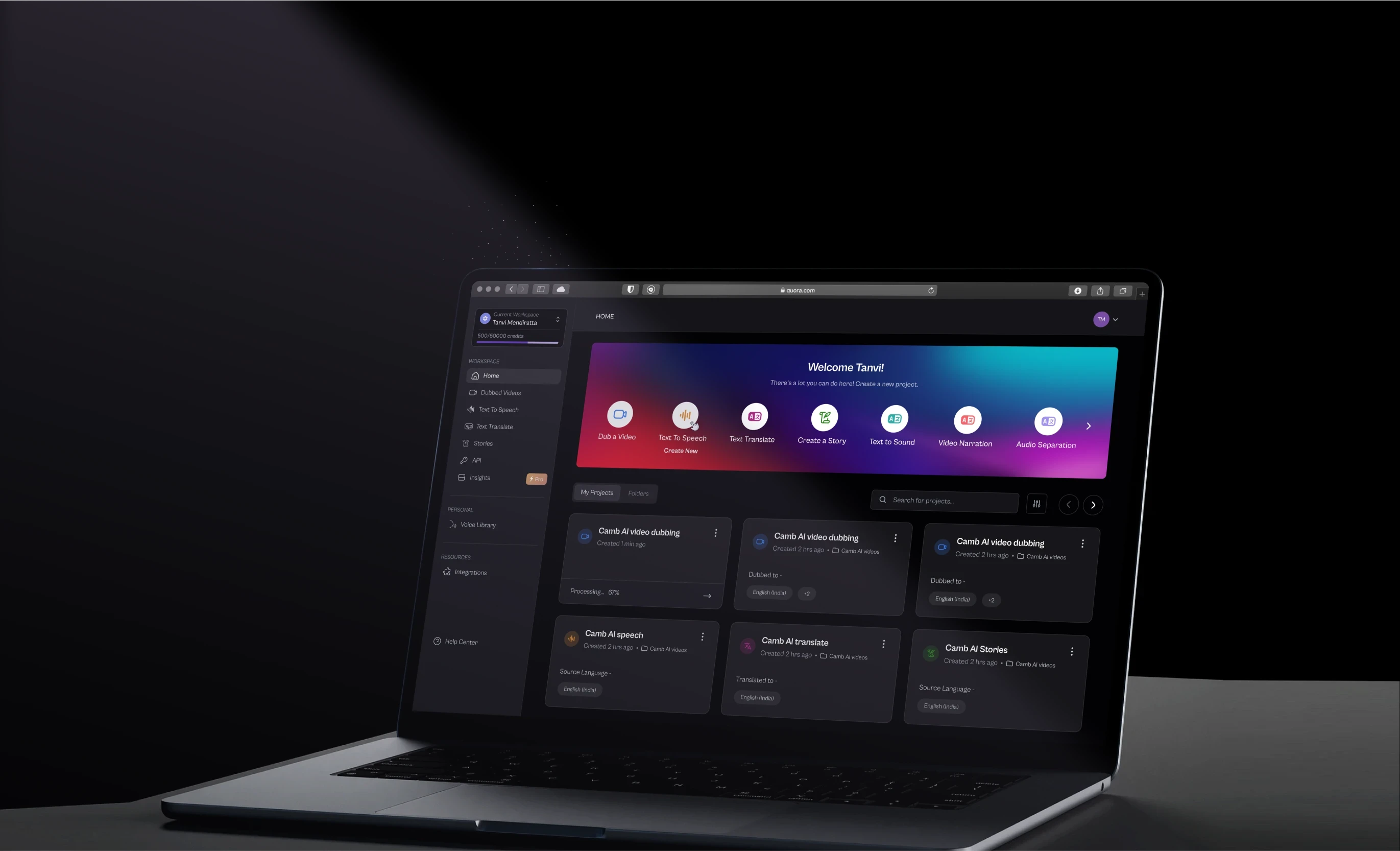
The design system point came up directly in our redesign of Camb.ai's AI dubbing platform. New AI capabilities were being added regularly, and the original interface was not built to accommodate them. Powerful tools were hard to find in the dashboard, and there was no unified design system. We started with a three-day free trial of the product to find friction as a user would, then built a comprehensive design system and a scalable interface that could grow with each new capability.

Two interface views side by side, where an existing sidebar and component set stay unchanged while one new tool is added using the same pattern.

Investors use a simple test for this kind of value. NFX's Pete Flint describes the strong answer a customer gives when asked what they would lose by leaving: losing "months of team context, shared workflows, and collaborative relationships". Every item in that answer is something the interface has to hold.

Auditing your product for AI wrapper risk

Run these questions with your product and design leads. A thin answer is a signal to invest in that layer.

Question

Thin answer

Thick answer

If the model provider shipped your core feature, what would users still need you for?

Not much

The workflow, history and team setup around it

Where does the customer's work live?

It is copied in and out

It is created, reviewed and stored in the product

What would a customer lose by leaving?

A prompt they could rewrite

Drafts, comments, approvals and settings built over months

How many roles use the product?

One person

Several roles with different permissions

What happens when a new model capability ships?

A redesign

A new component in an existing system

Is your data shaped by your workflow?

Generic data anyone can buy

Data created by customers doing their work in your product

Could you move to another model provider next quarter?

The product would break

An abstraction layer absorbs it

Data on its own is a weaker moat than many founders hope. Back in 2019, Andreessen Horowitz's Martin Casado and Peter Lauten argued that "defensibility is not inherent to data itself". Data becomes useful when it comes from customers working inside your product, which brings the question back to workflow and interface.

Answer each question for your three most used features separately. A product is rarely thin or thick as a whole. Often the core feature is thick and the newest one is a text box on a model call, and that newest feature is the one a competitor or the model provider can copy first. Write the answers down and revisit them each time a major model release ships.

Worked audit asking what users would lose if the provider shipped press-release drafting, comparing a rewritable prompt against drafts, comments, approvals and client voice settings.

If the audit shows thin answers in most rows, the fix is usually product design work on the editor, the roles and the system underneath. That is the work our UI/UX design services cover for AI products.

A wrapper worth keeping

  • The model is shared, so your product is the experience around it.

  • Rebuild-proof value sits in workflow depth, shared history, roles and a design system that grows with the model.

  • Run the audit before an investor runs it for you.

If you are building on a third-party model and want a design partner who looks at your product the way a buyer will, talk to Groto about your AI product. You can meet your designer within 24 hours, and work starts immediately after.

Almost every AI product runs on someone else's model, so the wrapper question lands on almost every founder. We look at what buyers and investors actually test, which parts of a product a competitor can rebuild quickly, and the design decisions that make your layer worth keeping

The model is shared. The product around it does not have to be.

A simple chat window beside a larger multi-panel editing surface, shown without text.

TL;DR

  • An AI wrapper is a product built on someone else's foundation model, where the team's own work is the interface, the prompts, the retrieval, the workflow logic and the integrations.

  • The label turned into a criticism because a thin wrapper can be rebuilt by a competitor using the same model, or absorbed by the model provider.

  • Buyers look past the model and price workflow depth, proprietary data and customer retention, measured through retention and expansion rather than through the demo.

  • Design decisions that compound, such as editors shaped around one job, role systems and team history kept inside the product, make a wrapper harder to copy.

  • A short self-audit shows which parts of your product a competitor could rebuild quickly and which would take them much longer.

What is an AI wrapper? In plain terms, it is a product that runs on a foundation model another company trained, such as GPT, Claude or Gemini, and reaches that model through its API. The model does the reasoning, and the wrapper owns everything the user touches: the interface, the hidden prompts, the retrieval, the workflow logic and the connections to other tools, which is where a wrapper becomes a business or stays a feature.

A founder demos an AI product to an investor. Ten minutes in, the investor asks the question the founder has been dreading: what stops another team from building this on the same model? The founder talks about prompt quality and speed to market. The investor writes one word in the notes, and the word is "wrapper".

That word now sits in the middle of a lot of transactions. Bain found that "In 2025, almost half of tech deals had some AI component, which was up from about one in four deals in 2024", across a set of 324 strategic technology deals, with the 2025 figure running to the end of September. Our view is that the wrapper label is accurate and mostly beside the point. Nearly every AI product is a wrapper. The ones that last are the ones whose interface and workflow carry so much of the customer's daily work that leaving would cost more than staying.

What is an AI wrapper? The layer around the model

An AI wrapper is a product whose own layer is the experience around a model: the interface, the prompts, the context it supplies, the workflow and the integrations. A good one makes a general model useful for one job. A weak one adds a text box and a logo.

A wrapper's own work usually falls into five parts:

  • Prompt engineering: hidden, structured instructions inserted behind the scenes, so users get targeted results without writing complex prompts.

  • Retrieval and context: pulling the right passages from the customer's own documents at the moment of the request, and carrying conversation and project memory between sessions.

  • Input and output formatting: preparing user data, such as uploaded files, before it reaches the model, and turning the response into tables, reports or structured fields.

  • Checks on the output: validation rules, policy filters and fallbacks, so a wrong or off-policy answer is caught before the user acts on it.

  • Workflows and integrations: connecting the model to outside tools, databases and business apps such as CRMs, document editors or payment systems.

Most teams reach for retrieval before fine-tuning, because retrieval is grounded in data that changes daily and costs nothing to update, while fine-tuning is a training run you repeat every time the material moves. Fine-tuning earns its cost once retrieval has stopped closing the quality gap, usually on tone, format or a narrow reasoning pattern the model keeps getting wrong.

Wrappers you already use

The debate gets clearer with names attached.

Cursor describes itself as a coding agent for building software, and its own layer is an editor that understands a whole codebase, plans changes across files and works with the tools a developer already has. Perplexity calls itself an AI-powered search engine, and its layer is live retrieval with sourced answers, running on models from OpenAI and Anthropic rather than one of its own. Notion AI is the same idea pointed inward, with the assistant built into a workspace where the company's documents already live, which is context no standalone chat tool can reach. Zapier is the workflow case, connecting a model to thousands of other applications so the output lands in the system where the work continues.

None of these trained the model underneath. All four are, by the strict definition, wrappers. The difference is how much of the customer's work each one holds.

Common lighter examples are chat-with-document tools, writing assistants built for one task such as contracts or marketing copy, and internal company copilots wired into a knowledge base. If you are planning a product like this from scratch, our guide on developing an AI-powered SaaS product covers the steps before the design work starts.

Why almost every AI product starts as a wrapper

Before the criticism, the reason. Building on someone else's model is usually the correct decision, and the arguments for it are strong.

  • Speed to market. No training run, no research team, no GPU budget. A founder can have a working product in front of customers in weeks.

  • Free upgrades. When the provider ships a better model, your product gets better without you doing anything, and your users notice.

  • Model portability. An abstraction layer lets you move between providers as prices fall and quality shifts, which is leverage you do not have if you trained your own.

  • Focus. Every hour not spent on infrastructure is an hour spent on the customer's actual problem, which is the only thing they are paying for.

The trade-off is that everything on this list is available to your competitors too.

Why the AI wrapper label worries founders and investors

The word is rarely neutral. Buyers and investors use it as shorthand for a product built on someone else's model, and model dependency is usually the first thing they test. Three risks sit behind that test.

Copy risk is the obvious one. Competitors can call the same model through the same API, so differentiation that lives at the feature level rarely lasts.

Platform risk is the one founders underestimate. Model providers keep adding features to their own apps, so a thin product built on one of them can find its core feature shipped by the provider, for free, to a larger user base.

Supplier risk is the one that hits the balance sheet first. Price changes, rate limits or lost access go straight to your margins and your uptime. In June 2025 the coding tool Windsurf published a statement saying Anthropic had cut off "nearly all of our first-party capacity to the Claude 3.x models" with less than a week of notice. Anthropic told TechCrunch it was "prioritizing capacity for sustainable partnerships". Full access was restored weeks later, but the lesson held, and Windsurf's own post put it bluntly: "it is not hard to build a model wrapper." The mitigation is an abstraction layer that lets the product run on more than one model, plus an interface that never hard-codes one model's behaviour.

Thin, thick and AI-native

Developers and investors sort these products into tiers. A thin wrapper is a lightweight app with basic prompt templates and little logic of its own. A thick wrapper combines multi-step workflows, retrieval from outside data, tool calling and deep software integrations. A third tier sits above both, where the product's own data and systems do work the model cannot.


Thin wrapper

Thick wrapper

AI-native

What the team built

Prompt templates and a UI

Workflows, retrieval, integrations

Proprietary systems and data

Where the data lives

Pasted in and out

Created and stored in product

Generated by the product itself

User roles

One

Several, with permissions

Several, across organisations

Model dependency

Total

Portable across providers

Model is one component

If the provider ships it

Core feature gone

A feature, not the product

Largely unaffected

How buyers price it

Close to a feature

Like SaaS

At a premium

Thin wrappers with easily replicated features tend to be valued close to a feature or an acquihire, a point the M&A advisory firm L40° makes directly in its work on valuing these products. The other side of the debate holds that value and defensibility come from workflow integration, domain-specific data and solving real user problems. We agree, and we would go further: most of that value is built in the interface, and design decides how deep the workflow goes.

What the model providers have already shipped

Platform risk is easier to take seriously with a list. Each of these wrapper categories met a native feature from the companies whose models they were built on.

Wrapper category

What landed on it

When

Chat with your documents

File upload and document handling in both ChatGPT and Claude

Rolled out across 2023 and 2024

AI writing surfaces

ChatGPT Canvas, then Claude Artifacts

October 2024, following Artifacts in June 2024

Document and deck generation

Claude creating spreadsheets, documents, decks and PDFs

September 2025

Research summarisers

Deep Research in ChatGPT, Gemini and Perplexity, and Research in Claude

December 2024 through April 2025

Simple task agents

ChatGPT agent mode

July 2025

Neither OpenAI nor Anthropic published a dated announcement for general file upload in their consumer apps, so treat that first row as a period rather than a date.

Every category on that list was a general job with no team workflow around it. None of them required a reviewer, a role system or a record of what a team had decided. That is the pattern worth reading, and it is more useful than the dates.

What buyers actually measure

The technology gets a shorter look in diligence than founders expect. The deeper questions are commercial: net revenue retention, cohort retention, weekly active use per seat and expansion revenue. Thin profiles also get paid differently, through earnouts, holdbacks and staged payments, so two offers with the same headline number can deliver very different cash.

The founder-facing version of the test is simple enough to run yourself: does the product become more valuable as customers use it? If the honest answer is that month twelve looks like month one, the moat is not there yet, whatever the retention chart says.

The AI onboarding playbook top teams use to boost activation.

Reduce first-session confusion, speed up time-to-value, and build user trust, built from real onboarding audits of AI products.

No Spam. Free Lifetime

The parts a competitor can copy quickly

Some layers of an AI product are cheap to rebuild because they depend on the model or on public tools. A founder should know which of their features sit here. The time estimates below are rough defaults from what these builds actually take, not measured figures.

Layer

Why it is easy to rebuild

Rough time to copy

Model access

Anyone can call the same API on the same terms

Hours

A general chat interface

The pattern is standard, and model providers ship their own

Days

Prompt templates

Good prompts can be reconstructed by testing the product's outputs

Days

Output formatting

Tables, summaries and exports are common features

About a week

A single integration with a public API

The same connector is open to everyone

One to two weeks

Role and permission system

Has to match how real teams are structured

Months

Job-shaped editor with history

Requires knowing how the work is actually done

Months

The customer's stored work

It is the customer's, not yours or theirs

Cannot be copied

Each of the first five is useful work, and a product needs all of them. They are also the parts a competitor can match without knowing your customers. A product made only of those layers is the thin wrapper investors worry about.

Founders often describe their prompts as the secret, and good prompting does change the output. It is also the layer users never see, so it does little to make them stay. Once a competitor matches your output quality, users compare everything else: how fast they reach a usable result, how the result fits their next step and what they would lose by switching.

Where an AI moat comes from

An AI moat is whatever makes your product hard to replace for a customer, even when a competitor uses the same model. Four sources come up repeatedly, and design has something to do with each.

Moat

Where it comes from

What design controls

Workflow depth

The product carries a whole job, not one step

Where the work starts and where it ends

Data from use

Customers generate it by working in the product

Whether the work happens in your product at all

Industry specialisation

The product fits one trade's language and process

Screens built around that trade's actual steps

Switching cost

Team history accumulates inside the product

Whether history is stored or exported

They work as a system rather than separately. Specialisation is what makes the workflow worth adopting, the workflow is what generates the data, and the accumulated history is what makes leaving expensive.

Four connected steps showing how industry fit leads to a full workflow, which produces work data and accumulated team history.

Sequoia made the workflow point early in the generative AI cycle. Writing in 2023, Sonya Huang and Pat Grady described a second wave of AI applications that tend to use foundation models "as a piece of a more comprehensive solution", and noted of those applications that "They introduce new editing interfaces, making the workflows stickier and the outputs better". An editing interface is a design decision. So is the workflow it sits in.

Isn't the interface easy to copy too?

It is worth meeting this objection directly, because it is the strongest one against everything above. Screens can be copied. A competent team with your product open in another tab can rebuild your layout, your flows and your visual language in a few weeks. Treated as a set of screens, an interface is a head start rather than a moat, and anyone who tells a founder otherwise is selling something.

The distinction is what the interface holds. A competitor can copy the editor. They cannot copy six months of a client's drafts inside it, the comment threads where two people argued about a headline, the approval someone gave on a Tuesday, the voice settings tuned over a dozen campaigns or the permission structure that matches how that specific team is organised. The screens are the container. The customer's accumulated work is the thing that makes leaving expensive, and the only way a competitor gets that is one customer at a time, starting from empty. So the design question is not how distinctive the interface looks. It is how much of the customer's work the interface is built to keep.

Barista shows the design side of this. Barista, an AI platform for PR agencies, came to us with a strong AI engine and an early interface that felt unfinished. At the centre of what we designed is a Content Editor: the prompt and the AI output sit side by side, a writer can revise, re-prompt or keep several drafts, and teammates comment inside the draft. Around it sits a role system for Super Admins, Admins and Members, and each client workspace is tuned to its own voice.

Whatever model sits underneath, the editor shaped around how PR teams write, the per-client voice settings, the comment threads and the role structure are the hard part to rebuild, because they come from understanding how the work is done. That layer is where the product earns its place.

Interface decisions that compound

Some design decisions add value every week a customer uses the product. These are the ones that turn a wrapper into something a team would miss.

  • Shared history inside the product. Drafts, versions, comments and decisions stay where the work happened, so the product holds the team's memory.

  • Roles and permissions. When several people with different jobs work in the same product, it starts to sit at the centre of how a team runs.

  • Editors shaped around one job. A writing surface for press releases or a review screen for contracts fits the work better than a general chat box.

  • A design system that absorbs new capabilities. Models change fast, and an interface that breaks with every new feature slows the product down.

  • Integrations at the end of the work. Connecting to where the output goes next, such as a CRM or a publishing tool, keeps the product in the loop.

  • Controls a buyer's security team can see. Role-based limits on what the AI is allowed to do, review steps before risky actions, and an audit log an admin can read without engineering help. In KPMG's Q4 2025 AI Pulse Survey of 130 US C-suite leaders at companies above $1 billion in revenue, 75% named security, compliance and auditability as the most critical requirements for deploying AI agents. This is frequently the layer that turns a pilot into a contract.

The design system point came up directly in our redesign of Camb.ai's AI dubbing platform. New AI capabilities were being added regularly, and the original interface was not built to accommodate them. Powerful tools were hard to find in the dashboard, and there was no unified design system. We started with a three-day free trial of the product to find friction as a user would, then built a comprehensive design system and a scalable interface that could grow with each new capability.

Two interface views side by side, where an existing sidebar and component set stay unchanged while one new tool is added using the same pattern.

Investors use a simple test for this kind of value. NFX's Pete Flint describes the strong answer a customer gives when asked what they would lose by leaving: losing "months of team context, shared workflows, and collaborative relationships". Every item in that answer is something the interface has to hold.

Auditing your product for AI wrapper risk

Run these questions with your product and design leads. A thin answer is a signal to invest in that layer.

Question

Thin answer

Thick answer

If the model provider shipped your core feature, what would users still need you for?

Not much

The workflow, history and team setup around it

Where does the customer's work live?

It is copied in and out

It is created, reviewed and stored in the product

What would a customer lose by leaving?

A prompt they could rewrite

Drafts, comments, approvals and settings built over months

How many roles use the product?

One person

Several roles with different permissions

What happens when a new model capability ships?

A redesign

A new component in an existing system

Is your data shaped by your workflow?

Generic data anyone can buy

Data created by customers doing their work in your product

Could you move to another model provider next quarter?

The product would break

An abstraction layer absorbs it

Data on its own is a weaker moat than many founders hope. Back in 2019, Andreessen Horowitz's Martin Casado and Peter Lauten argued that "defensibility is not inherent to data itself". Data becomes useful when it comes from customers working inside your product, which brings the question back to workflow and interface.

Answer each question for your three most used features separately. A product is rarely thin or thick as a whole. Often the core feature is thick and the newest one is a text box on a model call, and that newest feature is the one a competitor or the model provider can copy first. Write the answers down and revisit them each time a major model release ships.

Worked audit asking what users would lose if the provider shipped press-release drafting, comparing a rewritable prompt against drafts, comments, approvals and client voice settings.

If the audit shows thin answers in most rows, the fix is usually product design work on the editor, the roles and the system underneath. That is the work our UI/UX design services cover for AI products.

A wrapper worth keeping

  • The model is shared, so your product is the experience around it.

  • Rebuild-proof value sits in workflow depth, shared history, roles and a design system that grows with the model.

  • Run the audit before an investor runs it for you.

If you are building on a third-party model and want a design partner who looks at your product the way a buyer will, talk to Groto about your AI product. You can meet your designer within 24 hours, and work starts immediately after.

Have a project in mind?

Let’s talk through your idea and see what makes sense.
Harpreet Singh

Founder at Groto

FAQ

Everything you were going to ask (and a few things you didn’t know to)

What is a wrapper in programming?

In programming, a wrapper is code that surrounds another component and gives it a different or simpler interface. The wrapped component keeps doing its work, and the wrapper changes how other code or people reach it. An AI wrapper applies the same idea to a foundation model. The model does the reasoning, and the wrapper controls how users interact with it.
Is every AI product built on GPT a wrapper?

By the strict definition, yes. If your product calls a model you did not train, it is a wrapper, and that includes products nobody would describe dismissively. The useful question is not whether a product is a wrapper but how much of it would survive the model being taken away. If the answer is a prompt and a text box, the label is doing real work. If the answer is a workflow, a team's history and a set of integrations, it is not.

How do I know if my product is just a wrapper?

Run the audit table above against your three most used features, separately rather than as a whole. The sharpest single question is what a customer would lose by leaving. If the answer is a prompt they could rewrite in an afternoon, you are thin on that feature. If it is months of drafts, comments, approvals and settings, you are not. Most products come back mixed, with a thick core and a thin newest feature.

How do AI wrappers work?

An AI wrapper sits between the user and the underlying model. It adds hidden, structured prompts so users get targeted results without writing complex prompts themselves. It retrieves relevant context from the customer's own data, prepares inputs such as uploaded files, and formats the model's response into tables, reports or fields. Thicker wrappers also check the output against policy, connect the model to outside tools and run multi-step workflows.

What is the difference between a thin and a thick AI wrapper?

A thin wrapper is a lightweight app with basic prompt templates and little logic of its own. A thick wrapper combines multi-step workflows, retrieval from outside data, tool calling and deep integrations with other software. Thin wrappers are easier to copy because most of their value comes from the model. Thick wrappers hold more of the customer's work, which makes them harder to replace.

Is an AI agent a wrapper?

Usually yes. Most agents are thick wrappers that also take actions through tools, so the same copy risk, platform risk and supplier risk apply, and the moat questions are identical. The one thing agents add is consequence: because they act rather than only answer, the permission model and the review steps around them become part of the product rather than an afterthought.

What is a wrapper in programming?

In programming, a wrapper is code that surrounds another component and gives it a different or simpler interface. The wrapped component keeps doing its work, and the wrapper changes how other code or people reach it. An AI wrapper applies the same idea to a foundation model. The model does the reasoning, and the wrapper controls how users interact with it.

Is every AI product built on GPT a wrapper?

By the strict definition, yes. If your product calls a model you did not train, it is a wrapper, and that includes products nobody would describe dismissively. The useful question is not whether a product is a wrapper but how much of it would survive the model being taken away. If the answer is a prompt and a text box, the label is doing real work. If the answer is a workflow, a team's history and a set of integrations, it is not.

How do I know if my product is just a wrapper?

Run the audit table above against your three most used features, separately rather than as a whole. The sharpest single question is what a customer would lose by leaving. If the answer is a prompt they could rewrite in an afternoon, you are thin on that feature. If it is months of drafts, comments, approvals and settings, you are not. Most products come back mixed, with a thick core and a thin newest feature.

How do AI wrappers work?

An AI wrapper sits between the user and the underlying model. It adds hidden, structured prompts so users get targeted results without writing complex prompts themselves. It retrieves relevant context from the customer's own data, prepares inputs such as uploaded files, and formats the model's response into tables, reports or fields. Thicker wrappers also check the output against policy, connect the model to outside tools and run multi-step workflows.

What is the difference between a thin and a thick AI wrapper?

A thin wrapper is a lightweight app with basic prompt templates and little logic of its own. A thick wrapper combines multi-step workflows, retrieval from outside data, tool calling and deep integrations with other software. Thin wrappers are easier to copy because most of their value comes from the model. Thick wrappers hold more of the customer's work, which makes them harder to replace.

Is an AI agent a wrapper?

Usually yes. Most agents are thick wrappers that also take actions through tools, so the same copy risk, platform risk and supplier risk apply, and the moat questions are identical. The one thing agents add is consequence: because they act rather than only answer, the permission model and the review steps around them become part of the product rather than an afterthought.

More Articles

Extreme close-up black and white photograph of a human eye

Let’s bring your vision to life

Tell us what's on your mind? We'll hit you back in 24 hours. No fluff, no delays - just a solid vision to bring your idea to life.

Profile portrait of a man in a white shirt against a light background

Harpreet Singh

Founder and Creative Director

Get in Touch