How Do You Actually Measure the Impact of AI on Design?

How Do You Actually Measure the Impact of AI on Design?

A practical guide to measuring AI's real impact on design, covering baselines, speed, quality, cost, and the metrics that separate genuine progress from vanity numbers.

How Do You Actually Measure the Impact of AI on Design?

How Do You Actually Measure the Impact of AI on Design?

A practical guide to measuring AI's real impact on design, covering baselines, speed, quality, cost, and the metrics that separate genuine progress from vanity numbers.

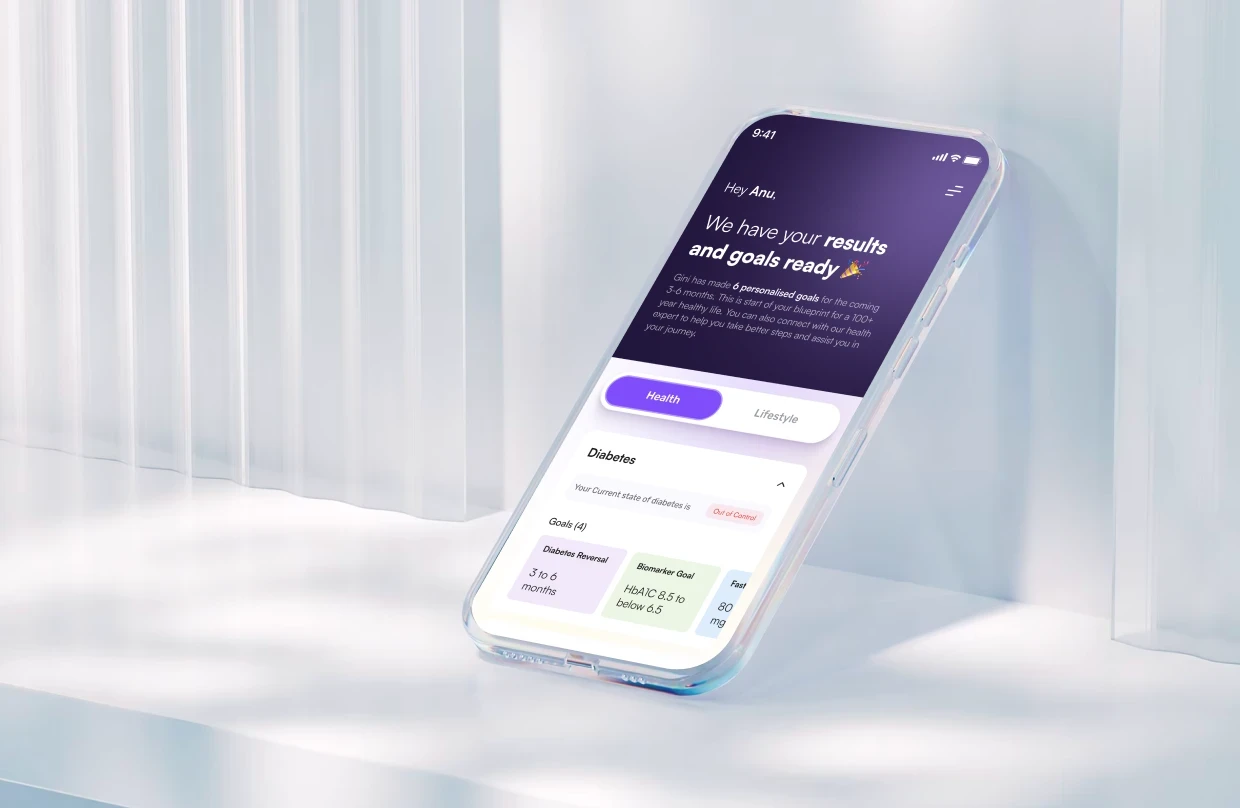
Most teams claim AI made design faster, but few can prove it. This guide covers how to actually measure AI's impact on design: setting a baseline, gating speed with quality, counting real costs, and tracking where designer time moved.

How to measure AI's real impact on design, beyond hours saved and mockup counts.

 How to measure AI's real impact on design, beyond hours saved and mockup counts.

TL;DR

  • No baseline means no real number. Without a before-AI comparison, every improvement claim is a feeling wearing a percentage sign.

  • Speed alone is a vanity metric. AI genuinely compresses parts of design work, but a speed number with no quality check attached tells you almost nothing.

  • Quality is the gate. If AI makes design faster but worse, the impact is negative, no matter how good the throughput looks.

  • Realistic throughput gains land around 5 to 15%, not the 10x figures that show up in marketing decks.

  • The highest-value signal is where designer time moved: toward strategy and judgment, or just toward producing more average output, faster.

  • AI only proves its value here when the end product measurably gets better for users, not before.

The impact of AI on design is a genuinely hard thing to pin down, mostly because most teams are trying to answer it with the wrong evidence, separate from the practical question of how AI is transforming UX/UI development day to day. "We generate mockups faster now" is an observation about activity. It is not a measurement of impact. This guide walks through what a real measurement looks like, grounded in the same AI-driven UX practices every business needs in 2026: a pre-AI baseline, honest speed tracking, a quality gate, a full-cost ROI calculation, and a way to see whether designers actually moved toward higher-value work.

Everyone on your team will tell you AI made design faster. Ask them to prove it, and the room goes quiet. "We generate mockups in minutes now." "It saved me hours on wireframes." Those are anecdotes, not measurement, and they conveniently skip the questions that decide whether AI actually helped: faster at what, did quality hold, what did it cost once you count everything, and did the end product get better for users? The honest answer to "what's the impact of AI on design?" is almost never the one on the sales slide, and the only way to know your real answer is to measure it properly.

This guide is about doing exactly that: measuring the impact of AI on your design work with the same rigor an engineering org applies to AI coding tools, adapted for design, and sitting alongside the broader question of AI's impact on business. It's for design leaders, PMs, CTOs, and founders who've adopted AI in their design workflow and now need to assess it honestly, whether to justify the spend, decide where to lean in, or catch a quality problem before customers do.We build AI-first UX products for a living, much like any AI product design agency in the US, and this is the same framework we use internally before telling a client an AI-assisted workflow is actually paying off. We'll cover why this is genuinely hard to measure, why you need a baseline before anything else, the dimensions that actually matter, and the vanity metrics to ignore. The goal isn't a flattering number. It's the true one.

Why measuring AI's impact on design is harder than it looks
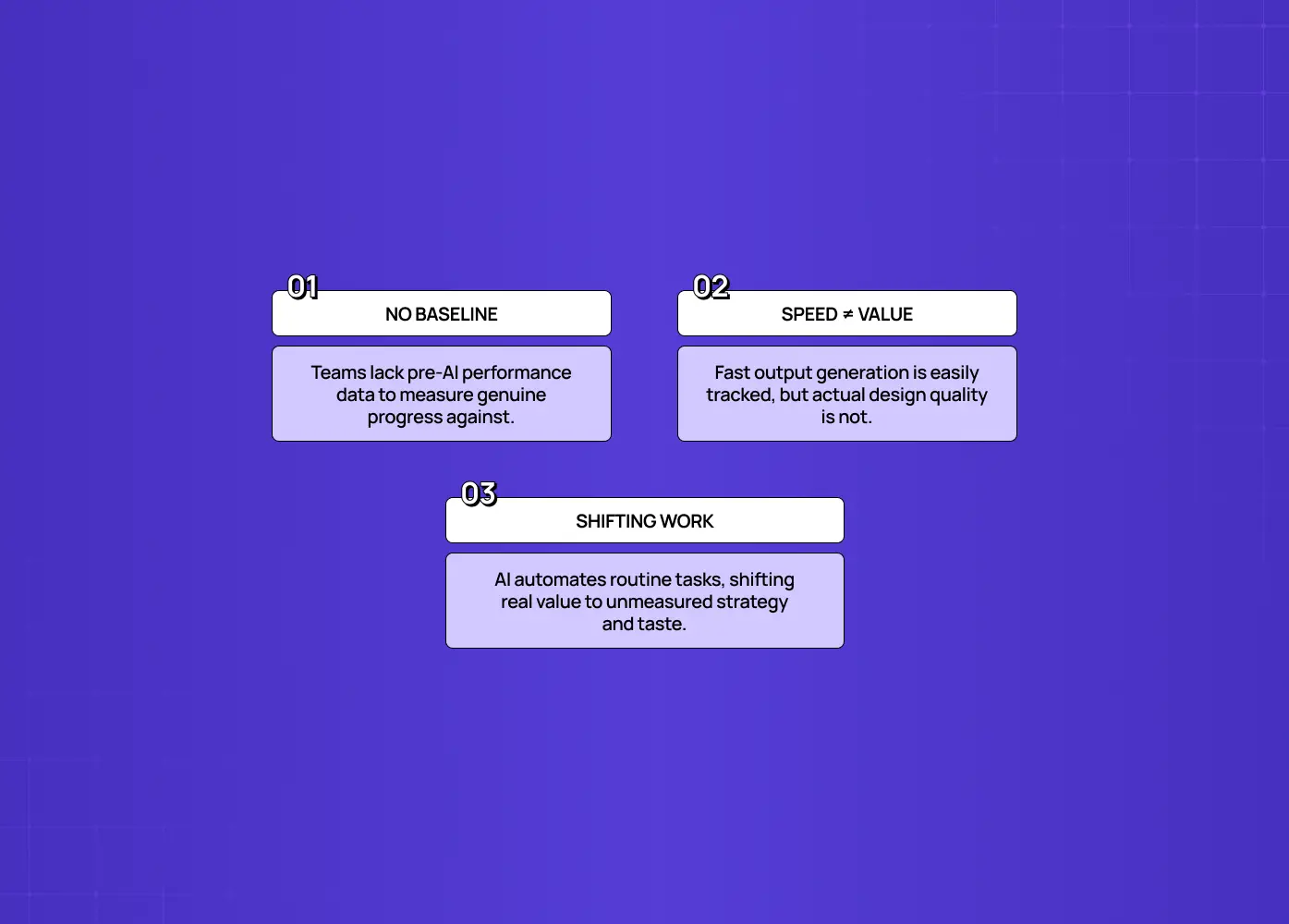
Measuring AI's impact on design is hard for three compounding reasons:

Measuring AI's impact on design is hard for three compounding reasons:

  • There's usually no baseline to compare against. Most teams adopt AI without recording how long things took, how much rework happened, or what quality looked like before. Once AI is in the workflow, there's nothing rigorous to compare against, so every claim of improvement is a feeling.

  • Speed is trivially measurable and value isn't. It's easy to count how fast a mockup gets generated. It's hard to measure whether it was the right mockup, whether it held up in usability, whether it moved a product metric. So teams measure the easy thing and quietly assume it equals impact.

  • The work itself changed. AI automates a large share of routine design production, roughly the repetitive 60% (wireframe variations, basic copy, first-pass synthesis), while the differentiating 40%, the part of what product designers actually do, strategy, judgment, taste, becomes more of the job. Measuring "hours saved on wireframes" captures the part that got automated but misses the part that grew in value.

Peer-reviewed research on AI in graphic design backs this up from a different angle: a 2024 synthesis published in Heliyon found AI plays several distinct roles in design work, from pure automation to creative augmentation to modeling emotional response, not one single function. That's a research-backed reason a single speed metric was never going to capture the full picture.

Put those together and the picture is clear: impact is measurable, even amid the broader AI revolution in UI/UX design, but only if you set a baseline, refuse to let speed stand in for value, and measure the new shape of the work rather than the old one.

The AI onboarding playbook top teams use to boost activation.

Reduce first-session confusion, speed up time-to-value, and build user trust, built from real onboarding audits of AI products.

No Spam. Free Lifetime

The AI onboarding playbook top teams use to boost activation.

Reduce first-session confusion, speed up time-to-value, and build user trust, built from real onboarding audits of AI products.

No Spam. Free Lifetime

Start with a baseline, or every number is anecdotal
Start with a baseline, or every number is anecdotal

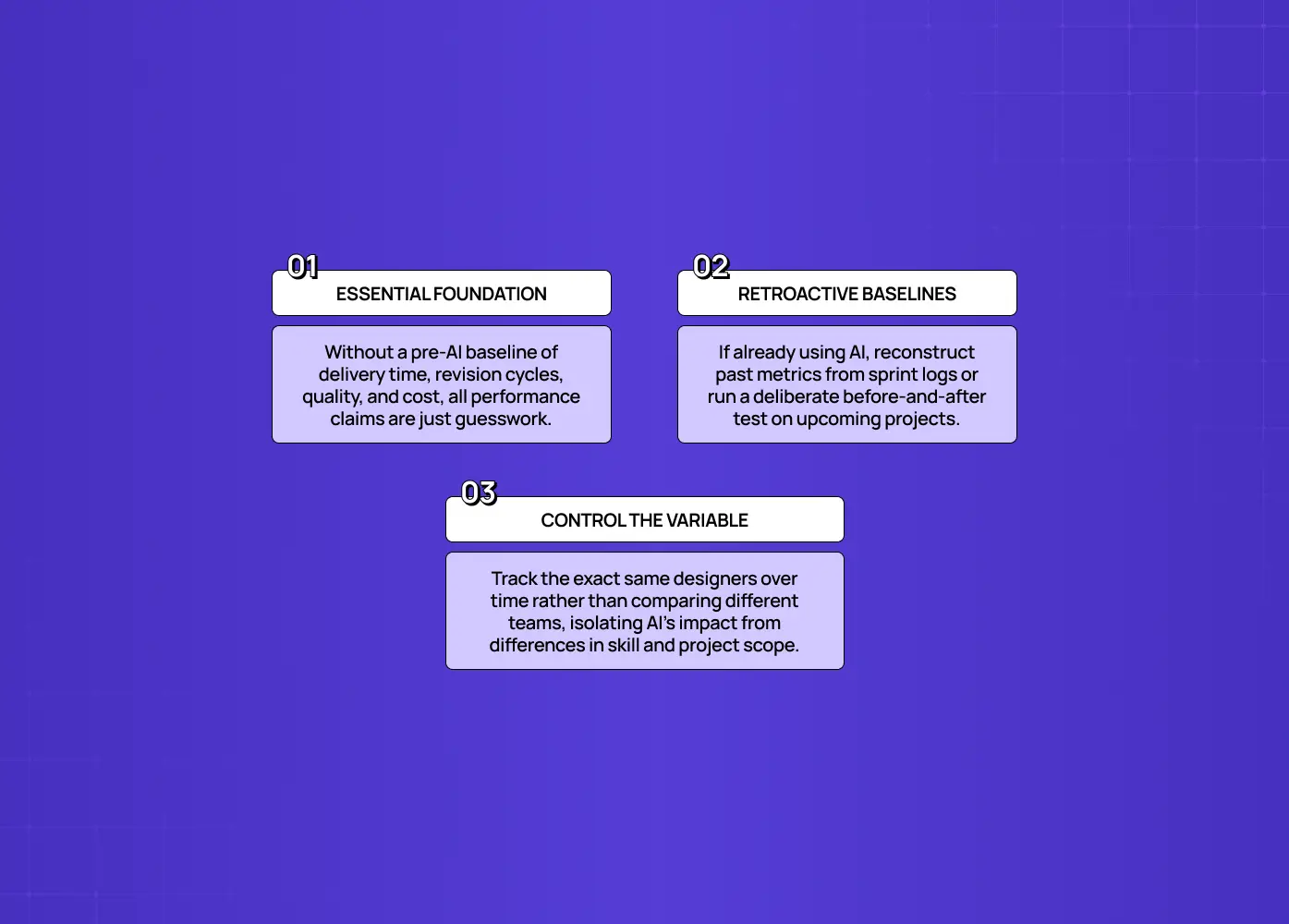
Before you can measure AI's impact on design, you need a baseline of how design performed without it. This is the single highest-leverage step, and the one most commonly skipped.

A baseline means capturing, for a representative slice of work:

  • How long typical deliverables took

  • How many revision cycles they went through

  • What the quality bar produced

  • What they actually cost

If you already adopted AI without a baseline

  • Reconstruct a rough one from past project records, sprint logs, or old timelines

  • Or, better, run a deliberate before/after comparison on an upcoming body of work

  • Track within the same people over time, not across different teams

Comparing an AI-using team to a different non-AI team confounds the tool with everything else that differs between them: seniority, project type, standards. Tracking the same designers before and after isolates the variable you actually care about. Set the baseline first, and every subsequent number becomes evidence instead of a story. Skip it, and you're guessing with confidence.

Speed and throughput: necessary, but not the answer
Speed and throughput: necessary, but not the answer

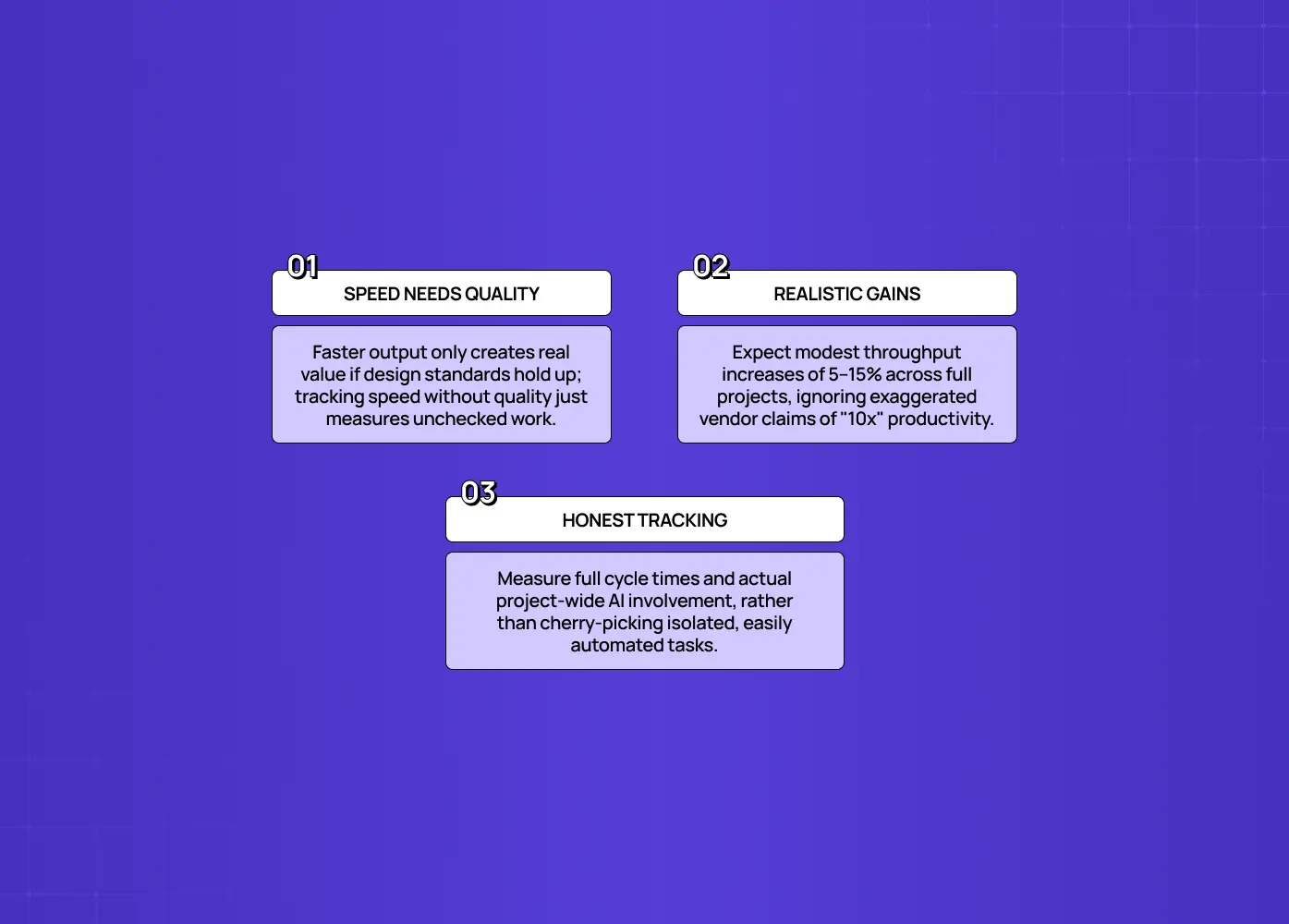
Speed is worth measuring, especially once teams lean on agentic AI for faster UX workflows. AI genuinely compresses parts of the design process. But on its own it's the most misleading metric, because faster output only creates value if quality holds, and realistic gains are far smaller than the hype suggests.

Track throughput honestly:

  • Cycle time on AI-assisted deliverables versus your baseline

  • How much of the work AI actually touched

  • Whether the gain holds across a full project, not just the easiest tasks

Set expectations at the real level, too. Across organizations adopting AI tools, the typical throughput gain lands around 5 to 15%, a meaningful, worthwhile return, but a world away from "10x" marketing claims. This is worth naming directly: plenty of vendor and industry reporting on AI-in-design cites much higher numbers, sometimes a quarter or more off iteration time, or a third off routine production. Treat those figures the way this guide treats any unverified stat: useful as a directional signal, not as your number, until you've checked whether quality was measured alongside it. If your own measured gain is wildly higher than 5 to 15%, be suspicious that you're counting only the easy-to-speed-up tasks.

The deeper trap is treating speed as the finish line. A speed metric with no quality metric beside it isn't a measure of impact. It's a measure of how fast you're producing something you haven't checked.

Design quality: the gate on everything else
Design quality: the gate on everything else

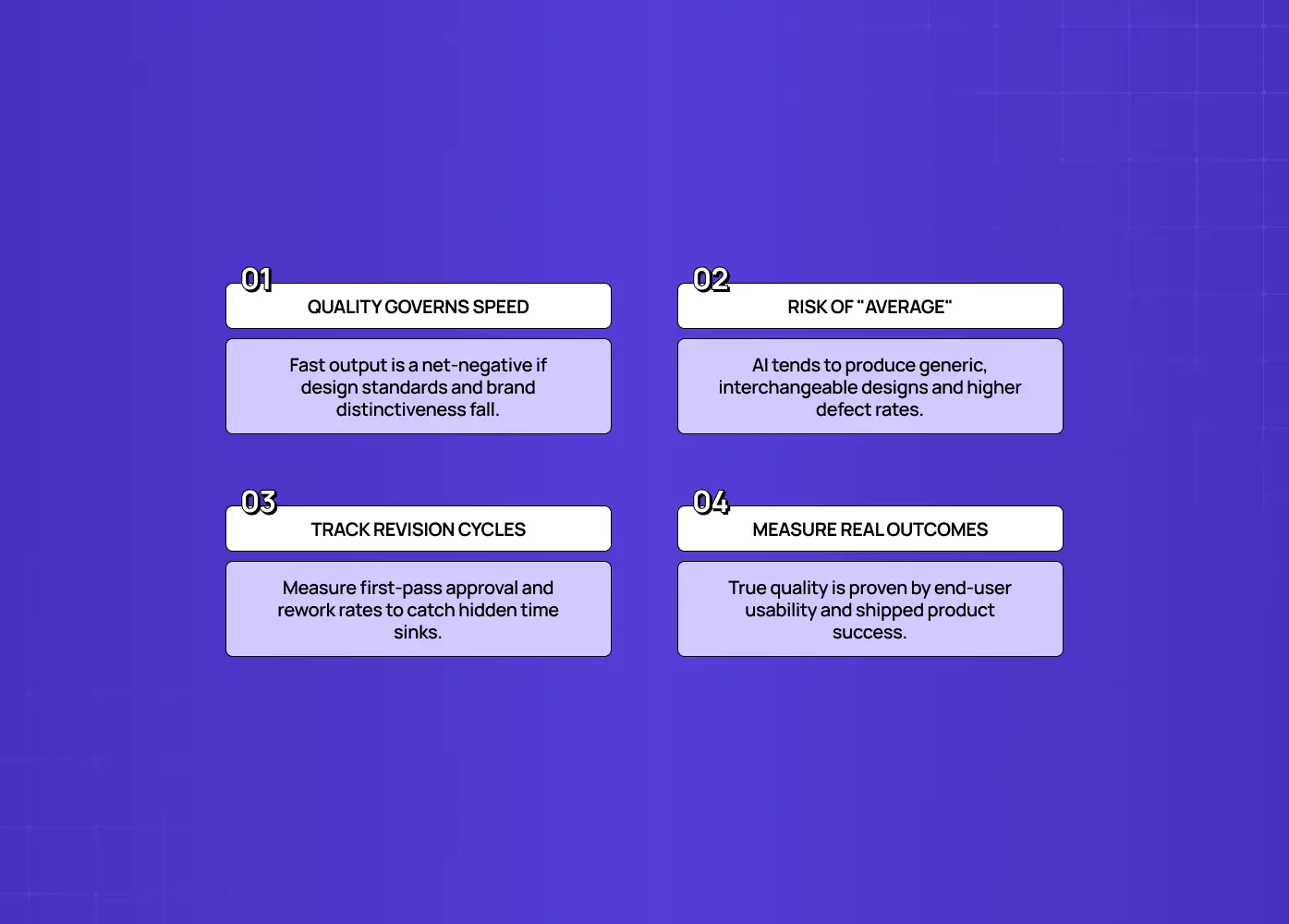
Quality is the metric that determines whether speed means anything. If AI makes design faster but worse, the impact is negative no matter how good the throughput number looks.

The warning from adjacent domains is stark: in AI-assisted software work, some 2026 data shows change-failure rates swinging hard, with certain teams seeing up to 50% more defects after adopting AI. The same risk applies to design. AI "designs for the average," pulling toward the aggregate and the consensus, which can quietly erode the distinctiveness that made your product yours.

Signals that tell you quality actually held

  • The revision or rework ratio: how many rounds AI-assisted work needs to reach the bar (climbing means the speed gain is partly illusory)

  • First-pass review rate: how often AI-assisted design passes review the first time

  • Downstream usability and quality outcomes on shipped work

  • The "average-ification" tell: designs that look fine but feel generic, interchangeable with a competitor's

The rule is simple: a speed gain only counts if quality held at or above baseline. If quality dropped, subtract it from the win, because your users will.

Cost and real ROI: count everything, not just seats
Cost and real ROI: count everything, not just seats

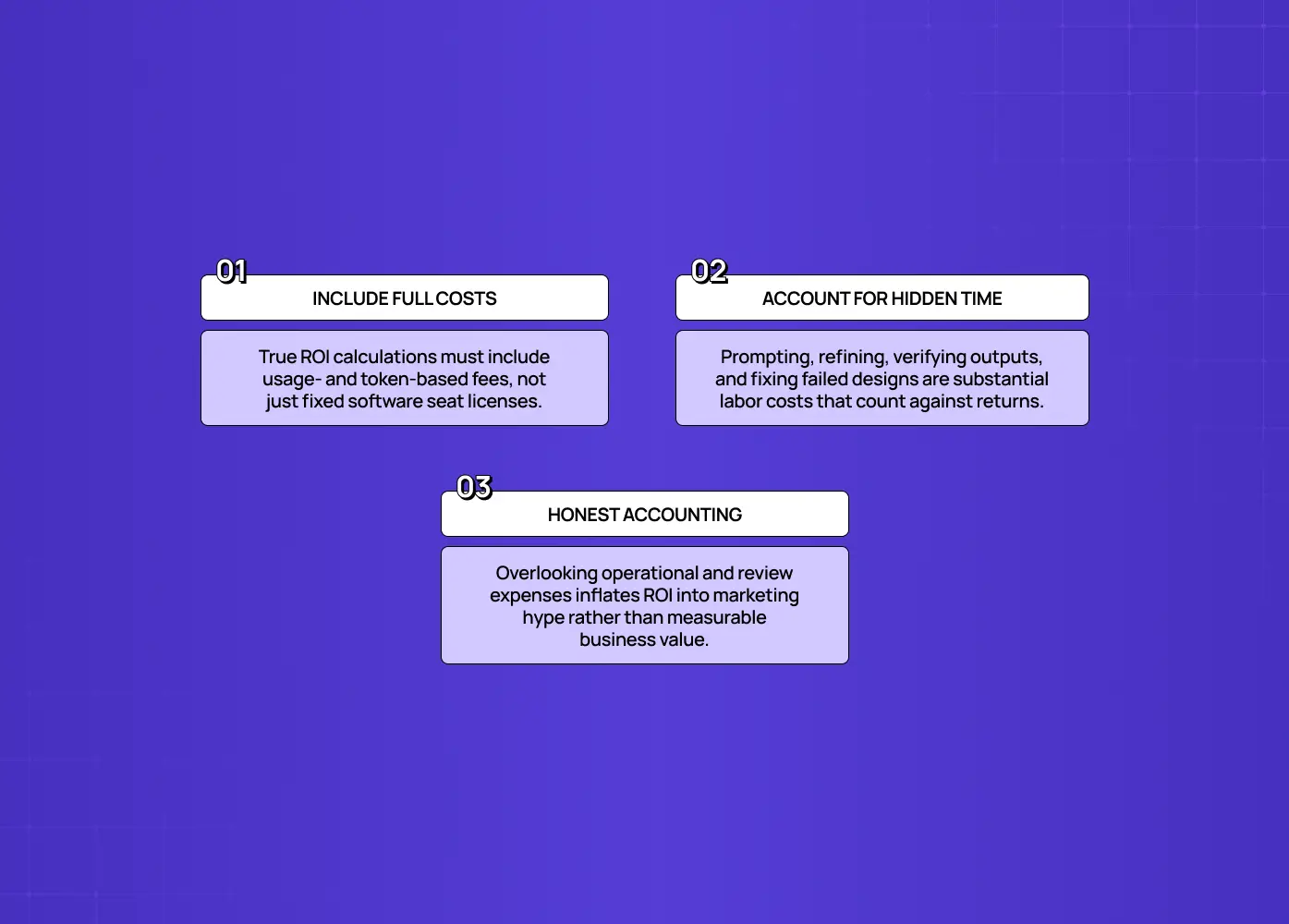
To measure the real ROI of AI on design, put the full cost in the denominator: usage-based AI costs, not just software seat licenses. Understate the cost and you'll overstate the return.

The common error is counting only seat licenses while ignoring:

  • Usage- and token-based costs that scale with how much the tools are actually used

  • The real time spent prompting, refining, and validating AI output, which is not free, and for taste-sensitive work can be substantial

  • Rework time when AI-assisted output misses the bar and has to be redone by a human

We'd rather quote a client the fuller, less flattering number upfront than have them discover it later. It's the same principle behind how we scope UX strategy engagements: the honest cost estimate, not the optimistic one, is what actually protects the ROI conversation down the line. Done with honest accounting, AI ROI on well-chosen use cases can be real and strong, but the figure only means something when the denominator includes everything. If a claimed ROI ignores usage costs and validation time, treat it as marketing, not measurement.

Where designer time actually went: the most design-specific metric
Where designer time actually went: the most design-specific metric

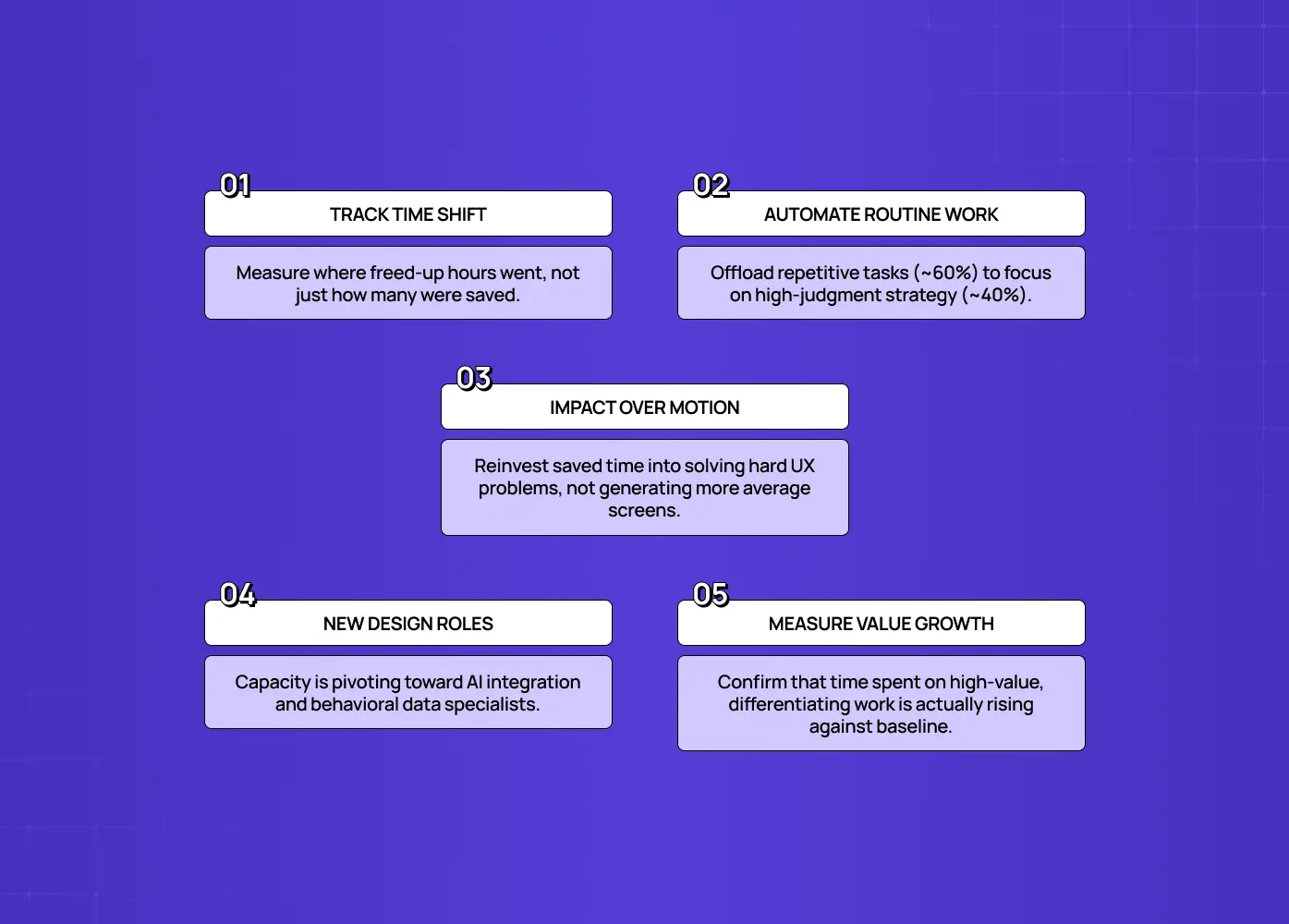
The most revealing measure of AI's impact on design is where designer time shifted. AI's real value isn't just doing the old work faster. It's moving designers off routine production and toward the strategic, judgment-driven work that differentiates your product.

Remember the shape of the change: AI automates much of the routine ~60% (repetitive wireframing, first-draft copy, initial research synthesis), while the differentiating ~40%, strategy, discernment, taste, becomes the core of the job.This tracks with what's happening across the industry more broadly, including in how what a UX researcher does has shifted: entirely new design roles are emerging around this shift, from specialists who integrate AI into creative workflows to designers expected to work with behavioral data, roles that didn't really exist as distinct titles a few years ago.

So the question isn't only "did we save hours?" It's "did those hours move to higher-value work?"

When we redesigned the Nicotex Begin mobile experience, the win wasn't that AI-assisted production sped up screen output. It was that the time freed up went into rethinking the onboarding sequence itself, the actual UX strategy work that reduced drop-offs and got more users to complete sign-up. That's the difference between motion and impact: a team that reinvests saved time into deeper problem-framing and harder calls gets real impact. A team that uses the same savings to produce more average output gets motion.

Measure the reallocation directly:

  • What share of designer time now goes to strategic, judgment-heavy work versus routine production, compared to your baseline

  • Whether that share is trending up or flat over successive projects

  • Whether the people freed from routine work are actually doing the differentiating work, or just doing more of the routine work faster

A healthy AI impact shows up as time shifting toward the differentiating work, not just a lower total. If AI sped up the routine but nobody moved upstream, you captured the small win and missed the large one.

The outcome that ultimately matters
The outcome that ultimately matters

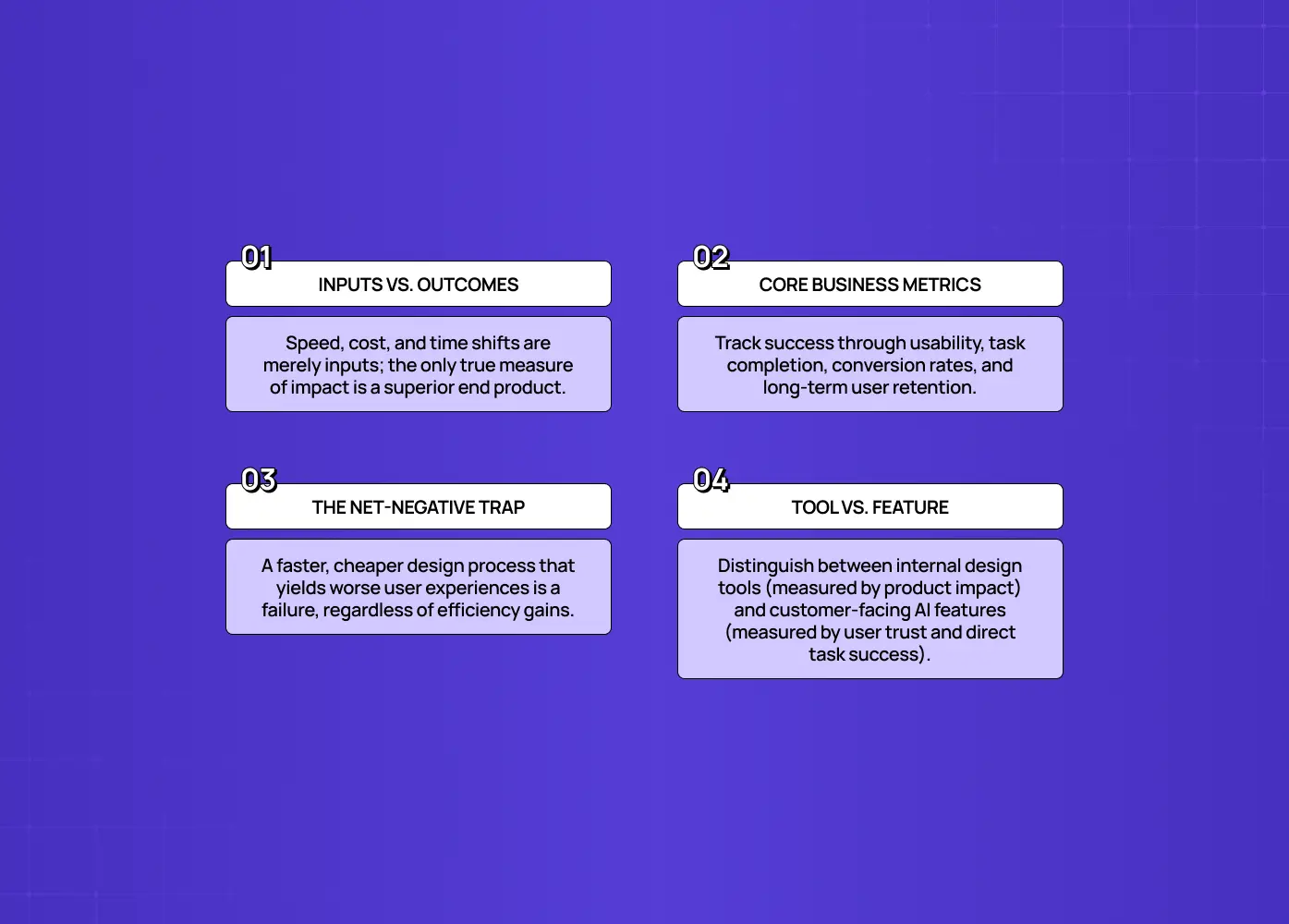
Ultimately, AI's impact on your design work is measured by whether the end product got better, the same question at the center of AI UX vs. traditional UX for SaaS products. Speed, cost, and reallocation are inputs. The only impact that counts is better outcomes for users and the business.

Tie your measurement back to results:

  • Usability: did AI-assisted design improve task completion or reduce friction?

  • Activation and conversion: did more users get to the value moment?

  • Satisfaction and retention: did the product get easier to trust and stick with?

When we worked on PolicyBazaar's insurance shopping experience, the metrics that mattered weren't how quickly screens got produced. They were reduced drop-offs and more completed sign-ups across mobile and web, the kind of outcome that only shows up once you've measured past the production stage into what users actually did with the result. That's the entire point of anchoring measurement here: a design process that got faster and cheaper while producing products users like less has had a negative impact, however good the efficiency metrics look. One that freed designers to do sharper strategic work and shipped products that measurably serve users better has had a real, positive one, and now you can prove it.

If the "AI" in question is a customer-facing feature inside your product rather than a tool your design team uses to produce the product, the evaluation criteria are different again: output quality, task success, and trust signals matter more than throughput. That's a distinct measurement problem worth its own framework, one we've written about separately for teams evaluating whether an AI feature itself is actually working for users.

Vanity metrics to stop celebrating

The metrics to ignore are the ones that measure activity instead of value, the same shortcuts behind most AI UX design mistakes:

  • Number of mockups or variations generated. Volume is not value. AI can produce infinite average options.

  • "Hours saved" with no quality check. Saving time on work that now needs more rework, or is worse, is not a saving.

  • Speed gains reported in isolation. Meaningless without the quality gate beside them.

  • Cost framed as seats only. Ignoring usage costs inflates ROI.

  • Measuring only the automated 60%. Capturing what AI took over while ignoring whether designers moved to higher-value work.

Each of these produces a flattering number that tells you nothing about real impact, and worse, can hide a quality problem your customers will find first. If a metric can go up while your product gets worse, it's a vanity metric.

Conclusion

The impact of AI on design is real, but it isn't what the anecdotes claim, and it isn't captured by counting mockups or repeating "it saved hours." Measuring it honestly means:

  • Starting with a baseline, tracking the same team over time

  • Treating speed as necessary but never sufficient on its own

  • Gating every speed gain with a quality check

  • Costing AI use with the full denominator, not just seat licenses

  • Watching whether designer time moved toward the differentiating work only humans do well

  • Validating the whole thing against whether the end product actually got better for users

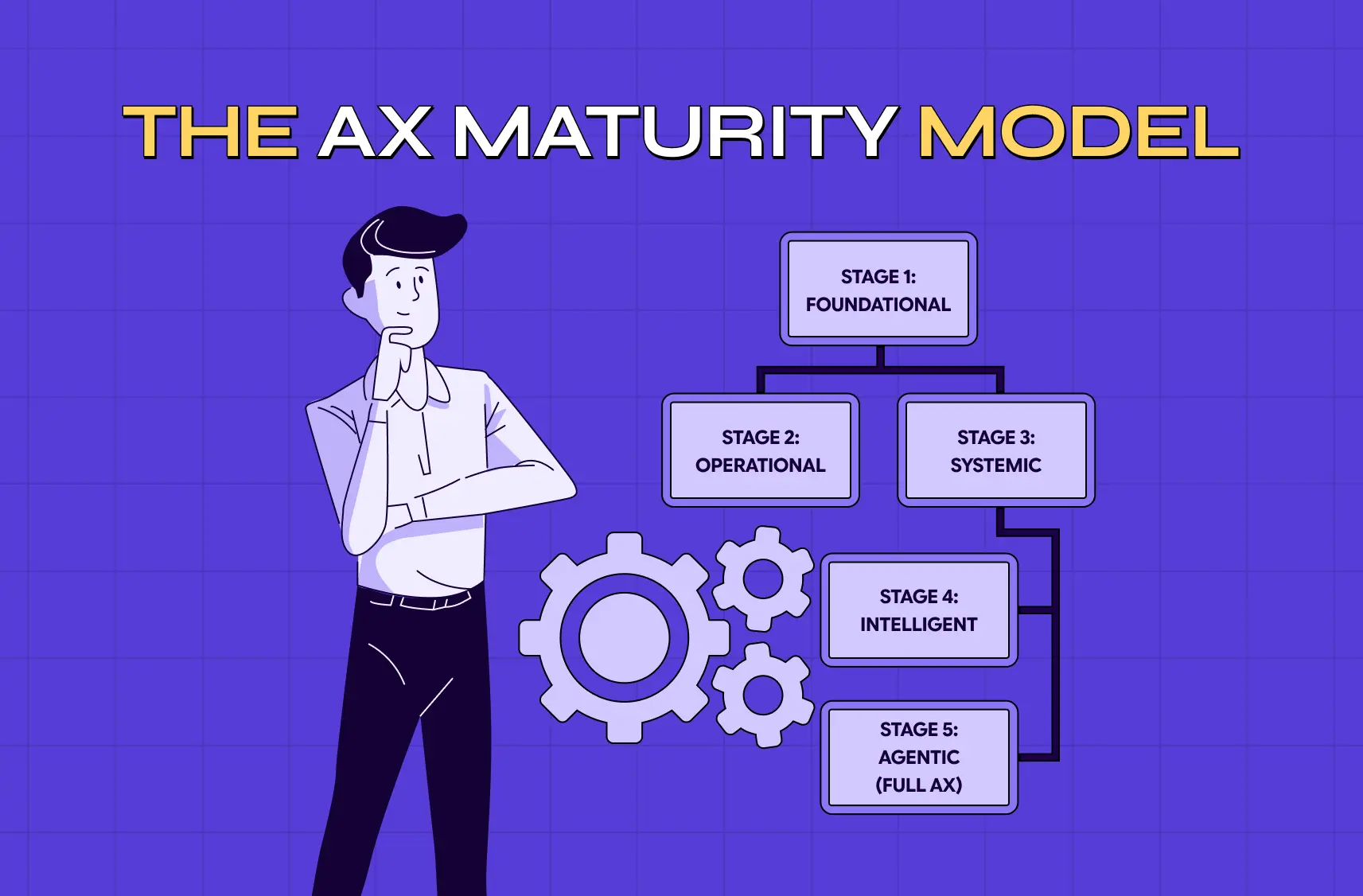
Do that and you'll get the true number, a real read on your AX maturity, which might be a strong 5 to 15% throughput gain with quality intact and designers doing sharper work, or a warning that you sped up the production of average. Either way, you'll know, and you can act on knowledge instead of hype.

If you want to bring AI into your design work in a way that measurably improves outcomes, in step with the future of AI in web design, faster where it helps, better where it matters, and honestly measured throughout, book a discovery call with Groto. We design AI-era product experiences and help teams use AI where it adds real value while protecting the judgment and quality that make a product yours. Let's measure impact, not motion.

Most teams claim AI made design faster, but few can prove it. This guide covers how to actually measure AI's impact on design: setting a baseline, gating speed with quality, counting real costs, and tracking where designer time moved.

How to measure AI's real impact on design, beyond hours saved and mockup counts.

 How to measure AI's real impact on design, beyond hours saved and mockup counts.

TL;DR

  • No baseline means no real number. Without a before-AI comparison, every improvement claim is a feeling wearing a percentage sign.

  • Speed alone is a vanity metric. AI genuinely compresses parts of design work, but a speed number with no quality check attached tells you almost nothing.

  • Quality is the gate. If AI makes design faster but worse, the impact is negative, no matter how good the throughput looks.

  • Realistic throughput gains land around 5 to 15%, not the 10x figures that show up in marketing decks.

  • The highest-value signal is where designer time moved: toward strategy and judgment, or just toward producing more average output, faster.

  • AI only proves its value here when the end product measurably gets better for users, not before.

The impact of AI on design is a genuinely hard thing to pin down, mostly because most teams are trying to answer it with the wrong evidence, separate from the practical question of how AI is transforming UX/UI development day to day. "We generate mockups faster now" is an observation about activity. It is not a measurement of impact. This guide walks through what a real measurement looks like, grounded in the same AI-driven UX practices every business needs in 2026: a pre-AI baseline, honest speed tracking, a quality gate, a full-cost ROI calculation, and a way to see whether designers actually moved toward higher-value work.

Everyone on your team will tell you AI made design faster. Ask them to prove it, and the room goes quiet. "We generate mockups in minutes now." "It saved me hours on wireframes." Those are anecdotes, not measurement, and they conveniently skip the questions that decide whether AI actually helped: faster at what, did quality hold, what did it cost once you count everything, and did the end product get better for users? The honest answer to "what's the impact of AI on design?" is almost never the one on the sales slide, and the only way to know your real answer is to measure it properly.

This guide is about doing exactly that: measuring the impact of AI on your design work with the same rigor an engineering org applies to AI coding tools, adapted for design, and sitting alongside the broader question of AI's impact on business. It's for design leaders, PMs, CTOs, and founders who've adopted AI in their design workflow and now need to assess it honestly, whether to justify the spend, decide where to lean in, or catch a quality problem before customers do.We build AI-first UX products for a living, much like any AI product design agency in the US, and this is the same framework we use internally before telling a client an AI-assisted workflow is actually paying off. We'll cover why this is genuinely hard to measure, why you need a baseline before anything else, the dimensions that actually matter, and the vanity metrics to ignore. The goal isn't a flattering number. It's the true one.

Why measuring AI's impact on design is harder than it looks

Measuring AI's impact on design is hard for three compounding reasons:

Measuring AI's impact on design is hard for three compounding reasons:

  • There's usually no baseline to compare against. Most teams adopt AI without recording how long things took, how much rework happened, or what quality looked like before. Once AI is in the workflow, there's nothing rigorous to compare against, so every claim of improvement is a feeling.

  • Speed is trivially measurable and value isn't. It's easy to count how fast a mockup gets generated. It's hard to measure whether it was the right mockup, whether it held up in usability, whether it moved a product metric. So teams measure the easy thing and quietly assume it equals impact.

  • The work itself changed. AI automates a large share of routine design production, roughly the repetitive 60% (wireframe variations, basic copy, first-pass synthesis), while the differentiating 40%, the part of what product designers actually do, strategy, judgment, taste, becomes more of the job. Measuring "hours saved on wireframes" captures the part that got automated but misses the part that grew in value.

Peer-reviewed research on AI in graphic design backs this up from a different angle: a 2024 synthesis published in Heliyon found AI plays several distinct roles in design work, from pure automation to creative augmentation to modeling emotional response, not one single function. That's a research-backed reason a single speed metric was never going to capture the full picture.

Put those together and the picture is clear: impact is measurable, even amid the broader AI revolution in UI/UX design, but only if you set a baseline, refuse to let speed stand in for value, and measure the new shape of the work rather than the old one.

The AI onboarding playbook top teams use to boost activation.

Reduce first-session confusion, speed up time-to-value, and build user trust, built from real onboarding audits of AI products.

No Spam. Free Lifetime

Start with a baseline, or every number is anecdotal

Start with a baseline, or every number is anecdotal

Before you can measure AI's impact on design, you need a baseline of how design performed without it. This is the single highest-leverage step, and the one most commonly skipped.

A baseline means capturing, for a representative slice of work:

  • How long typical deliverables took

  • How many revision cycles they went through

  • What the quality bar produced

  • What they actually cost

If you already adopted AI without a baseline

  • Reconstruct a rough one from past project records, sprint logs, or old timelines

  • Or, better, run a deliberate before/after comparison on an upcoming body of work

  • Track within the same people over time, not across different teams

Comparing an AI-using team to a different non-AI team confounds the tool with everything else that differs between them: seniority, project type, standards. Tracking the same designers before and after isolates the variable you actually care about. Set the baseline first, and every subsequent number becomes evidence instead of a story. Skip it, and you're guessing with confidence.

Speed and throughput: necessary, but not the answer

Speed and throughput: necessary, but not the answer

Speed is worth measuring, especially once teams lean on agentic AI for faster UX workflows. AI genuinely compresses parts of the design process. But on its own it's the most misleading metric, because faster output only creates value if quality holds, and realistic gains are far smaller than the hype suggests.

Track throughput honestly:

  • Cycle time on AI-assisted deliverables versus your baseline

  • How much of the work AI actually touched

  • Whether the gain holds across a full project, not just the easiest tasks

Set expectations at the real level, too. Across organizations adopting AI tools, the typical throughput gain lands around 5 to 15%, a meaningful, worthwhile return, but a world away from "10x" marketing claims. This is worth naming directly: plenty of vendor and industry reporting on AI-in-design cites much higher numbers, sometimes a quarter or more off iteration time, or a third off routine production. Treat those figures the way this guide treats any unverified stat: useful as a directional signal, not as your number, until you've checked whether quality was measured alongside it. If your own measured gain is wildly higher than 5 to 15%, be suspicious that you're counting only the easy-to-speed-up tasks.

The deeper trap is treating speed as the finish line. A speed metric with no quality metric beside it isn't a measure of impact. It's a measure of how fast you're producing something you haven't checked.

Design quality: the gate on everything else

Design quality: the gate on everything else

Quality is the metric that determines whether speed means anything. If AI makes design faster but worse, the impact is negative no matter how good the throughput number looks.

The warning from adjacent domains is stark: in AI-assisted software work, some 2026 data shows change-failure rates swinging hard, with certain teams seeing up to 50% more defects after adopting AI. The same risk applies to design. AI "designs for the average," pulling toward the aggregate and the consensus, which can quietly erode the distinctiveness that made your product yours.

Signals that tell you quality actually held

  • The revision or rework ratio: how many rounds AI-assisted work needs to reach the bar (climbing means the speed gain is partly illusory)

  • First-pass review rate: how often AI-assisted design passes review the first time

  • Downstream usability and quality outcomes on shipped work

  • The "average-ification" tell: designs that look fine but feel generic, interchangeable with a competitor's

The rule is simple: a speed gain only counts if quality held at or above baseline. If quality dropped, subtract it from the win, because your users will.

Cost and real ROI: count everything, not just seats

Cost and real ROI: count everything, not just seats

To measure the real ROI of AI on design, put the full cost in the denominator: usage-based AI costs, not just software seat licenses. Understate the cost and you'll overstate the return.

The common error is counting only seat licenses while ignoring:

  • Usage- and token-based costs that scale with how much the tools are actually used

  • The real time spent prompting, refining, and validating AI output, which is not free, and for taste-sensitive work can be substantial

  • Rework time when AI-assisted output misses the bar and has to be redone by a human

We'd rather quote a client the fuller, less flattering number upfront than have them discover it later. It's the same principle behind how we scope UX strategy engagements: the honest cost estimate, not the optimistic one, is what actually protects the ROI conversation down the line. Done with honest accounting, AI ROI on well-chosen use cases can be real and strong, but the figure only means something when the denominator includes everything. If a claimed ROI ignores usage costs and validation time, treat it as marketing, not measurement.

Where designer time actually went: the most design-specific metric

Where designer time actually went: the most design-specific metric

The most revealing measure of AI's impact on design is where designer time shifted. AI's real value isn't just doing the old work faster. It's moving designers off routine production and toward the strategic, judgment-driven work that differentiates your product.

Remember the shape of the change: AI automates much of the routine ~60% (repetitive wireframing, first-draft copy, initial research synthesis), while the differentiating ~40%, strategy, discernment, taste, becomes the core of the job.This tracks with what's happening across the industry more broadly, including in how what a UX researcher does has shifted: entirely new design roles are emerging around this shift, from specialists who integrate AI into creative workflows to designers expected to work with behavioral data, roles that didn't really exist as distinct titles a few years ago.

So the question isn't only "did we save hours?" It's "did those hours move to higher-value work?"

When we redesigned the Nicotex Begin mobile experience, the win wasn't that AI-assisted production sped up screen output. It was that the time freed up went into rethinking the onboarding sequence itself, the actual UX strategy work that reduced drop-offs and got more users to complete sign-up. That's the difference between motion and impact: a team that reinvests saved time into deeper problem-framing and harder calls gets real impact. A team that uses the same savings to produce more average output gets motion.

Measure the reallocation directly:

  • What share of designer time now goes to strategic, judgment-heavy work versus routine production, compared to your baseline

  • Whether that share is trending up or flat over successive projects

  • Whether the people freed from routine work are actually doing the differentiating work, or just doing more of the routine work faster

A healthy AI impact shows up as time shifting toward the differentiating work, not just a lower total. If AI sped up the routine but nobody moved upstream, you captured the small win and missed the large one.

The outcome that ultimately matters

The outcome that ultimately matters

Ultimately, AI's impact on your design work is measured by whether the end product got better, the same question at the center of AI UX vs. traditional UX for SaaS products. Speed, cost, and reallocation are inputs. The only impact that counts is better outcomes for users and the business.

Tie your measurement back to results:

  • Usability: did AI-assisted design improve task completion or reduce friction?

  • Activation and conversion: did more users get to the value moment?

  • Satisfaction and retention: did the product get easier to trust and stick with?

When we worked on PolicyBazaar's insurance shopping experience, the metrics that mattered weren't how quickly screens got produced. They were reduced drop-offs and more completed sign-ups across mobile and web, the kind of outcome that only shows up once you've measured past the production stage into what users actually did with the result. That's the entire point of anchoring measurement here: a design process that got faster and cheaper while producing products users like less has had a negative impact, however good the efficiency metrics look. One that freed designers to do sharper strategic work and shipped products that measurably serve users better has had a real, positive one, and now you can prove it.

If the "AI" in question is a customer-facing feature inside your product rather than a tool your design team uses to produce the product, the evaluation criteria are different again: output quality, task success, and trust signals matter more than throughput. That's a distinct measurement problem worth its own framework, one we've written about separately for teams evaluating whether an AI feature itself is actually working for users.

Vanity metrics to stop celebrating

The metrics to ignore are the ones that measure activity instead of value, the same shortcuts behind most AI UX design mistakes:

  • Number of mockups or variations generated. Volume is not value. AI can produce infinite average options.

  • "Hours saved" with no quality check. Saving time on work that now needs more rework, or is worse, is not a saving.

  • Speed gains reported in isolation. Meaningless without the quality gate beside them.

  • Cost framed as seats only. Ignoring usage costs inflates ROI.

  • Measuring only the automated 60%. Capturing what AI took over while ignoring whether designers moved to higher-value work.

Each of these produces a flattering number that tells you nothing about real impact, and worse, can hide a quality problem your customers will find first. If a metric can go up while your product gets worse, it's a vanity metric.

Conclusion

The impact of AI on design is real, but it isn't what the anecdotes claim, and it isn't captured by counting mockups or repeating "it saved hours." Measuring it honestly means:

  • Starting with a baseline, tracking the same team over time

  • Treating speed as necessary but never sufficient on its own

  • Gating every speed gain with a quality check

  • Costing AI use with the full denominator, not just seat licenses

  • Watching whether designer time moved toward the differentiating work only humans do well

  • Validating the whole thing against whether the end product actually got better for users

Do that and you'll get the true number, a real read on your AX maturity, which might be a strong 5 to 15% throughput gain with quality intact and designers doing sharper work, or a warning that you sped up the production of average. Either way, you'll know, and you can act on knowledge instead of hype.

If you want to bring AI into your design work in a way that measurably improves outcomes, in step with the future of AI in web design, faster where it helps, better where it matters, and honestly measured throughout, book a discovery call with Groto. We design AI-era product experiences and help teams use AI where it adds real value while protecting the judgment and quality that make a product yours. Let's measure impact, not motion.

Have a project in mind?

Let’s talk through your idea and see what makes sense.

Harpreet Singh

Founder at Groto

Have a project in mind?

Let’s talk through your idea and see what makes sense.

Harpreet Singh

Founder at Groto

FAQ

Everything you were going to ask (and a few things you didn’t know to)

How do you measure the impact of AI on design?

Start with a baseline of how design performed before AI (time, rework, quality, cost), tracked within the same team over time. Then measure across dimensions: throughput, quality as a gate on speed, true cost and ROI, where designer time shifted, and the end outcome for users and the business. The honest impact is the combination of all of these, never speed alone.

How long should you run a baseline before you can trust the numbers?

There's no universal answer, but a useful rule is to capture at least two to three representative project cycles before AI, and the same number after, so you're comparing apples to apples rather than one unusually smooth or unusually rough sprint. For teams that skipped a formal baseline, three to four weeks of deliberate before/after tracking on a real body of work is usually enough to surface a directional answer, even if it's not a perfect scientific comparison.

Should design and engineering measure AI's impact the same way?

Not entirely. Engineering-borrowed frameworks are useful for the discipline (baselines, real cost accounting, avoiding vanity metrics) but they miss the design-specific question of where judgment and taste sit in the work. A code review either passes or it doesn't; a design decision can be technically correct and still forgettable. That's why the reallocation metric, tracking whether designer time moved toward strategic, judgment-heavy work, doesn't have a clean equivalent in most engineering measurement frameworks.

What's a realistic timeline to see a measurable impact from AI in a design workflow?

Throughput changes tend to show up fast, often within the first few sprints, since speed is the easiest thing to notice. Quality and reallocation effects take longer to trust: give it at least one full project cycle, ideally two, before drawing conclusions, since early usage often includes a learning curve that temporarily depresses both speed and quality before either stabilizes.

Is a 5 to 15% throughput gain actually worth adopting AI for?

It depends entirely on what it costs to get there, which is exactly why the cost section of this guide matters. A 5 to 15% gain that comes with usage costs, prompting and validation time, and held quality is a genuinely good return, comparable to many process improvements teams already invest in. The same gain paired with hidden costs or quietly eroding quality can net out to roughly nothing. The number alone doesn't tell you whether it was worth it; the full accounting does.

What does good AI-assisted design actually look like day to day, not just in metrics?

In practice, it looks like AI handling first-pass variations and routine production while a human designer spends the freed time on the calls a tool can't make: what to leave out, how a flow should feel under pressure, whether a pattern that tested well elsewhere actually fits this product. It also increasingly means designers reviewing AI-assisted drafts that come from stakeholders, not just producing their own, since product managers and marketers now generate rough visuals with the same tools. The shift isn't just in output speed; it's in what a designer's day is actually made of.

How do you measure the impact of AI on design?

Start with a baseline of how design performed before AI (time, rework, quality, cost), tracked within the same team over time. Then measure across dimensions: throughput, quality as a gate on speed, true cost and ROI, where designer time shifted, and the end outcome for users and the business. The honest impact is the combination of all of these, never speed alone.

How long should you run a baseline before you can trust the numbers?

There's no universal answer, but a useful rule is to capture at least two to three representative project cycles before AI, and the same number after, so you're comparing apples to apples rather than one unusually smooth or unusually rough sprint. For teams that skipped a formal baseline, three to four weeks of deliberate before/after tracking on a real body of work is usually enough to surface a directional answer, even if it's not a perfect scientific comparison.

Should design and engineering measure AI's impact the same way?

Not entirely. Engineering-borrowed frameworks are useful for the discipline (baselines, real cost accounting, avoiding vanity metrics) but they miss the design-specific question of where judgment and taste sit in the work. A code review either passes or it doesn't; a design decision can be technically correct and still forgettable. That's why the reallocation metric, tracking whether designer time moved toward strategic, judgment-heavy work, doesn't have a clean equivalent in most engineering measurement frameworks.

What's a realistic timeline to see a measurable impact from AI in a design workflow?

Throughput changes tend to show up fast, often within the first few sprints, since speed is the easiest thing to notice. Quality and reallocation effects take longer to trust: give it at least one full project cycle, ideally two, before drawing conclusions, since early usage often includes a learning curve that temporarily depresses both speed and quality before either stabilizes.

Is a 5 to 15% throughput gain actually worth adopting AI for?

It depends entirely on what it costs to get there, which is exactly why the cost section of this guide matters. A 5 to 15% gain that comes with usage costs, prompting and validation time, and held quality is a genuinely good return, comparable to many process improvements teams already invest in. The same gain paired with hidden costs or quietly eroding quality can net out to roughly nothing. The number alone doesn't tell you whether it was worth it; the full accounting does.

What does good AI-assisted design actually look like day to day, not just in metrics?

In practice, it looks like AI handling first-pass variations and routine production while a human designer spends the freed time on the calls a tool can't make: what to leave out, how a flow should feel under pressure, whether a pattern that tested well elsewhere actually fits this product. It also increasingly means designers reviewing AI-assisted drafts that come from stakeholders, not just producing their own, since product managers and marketers now generate rough visuals with the same tools. The shift isn't just in output speed; it's in what a designer's day is actually made of.

More Articles

Extreme close-up black and white photograph of a human eye

Let’s bring your vision to life

Tell us what's on your mind? We'll hit you back in 24 hours. No fluff, no delays - just a solid vision to bring your idea to life.

Profile portrait of a man in a white shirt against a light background

Harpreet Singh

Founder and Creative Director

Get in Touch

Extreme close-up black and white photograph of a human eye

Let’s bring your vision to life

Tell us what's on your mind? We'll hit you back in 24 hours. No fluff, no delays - just a solid vision to bring your idea to life.

Profile portrait of a man in a white shirt against a light background

Harpreet Singh

Founder and Creative Director

Get in Touch

Extreme close-up black and white photograph of a human eye

Let’s bring your vision to life

Tell us what's on your mind? We'll hit you back in 24 hours. No fluff, no delays - just a solid vision to bring your idea to life.

Profile portrait of a man in a white shirt against a light background

Harpreet Singh

Founder and Creative Director

Get in Touch