
You shipped the AI feature, the demo wowed everyone, then the usage dashboard flatlined. AI feature adoption is rarely a model problem. It's a trust and design problem, and it's fixable once you know where to look.
Your AI feature launched quietly and stayed quiet. Here's why, and the fix.

AI feature adoption is the rate at which the people using your product actually pick up, return to, and rely on the AI capabilities you've built, not just the number of people who clicked it once. It's a different question from "AI adoption" in the broader sense you'll see used for enterprise strategy or workforce tooling. This piece is specifically about the AI features living inside your product: the copilots, the assistants, the automations you shipped that are supposed to be used by your customers every week, not just admired in a demo. How those get built is covered separately in integrating AI into SaaS UX. This one picks up at the point they already exist. If you've built something powerful and watched the usage numbers stay flat, the reasons are almost always fixable, and that's what we're breaking down here.
TL;DR
Most AI feature adoption failures are not model problems. They're trust, UX, and workflow problems, and those are fixable.
Over 80% of enterprise AI projects fail to deliver their promised value, roughly double the failure rate of ordinary IT projects (RAND Corporation, 2024).
Users abandon AI features for five recurring reasons: they don't trust it, it broke on the first try, they don't understand the value, it's too much friction, or they simply can't find it.
Low adoption isn't a quiet non-event. It drains build investment, wastes ongoing AI spend, kills the retention story you promised leadership, and damages trust in your next AI launch.
Fixing adoption means designing for trust, protecting the first impression, cutting friction, and measuring repeat use, not just clicks.
Why won't your users touch your AI features, and what is that abandonment costing you? You shipped the AI feature. The demo wowed the board, the launch email went out, and then the usage dashboard flatlined. If that sounds familiar, you're in crowded company: more than 80% of enterprise AI projects fail to deliver their promised business value, roughly twice the failure rate of ordinary IT projects. The uncomfortable truth for most teams is that the model isn't the problem. The adoption is. Users aren't touching the AI feature you spent months building, and every day they don't, it's quietly costing you.
This is a guide for product leaders who need AI feature adoption, not just AI features. We'll diagnose the real reasons users abandon AI features (most of them are UX and trust problems, not model problems), quantify what that abandonment is costing your business, and lay out how to design AI features people actually use. If your AI investment isn't showing up in your metrics, this is why, and what to do about it.
The AI adoption gap: what the numbers show
There's a wide gap between shipping AI features and getting anyone to use them, and the data makes it stark. Over 60% of enterprise SaaS products now have embedded AI features (BetterCloud, 2026), yet high reported "adoption" rarely translates into real, production-level use or clear ROI. Gartner predicts organizations will abandon 60% of AI projects that aren't supported by AI-ready data, and a 2026 enterprise AI survey found the majority of organizations still face significant challenges getting AI to deliver value at scale. The headline number, "we launched AI," hides the one that matters: are people actually using it, repeatedly, to get value?
For a PM or CTO, this gap is the whole game. An AI feature that isn't adopted is indistinguishable, on your P&L, from an AI feature you never built, except you paid for it. Closing the gap between available and actually used is where the return lives.
Why your users won't touch your AI features
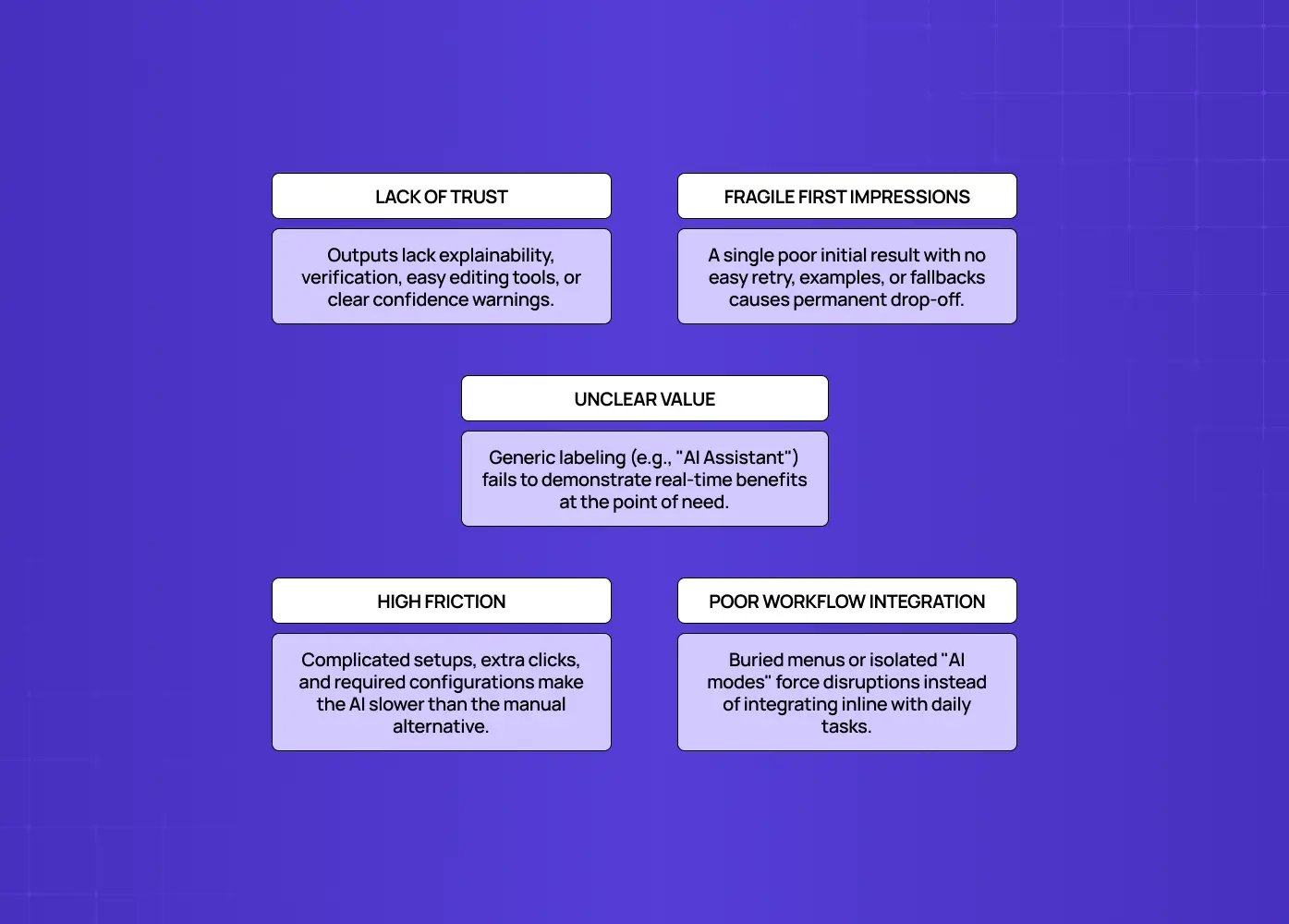
Users abandon AI features mostly for experience and trust reasons, not because the underlying model is bad. This is the counterintuitive part: teams pour effort into model quality and almost none into whether the feature is usable, trustworthy, and obviously valuable. Most of what follows shows up as recurring AI UX design mistakes rather than anything unique to your product, which is what makes it fixable. Here are the real culprits.
They don't trust it
AI is non-deterministic. It can be wrong, and users know it. If your feature gives no visibility into why it produced an answer, no easy way to verify or correct it, and no graceful handling when it's uncertain, users won't rely on it for anything that matters. Trust is the number-one currency of AI adoption, and most features are designed as if it's automatic. It isn't. Watch for these signals:
No explanation of how the AI arrived at its answer
No easy path to edit, correct, or override the output
Silent failure instead of an honest "I'm not sure" when confidence is low
It broke on their first try
With variable AI output, first impressions are fragile. A single bad, confusing, or irrelevant result on a user's first attempt teaches them "this doesn't work," and they rarely come back. Because AI can't guarantee a perfect first output, the experience around that output has to protect the first impression, and usually doesn't. Getting AI onboarding UX right is what buys you a second attempt after a weak first result. Watch for:
No retry or "try a different way" option after a weak result
No example prompts or guardrails steering a first-time user toward a good outcome
A dead end instead of a next step when the output misses
They don't understand the value
Users might see the feature but not grasp what it does for them. Low click-through on your shiny "Introducing AI" announcement and high drop-off after a brief look are the classic signs. If the benefit isn't obvious in the moment they'd use it, they move on. Watch for:
Value explained in a banner or changelog instead of at the moment of use
Generic labels like "AI Assistant" with no indication of the specific job it does
No before-and-after comparison showing what the AI actually saves the user
It's too much friction
Complex workflows, a confusing interface, or missing guidance kill adoption, and it shows up as a declining time-to-first-value. If using the AI feature takes more effort than the manual way it replaces, users default to the old way. Every extra step is a reason to quit. Watch for:
More clicks or setup steps than the manual alternative
No in-context guidance at the exact step where users hesitate
Configuration or permissions required before the user sees any payoff
The surest way to catch friction like this before it tanks adoption is testing with real users on the exact flow.
They can't find it, or it doesn't fit their workflow
Features buried in menus go undiscovered. And AI that's bolted on as a separate mode, rather than woven into the workflow where the need actually arises, feels like a detour. Users don't reorganize their work around your feature; the feature has to meet them where they already are. Watch for:
The AI feature living in a separate tab or mode instead of inline with the task
Low usage from users who never saw an in-context nudge, but never opened a "what's new" panel either
Power users using it constantly while everyone else has never touched it
The pattern across all five: these are design problems, and design problems are fixable, which is the good news buried in the bad usage numbers.
What the abandonment is actually costing you
Low AI feature adoption isn't a neutral non-event. It's an active drain across R&D, ROI, retention, and competitive position. Here's the bill your flatlined feature is quietly running up:
Wasted build investment. You paid, in engineering time, design, and opportunity cost, to build a feature that isn't returning anything. That's sunk capital with no yield.
No return on AI spend. AI features carry real ongoing costs (model calls, infrastructure, data work). An unused feature means you're either paying to run something no one touches, or you spent to build something that never earns.
Lost retention and growth. AI features are usually pitched internally as drivers of stickiness, differentiation, and expansion. When they're not adopted, that entire growth thesis fails to materialize. The arc from onboarding to retention only closes if the feature actually gets used, so you don't get the lift you promised leadership.
A "their AI doesn't work" reputation. Users who bounce off a confusing AI feature conclude your AI is bad, even if the model is excellent, which taints future AI features before you launch them.
Eroded internal confidence. A failed AI launch makes the next AI investment a harder sell inside your own company, slowing your roadmap.
For product leaders under pressure to prove AI ROI, this is the real cost: not just a quiet feature, but a compounding drag on budget, metrics, and credibility.
Adoption is a design problem, not a model problem
The single most useful reframe for a product leader is this: AI feature adoption is overwhelmingly a design and product problem, not a model problem.It's natural to assume that if usage is low, the AI needs to be smarter, so teams pour the next quarter into model improvements and watch adoption stay flat — when the real redesign versus rebuild call is to rework the experience, not rebuild the model. The reason is that users almost never abandon a feature because the model scored two points lower on some benchmark; they abandon it because they didn't trust it, didn't understand it, couldn't find it, or hit friction. Those are all experience decisions.
This reframe matters because it changes where you invest: instead of only tuning the model, you invest in onboarding, trust signals, in-context value, and friction removal, the levers that actually move usage. It's also why standard adoption playbooks underperform here, since AI UX vs traditional UX diverge at precisely the points that decide whether someone comes back.Teams that internalize this stop asking "how do we make the AI better?" and start asking "how do we make the AI usable and trusted?" and that's the question adoption actually answers to.
The trust problem deserves special attention

Because AI is probabilistic, trust is the single biggest lever in AI feature adoption, and it's earned through design, not asserted in marketing. Users extend trust to an AI feature when they can see how it reached an answer, easily verify and edit its output, understand its limits, and recover gracefully when it's wrong. They withdraw trust the moment it fails silently or confidently produces something wrong.
What earns trust:
Visible reasoning or sources behind an AI output
A fast, obvious way to edit or correct what the AI produced
Honest signaling when the AI is uncertain, instead of a confident wrong answer
A human staying in control for any high-stakes action
What erodes trust:
Black-box answers with no way to verify them
Confident-sounding output that turns out to be wrong
Errors that fail silently instead of surfacing clearly
No path to correct or override the AI's decision
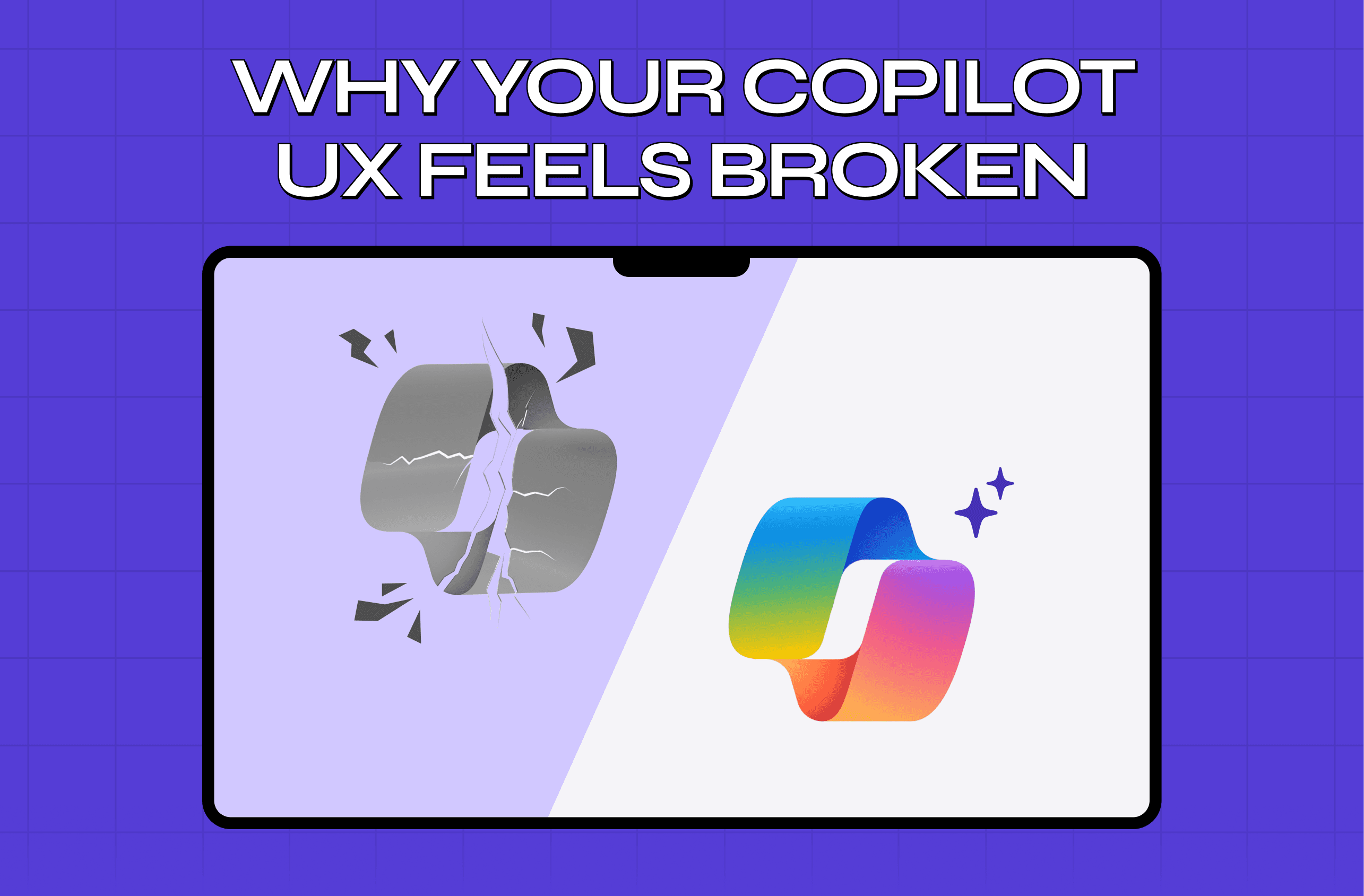
This is why two features with identical models can have wildly different adoption: the one that's transparent, correctable, and honest about uncertainty gets used; the black box gets abandoned. Copilot UX fails this test more often than any other AI surface, and usually for exactly these reasons. If you fix only one thing about your AI feature, make it trustworthy.
How to actually drive AI feature adoption

You drive AI adoption by treating it as a design and trust challenge: deliver value fast, in context, and in a way users can trust. The playbook:
Obsess over time-to-first-value. Get the user to a real, obvious win as fast as possible on their first use. The faster the first "wow, that helped," the more likely they return.
Communicate value in context, not in a banner. Surface the AI feature at the exact moment it's useful, with a clear benefit, instead of relying on a generic announcement users ignore.
Design for trust. Show the AI's reasoning or sources where useful, make outputs easy to verify and edit, keep a human in control for high-stakes actions, and handle uncertainty by recovering from AI errors gracefully instead of failing silently. Trust is the adoption multiplier.
Protect the first impression. Since AI output varies, design the experience so a rough first result still feels helpful, with easy retry, examples, and guidance, rather than a dead end.
Reduce friction and cognitive load. Make using the AI feature easier than the manual alternative, or users won't switch. Cut steps; add in-context guidance.
Make it discoverable and embedded. Put the feature where the need arises, woven into the workflow, not hidden in a separate AI section. The interface patterns behind AI copilot design are largely about getting that embedding right.
Measure adoption and iterate. Track feature-level activation and repeat use (not just "launched"), find where users drop off, and fix it — rolling each fix out with flag-controlled rollouts so its effect is measurable before full release. Adoption is earned through iteration, not a one-time launch.
None of these require a better model. They require better design, which is exactly why adoption is a solvable problem for teams willing to treat the experience as seriously as the technology.
How this plays out in practice: when we redesigned Camb.ai's real-time AI dubbing platform, the model was already powerful, it supports dubbing in 140+ languages, but users were struggling to unlock what it could actually do. Important tools were buried, the editor was overwhelming for anyone new to AI dubbing, and the interface hadn't kept pace with how fast Camb.ai's AI capabilities were evolving. We rebuilt the navigation so key features were easy to find, simplified the editor without cutting its advanced capabilities, and gave the platform a unified design system that could scale as new AI capabilities shipped. The result: fewer abandoned projects, smoother onboarding, and users confident enough to explore advanced features instead of sticking to the basics. That's adoption, earned through design, not a bigger model.
How to measure AI feature adoption (properly)
Measure AI feature adoption by tracking whether users reach value and come back, not just whether they clicked once — real AI feature evaluation is about repeat value, not first clicks. "We launched it and 30% tried it" is a vanity number if none of them returned. Baseline your UX metrics for SaaS before launch so the feature funnel has something to sit against. The metrics that actually tell you the truth:
Metric | What it tells you | Red flag to watch for |
Activation rate | Share of users who reach the feature's first real "aha" moment, not just those who opened it once | High open rate but low activation means the value isn't landing |
Repeat usage / retention | Whether people come back a week or a month later | Strong first-week trial with no return signals abandonment hiding behind a healthy trial number |
Time-to-first-value | How long it takes a user to get their first useful result | Rising TTFV predicts falling adoption before the dashboard shows it |
Drop-off points | Exactly where in the AI flow users abandon | Repeated drop-off at the same step points to a specific fixable friction point |
Feature-influenced retention | Whether users who adopt the AI feature retain better overall | If adopters churn at the same rate as non-adopters, the feature isn't earning its investment |
Instrument these before you launch, watch them after, and treat the AI feature like a product with its own funnel. The same mechanics you'd use to fix SaaS onboarding drop-offs apply here, just pointed at a feature funnel instead of a signup funnel. If you only track "launched," you'll mistake a quiet failure for a success until it's expensive to unwind.
Common mistakes teams make with AI features
A handful of predictable errors doom AI adoption before it starts:
Leading with the technology, not the user need. Shipping "we have AI now" instead of a feature that solves a specific job, so users have no reason to care.
Treating launch as the finish line. Announcing the feature and moving on, rather than iterating on adoption the way you would any product. A/B testing the interventions is how you find out which fixes actually moved usage instead of guessing.
Over-investing in the model, under-investing in the experience. Assuming a great model guarantees usage. It doesn't.
Ignoring trust entirely. Shipping a black box and being surprised users won't rely on it.
Burying the feature or bolting it on. Making it a separate mode disconnected from real workflows instead of embedding it where the work happens.
Measuring the wrong thing. Celebrating trial spikes while repeat usage quietly sits at zero.
Every one of these is a choice to prioritize the AI over the adoption of the AI, and it's exactly backwards. The model gets you a feature; the design gets you users.
Conclusion
Your users aren't ignoring your AI feature because the AI is bad. They're ignoring it because they don't trust it, don't see the value fast enough, hit friction, or can't fit it into their day.
Every day of that abandonment burns build cost, ongoing AI spend, retention, and credibility.
The teams that win with AI aren't the ones with the best models. They're the ones who design AI features people actually adopt: fast to value, in context, and genuinely trustworthy.
Fix the experience, and the usage, and the ROI you promised, follows.
If you've shipped AI features that aren't getting used, we can help you turn that around. At Groto, we design AI features for adoption: trust, time-to-first-value, and in-context value, built in from the first wireframe, so your AI investment finally shows up in your metrics. Book a discovery call and let's get your users to actually touch your AI.