

Online forms are often the biggest conversion bottleneck in SaaS and B2B products. This guide explains how to reduce friction, lower CAC, improve lead quality, and increase form completion rates using proven UX principles.
Your form might be leaking more revenue than you think.

Most companies don’t lose conversions on their headline.
They lose them at the form.
You can have:
Paid traffic flowing in
Strong messaging
Clear product positioning
And still struggle with sign-ups, demo requests, or qualified leads.
Why?
Because your form is introducing friction at the exact moment trust is still forming.
And that friction has real business consequences:
Wasted ad spend
Rising customer acquisition cost (CAC)
Slower pipeline velocity
Sales teams chasing low-intent leads
Longer sales cycles
Poor form UX doesn’t just reduce conversions. It compounds cost.
Let’s break down how to fix it.
Why Most Online Forms Quietly Kill Conversions
When a user reaches your form, they’re not fully committed yet.
They’re evaluating risk.
They’re thinking:
Is this worth my time?
What happens after I submit?
Will I get spammed?
Is this going to turn into a sales call immediately?
But most traditional forms:
Ask for phone numbers upfront
Require too many fields
Don’t clarify next steps
Feel transactional instead of helpful
This increases psychological friction — the cognitive friction of weighing risk mid-form.
And friction delays decisions.
And delayed decisions increase drop-offs.
In performance terms, that means:
Lower form completion rates
Lower demo bookings
Lower trial starts
Higher acquisition cost
If you want to improve form conversion rates, the problem isn’t usually traffic.
It’s sequencing.
The Real Business Cost of Poor Form UX
Let’s be clear about impact.
When forms underperform:
1. Your CAC Increases
You pay for traffic.
Fewer users convert.
Cost per lead rises.
Cost per acquisition rises.
Even a 10–20% improvement in form conversion can materially reduce acquisition costs.
2. Sales Time Gets Wasted
When users feel pressured into providing details early:
They enter fake numbers
They provide low-intent emails
They book calls prematurely
Sales teams then:
Chase cold leads
Sit through unqualified demos
Experience longer closing cycles
Better form UX filters intent instead of forcing it.
3. Pipeline Velocity Slows
High-friction forms delay activation - pushing back value realization for every new user.
Delayed activation reduces engagement.
Reduced engagement weakens conversion momentum.
Form friction rarely shows up as a single dramatic failure.
It shows up as “why is growth slower than expected?”
A 3-Step Framework to Improve Form Conversion Rates
This isn’t cosmetic advice. It’s structural.
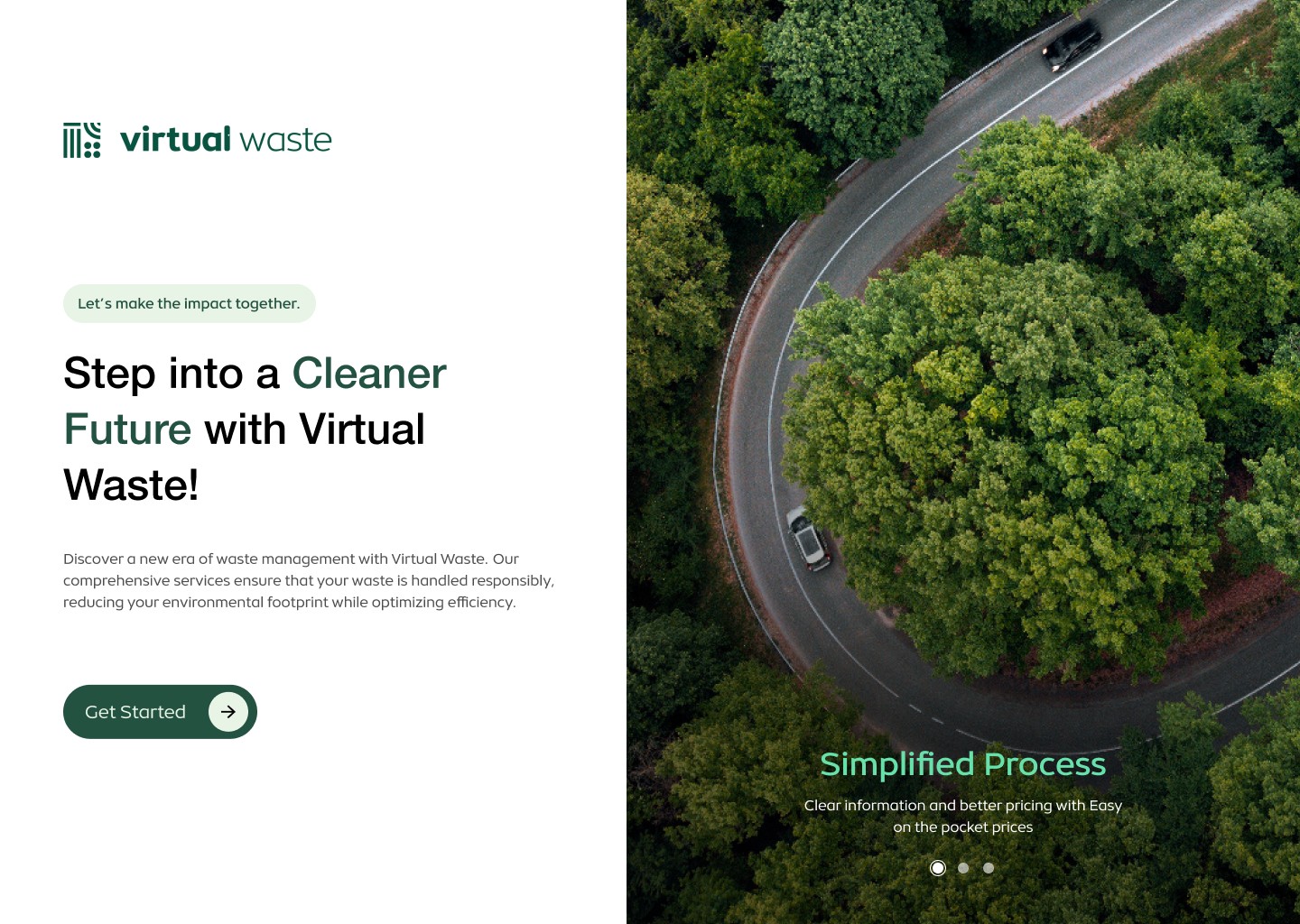
Step 1: Show Value Before Asking for Data
Most forms open with a request.
High-converting forms open with clarity.
Instead of: “Fill out this form”
Start with:
What they get
How long it takes
What happens next
Whether it’s commitment-free
For example:
“See how your onboarding compares in 60 seconds.”
“Get instant access. No sales call required.”
When perceived value increases before data exchange, resistance decreases — and understanding conversion value is what makes this shift worth prioritising above almost everything else. This simple shift often improves completion rates because users feel informed, not pressured.
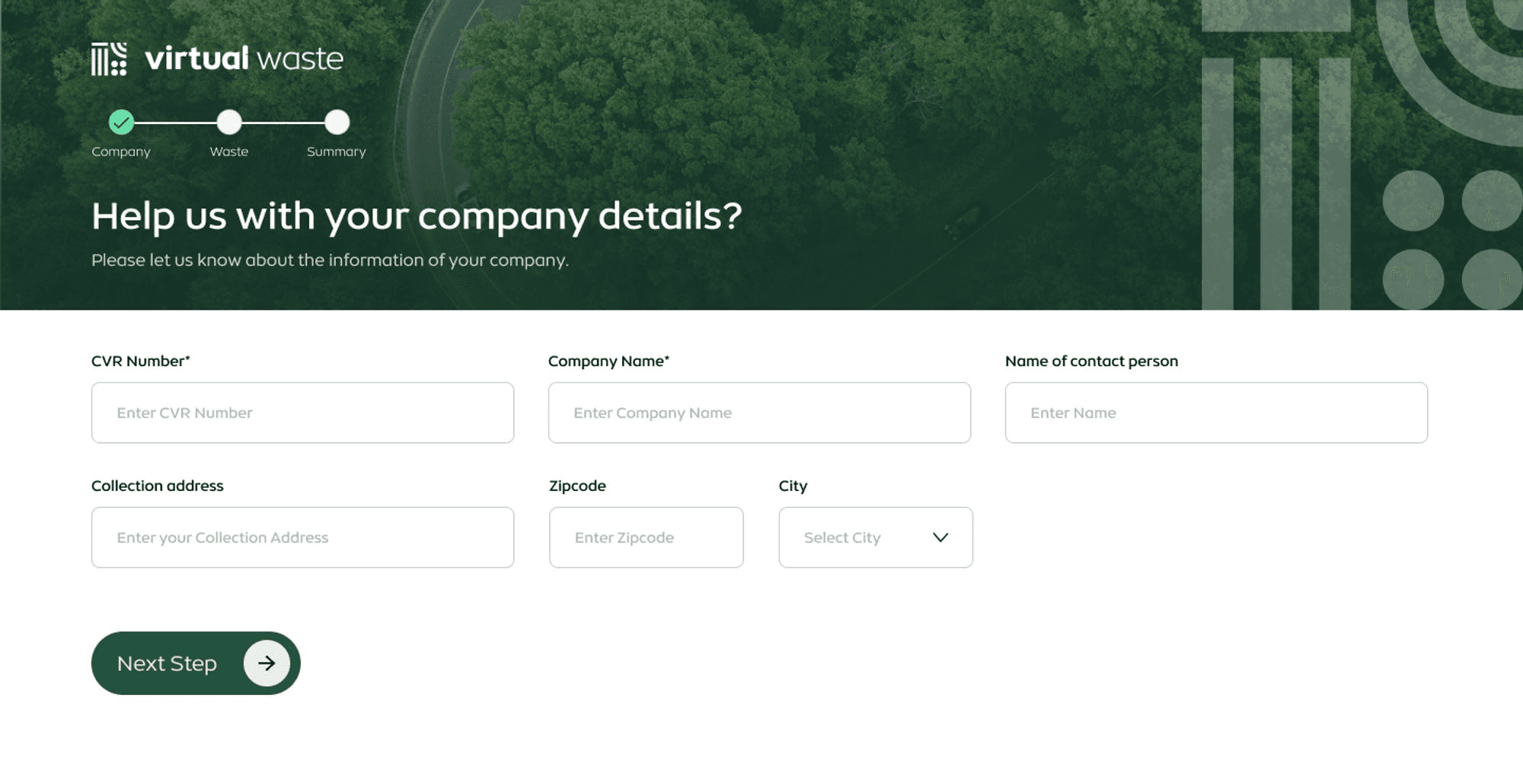
Step 2: Reduce Initial Fields Aggressively
One of the most reliable ways to reduce form abandonment is:
Ask for less.
Instead of:
Name
Company
Role
Phone
Industry
Budget
Start with:
Email
Or even just a single field
You can gather:
Company size later
Role during onboarding
Phone number after qualification
Intent via behavior instead of static form fields — each detail progressively enriching the account profile UX rather than front-loading the form
This is progressive commitment.
Lower the barrier first.
Deepen engagement later.
Companies that simplify early-stage forms often see:
Higher submission rates
Better quality later-stage leads
Improved onboarding completion
Because momentum builds before interrogation begins.
This is especially critical in SaaS funnels where early friction directly affects activation and trial-to-paid conversion.
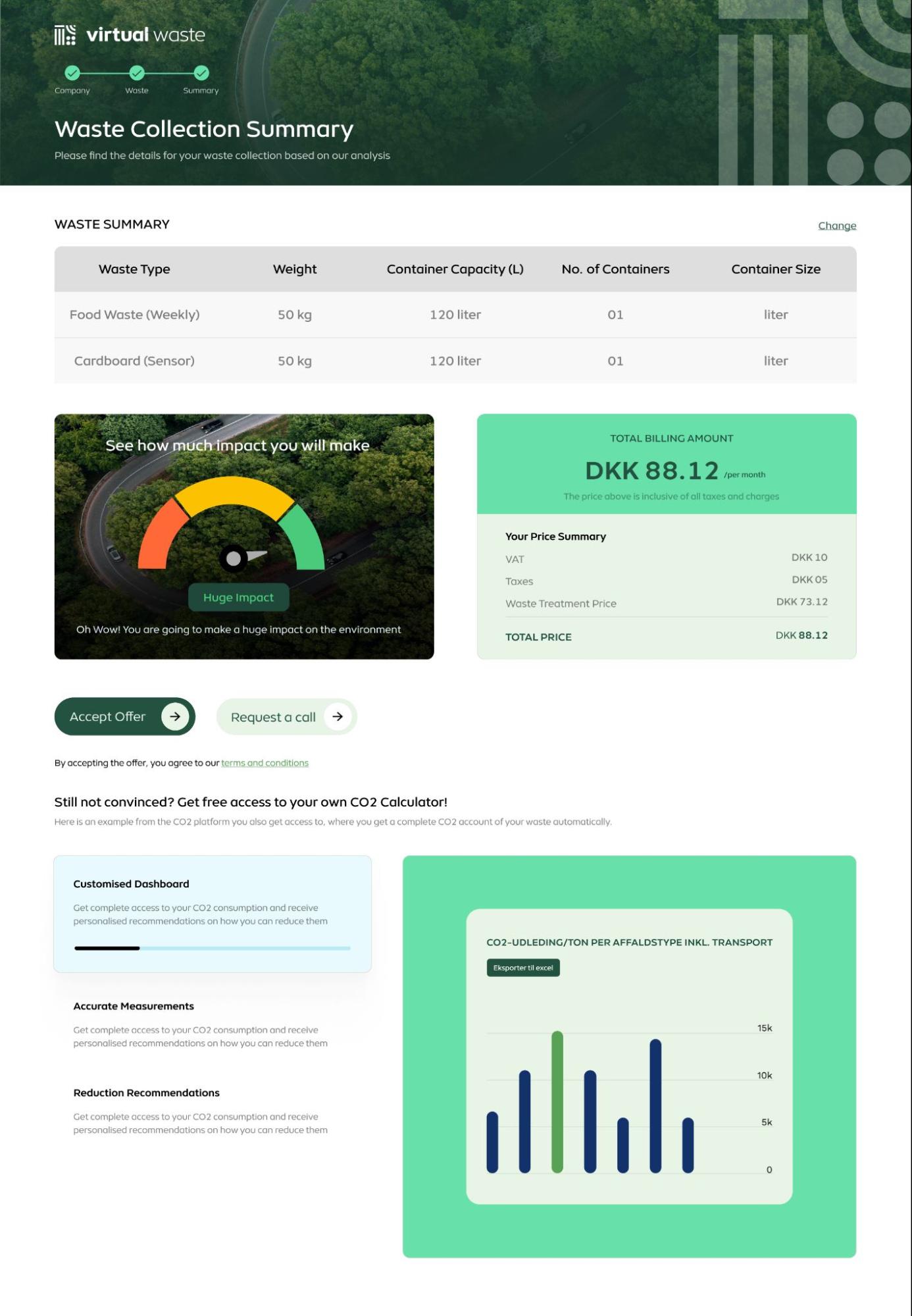
Step 3: Separate Low-Intent From High-Intent Actions
Not every user is ready for a sales call.
If your only CTA is “Request Demo,” you force everyone into the same commitment level.
Instead:
Primary CTA: Low-friction entry (trial, sign-up, audit preview) — where signup form design does the heavy lifting
Secondary CTA: High-intent action (book strategy call)
This creates:
Higher total conversion
Better-qualified calls
Less wasted sales effort
Users who voluntarily escalate are far more likely to convert.
Advanced Levers That Improve Form Performance
Beyond structure, there are small UX details that create disproportionate impact.
Clarify What Happens After Submission
Uncertainty reduces submission.
Add clarity:
“No spam. Ever.”
“You’ll receive instant access.”
“Takes under 60 seconds.”
“We’ll review and respond within 24 hours.”
Certainty reduces hesitation.
This hesitation is a classic user experience breakdown that often stems from deeper structural UX mistakes.
Break Long Forms Into Steps
Multi-step forms increase perceived progress.
Once a user completes Step 1, they are psychologically more likely to complete Step 2.
Completion momentum is real.
Reduce Visual Weight
A 7-field form can feel heavier than a 10-field form depending on layout.
Improve:
Spacing
Label clarity
Error handling
Field grouping. Offering rarely-needed fields behind an optional field toggle keeps the visible form lighter still.
Effort perception influences completion more than actual effort.
How to Know If Your Form Is Costing You Revenue
You likely need form UX optimization if:
Traffic is stable but lead volume is flat
Demo bookings fluctuate unpredictably
Sales complains about low-quality leads
Users start forms but don’t complete
Trial-to-paid conversion feels weaker than expected
These aren’t marketing problems. They’re user experience problems.
And they’re fixable.
Why Small Fixes Create Big Business Impact
Here’s the reinforcement that reduces skepticism:
You don’t need a full redesign to improve conversions.
In many cases, form restructuring alone can:
Improve submission rates
Improve lead quality
Reduce CAC
Accelerate activation
Increase trial-to-paid conversion
Because when users feel safe, informed, and in control - they convert faster.
Want a Clear Diagnosis of Your Form Friction?
If your acquisition looks strong but conversions feel underwhelming, the issue may not be traffic or messaging.
It may be your form architecture.
In a 20-minute UX audit call, you’ll walk away with:
A friction map of your current form flow
Identification of unnecessary data requests
Clarity on sequencing issues
A prioritized list of quick wins vs structural changes
Guidance on progressive data capture
No vague advice.
No redesign upsell.
Just clarity on where conversions are leaking and what to fix first.
Book a 20-minute UX audit call and let’s identify whether your form is helping growth - or quietly slowing it down.
Sometimes the biggest growth unlock isn’t more traffic.
It’s fewer fields.
FAQs
1. How do I know if my form is hurting conversions?
Look for high drop-offs at the form stage, low demo bookings despite healthy traffic, rising cost per lead, or sales complaining about low-quality submissions. If users click “Get Started” but don’t complete the form, friction is likely the issue.
2. What is the ideal number of fields in a high-converting form?
There’s no universal number, but fewer initial fields generally increase completion rates. For early-stage conversion, asking only for an email or two essential details often outperforms long qualification-heavy forms. Additional information can be collected later through progressive profiling.
3. Should I remove phone number fields entirely?
Not necessarily. Instead of removing them completely, reposition them. Make phone numbers optional or request them only after users understand the value. High-intent users will provide them voluntarily, improving lead quality and reducing wasted sales time.
4. Do multi-step forms convert better than single-page forms?
In many cases, yes. Multi-step forms reduce perceived effort and create psychological momentum. Breaking forms into smaller steps often improves completion rates, especially for longer data collection processes.
5. Can improving form UX really reduce customer acquisition cost?
Yes. When form completion rates increase, you generate more leads from the same traffic. This lowers cost per lead and improves overall acquisition efficiency. Even a 10–20% lift in form submissions can significantly impact CAC.
6. What’s the fastest way to improve form performance?
Start with:
Removing unnecessary fields
Clarifying what happens after submission
Adding trust cues
Simplifying layout and spacing
These changes are often quick to implement and can create measurable gains without a full redesign.
7. When should I get a professional UX audit for my forms?
If traffic is strong but conversions are inconsistent, if sales cycles feel slow, or if users frequently abandon midway, a UX audit can uncover structural friction you may not see internally. A professional review helps prioritize fixes based on business impact, not just aesthetics.