The Design Handoff Process: A 6-Step Guide That Cuts Rework

10 min read

10 min read

UX Design

The Design Handoff Process: A 6-Step Guide That Cuts Rework

A practical, six-step design handoff process that closes the two gaps causing rework, plus a ready-to-use checklist, common mistakes, and who should own each step.

The Design Handoff Process: A 6-Step Guide That Cuts Rework

10 min read

10 min read

UX Design

The Design Handoff Process: A 6-Step Guide That Cuts Rework

A practical, six-step design handoff process that closes the two gaps causing rework, plus a ready-to-use checklist, common mistakes, and who should own each step.

Most handoff friction comes down to two missing pieces: context and artifacts. This guide breaks the design handoff process into six repeatable steps, a practical checklist, and the mistakes that quietly cause rework across design and engineering teams.

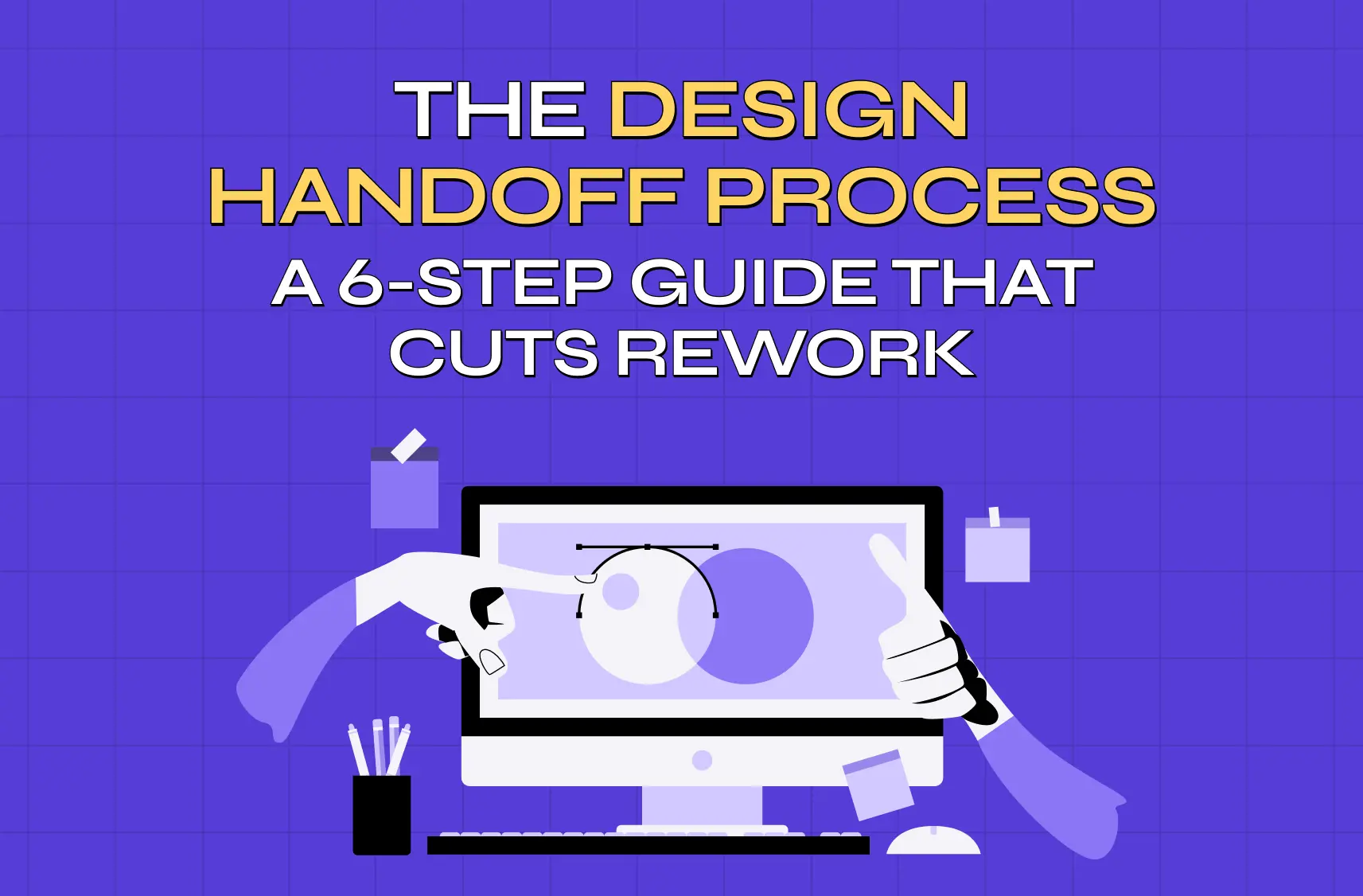
A six-step design handoff process built to close the gaps that cause rework.

Illustration of designers collaborating on a computer screen, symbolizing creative teamwork and interface design.

TL;DR

  • A design handoff fails for one of two reasons: developers are missing the why (context gap) or missing the what and how (artifact gap).

  • A repeatable six-step process closes both gaps: start early, audit for consistency, document tokens, annotate intent and states, organize assets, and run a walkthrough with an open feedback loop.

  • Use the checklist in this guide as a "definition of ready" before anything is marked handed off.

  • Ownership is shared: designers own artifacts and intent, developers own raising constraints early, PMs own priority calls, and someone owns the process itself.

  • A disciplined handoff is rework insurance. It costs an hour of documentation to save many hours of engineering guesswork.

A design handoff process is the workflow a team uses to transfer finished designs, specifications, and context from designers to the developers who build them, one of the final stages of the broader UX design process. It covers not just what a screen looks like, but why it was designed that way and how it should behave once it's built. Teams that treat this as a real process, rather than a single file drop, spend far less time on rework, guesswork, and mid-sprint clarifications.

Ask any engineer about the last time a design handoff went sideways and you'll get a story: a screen that looked finished in Figma but had no error state, a "blue" button that turned out to be one of five blues, an animation everyone assumed was obvious until it shipped feeling wrong. Every one of those gaps becomes a Slack thread, a delayed sprint, and a round of rework, the single most expensive and avoidable tax in product development.

A strong design handoff process is what stands between a clean build and that tax. It's not about throwing a polished Figma file over the wall; it's a deliberate workflow that transfers not just what to build but why and how it should behave. This guide breaks the handoff into two gaps you must close, a repeatable six-step process, a checklist of everything a handoff should include, and the mistakes that quietly derail teams. Whether you're a designer, a PM, or looking to ship faster, this is how agencies build products and move from design to development without the churn.

What is a design handoff (and why it fails)

A design handoff is the process of transferring high-fidelity designs, specifications, assets, and context from the design team to the developers who will build them. Done well, developers can implement confidently without a stream of "what did you mean here?" questions. Done poorly, it produces misinterpretation, rework, and a shipped product that drifts from the intended experience.

Nearly every failed handoff comes down to one of two gaps:

The context gap, missing intent. The developer can see what the design looks like but not why.

  • Why this spacing is tight here and generous there

  • Why this interaction needs to feel a certain way

  • What happens when the data is empty

Without the "why," developers make reasonable guesses that quietly diverge from the vision.

The artifact gap, missing build information. The concrete specs a developer needs to build without interpreting.

  • Component states across the full lifecycle (default, loading, error, empty)

  • Design tokens for color, spacing, and typography

  • Breakpoints and responsive behavior across frontend builds.

  • Data assumptions and interaction rules

When these are absent, implementation becomes interpretation, and interpretation is where bugs and inconsistencies are born.

Every step below exists to close one or both of these gaps. Keep them in mind and the whole process makes sense.

The 6-step design handoff process
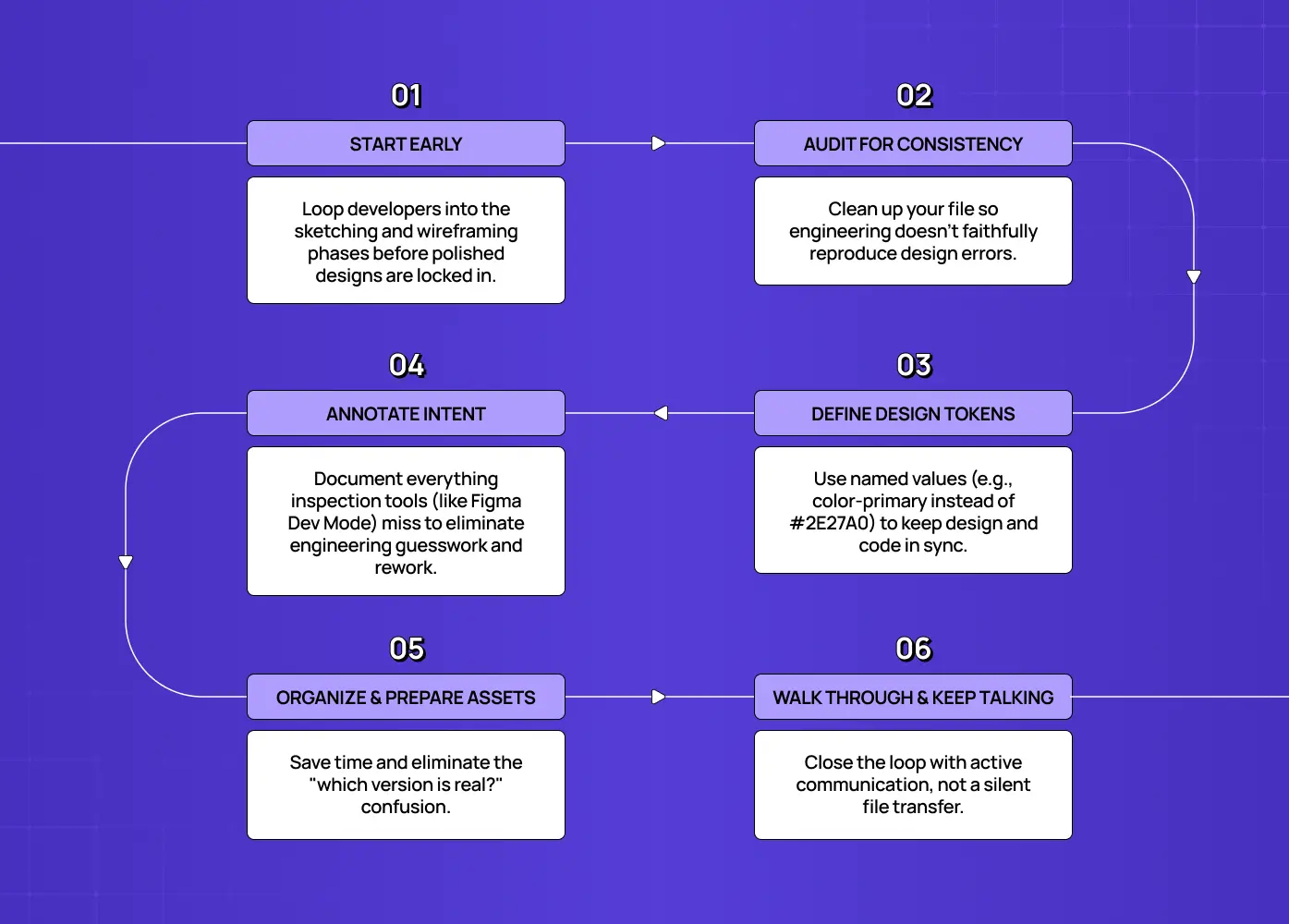
Flowchart outlining six best practices for effective design handoff, from early collaboration and token definition to communication with developers.

Step 1: Start the handoff during design, not after it

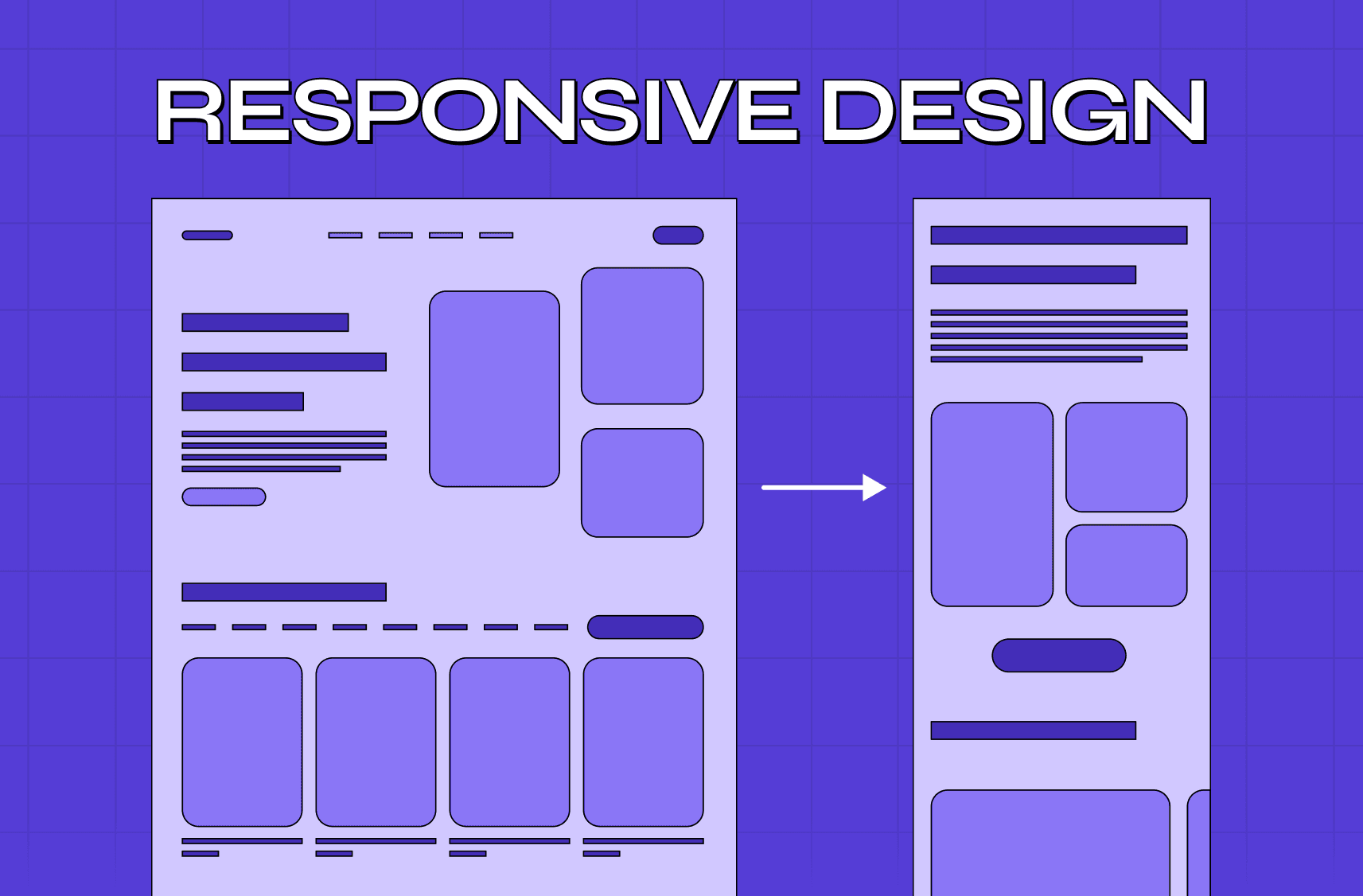
The biggest handoff improvement costs nothing: begin the conversation early. Loop developers in during the sketching and wireframing phase, the same stretch where you move from wireframe to prototype, not the moment design is "done." Early input surfaces technical constraints while they're still cheap to address, before you've polished a flow that turns out to be impractical to build. Treat handoff as a continuous collaboration, not a single event, and you'll catch the expensive problems weeks sooner.

In practice, this looks like:

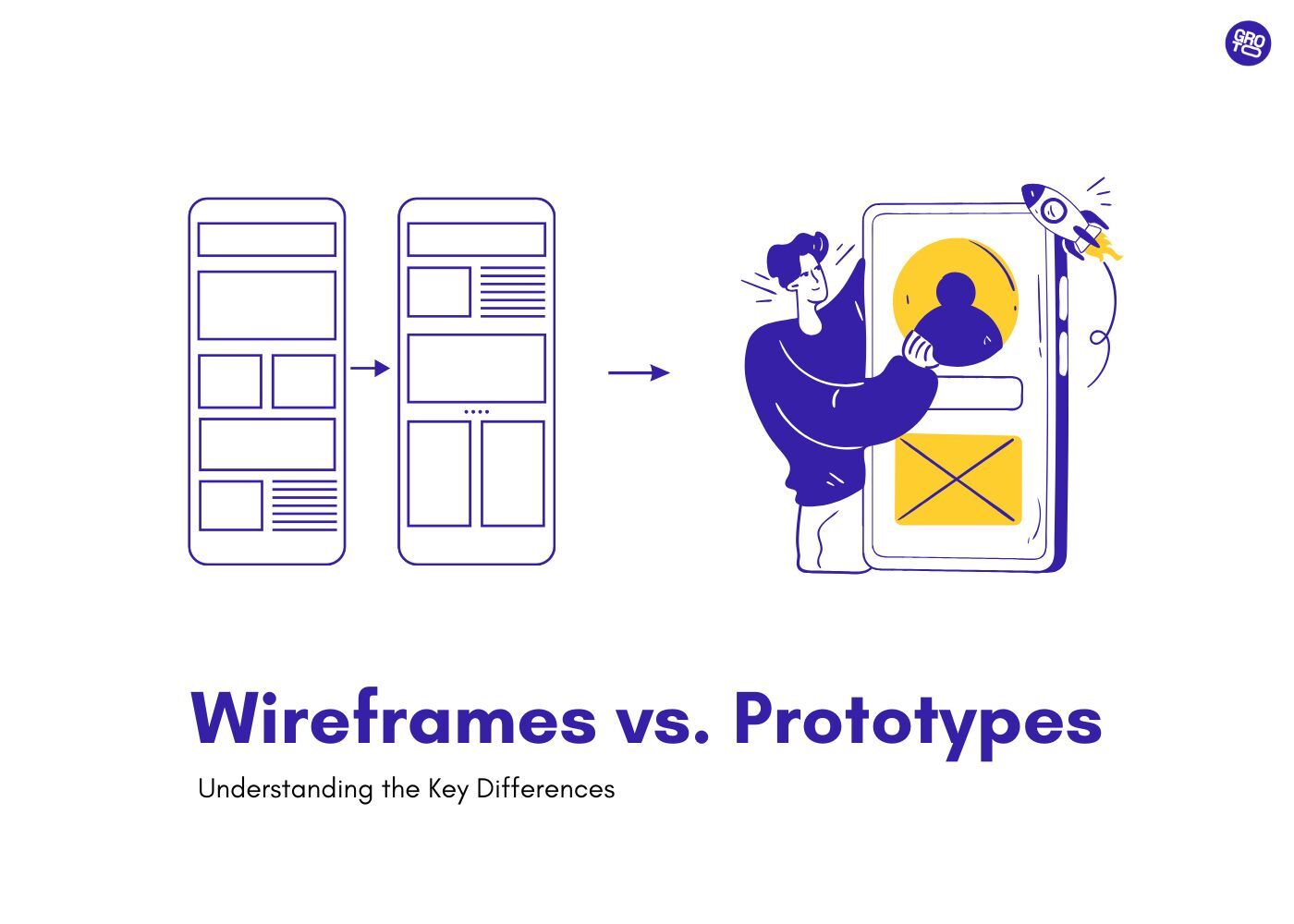
  • Sharing early wireframes in a shared channel before they're polished, staying clear on wireframes vs prototypes as they evolve.

  • Asking developers for a quick feasibility gut-check on any unusual interaction

  • Booking a recurring 15-minute sync during the design phase, not just at the end

Step 2: Audit the design for consistency

Before anything ships to engineering, run a design audit. Check that spacing follows a consistent grid and spacing scale, colors map to your palette, typography uses defined styles, and components are reusable rather than one-off copies. Inconsistencies you don't catch here become inconsistencies developers faithfully reproduce in code. A clean, systematized file is the foundation of a clean build, this step alone eliminates a surprising share of handoff back-and-forth.

A quick audit checklist:

  • Spacing follows a defined scale (no arbitrary pixel values)

  • Colors map to named tokens, not raw hex codes

  • Typography uses shared text styles, not manually resized text

  • Repeated UI patterns are built as components, not duplicated frames

Step 3: Define and document your design tokens

A design token is a named value that stores a design decision, instead of a color being #2E27A0, it's color-primary. Tokens for color, spacing, and typography let designers and developers reference the same named decisions from one centralized design system rather than hardcoded values, which is what keeps design and code in sync as both evolve.

Two cautions:

  • Document clearly. A developer should never have to guess which shade of blue or which spacing value you meant.

  • Watch for token drift. A designer may use a Figma variable assuming it matches the codebase, only for the built colors to look off because the underlying value is outdated. Align your Figma variables with the code's token values, and confirm ownership of who updates them.

Step 4: Annotate intent and everything the tool can't capture

This is where most handoffs are won or lost. Modern inspection tools like Figma expose spacing, typography, colors, and component properties—that's your artifact-gap baseline, and it's excellent. Newer Figma-to-code workflows push that baseline even further. But it cannot capture the things that most often cause rework:

  • Interaction behavior, what happens on tap, hover, drag, or scroll

  • Conditional logic, when elements appear, hide, or change based on state or data

  • Animation specs, timing, easing, and choreography, described precisely

  • Content rules, max lengths, truncation, pluralization, empty-value handling

  • All component states, the empty, loading, and error states that are the single most commonly forgotten deliverable

Use comments and annotations to explain the reasoning behind decisions, closing the context gap. A one-line note on why a choice was made saves a dozen follow-up questions and prevents a developer from "fixing" something that was intentional.

Step 5: Prepare and organize assets

Export every asset developers will need in the formats and resolutions they expect, icons, images, logos, and set up pre-configured export settings so nothing has to be re-cut later. Organize the file so it's navigable: clear page and frame naming, flows in logical order, and a "ready for dev" marker so engineers know exactly what's final versus still in progress. A tidy file communicates respect for the developer's time and removes a whole category of "which version is real?" confusion.

Before marking a file as handed off, confirm:

  • Assets are exported in the correct format and resolution (SVGs for icons where possible)

  • Pages and frames are named clearly, with no stray or unused elements left behind

  • Flows are ordered logically, top to bottom or left to right

  • A visible "ready for dev" marker separates final work from work in progress

Step 6: Run a walkthrough and open a feedback loop

Don't let the handoff be silent. Run a short walkthrough, live or recorded, where you narrate the flow, explain the rationale, and demo the tricky interactions. Then establish a clear channel for questions and a fast feedback loop so blockers get resolved in hours, not days. The handoff isn't a moment of transfer; it's the start of a conversation that continues through implementation and review.

A good walkthrough covers:

  • The overall flow, narrated screen by screen

  • The reasoning behind any non-obvious decisions

  • A live demo, ideally from a working UX prototype, of the trickiest interactions or animations.

  • A named point of contact for follow-up questions

The UX/UI checklist top SaaS teams actually use

15 essential checks covering onboarding, conversions, and retention. Spot quick wins and fix friction before it costs you signups.

No Spam. Free Lifetime

The UX/UI checklist top SaaS teams actually use

15 essential checks covering onboarding, conversions, and retention. Spot quick wins and fix friction before it costs you signups.

No Spam. Free Lifetime

The design handoff checklist

Use this as your "definition of ready" before marking anything handed off:

Category

What to include

Design system

Tokens for color, type, spacing; shared component library; alignment with code

Specs

Measurements, colors, typography, component properties (via Dev Mode)

States

Default, hover/focus, active, disabled, empty, loading, error

Responsive

Behavior across breakpoints; min/max widths; reflow rules

Interactions

Tap/hover/scroll behavior, transitions, animation timing and easing

Content rules

Character limits, truncation, pluralization, empty-value handling

Assets

Exported icons/images in required formats and resolutions

Context

Annotations explaining intent; walkthrough of the flow

Logistics

Clear file organization, "ready for dev" markers, a feedback channel

If every row is covered, you've closed both the artifact gap and the context gap, and you've eliminated most of the reasons handoffs generate rework.

Who owns the design handoff?

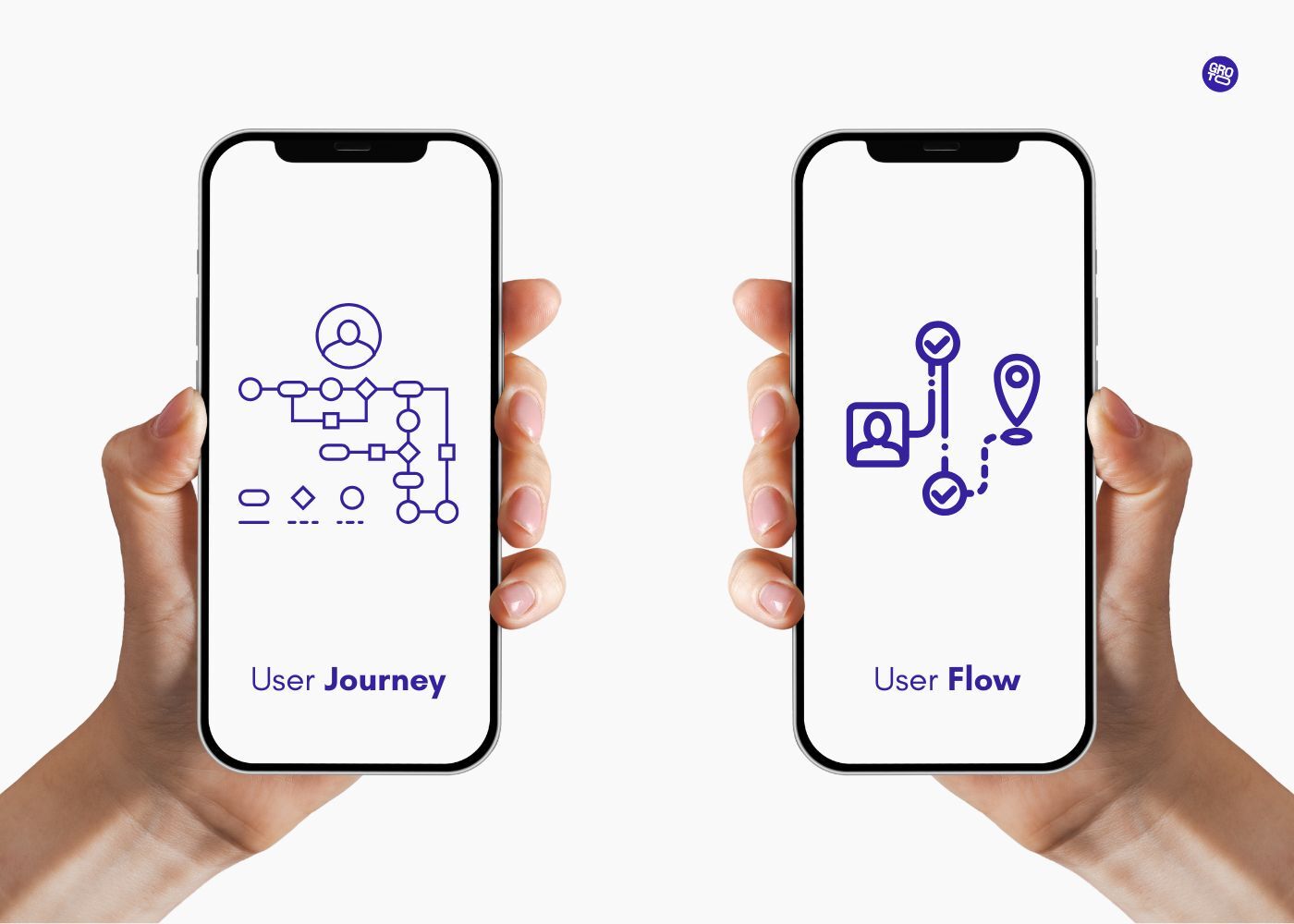
Handoffs fail in the gaps between roles, one of many overlaps across the UX disciplines, so it helps to name who does what.

  • The designer owns the artifacts and deliverables that map to what product designers do: clean design files, documented tokens, annotated states, and the rationale behind decisions.

  • The developer owns raising questions early and flagging technical constraints before, not after, they've built the wrong thing.

  • The product manager owns the acceptance criteria and the priority calls when a design detail collides with a deadline.

  • Someone, often a design lead or PM, should own the process itself: making sure the checklist is actually used and the feedback loop stays open.

The failure mode is assuming "the designer just hands it off and the developer just builds it." Handoff is a shared responsibility with a shared goal: a shipped product that matches the intended experience. When each role knows its part, the seams between them stop leaking. On small teams one person may wear several of these hats, that's fine, as long as each responsibility is consciously owned rather than assumed away.

The business case: handoff as rework insurance
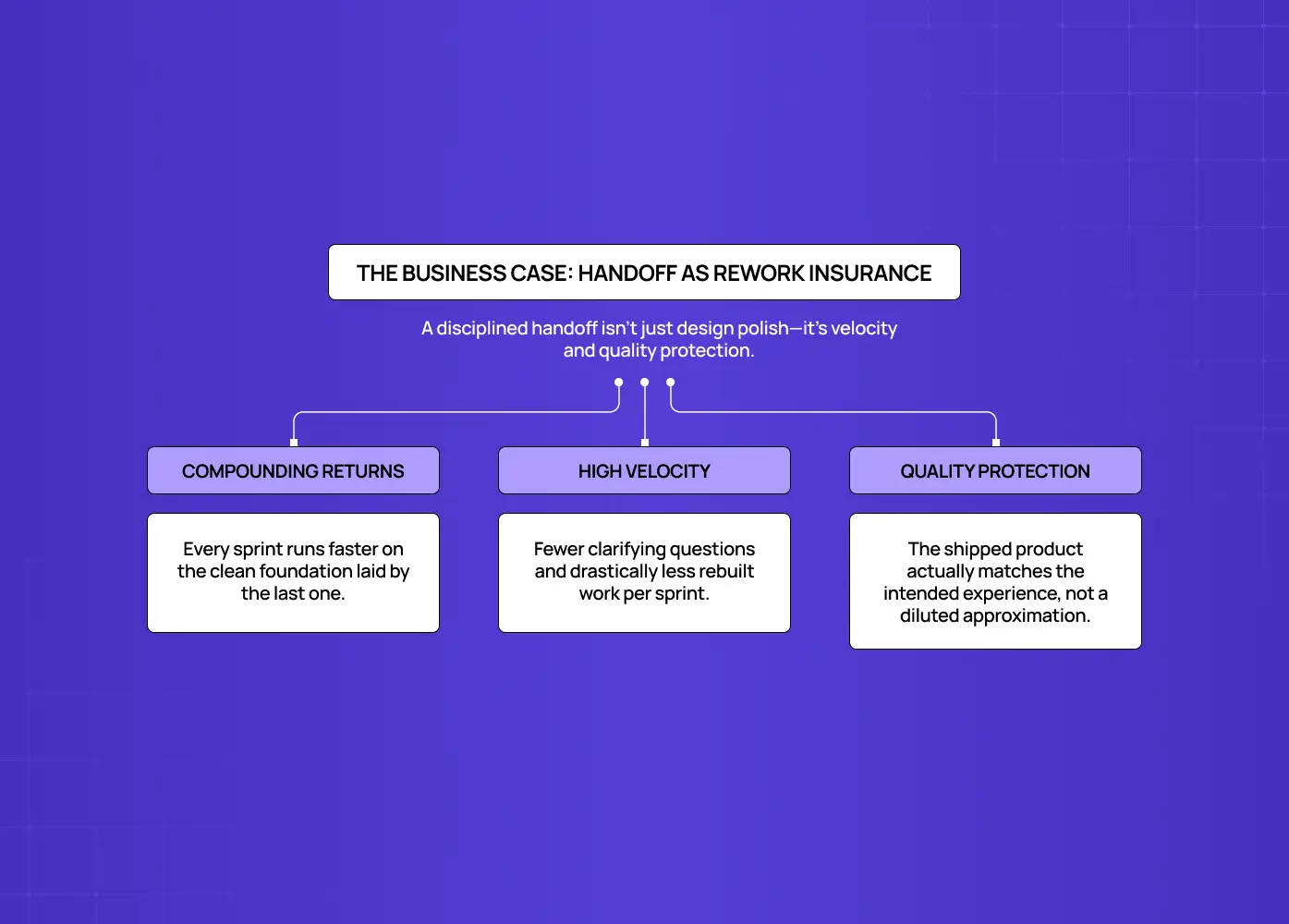
Diagram explaining how disciplined design handoff improves velocity, quality, and long-term product development efficiency.

It's easy to treat handoff quality as a "nice to have" that designers care about and everyone else tolerates. That's a mistake, because the cost of a bad handoff isn't paid in design, it's paid in engineering. Every missing state, ambiguous spec, or undocumented interaction becomes a question, and every question becomes a context switch, a delay, and often a rebuild once the real intent surfaces in review. Multiply that across a sprint and a poor handoff quietly consumes days of expensive engineering time and pushes ship dates.

A disciplined handoff process is, in effect, rework insurance. The hour a designer spends annotating states and documenting intent routinely saves many hours of developer guesswork, review cycles, and rebuilds downstream. It also protects the experience, the product that reaches users actually resembles the one that was designed, instead of a diluted approximation shaped by dozens of small, uninformed implementation decisions.

In short, a good handoff process buys you:

  • Velocity, fewer clarifying questions and less rebuilt work per sprint

  • Quality protection, the shipped product matches the intended experience

  • Compounding returns, every sprint after the first runs on a foundation the last one laid

For founders and engineering leads, that's the real argument: better handoff isn't design polish, it's velocity and quality protection. It's one of the highest-ROI process investments a product team can make.

Common design handoff mistakes to avoid
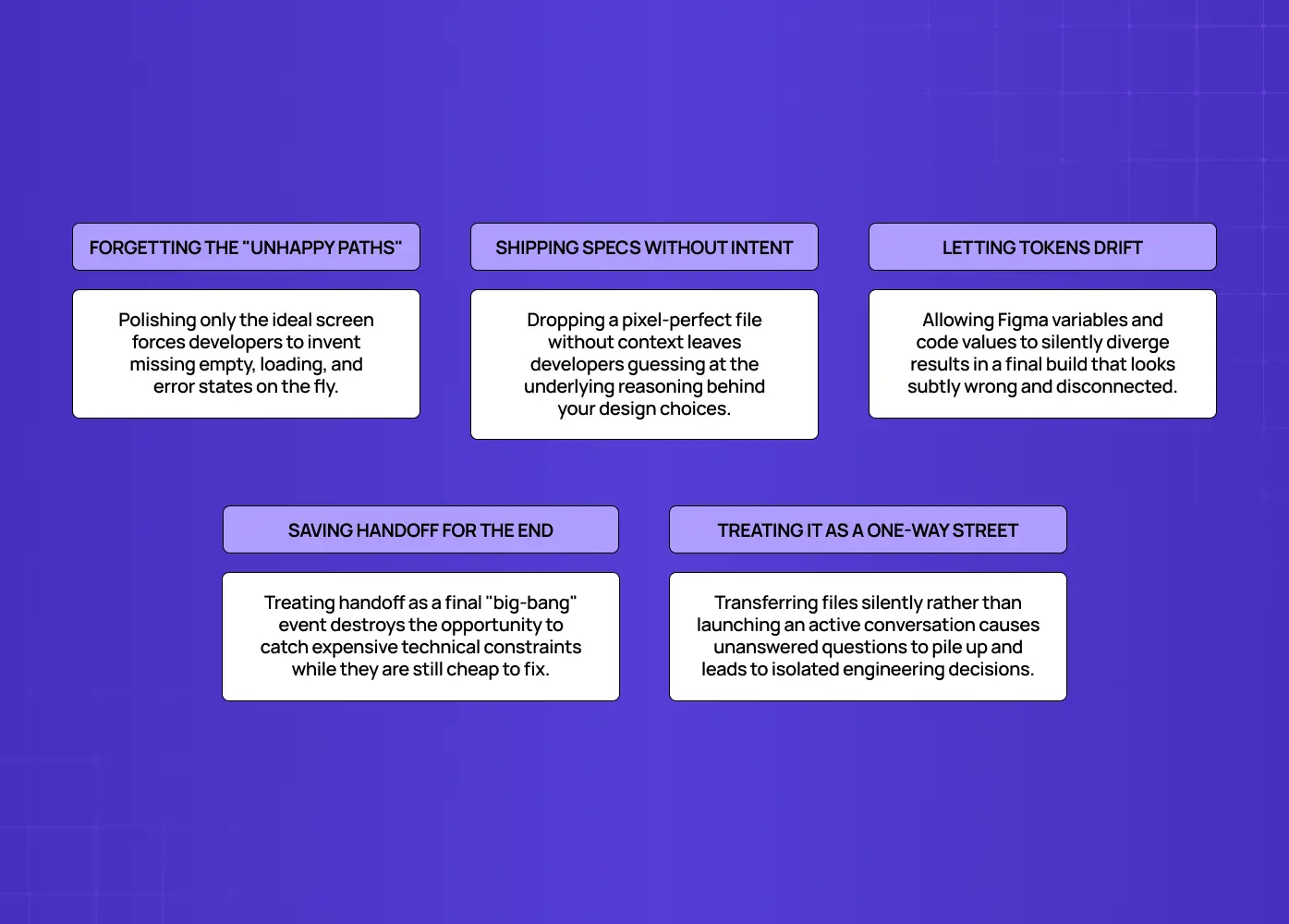
Educational diagram highlighting five common design handoff mistakes, including missing edge cases, unclear specs, token drift, and poor communication.

Even teams with good intentions trip on the same few things.

  • Forgetting non-happy-path states. Designers polish the ideal screen and forget the empty, loading, and error states developers must build anyway, forcing them to invent designs on the fly.

  • Handing off specs without intent. Dropping a pixel-perfect file with no explanation of why leaves developers to guess at the reasoning.

  • Token drift. Figma variables and code values silently diverge and the build looks subtly wrong.

  • Doing it all at the end. A big-bang handoff after design is "finished" removes any chance to catch technical constraints early.

  • Treating handoff as one-directional. A transfer rather than a conversation means questions pile up unanswered and developers make isolated decisions that drift from the design.

Notice that none of these are about whether you choose Figma vs Sketch vs Adobe XD or any other stack. The best UX design tools in the world won't save a handoff that skips intent, states, or early collaboration.    

Two phases, not one moment

One reframing that helps teams mature: think of handoff in two phases rather than a single event.

  • System-level handoff happens at the foundational level to establish the tokens, components, and structural rules, essentially a design system for SaaS products, that developers will follow throughout.

  • Feature-level handoff happens per feature, focused on behavior and flow within that already-agreed system.

Separating the two means you're never re-explaining foundational rules with every feature, and developers build on a stable base instead of re-interpreting the basics each sprint.

Conclusion

In short, a great design handoff process comes down to a few consistent habits:

  • Close the context gap by documenting why

  • Close the artifact gap by documenting what and how

  • Run the six steps consistently, not just when there's time

  • Use the checklist as your definition of ready before anything ships

A great design handoff process isn't paperwork, it's the discipline of transferring intent and specifications so completely that developers can build with confidence and without guesswork. Close both gaps, run the six steps consistently, and you'll turn one of the most rework-prone moments in product development into one of the smoothest.

If your team's designs keep drifting between Figma and production, or you want a design partner whose handoff process is built to reduce rework from day one, book a discovery call with Groto. We design products with engineering in mind and hand them off so they ship the way they were meant to. Let's make your next build a clean one.


Most handoff friction comes down to two missing pieces: context and artifacts. This guide breaks the design handoff process into six repeatable steps, a practical checklist, and the mistakes that quietly cause rework across design and engineering teams.

A six-step design handoff process built to close the gaps that cause rework.

Illustration of designers collaborating on a computer screen, symbolizing creative teamwork and interface design.

TL;DR

  • A design handoff fails for one of two reasons: developers are missing the why (context gap) or missing the what and how (artifact gap).

  • A repeatable six-step process closes both gaps: start early, audit for consistency, document tokens, annotate intent and states, organize assets, and run a walkthrough with an open feedback loop.

  • Use the checklist in this guide as a "definition of ready" before anything is marked handed off.

  • Ownership is shared: designers own artifacts and intent, developers own raising constraints early, PMs own priority calls, and someone owns the process itself.

  • A disciplined handoff is rework insurance. It costs an hour of documentation to save many hours of engineering guesswork.

A design handoff process is the workflow a team uses to transfer finished designs, specifications, and context from designers to the developers who build them, one of the final stages of the broader UX design process. It covers not just what a screen looks like, but why it was designed that way and how it should behave once it's built. Teams that treat this as a real process, rather than a single file drop, spend far less time on rework, guesswork, and mid-sprint clarifications.

Ask any engineer about the last time a design handoff went sideways and you'll get a story: a screen that looked finished in Figma but had no error state, a "blue" button that turned out to be one of five blues, an animation everyone assumed was obvious until it shipped feeling wrong. Every one of those gaps becomes a Slack thread, a delayed sprint, and a round of rework, the single most expensive and avoidable tax in product development.

A strong design handoff process is what stands between a clean build and that tax. It's not about throwing a polished Figma file over the wall; it's a deliberate workflow that transfers not just what to build but why and how it should behave. This guide breaks the handoff into two gaps you must close, a repeatable six-step process, a checklist of everything a handoff should include, and the mistakes that quietly derail teams. Whether you're a designer, a PM, or looking to ship faster, this is how agencies build products and move from design to development without the churn.

What is a design handoff (and why it fails)

A design handoff is the process of transferring high-fidelity designs, specifications, assets, and context from the design team to the developers who will build them. Done well, developers can implement confidently without a stream of "what did you mean here?" questions. Done poorly, it produces misinterpretation, rework, and a shipped product that drifts from the intended experience.

Nearly every failed handoff comes down to one of two gaps:

The context gap, missing intent. The developer can see what the design looks like but not why.

  • Why this spacing is tight here and generous there

  • Why this interaction needs to feel a certain way

  • What happens when the data is empty

Without the "why," developers make reasonable guesses that quietly diverge from the vision.

The artifact gap, missing build information. The concrete specs a developer needs to build without interpreting.

  • Component states across the full lifecycle (default, loading, error, empty)

  • Design tokens for color, spacing, and typography

  • Breakpoints and responsive behavior across frontend builds.

  • Data assumptions and interaction rules

When these are absent, implementation becomes interpretation, and interpretation is where bugs and inconsistencies are born.

Every step below exists to close one or both of these gaps. Keep them in mind and the whole process makes sense.

The 6-step design handoff process

Flowchart outlining six best practices for effective design handoff, from early collaboration and token definition to communication with developers.

Step 1: Start the handoff during design, not after it

The biggest handoff improvement costs nothing: begin the conversation early. Loop developers in during the sketching and wireframing phase, the same stretch where you move from wireframe to prototype, not the moment design is "done." Early input surfaces technical constraints while they're still cheap to address, before you've polished a flow that turns out to be impractical to build. Treat handoff as a continuous collaboration, not a single event, and you'll catch the expensive problems weeks sooner.

In practice, this looks like:

  • Sharing early wireframes in a shared channel before they're polished, staying clear on wireframes vs prototypes as they evolve.

  • Asking developers for a quick feasibility gut-check on any unusual interaction

  • Booking a recurring 15-minute sync during the design phase, not just at the end

Step 2: Audit the design for consistency

Before anything ships to engineering, run a design audit. Check that spacing follows a consistent grid and spacing scale, colors map to your palette, typography uses defined styles, and components are reusable rather than one-off copies. Inconsistencies you don't catch here become inconsistencies developers faithfully reproduce in code. A clean, systematized file is the foundation of a clean build, this step alone eliminates a surprising share of handoff back-and-forth.

A quick audit checklist:

  • Spacing follows a defined scale (no arbitrary pixel values)

  • Colors map to named tokens, not raw hex codes

  • Typography uses shared text styles, not manually resized text

  • Repeated UI patterns are built as components, not duplicated frames

Step 3: Define and document your design tokens

A design token is a named value that stores a design decision, instead of a color being #2E27A0, it's color-primary. Tokens for color, spacing, and typography let designers and developers reference the same named decisions from one centralized design system rather than hardcoded values, which is what keeps design and code in sync as both evolve.

Two cautions:

  • Document clearly. A developer should never have to guess which shade of blue or which spacing value you meant.

  • Watch for token drift. A designer may use a Figma variable assuming it matches the codebase, only for the built colors to look off because the underlying value is outdated. Align your Figma variables with the code's token values, and confirm ownership of who updates them.

Step 4: Annotate intent and everything the tool can't capture

This is where most handoffs are won or lost. Modern inspection tools like Figma expose spacing, typography, colors, and component properties—that's your artifact-gap baseline, and it's excellent. Newer Figma-to-code workflows push that baseline even further. But it cannot capture the things that most often cause rework:

  • Interaction behavior, what happens on tap, hover, drag, or scroll

  • Conditional logic, when elements appear, hide, or change based on state or data

  • Animation specs, timing, easing, and choreography, described precisely

  • Content rules, max lengths, truncation, pluralization, empty-value handling

  • All component states, the empty, loading, and error states that are the single most commonly forgotten deliverable

Use comments and annotations to explain the reasoning behind decisions, closing the context gap. A one-line note on why a choice was made saves a dozen follow-up questions and prevents a developer from "fixing" something that was intentional.

Step 5: Prepare and organize assets

Export every asset developers will need in the formats and resolutions they expect, icons, images, logos, and set up pre-configured export settings so nothing has to be re-cut later. Organize the file so it's navigable: clear page and frame naming, flows in logical order, and a "ready for dev" marker so engineers know exactly what's final versus still in progress. A tidy file communicates respect for the developer's time and removes a whole category of "which version is real?" confusion.

Before marking a file as handed off, confirm:

  • Assets are exported in the correct format and resolution (SVGs for icons where possible)

  • Pages and frames are named clearly, with no stray or unused elements left behind

  • Flows are ordered logically, top to bottom or left to right

  • A visible "ready for dev" marker separates final work from work in progress

Step 6: Run a walkthrough and open a feedback loop

Don't let the handoff be silent. Run a short walkthrough, live or recorded, where you narrate the flow, explain the rationale, and demo the tricky interactions. Then establish a clear channel for questions and a fast feedback loop so blockers get resolved in hours, not days. The handoff isn't a moment of transfer; it's the start of a conversation that continues through implementation and review.

A good walkthrough covers:

  • The overall flow, narrated screen by screen

  • The reasoning behind any non-obvious decisions

  • A live demo, ideally from a working UX prototype, of the trickiest interactions or animations.

  • A named point of contact for follow-up questions

The UX/UI checklist top SaaS teams actually use

15 essential checks covering onboarding, conversions, and retention. Spot quick wins and fix friction before it costs you signups.

No Spam. Free Lifetime

The design handoff checklist

Use this as your "definition of ready" before marking anything handed off:

Category

What to include

Design system

Tokens for color, type, spacing; shared component library; alignment with code

Specs

Measurements, colors, typography, component properties (via Dev Mode)

States

Default, hover/focus, active, disabled, empty, loading, error

Responsive

Behavior across breakpoints; min/max widths; reflow rules

Interactions

Tap/hover/scroll behavior, transitions, animation timing and easing

Content rules

Character limits, truncation, pluralization, empty-value handling

Assets

Exported icons/images in required formats and resolutions

Context

Annotations explaining intent; walkthrough of the flow

Logistics

Clear file organization, "ready for dev" markers, a feedback channel

If every row is covered, you've closed both the artifact gap and the context gap, and you've eliminated most of the reasons handoffs generate rework.

Who owns the design handoff?

Handoffs fail in the gaps between roles, one of many overlaps across the UX disciplines, so it helps to name who does what.

  • The designer owns the artifacts and deliverables that map to what product designers do: clean design files, documented tokens, annotated states, and the rationale behind decisions.

  • The developer owns raising questions early and flagging technical constraints before, not after, they've built the wrong thing.

  • The product manager owns the acceptance criteria and the priority calls when a design detail collides with a deadline.

  • Someone, often a design lead or PM, should own the process itself: making sure the checklist is actually used and the feedback loop stays open.

The failure mode is assuming "the designer just hands it off and the developer just builds it." Handoff is a shared responsibility with a shared goal: a shipped product that matches the intended experience. When each role knows its part, the seams between them stop leaking. On small teams one person may wear several of these hats, that's fine, as long as each responsibility is consciously owned rather than assumed away.

The business case: handoff as rework insurance

Diagram explaining how disciplined design handoff improves velocity, quality, and long-term product development efficiency.

It's easy to treat handoff quality as a "nice to have" that designers care about and everyone else tolerates. That's a mistake, because the cost of a bad handoff isn't paid in design, it's paid in engineering. Every missing state, ambiguous spec, or undocumented interaction becomes a question, and every question becomes a context switch, a delay, and often a rebuild once the real intent surfaces in review. Multiply that across a sprint and a poor handoff quietly consumes days of expensive engineering time and pushes ship dates.

A disciplined handoff process is, in effect, rework insurance. The hour a designer spends annotating states and documenting intent routinely saves many hours of developer guesswork, review cycles, and rebuilds downstream. It also protects the experience, the product that reaches users actually resembles the one that was designed, instead of a diluted approximation shaped by dozens of small, uninformed implementation decisions.

In short, a good handoff process buys you:

  • Velocity, fewer clarifying questions and less rebuilt work per sprint

  • Quality protection, the shipped product matches the intended experience

  • Compounding returns, every sprint after the first runs on a foundation the last one laid

For founders and engineering leads, that's the real argument: better handoff isn't design polish, it's velocity and quality protection. It's one of the highest-ROI process investments a product team can make.

Common design handoff mistakes to avoid

Educational diagram highlighting five common design handoff mistakes, including missing edge cases, unclear specs, token drift, and poor communication.

Even teams with good intentions trip on the same few things.

  • Forgetting non-happy-path states. Designers polish the ideal screen and forget the empty, loading, and error states developers must build anyway, forcing them to invent designs on the fly.

  • Handing off specs without intent. Dropping a pixel-perfect file with no explanation of why leaves developers to guess at the reasoning.

  • Token drift. Figma variables and code values silently diverge and the build looks subtly wrong.

  • Doing it all at the end. A big-bang handoff after design is "finished" removes any chance to catch technical constraints early.

  • Treating handoff as one-directional. A transfer rather than a conversation means questions pile up unanswered and developers make isolated decisions that drift from the design.

Notice that none of these are about whether you choose Figma vs Sketch vs Adobe XD or any other stack. The best UX design tools in the world won't save a handoff that skips intent, states, or early collaboration.    

Two phases, not one moment

One reframing that helps teams mature: think of handoff in two phases rather than a single event.

  • System-level handoff happens at the foundational level to establish the tokens, components, and structural rules, essentially a design system for SaaS products, that developers will follow throughout.

  • Feature-level handoff happens per feature, focused on behavior and flow within that already-agreed system.

Separating the two means you're never re-explaining foundational rules with every feature, and developers build on a stable base instead of re-interpreting the basics each sprint.

Conclusion

In short, a great design handoff process comes down to a few consistent habits:

  • Close the context gap by documenting why

  • Close the artifact gap by documenting what and how

  • Run the six steps consistently, not just when there's time

  • Use the checklist as your definition of ready before anything ships

A great design handoff process isn't paperwork, it's the discipline of transferring intent and specifications so completely that developers can build with confidence and without guesswork. Close both gaps, run the six steps consistently, and you'll turn one of the most rework-prone moments in product development into one of the smoothest.

If your team's designs keep drifting between Figma and production, or you want a design partner whose handoff process is built to reduce rework from day one, book a discovery call with Groto. We design products with engineering in mind and hand them off so they ship the way they were meant to. Let's make your next build a clean one.

Have a project in mind?

Let’s talk through your idea and see what makes sense.

Harpreet Singh

Founder at Groto

Have a project in mind?

Let’s talk through your idea and see what makes sense.

Harpreet Singh

Founder at Groto

FAQ

Everything you were going to ask (and a few things you didn’t know to)

What should a design handoff include?

It should include design tokens and a shared component library, full specs (measurements, colors, typography), all component states (including empty, loading, and error), responsive behavior, interaction and animation details, content rules, exported assets, annotations explaining intent, and a clear feedback channel.

What are the most common design handoff mistakes?

Forgetting non-happy-path states (empty, loading, error), handing off specs without explaining intent, token drift between Figma and code, doing the handoff all at once at the end instead of collaborating early, and treating handoff as a one-way transfer rather than an ongoing conversation.

What can Figma Dev Mode capture, and what can't it?

Dev Mode automatically captures spacing, typography, colors, and component properties. It cannot capture interaction behavior, conditional display logic, animation specs, or content rules, those must be annotated manually, which is where most handoff quality is won or lost.

What is a design token?

A design token is a named value that stores a design decision, for example, defining a color as color-primary rather than a raw hex like #2E27A0. Tokens let design and code reference the same decisions, keeping them in sync as the product evolves.

When should the design handoff start?

As early as possible, during sketching and wireframing, not after design is "finished." Early collaboration surfaces technical constraints while they're cheap to fix and prevents polishing flows that turn out to be impractical to build.

What is the purpose of a handoff?

The purpose of a handoff is to let developers build with confidence instead of guesswork. Done right, it preserves the designer's intent through implementation, prevents the rework that comes from misinterpretation, and turns a one-time file transfer into an ongoing conversation that keeps the shipped product aligned with the intended experience.
What should a design handoff include?

It should include design tokens and a shared component library, full specs (measurements, colors, typography), all component states (including empty, loading, and error), responsive behavior, interaction and animation details, content rules, exported assets, annotations explaining intent, and a clear feedback channel.
What are the most common design handoff mistakes?

Forgetting non-happy-path states (empty, loading, error), handing off specs without explaining intent, token drift between Figma and code, doing the handoff all at once at the end instead of collaborating early, and treating handoff as a one-way transfer rather than an ongoing conversation.

What can Figma Dev Mode capture, and what can't it?

Dev Mode automatically captures spacing, typography, colors, and component properties. It cannot capture interaction behavior, conditional display logic, animation specs, or content rules, those must be annotated manually, which is where most handoff quality is won or lost.

What is a design token?

A design token is a named value that stores a design decision, for example, defining a color as color-primary rather than a raw hex like #2E27A0. Tokens let design and code reference the same decisions, keeping them in sync as the product evolves.

When should the design handoff start?

As early as possible, during sketching and wireframing, not after design is "finished." Early collaboration surfaces technical constraints while they're cheap to fix and prevents polishing flows that turn out to be impractical to build.

What is the purpose of a handoff?

The purpose of a handoff is to let developers build with confidence instead of guesswork. Done right, it preserves the designer's intent through implementation, prevents the rework that comes from misinterpretation, and turns a one-time file transfer into an ongoing conversation that keeps the shipped product aligned with the intended experience.

More Articles

Extreme close-up black and white photograph of a human eye

Let’s bring your vision to life

Tell us what's on your mind? We'll hit you back in 24 hours. No fluff, no delays - just a solid vision to bring your idea to life.

Profile portrait of a man in a white shirt against a light background

Harpreet Singh

Founder and Creative Director

Get in Touch

Extreme close-up black and white photograph of a human eye

Let’s bring your vision to life

Tell us what's on your mind? We'll hit you back in 24 hours. No fluff, no delays - just a solid vision to bring your idea to life.

Profile portrait of a man in a white shirt against a light background

Harpreet Singh

Founder and Creative Director

Get in Touch

Extreme close-up black and white photograph of a human eye

Let’s bring your vision to life

Tell us what's on your mind? We'll hit you back in 24 hours. No fluff, no delays - just a solid vision to bring your idea to life.

Profile portrait of a man in a white shirt against a light background

Harpreet Singh

Founder and Creative Director

Get in Touch