
Low-fidelity wireframes help teams align on structure, flow, and user intent before investing in visuals or code. This guide explains what they are, when to use them, how to create them, and what tools (including AI help) make the process easier.
Low-fidelity wireframes accelerate early UX decisions.

Low fidelity wireframes are one of the most impactful tools in a UX designer’s toolkit. They help teams think structurally about a product before visuals, interactions, or development decisions get in the way.
In this guide, we’ll cover:
what low fidelity wireframes are
why they matter
how to create them
common mistakes to avoid
tools, including AI tools, that make the process easier
Whether you’re new to UX or refining your design workflow, this guide will give you practical clarity on how low fi wireframes fit into product design.
What Are Low Fidelity Wireframes?
Low fidelity wireframes (often called low-fi wireframes or lofi wireframes) are simplified, visual representations of interface structure and layout. They focus on core UX logic rather than aesthetics.
Think of them as the skeleton of a screen:
Boxes for elements
Placeholder text
Basic layout flows
They are not pretty. But they are powerful.
Why Low-Fidelity Wireframes Matter
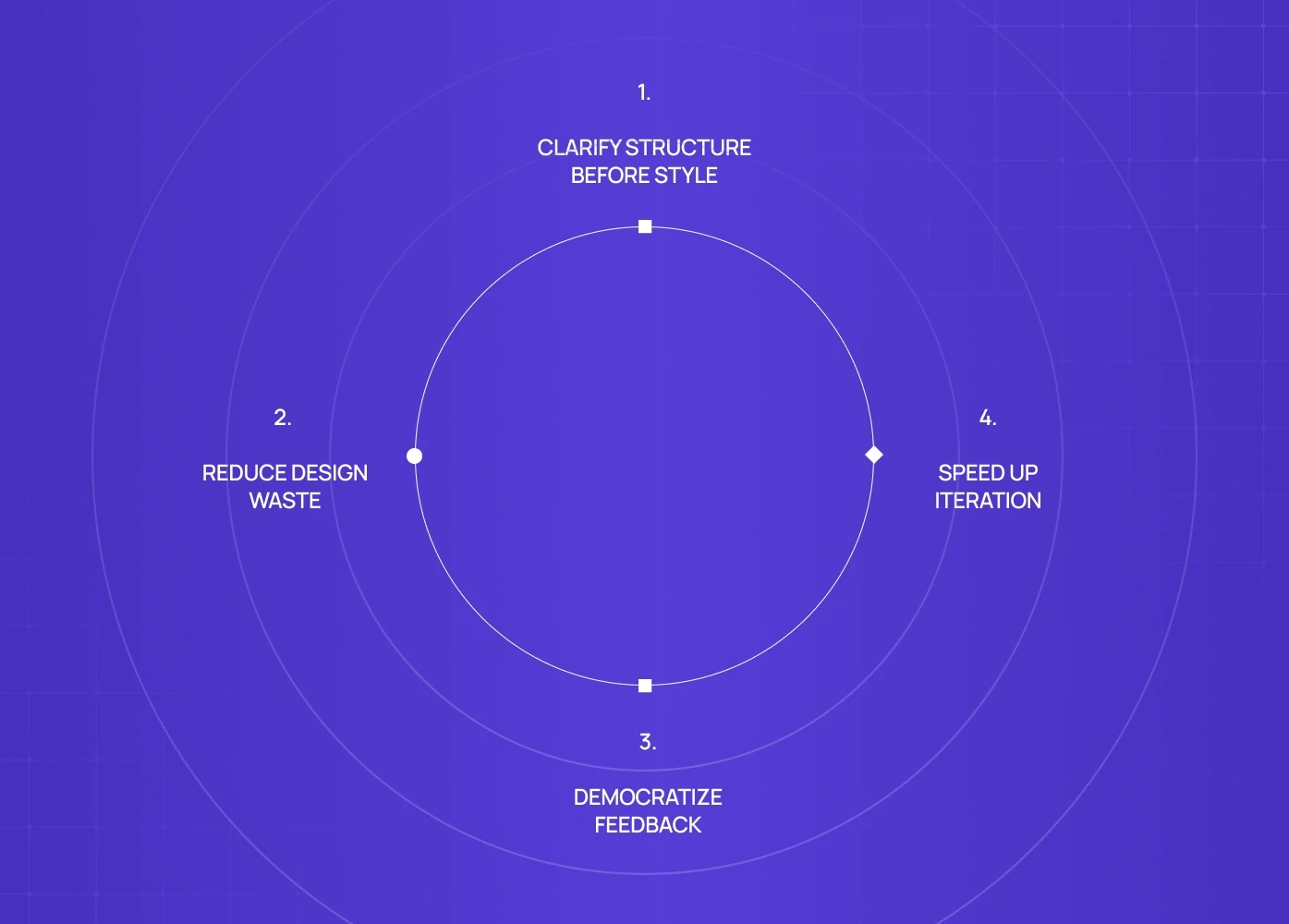
Low-fidelity wireframes are a staple of early UX design because they help teams:
1. Clarify Structure Before Style
Low-fi wireframes force you to think about placement and prioritization without getting distracted by colors, fonts, or visuals.
2. Reduce Design Waste
Fixing layout mistakes early saves rework later. When you start with visuals before flow, you often redesign twice.
3. Democratize Feedback
Stakeholders and teammates can comment on core UX logic instead of debating button colors.
4. Speed Up Iteration
It’s faster to sketch, revise, and iterate low-fi wireframes than to draft polished screens.
Low-Fidelity Wireframes vs Mockups vs Prototypes
It’s important to understand where low fidelity wireframes sit in the UX process:
Artifact | Focus | Purpose |
Low-Fidelity Wireframes | Structure & layout | Early UX validation |
Mockups | Visual design | Visual accuracy & style |
Prototypes | Interactivity | Usability validation |
Low-fi wireframes answer 'What goes where?' — once that's resolved, a high-fidelity wireframes guide can help you understand when and how to move into more detailed design. Mockups answer 'What does it look like?' Prototypes answer 'Does it work?
When to Use Low Fidelity Wireframes
Low-fidelity wireframes are ideal when you want to:
Define navigation or layout logic
Validate core user flows
Align team understanding early
Reduce uncertainty before prototyping
They are especially valuable in: Sprint planning, Product discovery, Cross-functional workshops, Rapid iteration environments — and for teams working on an existing product alongside new flows, understanding UX audit cost helps decide whether auditing live screens before wireframing saves more time than starting fresh.
Step-by-Step: How to Create Low-Fidelity Wireframes
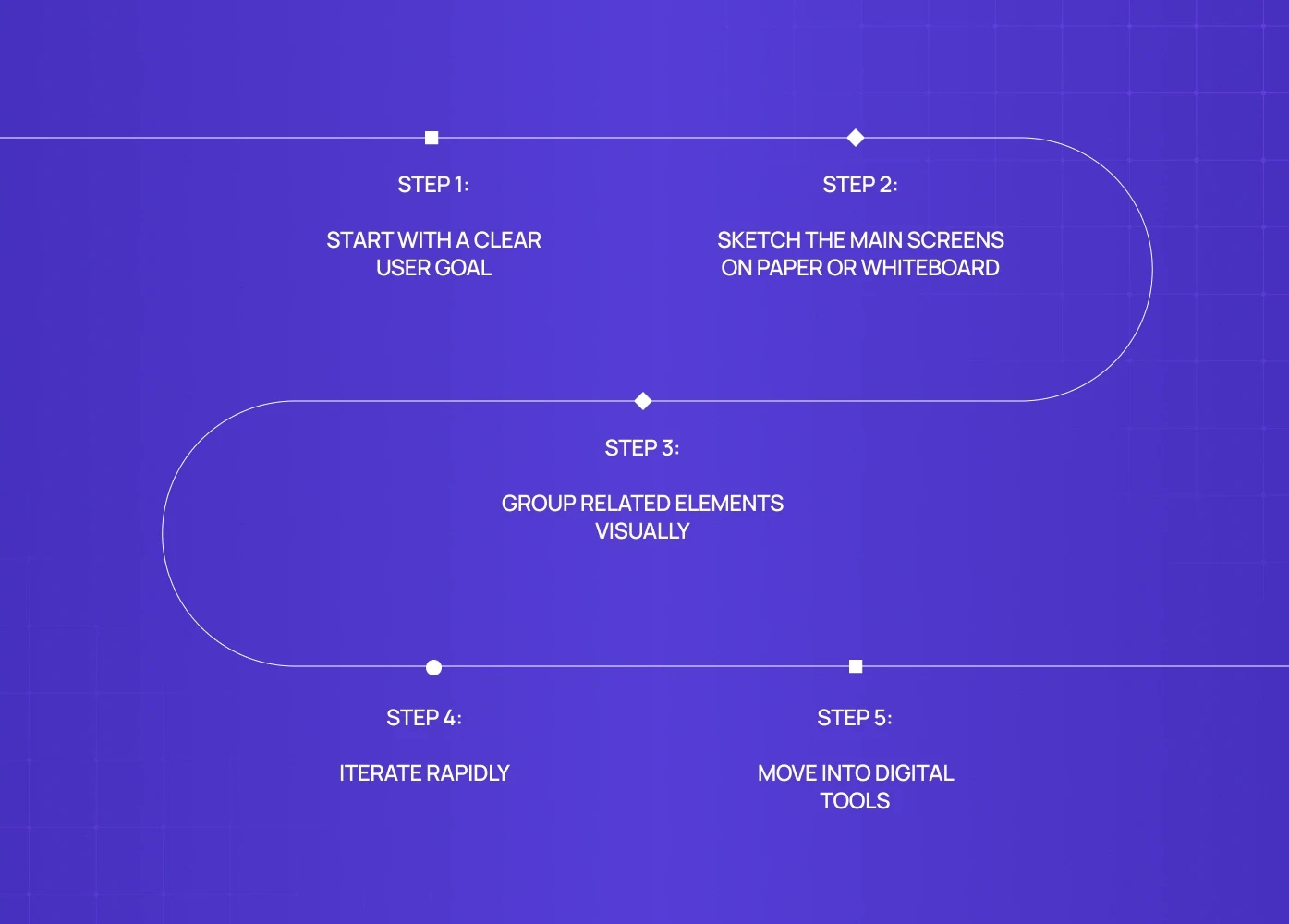
1. Start With a Clear User Goal
Before sketching screens, define the primary task users should complete.
Example: “New users should create an account in under 60 seconds.”
This sets intention.
2. Sketch the Main Screens on Paper or Whiteboard
At this stage:
Use rectangles for content
Lines for text
Xs for images
Arrows for navigation
The goal is to capture structure, not detail.
3. Group Related Elements Visually
Align content logically:
Priority elements at top
Secondary details below
Clear CTA placement
This improves readability even in simplistic sketches.
4. Iterate Rapidly
Show your sketches to teammates. Ask:
“Does this layout support the user’s task?”
“Is anything missing or redundant?”
“Where might users hesitate?”
Low fidelity wireframes are cheap to change. Use that to your advantage.
5. Move Into Digital Tools
Once the structure feels right, move to a digital wireframe canvas — and when you're ready, follow a clear process for how to go from wireframe to prototype so iteration stays structured rather than reactive.
We’ll cover the best tools in the next section.
Tools to Easily Create Low Fidelity Wireframes
Here are the most effective tools for low-fi wireframing, from basic to advanced and AI-powered:
Classic UX Tools
Figma
Flexible layers and components
Great for collaborative wireframing
Many low-fi templates available
Sketch
Lightweight and focused on screen layout
Works well with team libraries
Adobe XD
Built-in wireframing kits
Easy transition to prototyping
Balsamiq
Purpose-built for lo-fi wireframes
Hand-drawn aesthetic keeps focus on logic
Not sure which to pick? A direct Figma vs Sketch vs Adobe XD comparison breaks down the trade-offs so you can choose the right tool for your team's workflow.
AI-Powered Tools That Help With Low Fidelity
1. AI Tools to Create Low Fidelity Wireframes
Some tools now can generate lo-fi wireframes from natural language prompts or rough sketches.
Examples include:
Prompts like “dashboard layout with 3 priority stats and 2 CTAs”
Auto-generated layouts based on user flow descriptions
These tools help you jump from idea to structure faster.
Read more: AI In Product Design
2. Tools to Create Wireframes That Scale
Miro
Infinite canvas
Great for early brainstorming
Easy drag-and-drop shapes
Whimsical
Quick connectors
Visual flow mapping
Team commenting
Low Fidelity Wireframe Examples
Here are the kinds of wireframes teams use early in design:
Example A: Simple Login Flow
Email field placeholder
Password field placeholder
Primary button box
Secondary link box
No icons. No colors. Just structure.
Example B: Dashboard Layout
Big KPI boxes at top
Left navigation stack
Secondary content panels
Placeholder charts
Again: structure first.
These examples help teams see layout clearly without visual noise.
How AI Tools Are Changing Wireframing
Modern AI tools accelerate wireframing by:
Generating layouts from text prompts
Suggesting alternative structures
Filling placeholders intelligently
Reflecting usage patterns from similar flows
This doesn’t replace UX judgment - it enhances productivity.
Call these Gen AI tools for low fidelity wireframes: they help generate starting points that you can refine manually.
Common Mistakes When Creating Low-Fi Wireframes
1. Adding Too Much Detail Too Early
If your wireframes start looking like mockups, you’ve lost clarity.
Keep form simple.
2. Ignoring Navigation Logic
A screen is only as good as the path that leads to it.
Map navigation early.
3. Skipping User Goals
Wireframes that don’t tie to tasks are just drawings. Always start with a user action in mind.
Tips to Make Wireframing More Effective
1. Involve First, Then Iterate
Get broad input early and get alignment before locking structure.
2. Keep Notation Simple
Use consistent symbols:
rectangle for container
line for text
circle for buttons
This keeps focus where it belongs: on logic.
3. Trace Key Paths First
Start with primary user flows (e.g., signup, purchase, onboarding) before secondary screens.
Low-Fidelity Wireframes Are Your UX Compass
Wireframes help you:
align teams early
uncover problems before visuals
reduce rework
validate structure before prototyping
Once this foundation is right, your UI design, mockups, and prototypes become far more reliable — browsing a few interactive prototype examples shows what these lightweight structures evolve into once interaction is layered on.
Conclusion
Low fidelity wireframes are more than placeholders. They are a team alignment tool, a risk-reduction step, and a communication amplifier.
Start simple, test quickly, and iterate often. If you want to see how low-fi wireframing connects to a full UX design process: 8-step guide, that's the natural next read — it'll show you exactly where wireframes sit across the end-to-end workflow."
FAQs
1. What are low fidelity wireframes used for?
They clarify structure and flow early in design. They are used before design mockups or prototypes to fix layout problems first.
2. How detailed should low-fi wireframes be?
Just enough to communicate layout and content priority. No color, no visual polish.
3. Should all wireframes become prototypes?
Not always. Understanding wireframes vs prototypes in UX helps clarify which flows genuinely need interaction validation before moving forward.
4. What tools are best for quick low fidelity wireframes?
Tools like Balsamiq, Figma, Miro, and Whimsical are great for quick iterations.
5. Are there AI tools for wireframing?
Yes. Gen AI tools can generate lo-fi layouts from prompts or rough sketches, saving early effort.