8 Best AI UX Design Tools in 2026: A Design-First Evaluation

8 Best AI UX Design Tools in 2026: A Design-First Evaluation

A hands-on comparison of the 8 best AI UX design tools in 2026 — pricing, features, and which ones are actually worth paying for.

8 Best AI UX Design Tools in 2026: A Design-First Evaluation

8 Best AI UX Design Tools in 2026: A Design-First Evaluation

A hands-on comparison of the 8 best AI UX design tools in 2026 — pricing, features, and which ones are actually worth paying for.

Here is our honest breakdown of the 8 best AI UX design tools in 2026, fully evaluated by feature sets, pricing models, and production-level design output.

The best AI tools for UX design, tested and organized by design stage.

TL;DR
AI is reshaping how design teams work, from wireframing to user research to production-ready UI. We evaluated 8 tools on five criteria: output quality, design system awareness, responsiveness, ease of use, and Figma integration. This is what made the cut and what did not. If you are looking for how to integrate these tools into your existing workflow, our guide on AI tools for UI/UX designers covers that in depth.

Tool

Primary Use

Free Tier

Starting Price

Figma AI

UI automation and prototyping

Yes (limited beta)

Included in Figma Pro (~$16/mo)

UX Pilot

Prompt-to-UI screen generation

Yes (limited credits)

$12/mo

Relume AI

Website wireframes and components

Yes (free forever plan)

$26/mo

Hotjar AI

Behavioral analytics and session replay

Yes

$39/mo

Attention Insight

Predictive heatmapping

No (7-day trial)

$24/mo

Khroma

Ai color palette generation

Yes (fully free)

Free

ChatGPT / Claude

UX writing and research synthesis

Yes

$20/mo

Adobe Firefly

Visual asset and image generation

No (30-day trial)

$9.99/mo

The conversation around AI in design has shifted. It is no longer about whether to adopt these tools but which ones genuinely deliver clean design outputs without introducing new friction.

We work with SaaS and product teams at Groto every day, and over the past year, we have tested, recommended, and integrated a range of UX design tools across design, research, and prototyping stages. What follows is our structured evaluation of the best ai ux design tools available right now — assessed on design output quality, workflow integration, and whether they hold up under real project conditions, not just in demos.

We have organized them by design function so you can identify what you need at each stage of your process.

The scale of this shift is measurable. Figma's 2024 developer survey found that over 70% of product builders now use AI tools to accelerate their design workflow. McKinsey projects that generative design infrastructure could contribute significantly to global productivity gains through 2030, putting the future of AI in design squarely at the center of that transformation.

What to Expect from AI Tools for UX Design in 2026

Before getting into the list, it is worth grounding what "AI UX tools" actually means in practice. The category spans three distinct areas:

  • Design and UI generation: Tools that help generate screens, layouts, and components from prompts or sketches

  • User research and behavior analytics: Tools that predict or analyze how users interact with interfaces

  • Content, copy, and workflow automation: Tools that accelerate microcopy, documentation, and iteration

This breakdown focuses specifically on tools that touch design output directly — screens, layouts, copy, and visual assets. We've left out project-management and developer-handoff automation (think Zapier, Notion, Locofy) since those solve a different problem entirely. 

The best ai tools for ui ux design do not try to replace the designer. They compress the grunt work so your team can spend more time on the decisions that actually require design thinking.

The AI onboarding playbook top teams use to boost activation.

Reduce first-session confusion, speed up time-to-value, and build user trust, built from real onboarding audits of AI products.

No Spam. Free Lifetime

The AI onboarding playbook top teams use to boost activation.

Reduce first-session confusion, speed up time-to-value, and build user trust, built from real onboarding audits of AI products.

No Spam. Free Lifetime

How We Evaluated These Tools

At Groto, we did not pull this list from feature pages and pricing tables. We trialed each of these platforms across real internal product workflows over a multi-week evaluation window, testing them against the kind of work we actually do for SaaS and AI product clients. The criteria we used to assess each tool:

  • Vector and layout output quality: Does the generated UI look usable, or does it require a full rebuild to be production-worthy

  • Design system awareness: Does the tool respect existing component logic and token structures, or does it generate in a vacuum

  • Layout responsiveness: Does the output hold up across screen sizes without manual breakpoint correction

  • Interface ease of use: Can a mid-level designer pick it up without a significant onboarding investment

  • Workflow integration: Does it connect cleanly to Figma or other tools already in the stack

Tools that performed well on at least three of these five criteria made the list. Those that looked impressive in demos but broke down under real project conditions did not.

The 8 Best AI UX Design Tools in 2026

Here is a quick-reference summary before we go deeper:

  • Best overall for UI generation: Figma AI

  • Best for prompt-to-screen speed: UX Pilot

  • Best for website-focused teams: Relume AI

  • Best for behavior analytics: Hotjar AI

  • Best for attention prediction: Attention Insight

  • Best for color systems: Khroma

  • Best for UX writing and copy: ChatGPT / Claude

  • Best for image and visual assets: Adobe Firefly

1. Figma AI
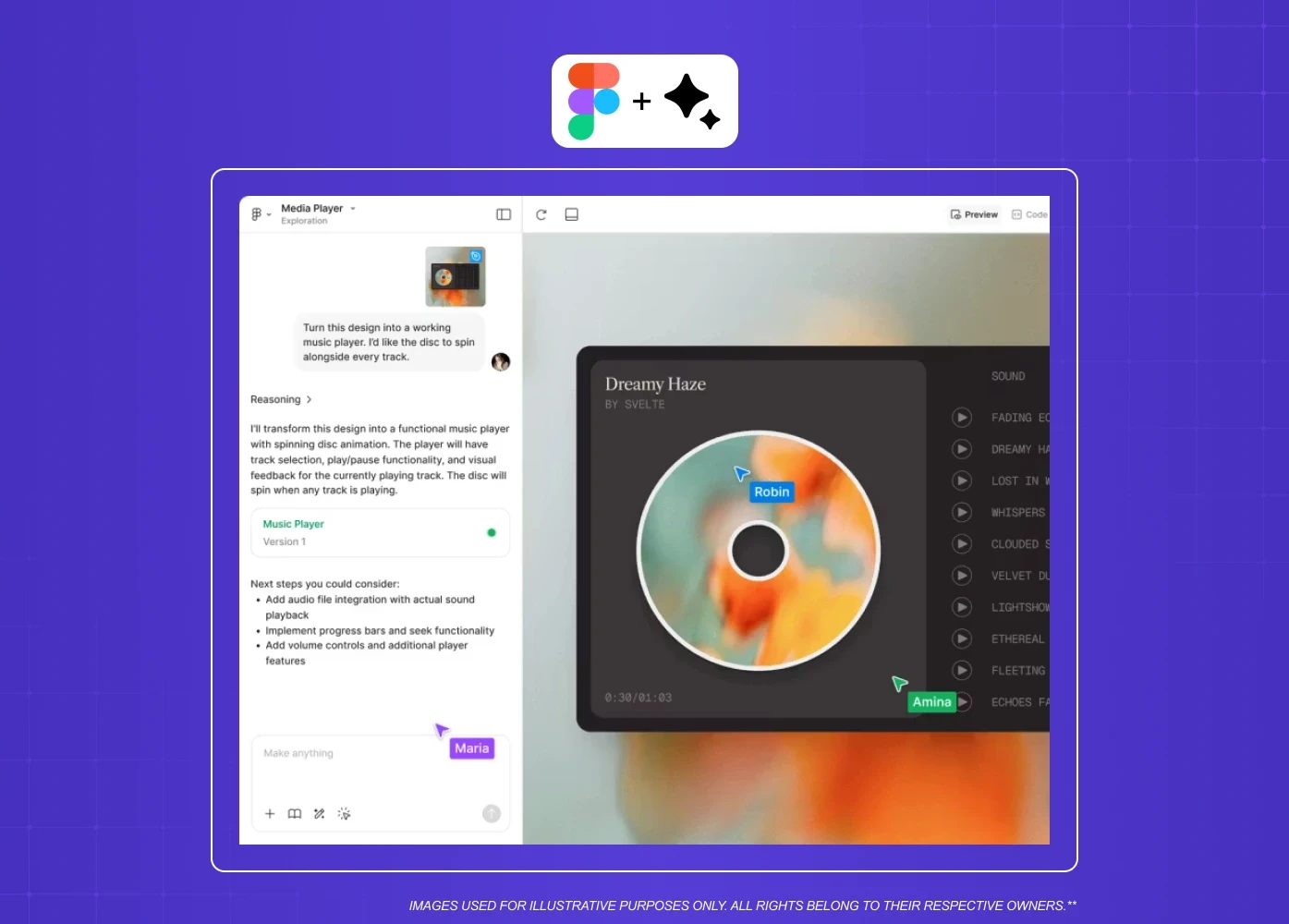
AI-assisted design workflow within Figma showing conversational design support and interactive prototyping.

Overview: Figma has become the central workspace for most design teams, more so than alternatives like Sketch and Adobe XD, and its AI layer makes that collaboration even faster. Figma AI is built directly into the platform, which means no context-switching, no new logins, and no learning curve for teams already living in Figma.

Key features:

  • Figma Make generates interactive prototypes directly from text prompts, letting teams explore layouts and flows without starting from scratch

  • Auto-rename layers based on content context, which saves hours on large files and design system handoffs

  • Rewrite, shorten, or generate UI copy inside the canvas without leaving the file

  • Background removal and image generation built into the design surface

Best for: Product and SaaS design teams already working in Figma who need faster ideation and cleaner file management.

Pricing: Included in Figma plans. Limited on free tier; fuller capabilities from the Professional plan at approximately $16 per editor per month.

One thing to note: Figma AI outputs can feel generic in early drafts and often require manual refinement to map to existing design systems. Use it for exploration, not final production.

Not the right pick if your team is not already building in Figma. The AI layer has no standalone value outside the platform.

2. UX Pilot
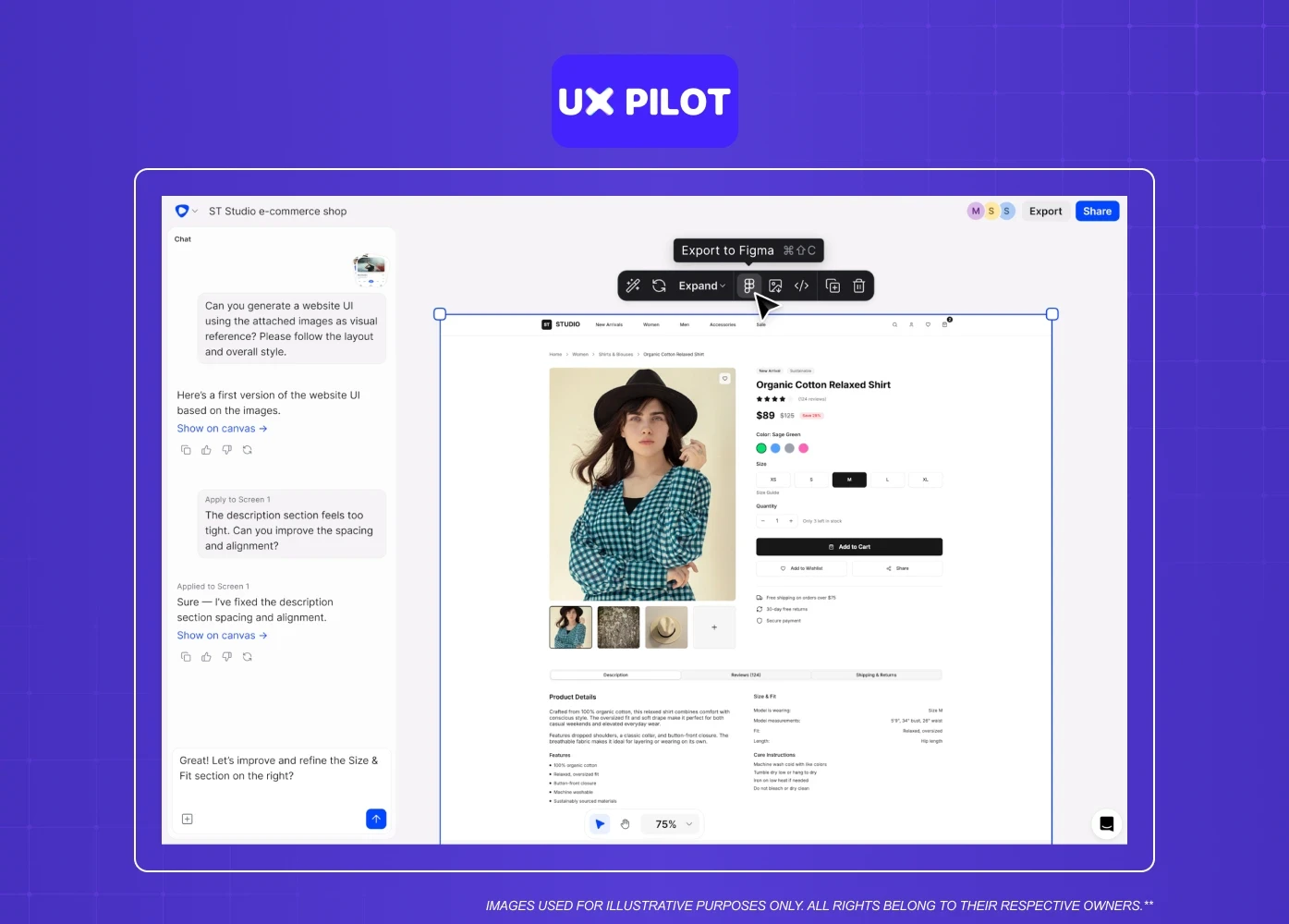
AI-powered design tool enabling users to generate and export UI layouts directly into Figma.

Overview: UX Pilot is purpose-built as an ai ui design tool. Its model is trained specifically on UX and UI patterns, which means the screens it generates tend to be more usable out of the box compared to general-purpose generators.

Key features:

  • Generates polished UI screens from text prompts for both mobile and desktop

  • Accepts reference images alongside text prompts, letting you anchor outputs to an existing visual style or brand direction

  • Chat-based editing lets you refine components and regenerate sections without starting over

  • Direct export to Figma with editable layers

Best for: Designers who need to move from a brief to a visual concept quickly, and teams who want production-ready starting points rather than rough sketches.

Not ideal for teams who need design-system-aware outputs. It generates strong starting points but does not understand your existing tokens or component library.

Pricing: Free plan available with rollover credits. Paid plans start at $12 per month.

3. Relume AI
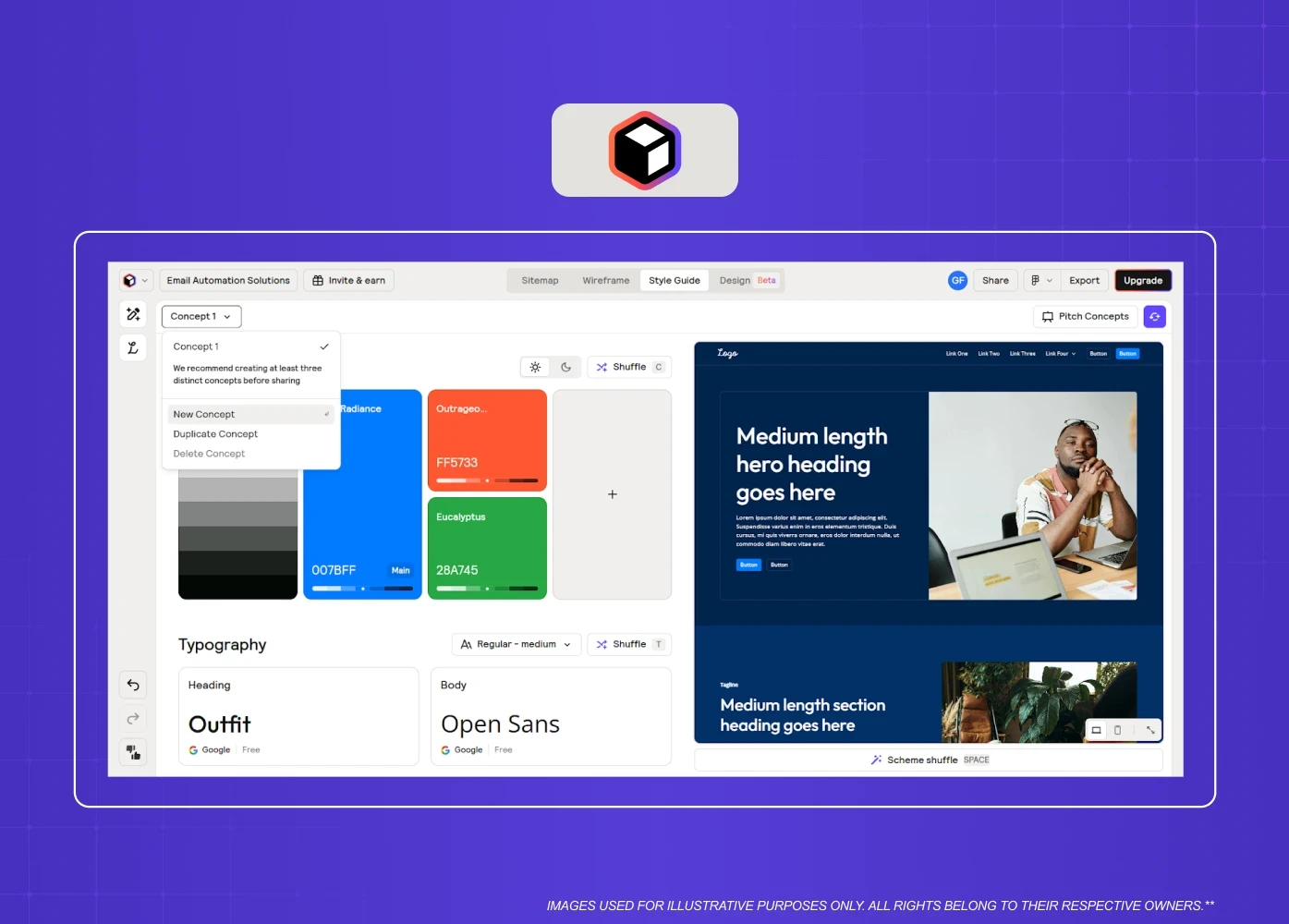
Visual interface for creating color palettes, typography, and component systems for websites.

Overview: Relume is a website-specific design accelerator and one of the standout AI web design tools. It is one of the strongest freemium layout platforms when it comes to marketing sites and SaaS pages. If your team regularly designs landing pages, product pages, or documentation sites, Relume can dramatically cut the time spent on structure.

Key features:

  • Generates full sitemaps and page-level wireframes from a single prompt

  • Large component library of web-specific elements including navigation, pricing sections, feature grids, and forms

  • Figma-native components that map to real, reusable design elements

  • Webflow-ready output for teams who design and build in the same stack

Best for: Web-focused design teams, SaaS marketing teams, and agencies working on content-heavy websites.

Pricing: Free version available for basic sitemaps and wireframes. Full automation unlocks from approximately $26 per month.

One thing to note: Relume is a website tool. If you prompt it for a dashboard or mobile app, it defaults to a website homepage layout. It does one thing very well.

Skip it if your primary work is dashboards, mobile apps, or anything outside the marketing website category.

4. Hotjar AI
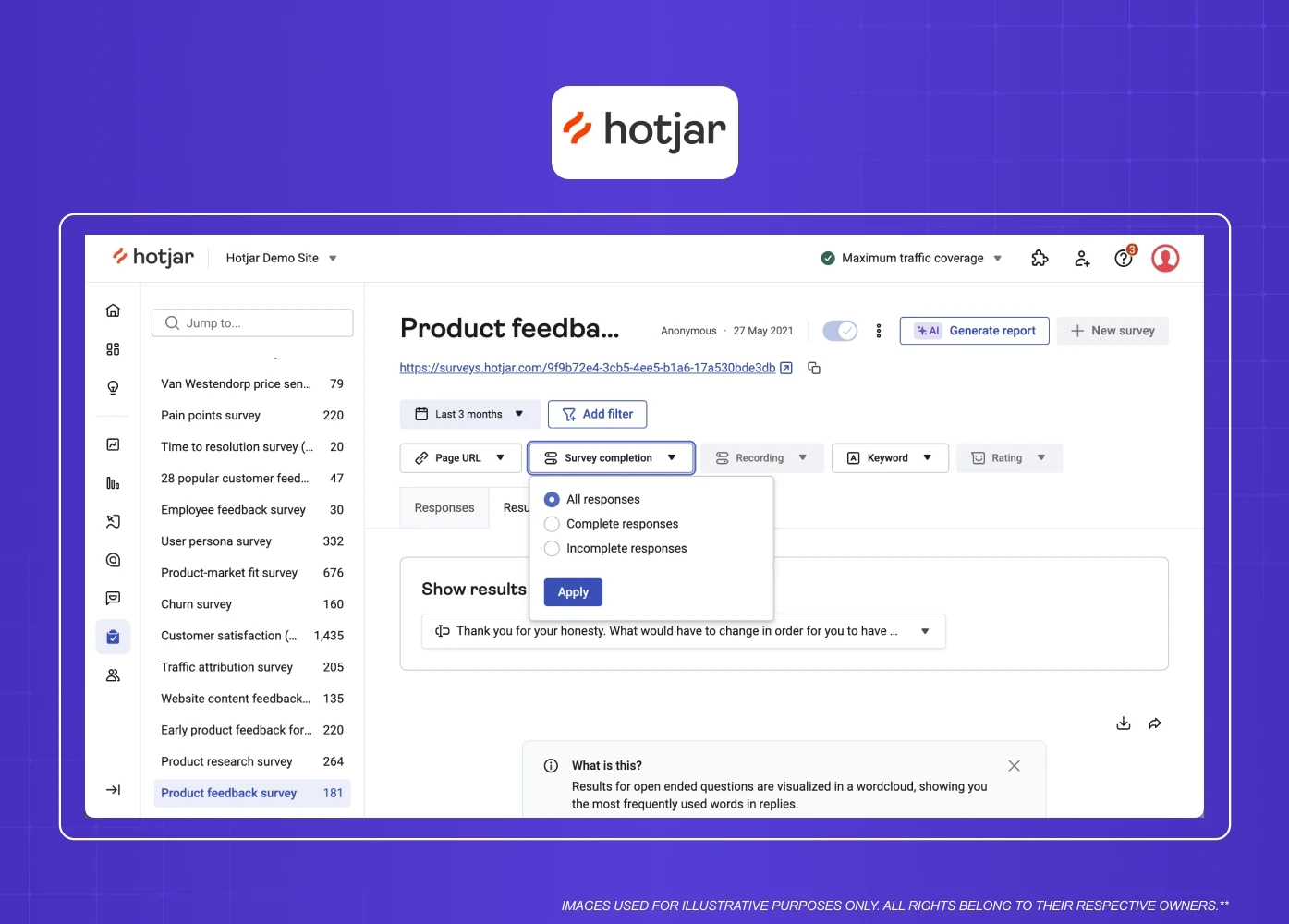
Product feedback dashboard displaying survey responses, filtering options, and customer insights.

Overview: Among the user analytics software options on the market, Hotjar remains one of the most accessible for teams that need real behavioral data without setting up complex analytics pipelines. Its AI layer summarizes session recordings, surfaces friction points, and generates insight reports from user feedback automatically.

Key features:

  • AI Surveys generate follow-up questions dynamically based on user responses, reducing research planning time

  • Automated session replay analysis flags moments of frustration, rage clicks, and drop-offs without manual review

  • Heatmaps and click tracking aggregated across sessions to surface consistent usability patterns

  • AI-generated summaries of open-text feedback from surveys and exit polls

Best for: Product teams that need continuous user insight without a dedicated research ops function.

Not suited for pre-launch products with no live traffic. The tool needs real user sessions to generate meaningful insight.

Pricing: Free plan available. Business plans start at $39 per month.

5. Attention Insight
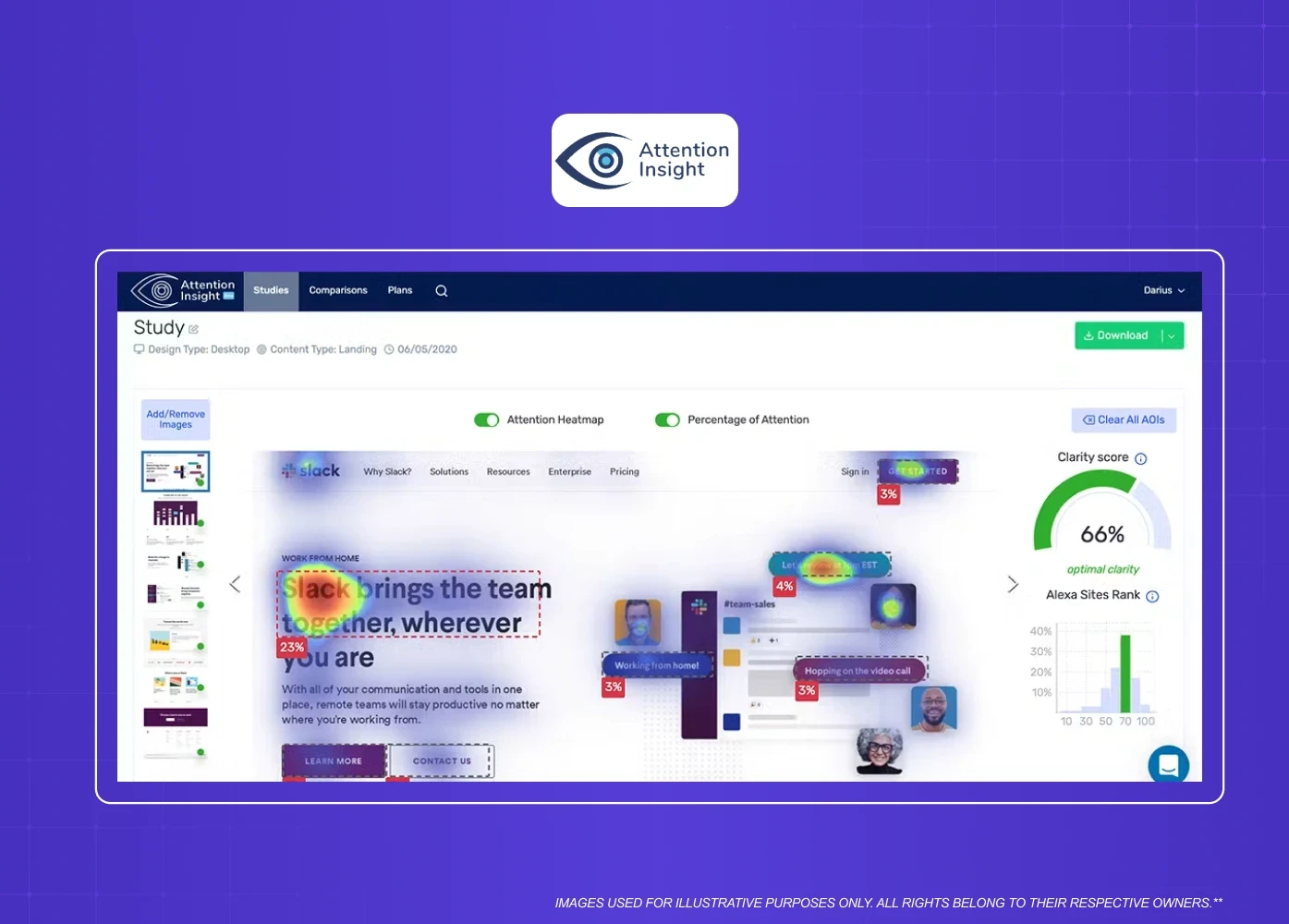
AI-generated attention heatmap visualizing user focus areas and interface engagement patterns.

Overview: Attention Insight is one of the most design-specific tools in this list. It uses AI to simulate how a user's eye will move across your design before you run a single real test. That makes it especially useful in early review stages when getting live user feedback would slow the process down.

Key features:

  • Generates AI-predicted heatmaps with up to 90% accuracy compared to eye-tracking studies

  • Works on static designs, screenshots, and uploaded Figma exports

  • Clarity scoring and fold-area analysis to check whether the most important UI elements are getting appropriate attention

  • Figma plugin for in-context analysis without leaving your design file

Best for: Design teams who need pre-testing validation before usability studies, and anyone presenting design decisions to stakeholders who want data to support them.

Less useful for teams already running regular usability studies. Its strongest value is when live testing is not yet an option.

Pricing: 7-day free trial. Pro starts at $24 per month.

6. Khroma
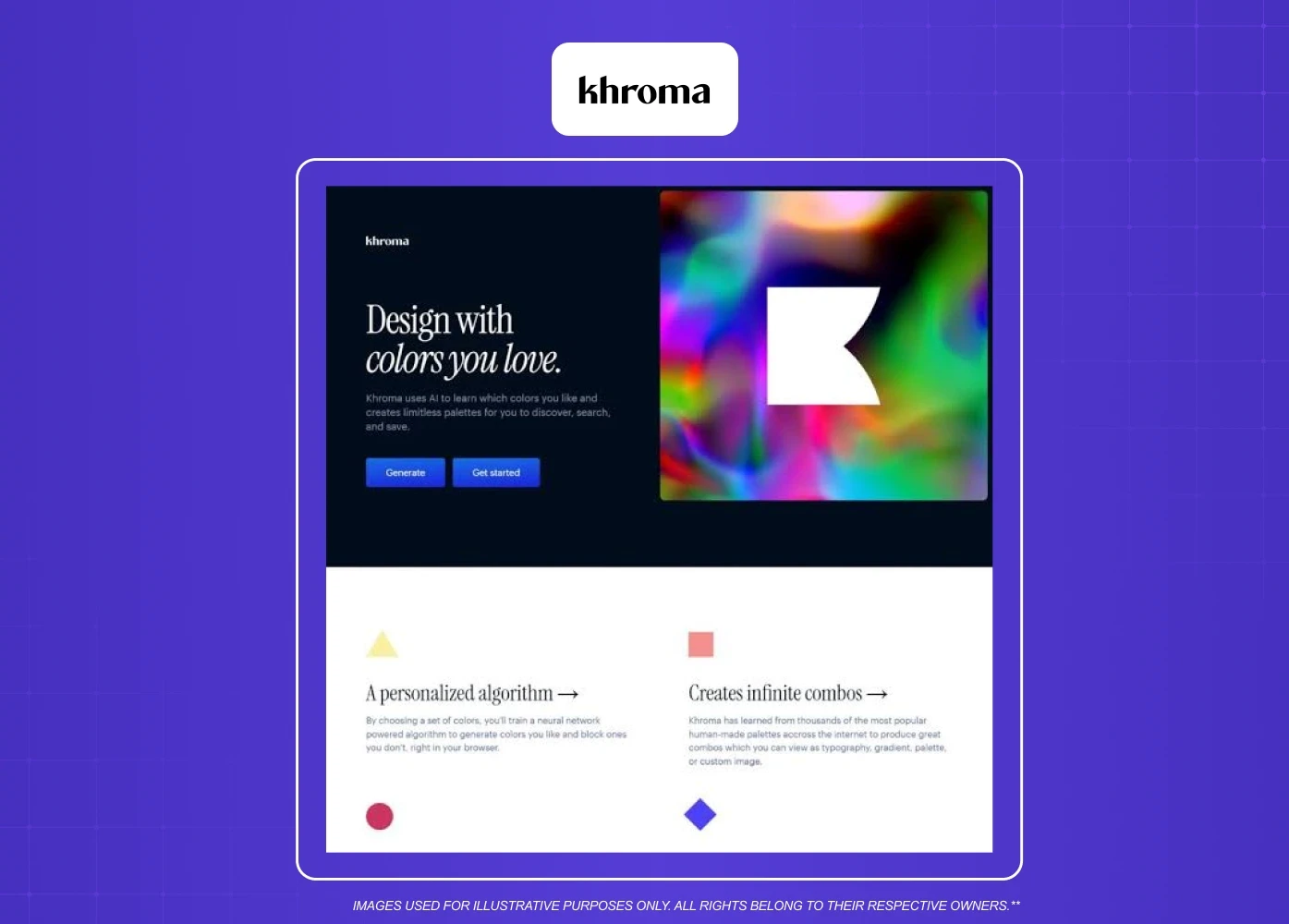
AI-powered color palette generation tool showcasing personalized color combinations and inspiration.

Overview: Color decisions in UI are deceptively complex. They affect accessibility, brand perception, emotional tone, and information hierarchy all at once. Khroma is an AI color tool that trains on your own preferences and generates palette suggestions that actually match your design sensibility rather than defaulting to generic combinations.

Key features:

  • Trains on a set of colors you select to build a personalized AI model

  • Generates palettes, gradients, typography pairings, and image combinations

  • Filters for accessibility compliance so you can check contrast ratios within the same tool

  • Saves and organizes palettes by project for consistency across a design system

Best for: Designers building brand-specific design systems and anyone who wants to move faster through color exploration without sacrificing intentionality.

Not a replacement for a structured color system process. It accelerates exploration but does not enforce accessibility standards automatically across a full design system.

Pricing: Free to use. Currently in beta.

7. Claude and ChatGPT for UX Writing
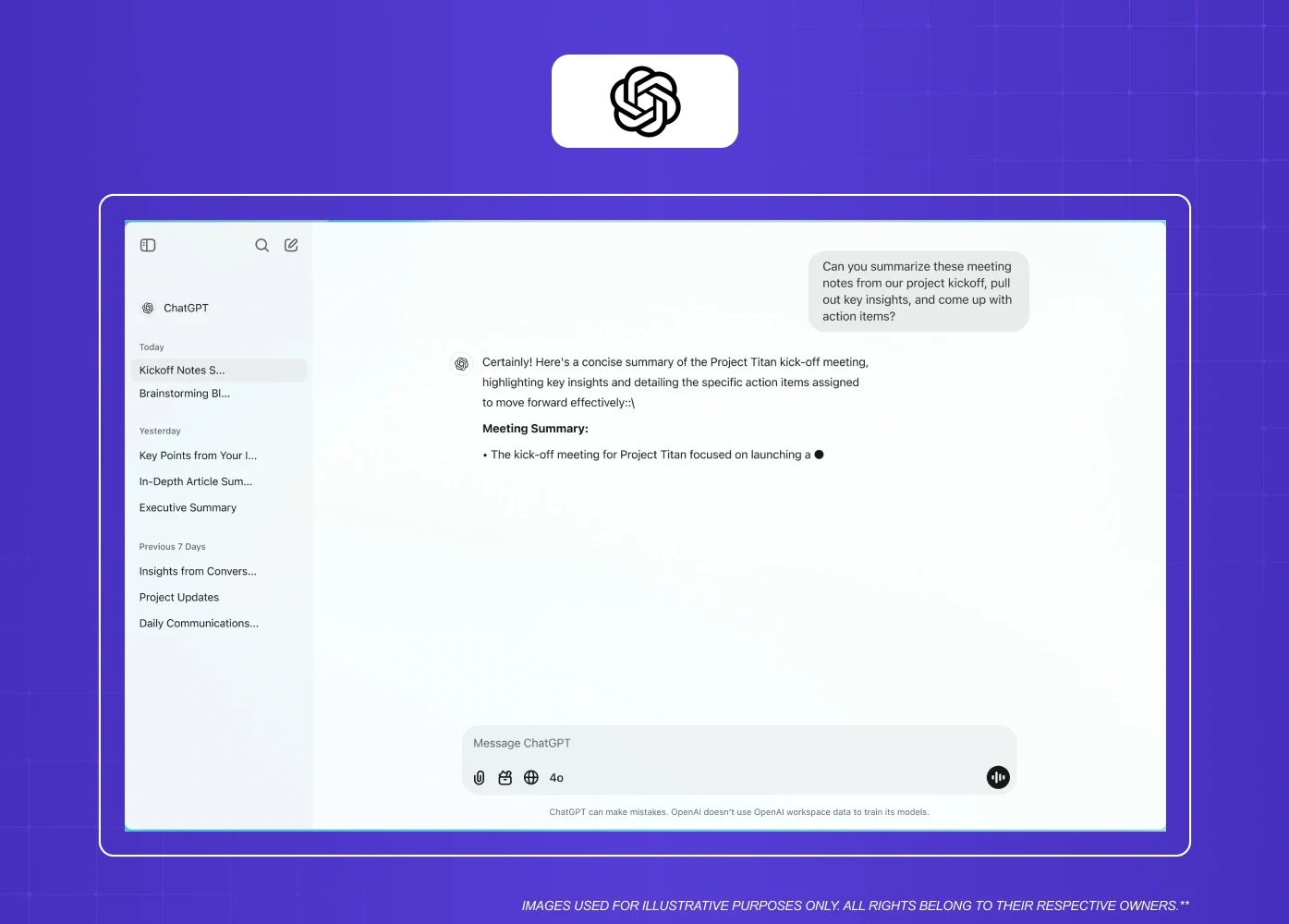
AI assistant interface displaying conversation history and a meeting summary generation workflow.

Overview: UX writing is one of the least-tooled stages of the design process, and it is where a lot of product experiences fall apart. AI assistants like Claude and ChatGPT have become core to how we approach microcopy, onboarding flows, error states, and content documentation at Groto.

Key features:

  • Drafting and iterating on button labels, empty states, tooltips, and instructional copy at speed

  • Generating multiple tone variations of the same message to test in context

  • Writing research discussion guides, survey questions, and persona documentation

  • Summarizing user feedback and synthesizing research notes into structured insights

Best for: UX writers and product designers who own copy decisions and need a fast iteration partner. Also useful for design teams without a dedicated writer.

Pricing: Both tools have free tiers. ChatGPT Plus and Claude Pro start at $20 per month.

One thing to note: Neither tool has design-specific training. The quality of output depends heavily on how well you prompt and how much design context you provide.

Not a design tool. If your team expects it to generate screens or layouts, it will consistently disappoint.

8. Adobe Firefly
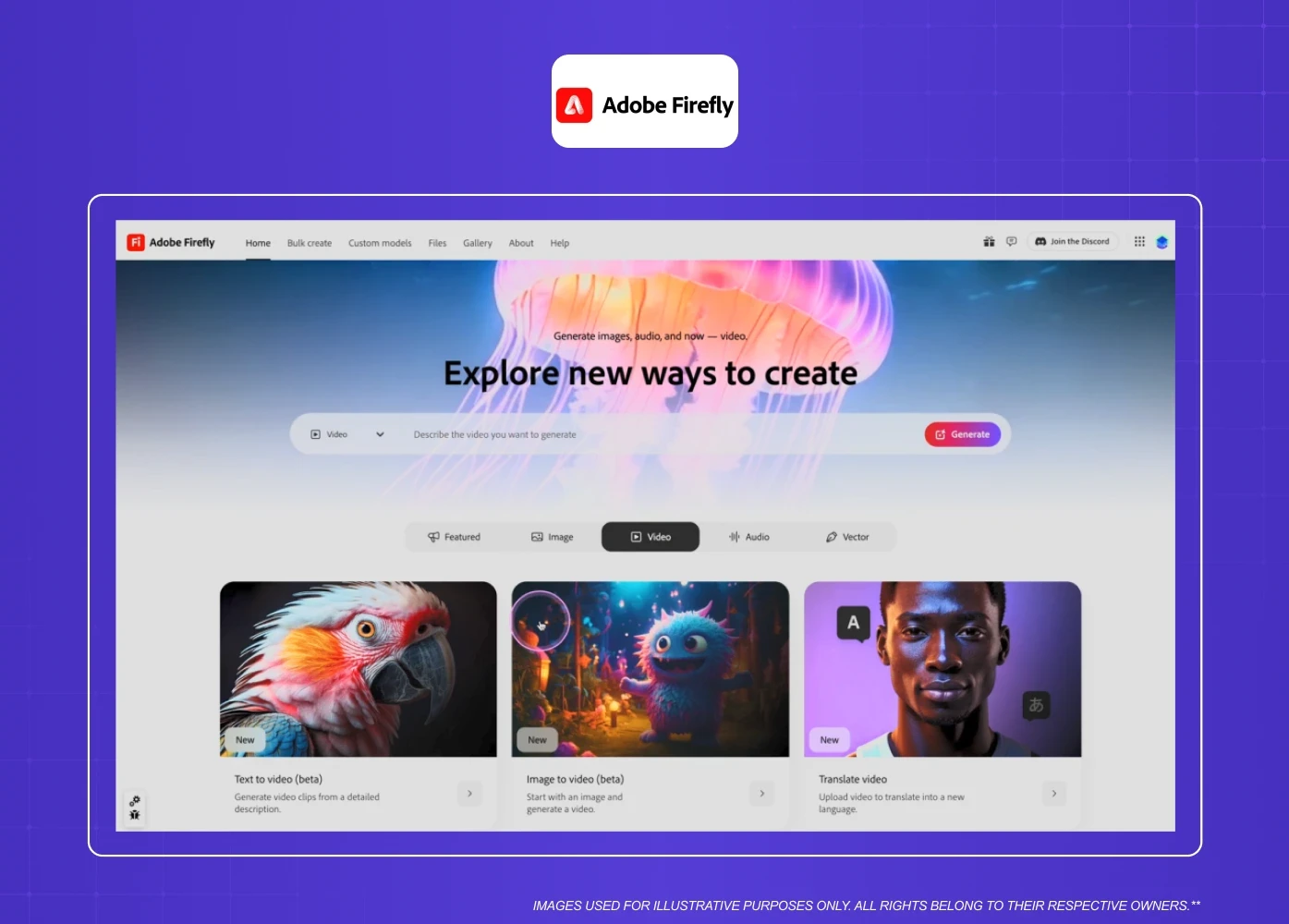
Generative AI platform for creating images, videos, and creative assets from text prompts.

Overview: Adobe Firefly is not a UI generator, but it earns its place on this list as one of the strongest tools for visual asset creation, an area where image generators like Midjourney also compete. For teams building design systems or working on branded product interfaces, having on-demand custom visuals that are commercially safe matters.

Key features:

  • Generates custom icons, textures, patterns, and illustrations from descriptive prompts

  • Generative Fill allows you to place UI designs into realistic device mockups quickly

  • Trained on licensed and public-domain content, making outputs safe for client and commercial use

  • Integrated directly into Photoshop, Illustrator, and Adobe Express for teams already in the Adobe ecosystem

Best for: Design teams that need high-quality, brand-specific visual assets and do not want to source from stock libraries.

Not worth the subscription if your primary need is UI layout or prototyping. It solves a visual asset problem, not a screen design problem.

Pricing: Standalone plan starts at $9.99 per month for 2,000 generative credits. Creative Cloud Pro subscribers get 4,000 credits included.

Alternative Contenders Worth Watching

These tools did not make our core list of eight, but they appear frequently enough in designer conversations that they deserve a mention.

Uizard is a strong option for converting hand-drawn sketches directly into digital wireframes, making it particularly useful for early ideation sessions with non-designer stakeholders. Galileo AI focuses on text-to-UI generation with a clean output style suited to product teams doing rapid concept exploration. Visily is worth looking at for teams without a dedicated designer on staff, as it simplifies wireframing to a point where product managers and founders can generate usable layouts independently. Google Stitch, launched at Google I/O 2025, is still experimental but shows real promise for prompt-to-screen generation on both mobile and web, and it is currently free through Google Labs.

None of these replace the tools in our main list for production-level work, but each one fills a specific early-stage gap worth knowing about.

Where AI UX Tools Still Fall Short

No honest review of the best ai ux design tools 2026 is complete without flagging where the category still has real gaps.

  • Design system disconnect: Most generative tools produce layouts that ignore your existing component library and token naming conventions. The output looks clean in isolation but requires significant rework before it integrates with a real production system.

  • No substitute for user research: AI-generated screens are built on historical pattern data, not an understanding of your specific users. They can accelerate early exploration, but they cannot replace direct user testing, qualitative research, or the broader AI UX practices that ground good design.

  • Accessibility gaps: Generated code and layouts frequently miss semantic HTML structure, focus states, and contrast compliance. Always audit AI-generated output against WCAG standards before handoff.

  • Prompt dependency: The quality ceiling of any generative tool is your ability to write a precise, detailed prompt. Vague inputs produce generic outputs. Teams that invest in prompt discipline get dramatically better results.

How to Choose the Right AI UX Design Tools for Your Team

Not every team needs every category. Here is how we think about it:

If you are at the ideation stage, UX Pilot or Figma AI will give you the fastest path from a prompt to a visual concept worth showing.

If you are designing a website or marketing page, Relume AI will cut your structural work significantly and give you Figma-ready components to work from.

If you are validating a design before user testing, Attention Insight gives you predictive data to pressure-test layout and hierarchy decisions early.

If you are building a design system, Figma AI and Khroma work well together. Figma handles structure and component management; Khroma handles color exploration and accessibility.

If you need research support or better copy, Hotjar AI handles behavioral data at scale, while Claude or ChatGPT handles the writing and synthesis work.

The key principle we apply at Groto: depth over breadth. Mastering a focused software stack produces better outcomes than paying for every app on the market without embedding them into your pipeline. 

One framework worth applying before committing to any paid plan: calculate whether the seat cost pays for itself. Take the number of hours the tool saves your team per week, multiply by your blended hourly design rate, and multiply that by four to get a monthly figure. A $32 per month plan that saves five hours weekly at a $75 per hour rate returns $1,500 in recovered design capacity every month. At that ratio, the software cost is not a budget line to debate. This framing is especially useful when making the case to a founder or product lead who is skeptical about adding another tool to the stack.

For teams on tight budgets or just getting started, the free UI/UX design tools landscape is better than it looks. Khroma is fully free with no usage cap. UX Pilot and Relume both offer free generation credits that are sufficient to evaluate fit before committing to a paid plan. Figma AI is accessible in beta on the free Figma tier. Hotjar's free plan covers basic heatmaps and session recordings for low-traffic products. You can build a meaningful test stack without spending anything in the first month. 

Conclusion

  • The best ai ux design tools 2026 are defined by how well they fit into a real workflow, not how impressive their demos look

  • UI generation tools like UX Pilot and Figma AI are strongest when used for exploration and ideation, not final production

  • Research and analytics tools like Hotjar AI and Attention Insight bring data into the design process earlier, which reduces late-stage rework

  • UX writing is a high-leverage area where AI assistants deliver immediate, tangible value

  • Free tiers are good enough to evaluate fit. Commit to paid plans only when the tool is already saving your team measurable time

Here is our honest breakdown of the 8 best AI UX design tools in 2026, fully evaluated by feature sets, pricing models, and production-level design output.

The best AI tools for UX design, tested and organized by design stage.

TL;DR
AI is reshaping how design teams work, from wireframing to user research to production-ready UI. We evaluated 8 tools on five criteria: output quality, design system awareness, responsiveness, ease of use, and Figma integration. This is what made the cut and what did not. If you are looking for how to integrate these tools into your existing workflow, our guide on AI tools for UI/UX designers covers that in depth.

Tool

Primary Use

Free Tier

Starting Price

Figma AI

UI automation and prototyping

Yes (limited beta)

Included in Figma Pro (~$16/mo)

UX Pilot

Prompt-to-UI screen generation

Yes (limited credits)

$12/mo

Relume AI

Website wireframes and components

Yes (free forever plan)

$26/mo

Hotjar AI

Behavioral analytics and session replay

Yes

$39/mo

Attention Insight

Predictive heatmapping

No (7-day trial)

$24/mo

Khroma

Ai color palette generation

Yes (fully free)

Free

ChatGPT / Claude

UX writing and research synthesis

Yes

$20/mo

Adobe Firefly

Visual asset and image generation

No (30-day trial)

$9.99/mo

The conversation around AI in design has shifted. It is no longer about whether to adopt these tools but which ones genuinely deliver clean design outputs without introducing new friction.

We work with SaaS and product teams at Groto every day, and over the past year, we have tested, recommended, and integrated a range of UX design tools across design, research, and prototyping stages. What follows is our structured evaluation of the best ai ux design tools available right now — assessed on design output quality, workflow integration, and whether they hold up under real project conditions, not just in demos.

We have organized them by design function so you can identify what you need at each stage of your process.

The scale of this shift is measurable. Figma's 2024 developer survey found that over 70% of product builders now use AI tools to accelerate their design workflow. McKinsey projects that generative design infrastructure could contribute significantly to global productivity gains through 2030, putting the future of AI in design squarely at the center of that transformation.

What to Expect from AI Tools for UX Design in 2026

Before getting into the list, it is worth grounding what "AI UX tools" actually means in practice. The category spans three distinct areas:

  • Design and UI generation: Tools that help generate screens, layouts, and components from prompts or sketches

  • User research and behavior analytics: Tools that predict or analyze how users interact with interfaces

  • Content, copy, and workflow automation: Tools that accelerate microcopy, documentation, and iteration

This breakdown focuses specifically on tools that touch design output directly — screens, layouts, copy, and visual assets. We've left out project-management and developer-handoff automation (think Zapier, Notion, Locofy) since those solve a different problem entirely. 

The best ai tools for ui ux design do not try to replace the designer. They compress the grunt work so your team can spend more time on the decisions that actually require design thinking.

The AI onboarding playbook top teams use to boost activation.

Reduce first-session confusion, speed up time-to-value, and build user trust, built from real onboarding audits of AI products.

No Spam. Free Lifetime

How We Evaluated These Tools

At Groto, we did not pull this list from feature pages and pricing tables. We trialed each of these platforms across real internal product workflows over a multi-week evaluation window, testing them against the kind of work we actually do for SaaS and AI product clients. The criteria we used to assess each tool:

  • Vector and layout output quality: Does the generated UI look usable, or does it require a full rebuild to be production-worthy

  • Design system awareness: Does the tool respect existing component logic and token structures, or does it generate in a vacuum

  • Layout responsiveness: Does the output hold up across screen sizes without manual breakpoint correction

  • Interface ease of use: Can a mid-level designer pick it up without a significant onboarding investment

  • Workflow integration: Does it connect cleanly to Figma or other tools already in the stack

Tools that performed well on at least three of these five criteria made the list. Those that looked impressive in demos but broke down under real project conditions did not.

The 8 Best AI UX Design Tools in 2026

Here is a quick-reference summary before we go deeper:

  • Best overall for UI generation: Figma AI

  • Best for prompt-to-screen speed: UX Pilot

  • Best for website-focused teams: Relume AI

  • Best for behavior analytics: Hotjar AI

  • Best for attention prediction: Attention Insight

  • Best for color systems: Khroma

  • Best for UX writing and copy: ChatGPT / Claude

  • Best for image and visual assets: Adobe Firefly

1. Figma AI

AI-assisted design workflow within Figma showing conversational design support and interactive prototyping.

Overview: Figma has become the central workspace for most design teams, more so than alternatives like Sketch and Adobe XD, and its AI layer makes that collaboration even faster. Figma AI is built directly into the platform, which means no context-switching, no new logins, and no learning curve for teams already living in Figma.

Key features:

  • Figma Make generates interactive prototypes directly from text prompts, letting teams explore layouts and flows without starting from scratch

  • Auto-rename layers based on content context, which saves hours on large files and design system handoffs

  • Rewrite, shorten, or generate UI copy inside the canvas without leaving the file

  • Background removal and image generation built into the design surface

Best for: Product and SaaS design teams already working in Figma who need faster ideation and cleaner file management.

Pricing: Included in Figma plans. Limited on free tier; fuller capabilities from the Professional plan at approximately $16 per editor per month.

One thing to note: Figma AI outputs can feel generic in early drafts and often require manual refinement to map to existing design systems. Use it for exploration, not final production.

Not the right pick if your team is not already building in Figma. The AI layer has no standalone value outside the platform.

2. UX Pilot

AI-powered design tool enabling users to generate and export UI layouts directly into Figma.

Overview: UX Pilot is purpose-built as an ai ui design tool. Its model is trained specifically on UX and UI patterns, which means the screens it generates tend to be more usable out of the box compared to general-purpose generators.

Key features:

  • Generates polished UI screens from text prompts for both mobile and desktop

  • Accepts reference images alongside text prompts, letting you anchor outputs to an existing visual style or brand direction

  • Chat-based editing lets you refine components and regenerate sections without starting over

  • Direct export to Figma with editable layers

Best for: Designers who need to move from a brief to a visual concept quickly, and teams who want production-ready starting points rather than rough sketches.

Not ideal for teams who need design-system-aware outputs. It generates strong starting points but does not understand your existing tokens or component library.

Pricing: Free plan available with rollover credits. Paid plans start at $12 per month.

3. Relume AI

Visual interface for creating color palettes, typography, and component systems for websites.

Overview: Relume is a website-specific design accelerator and one of the standout AI web design tools. It is one of the strongest freemium layout platforms when it comes to marketing sites and SaaS pages. If your team regularly designs landing pages, product pages, or documentation sites, Relume can dramatically cut the time spent on structure.

Key features:

  • Generates full sitemaps and page-level wireframes from a single prompt

  • Large component library of web-specific elements including navigation, pricing sections, feature grids, and forms

  • Figma-native components that map to real, reusable design elements

  • Webflow-ready output for teams who design and build in the same stack

Best for: Web-focused design teams, SaaS marketing teams, and agencies working on content-heavy websites.

Pricing: Free version available for basic sitemaps and wireframes. Full automation unlocks from approximately $26 per month.

One thing to note: Relume is a website tool. If you prompt it for a dashboard or mobile app, it defaults to a website homepage layout. It does one thing very well.

Skip it if your primary work is dashboards, mobile apps, or anything outside the marketing website category.

4. Hotjar AI

Product feedback dashboard displaying survey responses, filtering options, and customer insights.

Overview: Among the user analytics software options on the market, Hotjar remains one of the most accessible for teams that need real behavioral data without setting up complex analytics pipelines. Its AI layer summarizes session recordings, surfaces friction points, and generates insight reports from user feedback automatically.

Key features:

  • AI Surveys generate follow-up questions dynamically based on user responses, reducing research planning time

  • Automated session replay analysis flags moments of frustration, rage clicks, and drop-offs without manual review

  • Heatmaps and click tracking aggregated across sessions to surface consistent usability patterns

  • AI-generated summaries of open-text feedback from surveys and exit polls

Best for: Product teams that need continuous user insight without a dedicated research ops function.

Not suited for pre-launch products with no live traffic. The tool needs real user sessions to generate meaningful insight.

Pricing: Free plan available. Business plans start at $39 per month.

5. Attention Insight

AI-generated attention heatmap visualizing user focus areas and interface engagement patterns.

Overview: Attention Insight is one of the most design-specific tools in this list. It uses AI to simulate how a user's eye will move across your design before you run a single real test. That makes it especially useful in early review stages when getting live user feedback would slow the process down.

Key features:

  • Generates AI-predicted heatmaps with up to 90% accuracy compared to eye-tracking studies

  • Works on static designs, screenshots, and uploaded Figma exports

  • Clarity scoring and fold-area analysis to check whether the most important UI elements are getting appropriate attention

  • Figma plugin for in-context analysis without leaving your design file

Best for: Design teams who need pre-testing validation before usability studies, and anyone presenting design decisions to stakeholders who want data to support them.

Less useful for teams already running regular usability studies. Its strongest value is when live testing is not yet an option.

Pricing: 7-day free trial. Pro starts at $24 per month.

6. Khroma

AI-powered color palette generation tool showcasing personalized color combinations and inspiration.

Overview: Color decisions in UI are deceptively complex. They affect accessibility, brand perception, emotional tone, and information hierarchy all at once. Khroma is an AI color tool that trains on your own preferences and generates palette suggestions that actually match your design sensibility rather than defaulting to generic combinations.

Key features:

  • Trains on a set of colors you select to build a personalized AI model

  • Generates palettes, gradients, typography pairings, and image combinations

  • Filters for accessibility compliance so you can check contrast ratios within the same tool

  • Saves and organizes palettes by project for consistency across a design system

Best for: Designers building brand-specific design systems and anyone who wants to move faster through color exploration without sacrificing intentionality.

Not a replacement for a structured color system process. It accelerates exploration but does not enforce accessibility standards automatically across a full design system.

Pricing: Free to use. Currently in beta.

7. Claude and ChatGPT for UX Writing

AI assistant interface displaying conversation history and a meeting summary generation workflow.

Overview: UX writing is one of the least-tooled stages of the design process, and it is where a lot of product experiences fall apart. AI assistants like Claude and ChatGPT have become core to how we approach microcopy, onboarding flows, error states, and content documentation at Groto.

Key features:

  • Drafting and iterating on button labels, empty states, tooltips, and instructional copy at speed

  • Generating multiple tone variations of the same message to test in context

  • Writing research discussion guides, survey questions, and persona documentation

  • Summarizing user feedback and synthesizing research notes into structured insights

Best for: UX writers and product designers who own copy decisions and need a fast iteration partner. Also useful for design teams without a dedicated writer.

Pricing: Both tools have free tiers. ChatGPT Plus and Claude Pro start at $20 per month.

One thing to note: Neither tool has design-specific training. The quality of output depends heavily on how well you prompt and how much design context you provide.

Not a design tool. If your team expects it to generate screens or layouts, it will consistently disappoint.

8. Adobe Firefly

Generative AI platform for creating images, videos, and creative assets from text prompts.

Overview: Adobe Firefly is not a UI generator, but it earns its place on this list as one of the strongest tools for visual asset creation, an area where image generators like Midjourney also compete. For teams building design systems or working on branded product interfaces, having on-demand custom visuals that are commercially safe matters.

Key features:

  • Generates custom icons, textures, patterns, and illustrations from descriptive prompts

  • Generative Fill allows you to place UI designs into realistic device mockups quickly

  • Trained on licensed and public-domain content, making outputs safe for client and commercial use

  • Integrated directly into Photoshop, Illustrator, and Adobe Express for teams already in the Adobe ecosystem

Best for: Design teams that need high-quality, brand-specific visual assets and do not want to source from stock libraries.

Not worth the subscription if your primary need is UI layout or prototyping. It solves a visual asset problem, not a screen design problem.

Pricing: Standalone plan starts at $9.99 per month for 2,000 generative credits. Creative Cloud Pro subscribers get 4,000 credits included.

Alternative Contenders Worth Watching

These tools did not make our core list of eight, but they appear frequently enough in designer conversations that they deserve a mention.

Uizard is a strong option for converting hand-drawn sketches directly into digital wireframes, making it particularly useful for early ideation sessions with non-designer stakeholders. Galileo AI focuses on text-to-UI generation with a clean output style suited to product teams doing rapid concept exploration. Visily is worth looking at for teams without a dedicated designer on staff, as it simplifies wireframing to a point where product managers and founders can generate usable layouts independently. Google Stitch, launched at Google I/O 2025, is still experimental but shows real promise for prompt-to-screen generation on both mobile and web, and it is currently free through Google Labs.

None of these replace the tools in our main list for production-level work, but each one fills a specific early-stage gap worth knowing about.

Where AI UX Tools Still Fall Short

No honest review of the best ai ux design tools 2026 is complete without flagging where the category still has real gaps.

  • Design system disconnect: Most generative tools produce layouts that ignore your existing component library and token naming conventions. The output looks clean in isolation but requires significant rework before it integrates with a real production system.

  • No substitute for user research: AI-generated screens are built on historical pattern data, not an understanding of your specific users. They can accelerate early exploration, but they cannot replace direct user testing, qualitative research, or the broader AI UX practices that ground good design.

  • Accessibility gaps: Generated code and layouts frequently miss semantic HTML structure, focus states, and contrast compliance. Always audit AI-generated output against WCAG standards before handoff.

  • Prompt dependency: The quality ceiling of any generative tool is your ability to write a precise, detailed prompt. Vague inputs produce generic outputs. Teams that invest in prompt discipline get dramatically better results.

How to Choose the Right AI UX Design Tools for Your Team

Not every team needs every category. Here is how we think about it:

If you are at the ideation stage, UX Pilot or Figma AI will give you the fastest path from a prompt to a visual concept worth showing.

If you are designing a website or marketing page, Relume AI will cut your structural work significantly and give you Figma-ready components to work from.

If you are validating a design before user testing, Attention Insight gives you predictive data to pressure-test layout and hierarchy decisions early.

If you are building a design system, Figma AI and Khroma work well together. Figma handles structure and component management; Khroma handles color exploration and accessibility.

If you need research support or better copy, Hotjar AI handles behavioral data at scale, while Claude or ChatGPT handles the writing and synthesis work.

The key principle we apply at Groto: depth over breadth. Mastering a focused software stack produces better outcomes than paying for every app on the market without embedding them into your pipeline. 

One framework worth applying before committing to any paid plan: calculate whether the seat cost pays for itself. Take the number of hours the tool saves your team per week, multiply by your blended hourly design rate, and multiply that by four to get a monthly figure. A $32 per month plan that saves five hours weekly at a $75 per hour rate returns $1,500 in recovered design capacity every month. At that ratio, the software cost is not a budget line to debate. This framing is especially useful when making the case to a founder or product lead who is skeptical about adding another tool to the stack.

For teams on tight budgets or just getting started, the free UI/UX design tools landscape is better than it looks. Khroma is fully free with no usage cap. UX Pilot and Relume both offer free generation credits that are sufficient to evaluate fit before committing to a paid plan. Figma AI is accessible in beta on the free Figma tier. Hotjar's free plan covers basic heatmaps and session recordings for low-traffic products. You can build a meaningful test stack without spending anything in the first month. 

Conclusion

  • The best ai ux design tools 2026 are defined by how well they fit into a real workflow, not how impressive their demos look

  • UI generation tools like UX Pilot and Figma AI are strongest when used for exploration and ideation, not final production

  • Research and analytics tools like Hotjar AI and Attention Insight bring data into the design process earlier, which reduces late-stage rework

  • UX writing is a high-leverage area where AI assistants deliver immediate, tangible value

  • Free tiers are good enough to evaluate fit. Commit to paid plans only when the tool is already saving your team measurable time

Have a project in mind?

Let’s talk through your idea and see what makes sense.

Harpreet Singh

Founder at Groto

Have a project in mind?

Let’s talk through your idea and see what makes sense.

Harpreet Singh

Founder at Groto

FAQ

Everything you were going to ask (and a few things you didn’t know to)

How much should I budget for AI UX tools each month?

Most teams can build a useful stack for $50–80 per month — one UI generation tool, one research/analytics tool, and an AI writing assistant. Heavier needs, like Attention Insight's predictive testing or Adobe Firefly's asset generation, push that closer to $150–200. Start with the free tiers (Khroma, Figma AI, UX Pilot) before committing to anything paid.

Which AI tool is best for UX design?

There is no single answer because the best tool depends on the stage of your process. For UI generation, UX Pilot and Figma AI are the strongest options right now. For behavioral research, Hotjar AI leads on accessibility and pricing. For visual assets, Adobe Firefly is in a category of its own for quality and commercial safety.

Can ChatGPT create UI design?

ChatGPT can help with UX writing, content strategy, research synthesis, and copy iteration, but it is not a UI design tool. It does not generate screens or visual layouts. If you want prompt-to-UI output, UX Pilot or Figma AI are the right tools for that.

Are there free AI tools for UI/UX design worth using?

Yes. Khroma is free and genuinely useful for color system work. Figma AI is available at limited capacity on the free Figma plan. Attention Insight offers a 7-day free trial that is long enough to validate a design before committing. Hotjar has a free plan that covers basic heatmaps and session recording.

How is AI used in UX design today?

Across the design process, AI is currently doing meaningful work in four areas: generating UI concepts and wireframes from text, analyzing user behavior from sessions and heatmaps, drafting and iterating on microcopy and research materials, and predicting visual attention before live user testing happens.

How do I know when to upgrade from a free AI design tool to a paid one?

The signal is workflow friction, not feature lists. If you are regularly hitting generation limits, exporting to another tool for cleanup, or spending more time working around the tool than with it, the free tier has done its job. Paid plans are worth it when the tool is already embedded in your process and the ceiling is slowing you down, not before.

How much should I budget for AI UX tools each month?

Most teams can build a useful stack for $50–80 per month — one UI generation tool, one research/analytics tool, and an AI writing assistant. Heavier needs, like Attention Insight's predictive testing or Adobe Firefly's asset generation, push that closer to $150–200. Start with the free tiers (Khroma, Figma AI, UX Pilot) before committing to anything paid.

Which AI tool is best for UX design?

There is no single answer because the best tool depends on the stage of your process. For UI generation, UX Pilot and Figma AI are the strongest options right now. For behavioral research, Hotjar AI leads on accessibility and pricing. For visual assets, Adobe Firefly is in a category of its own for quality and commercial safety.

Can ChatGPT create UI design?

ChatGPT can help with UX writing, content strategy, research synthesis, and copy iteration, but it is not a UI design tool. It does not generate screens or visual layouts. If you want prompt-to-UI output, UX Pilot or Figma AI are the right tools for that.

Are there free AI tools for UI/UX design worth using?

Yes. Khroma is free and genuinely useful for color system work. Figma AI is available at limited capacity on the free Figma plan. Attention Insight offers a 7-day free trial that is long enough to validate a design before committing. Hotjar has a free plan that covers basic heatmaps and session recording.

How is AI used in UX design today?

Across the design process, AI is currently doing meaningful work in four areas: generating UI concepts and wireframes from text, analyzing user behavior from sessions and heatmaps, drafting and iterating on microcopy and research materials, and predicting visual attention before live user testing happens.

How do I know when to upgrade from a free AI design tool to a paid one?

The signal is workflow friction, not feature lists. If you are regularly hitting generation limits, exporting to another tool for cleanup, or spending more time working around the tool than with it, the free tier has done its job. Paid plans are worth it when the tool is already embedded in your process and the ceiling is slowing you down, not before.

More Articles

Extreme close-up black and white photograph of a human eye

Let’s bring your vision to life

Tell us what's on your mind? We'll hit you back in 24 hours. No fluff, no delays - just a solid vision to bring your idea to life.

Profile portrait of a man in a white shirt against a light background

Harpreet Singh

Founder and Creative Director

Get in Touch

Extreme close-up black and white photograph of a human eye


Let’s bring your vision to life

Tell us what's on your mind? We'll hit you back in 24 hours. No fluff, no delays - just a solid vision to bring your idea to life.

Profile portrait of a man in a white shirt against a light background

Harpreet Singh

Founder and Creative Director

Get in Touch

Extreme close-up black and white photograph of a human eye

Let’s bring your vision to life

Tell us what's on your mind? We'll hit you back in 24 hours. No fluff, no delays - just a solid vision to bring your idea to life.

Profile portrait of a man in a white shirt against a light background

Harpreet Singh

Founder and Creative Director

Get in Touch