

Harpreet Singh

Founder and Creative Director

Mobile App UI/UX Design Trends 2026: The Only Guide You’ll Need

Dec 8, 2025

A complete 2026 guide to mobile app UI/UX design trends, showing how adaptive interfaces, micro-interactions, and user-centered design drive conversions and product success.

Harpreet Singh

Founder and Creative Director

Mobile App UI/UX Design Trends 2026: The Only Guide You’ll Need

Dec 8, 2025

A complete 2026 guide to mobile app UI/UX design trends, showing how adaptive interfaces, micro-interactions, and user-centered design drive conversions and product success.

Mobile UI/UX is changing faster than ever. In 2026, clean UI isn’t enough — apps must adapt, predict intent, guide actions, and reduce user effort. This guide shows the real trends shaping next-generation mobile experiences.

Mobile app design is evolving fast — here’s what actually matters in 2026.

The future of Mobile app UI UX design is not about aesthetics; it’s about predictive intelligence and frictionless flow.

In a crowded app store, a beautiful interface is merely table stakes. By 2026, the success of your design application mobile will be measured by its commercial performance: activation, retention, and time-to-value (TTV).

This guide moves beyond generic mobile user interface design to focus on the three strategic pillars that deliver a measurable ROI, ensuring your product is a high-performing asset, not just a clean visual experience. It focuses on the UI/UX shifts shaping next-generation mobile products, especially for SaaS and B2B teams where activation, clarity, and time-to-value drive revenue outcomes.

The Strategic Imperative: Why Mobile UX is a 2026 Boardroom Topic
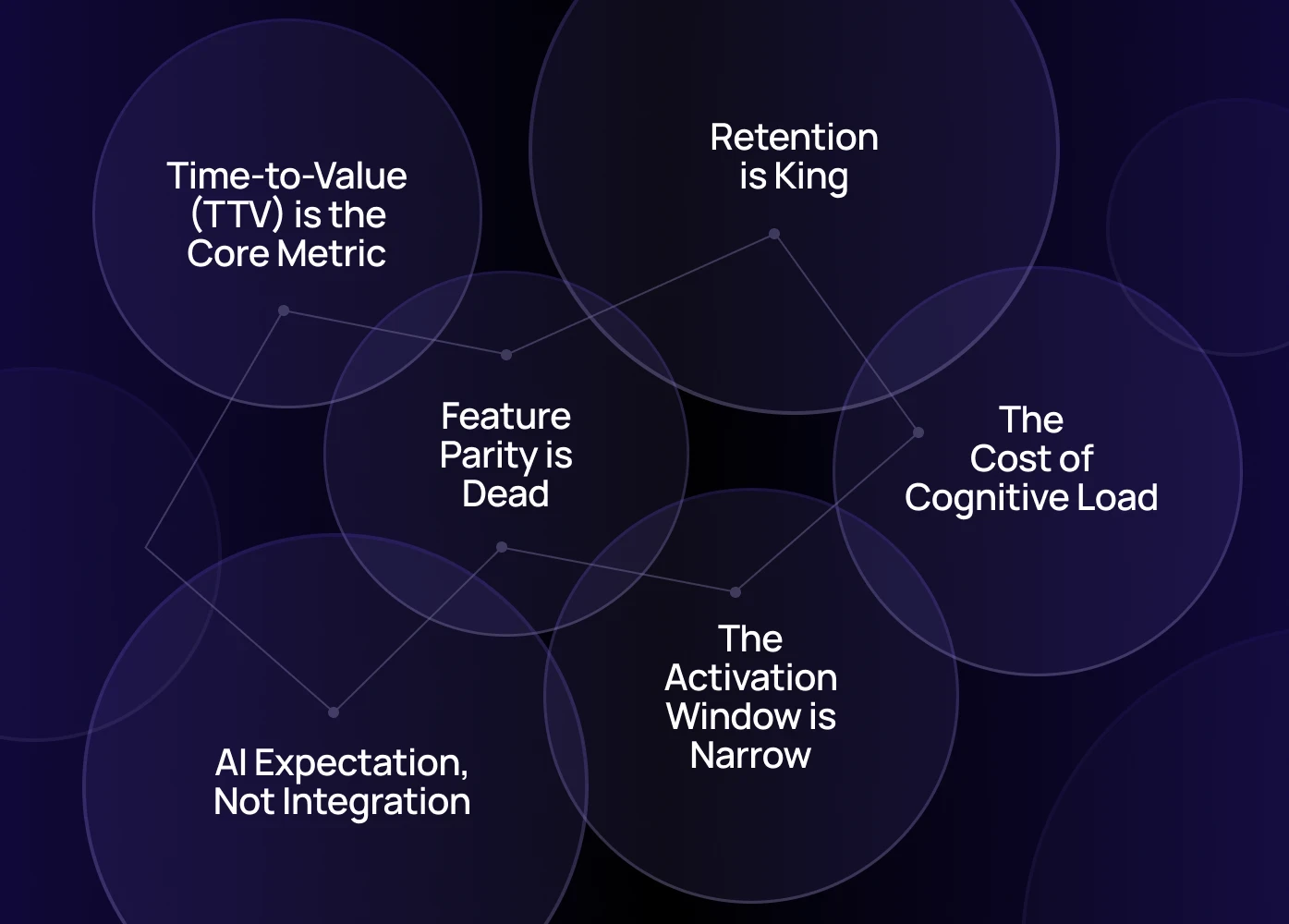

The era of incremental updates is over. By 2026, Mobile app UI UX design is a strategic survival requirement, not a visual preference. This focus on experience directly impacts your P&L and competitive positioning.

The Three Major Market Shifts

  1. Feature Parity is Dead (Experience is the Moat): Your competitors can replicate features in weeks. UI is not the differentiator anymore; the Mobile User Experience is. The only defensible edge is a superior, patented flow that requires less effort from the user.

  2. AI Expectation, Not Integration: Users expect AI-native behaviours—not AI add-ons. AI is no longer a differentiator; it's an expectation. Mobile UX must now adapt in real-time, functioning as an intelligent assistant. While the exact 2026 prediction for AI-assisted SaaS mobile interactions is proprietary, Gartner’s 2024 insights emphasize rapid growth in AI adoption across SaaS and fintech sectors, demonstrating a shift toward AI-powered, intent-driven experiences as table stakes for competitive applications.

  3. Time-to-Value (TTV) is the Core Metric: TTV became the universal metric for growth. Users won’t wait 30 seconds for your flow to make sense; they expect clarity and value instantly.

The Financial Imperative (The Commercial Thesis)

Ignoring these emerging Mobile UI UX design trends is a financial leak. Here’s the commercial rationale for immediate investment:

  • Retention is King (25-95% Profit Jump): Poor mobile user experience is the #1 driver of uninstalls, proving why user-centered design matters in mobile app development. According to Bain & Company’s landmark research on loyalty economics, a 5% increase in customer retention can increase profits from 25% to as much as 95%, underscoring why retention-driven UX design is a critical investment.​ 

  • The Activation Window is Narrow: Users decide if an app is worth keeping in the first 3-7 days. Design that aggressively streamlines the path to first success directly protects your funnel and maximizes conversion from trial/install.

  • The Cost of Cognitive Load (7% Conversion Loss): A 1-second delay in mobile load time can result in a 7% loss in conversions. Every unnecessary tap, click, or choice adds cognitive load, directly reducing your funnel efficiency.

The best apps are not just modern mobile app design examples; they are conversion machines built on strategic UX.

Trend 1: Adaptive, AI-Driven Mobile Interfaces (Beyond Chatbots)

AI in apps isn’t about showing a chatbot in the corner — that’s outdated.
In 2026, mobile UIs change themselves.

What this looks like:

  • Onboarding steps collapse from 6 steps to 2 based on user history

  • App home screens reorder tiles based on frequency

  • Forms pre-fill intelligently

  • Search shows “intent predictions” instead of keywords

  • Task flows shorten because the app anticipates the next step

Why it matters

Adaptive UI solves the biggest mobile UX friction: too many taps.

Founder note - Nothing frustrates me more than apps that treat me like a new user on every visit. If I’ve taken 30 actions before, why does the app still expect me to repeat them? That’s the gap adaptive UIs finally close.

~Harpreet Singh
Founder & Creative Director, Groto

Trend 2: Micro-Interactions Become the Primary Engagement Driver

We’re past the era of bounce animations. In 2026, micro-interactions communicate system intelligence.

High-performance micro-interactions include:

  • Progress nudges when a task is halfway complete

  • “Smart” loading states showing user-specific suggestions

  • Checkmarks replacing screen reloads

  • Credit card scanners replacing forms

  • Swipe-to-complete interactions replacing dropdowns

Why it matters

Micro-interactions reduce hesitation, increase trust, and make complex actions feel simple.

Trend 3: Mobile App Home Screens Are Turning Into “Command Centers”

Home screens are no longer dashboards. They're becoming smart hubs.

What 2026 home screens include:

  • Recurring tasks surfaced automatically

  • “Continue where you left off” modules

  • 1-tap shortcuts for most-used actions

  • Predictive tiles based on user behaviour

This is essential in SaaS and fintech apps where workflows are repetitive. For SaaS teams, this matters even more — because most user journeys start from a multi-module dashboard rather than a single feature.

Trend 4: Real-Time Feedback Replaces Static States

Today’s mobile users expect instant reaction — even when actual processing takes time.

Examples:

  • Gradual skeleton loading states

  • Predictive placeholders

  • “We’re preparing your data…” animations

  • Inline validation (not modal errors!)

This keeps emotional friction low while keeping cognitive trust high.

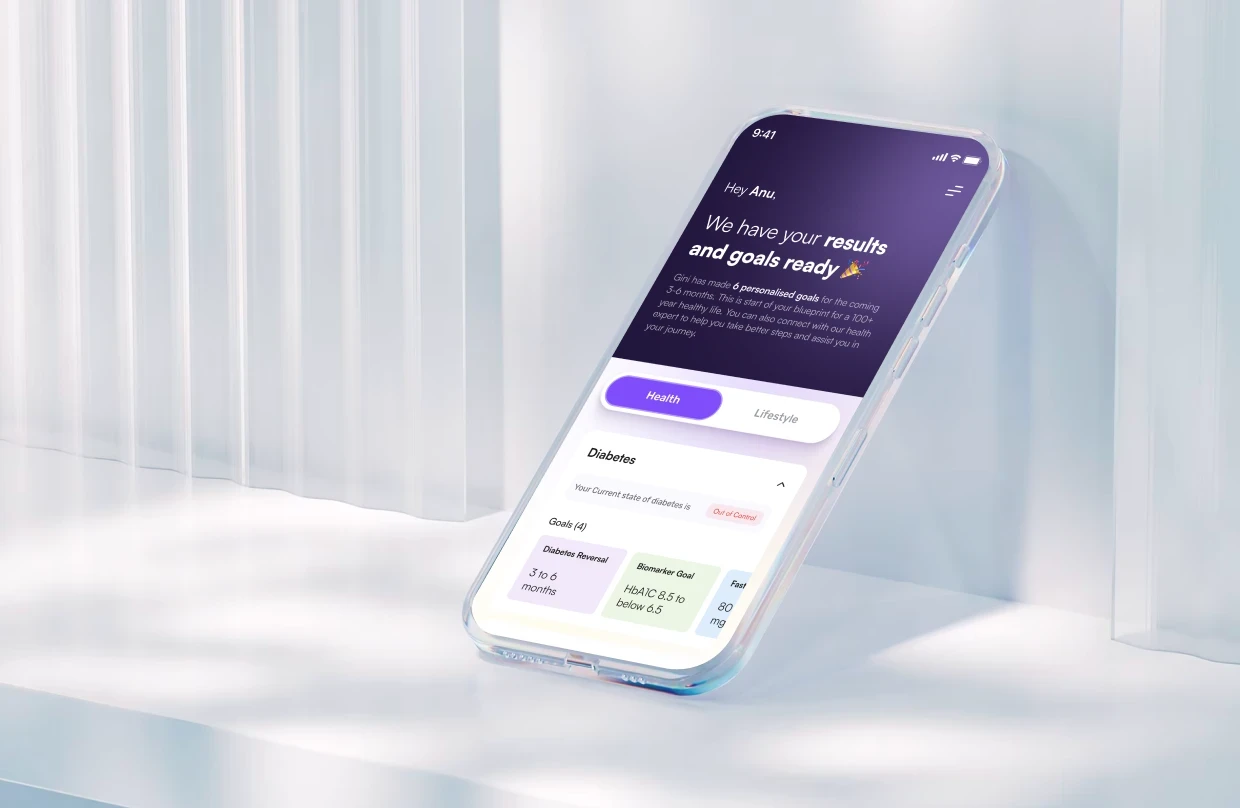
Gini health-tracking app required effortless data interpretation, predictive insights, and real-time UI responsiveness — the same demands found in AI, analytics, and enterprise SaaS products. By redesigning workflows to surface “next best actions,” simplifying data-heavy screens, and using adaptive UI logic, we cut drop-offs by 32% in high-friction flows.

Any SaaS platform dealing with analytics, dashboards, automation, or multi-step tasks can apply these same UX principles. In B2B SaaS environments, behaviour-led guidance typically improves task completion rates by 20–35%, especially in feature-rich products with steep learning curves.

Trend 5: Mobile UI Now Follows a “One-Decision Per Screen” Model

Multi-step flows aren’t the enemy. Overwhelming screens are. The most successful mobile products now follow this rule:

“One cognitive decision per screen.”

How it improves conversion:

  • Users don’t feel overwhelmed

  • Completion rates increase

  • Onboarding feels faster

  • More transparent user expectations

This aligns with the address correction UX pattern — where micro-decisions feel lightweight.

Although &Circus operates in the D2C fitness space, the underlying UX challenges mirrored what we see in SaaS platforms: complex flows, high drop-offs, and slow product education. By reducing their mobile onboarding from five steps to two, simplifying navigation, and using dynamic micro-interactions, we increased activation completion by 25% within six weeks.

The same behavioural principles—reducing cognitive load, tightening Time-to-Value, and building guided paths—directly translate to SaaS onboarding. SaaS products that implement this pattern typically see a 15–30% lift in trial-to-activated-user conversion within the first month.

Trend 6: AI-Generated Personalization for Empty States

Empty states are no longer placeholders — they’re activation moments.

Effective 2026 empty states:

  • Auto-created recommendations

  • “Connect data to unlock insights” with embedded CTAs

  • Micro-tutorials personalized by user role

  • Onboarding progress indicators

Empty states now function like mini-growth engines.

Trend 7: Mobile Forms Are Dying — Intelligent Inputs Are Replacing Them

Instead of asking users to fill 12 fields…

Apps now use:

  • Smart defaults

  • Device data

  • Auto-detection

  • Tap-to-select inputs

  • Scanner features (OCR, document extractors)

Complete-your-profile screens are becoming interactive workflows, not static forms.

Trend 8: Navigation Simplified to 3–5 Actionable Targets

Mega-navs never worked on mobile.

2026 apps use:

  • Bottom navigation with fewer than 5 items

  • Sticky action bars

  • Floating CTA menus

  • Swipe gestures

This is essential for apps with heavy data flows like fintech and enterprise SaaS.

Trend 9: “Template Mobile Application” Structure Is Dead

Apps built from generic templates look identical — and perform worse.

Users now expect:

  • Role-based UI

  • Industry-specific flow logic

  • Domain-level feature prioritization

Teams are moving from template-based builds to modular design systems.

Trend 10: User-Centered Design Becomes the Default

Teams can’t rely only on UI intuitions.

In 2026, mobile UX aligns deeply with:

  • Behavioural psychology

  • Jobs-to-be-done

  • Intent modelling

  • Cross-device experience

Why this matters now? Because users expect your app to “just make sense.”

Self-Assessment: Rate Your App Against 2026 UX Standards

Use this 10-point scorecard to understand whether your app is 2026-ready.
Score each item from 1 (Not at all) to 5 (Fully implemented).

  1. Your UI adapts to user behaviour automatically

  2. Your onboarding leads users to first-value within 60–120 seconds

  3. Your home screen prioritizes predictive, task-driven modules

  4. Micro-interactions guide progress and reduce cognitive friction

  5. Empty states are personalized and instructional, not placeholders

  6. Forms use intelligent inputs, not manual typing

  7. Your navigation is minimal, intuitive, and role-based

  8. Loading states provide predictive context (not spinners)

  9. Your flows use a “one-decision-per-screen” model

  10. Your UI feels custom, not a template mobile application


Score Interpretation

  • 40–50: You are operating at a 2026-standard mobile UX level.

  • 30–39: Strong foundation, but missing high-impact redesign opportunities.

  • 20–29: Users are likely experiencing friction that affects retention.

  • <20: UX overhaul recommended. You are leaking revenue, retention, or activation.

Emerging 2026 Trends You Can’t Ignore  

These aren’t mainstream yet — but early adopters will win big:

1. On-Device Machine Learning  

Mobile apps will increasingly run prediction, personalization, and anomaly detection locally, reducing latency and increasing user trust.  

2. Voice-Forward Micro-Interactions  

By 2026, voice shortcuts will replace 10–20% of high-friction mobile actions, especially in productivity and fintech apps.  

3. Spatial UX Preparation  

Even without mainstream AR, apps are shifting toward spatial UX foundations — 3D object maps, depth-aware gestures, and camera-first flows.

Where Should You Start? A 2026 Prioritization Framework  

If everything looks important, start with this order:

Tier 1 — Fix Friction  

Onboarding, navigation, mobile performance, empty states, forms.  

Tier 2 — Add Intelligence  

Adaptive UI, personalised home screens, intent prediction, inline validation.  

Tier 3 — Add Delight  

Micro-interactions, animations, visual polish.  

Tier 4 — Future-Proof  

Design systems, AI-based user modelling, spatial UX readiness.

Why Groto’s Approach Works in 2026  

Most teams still design screens. We design systems.  

Instead of templates or UI reskins, we custom-architect modular UX, reusable component libraries, adaptive workflows, and AI-ready interaction patterns.  

This lets engineering teams ship faster, reduce UX debt, and scale the product without breaking flows every sprint.

Conclusion: 2026 Will Be the Year of ‘Invisible UX’

Users won’t talk about your app’s UI. They’ll talk about how effortless it feels.

If your app isn't:

  • Adaptive

  • Predictive

  • Structured around intent

  • Fast

  • Intuitive within 30 seconds


…you’re already behind your competitors.

If you're building a SaaS or B2B mobile product and want clarity on activation, UX debt, or navigation patterns, Book a 20-minute product teardown — speak with our Creative Director (Top 3% globally).

FAQ

1. How are 2026 mobile design trends different from older trends?
Older trends focused on visuals — gradients, cards, animations. 2026 shifts toward behaviour: adaptive flows, AI prediction, fewer decisions per screen, and instant feedback. These changes directly reduce churn and accelerate activation, which is why most fast-scaling apps are adopting them now.

2. What’s the biggest UX mistake mobile apps make today?
The biggest issue is “UI-first thinking.” Most apps look polished but don’t guide user intent. Without behavioural UX, users get stuck at onboarding, forms, or navigation. The result? Early churn and wasted acquisition spend.

3. How do I know if my mobile app needs a redesign?
If users struggle with onboarding, feel lost, face slow screens, or bounce during core tasks — it’s not a cosmetic issue. It means your UX architecture needs restructuring. These are early signs of growing UX debt.

4. How long does a mobile app UI/UX redesign take?
Focused redesigns for core flows take 4–8 weeks. Full design system + architecture overhauls take 8–16 weeks. But here’s the real cost question: How many users churn during a 16-week delay? At 2–3% monthly churn on a 50K user base, you lose 1,500–2,250 users. Our phased rollouts avoid this — we ship parallel improvements so you see retention gains within the first month.

5. Do templates work for mobile UI?Templates help with MVP validation, but they break at scale. If your product needs adaptive UI, complex workflows, role-based logic, or AI-driven experiences — templates collapse quickly. Growth-stage apps need custom UX systems to avoid long-term tech and design debt.

Mobile UI/UX is changing faster than ever. In 2026, clean UI isn’t enough — apps must adapt, predict intent, guide actions, and reduce user effort. This guide shows the real trends shaping next-generation mobile experiences.

Mobile app design is evolving fast — here’s what actually matters in 2026.


The future of Mobile app UI UX design is not about aesthetics; it’s about predictive intelligence and frictionless flow.

In a crowded app store, a beautiful interface is merely table stakes. By 2026, the success of your design application mobile will be measured by its commercial performance: activation, retention, and time-to-value (TTV).

This guide moves beyond generic mobile user interface design to focus on the three strategic pillars that deliver a measurable ROI, ensuring your product is a high-performing asset, not just a clean visual experience. It focuses on the UI/UX shifts shaping next-generation mobile products, especially for SaaS and B2B teams where activation, clarity, and time-to-value drive revenue outcomes.

The Strategic Imperative: Why Mobile UX is a 2026 Boardroom Topic


The era of incremental updates is over. By 2026, Mobile app UI UX design is a strategic survival requirement, not a visual preference. This focus on experience directly impacts your P&L and competitive positioning.

The Three Major Market Shifts

  1. Feature Parity is Dead (Experience is the Moat): Your competitors can replicate features in weeks. UI is not the differentiator anymore; the Mobile User Experience is. The only defensible edge is a superior, patented flow that requires less effort from the user.

  2. AI Expectation, Not Integration: Users expect AI-native behaviours—not AI add-ons. AI is no longer a differentiator; it's an expectation. Mobile UX must now adapt in real-time, functioning as an intelligent assistant. While the exact 2026 prediction for AI-assisted SaaS mobile interactions is proprietary, Gartner’s 2024 insights emphasize rapid growth in AI adoption across SaaS and fintech sectors, demonstrating a shift toward AI-powered, intent-driven experiences as table stakes for competitive applications.

  3. Time-to-Value (TTV) is the Core Metric: TTV became the universal metric for growth. Users won’t wait 30 seconds for your flow to make sense; they expect clarity and value instantly.

The Financial Imperative (The Commercial Thesis)

Ignoring these emerging Mobile UI UX design trends is a financial leak. Here’s the commercial rationale for immediate investment:

  • Retention is King (25-95% Profit Jump): Poor mobile user experience is the #1 driver of uninstalls, proving why user-centered design matters in mobile app development. According to Bain & Company’s landmark research on loyalty economics, a 5% increase in customer retention can increase profits from 25% to as much as 95%, underscoring why retention-driven UX design is a critical investment.​ 

  • The Activation Window is Narrow: Users decide if an app is worth keeping in the first 3-7 days. Design that aggressively streamlines the path to first success directly protects your funnel and maximizes conversion from trial/install.

  • The Cost of Cognitive Load (7% Conversion Loss): A 1-second delay in mobile load time can result in a 7% loss in conversions. Every unnecessary tap, click, or choice adds cognitive load, directly reducing your funnel efficiency.

The best apps are not just modern mobile app design examples; they are conversion machines built on strategic UX.

Trend 1: Adaptive, AI-Driven Mobile Interfaces (Beyond Chatbots)

AI in apps isn’t about showing a chatbot in the corner — that’s outdated.
In 2026, mobile UIs change themselves.

What this looks like:

  • Onboarding steps collapse from 6 steps to 2 based on user history

  • App home screens reorder tiles based on frequency

  • Forms pre-fill intelligently

  • Search shows “intent predictions” instead of keywords

  • Task flows shorten because the app anticipates the next step

Why it matters

Adaptive UI solves the biggest mobile UX friction: too many taps.

Founder note - Nothing frustrates me more than apps that treat me like a new user on every visit. If I’ve taken 30 actions before, why does the app still expect me to repeat them? That’s the gap adaptive UIs finally close.

~Harpreet Singh
Founder & Creative Director, Groto

Trend 2: Micro-Interactions Become the Primary Engagement Driver

We’re past the era of bounce animations. In 2026, micro-interactions communicate system intelligence.

High-performance micro-interactions include:

  • Progress nudges when a task is halfway complete

  • “Smart” loading states showing user-specific suggestions

  • Checkmarks replacing screen reloads

  • Credit card scanners replacing forms

  • Swipe-to-complete interactions replacing dropdowns

Why it matters

Micro-interactions reduce hesitation, increase trust, and make complex actions feel simple.

Trend 3: Mobile App Home Screens Are Turning Into “Command Centers”

Home screens are no longer dashboards. They're becoming smart hubs.

What 2026 home screens include:

  • Recurring tasks surfaced automatically

  • “Continue where you left off” modules

  • 1-tap shortcuts for most-used actions

  • Predictive tiles based on user behaviour

This is essential in SaaS and fintech apps where workflows are repetitive. For SaaS teams, this matters even more — because most user journeys start from a multi-module dashboard rather than a single feature.

Trend 4: Real-Time Feedback Replaces Static States

Today’s mobile users expect instant reaction — even when actual processing takes time.

Examples:

  • Gradual skeleton loading states

  • Predictive placeholders

  • “We’re preparing your data…” animations

  • Inline validation (not modal errors!)

This keeps emotional friction low while keeping cognitive trust high.

Gini health-tracking app required effortless data interpretation, predictive insights, and real-time UI responsiveness — the same demands found in AI, analytics, and enterprise SaaS products. By redesigning workflows to surface “next best actions,” simplifying data-heavy screens, and using adaptive UI logic, we cut drop-offs by 32% in high-friction flows.

Any SaaS platform dealing with analytics, dashboards, automation, or multi-step tasks can apply these same UX principles. In B2B SaaS environments, behaviour-led guidance typically improves task completion rates by 20–35%, especially in feature-rich products with steep learning curves.

Trend 5: Mobile UI Now Follows a “One-Decision Per Screen” Model

Multi-step flows aren’t the enemy. Overwhelming screens are. The most successful mobile products now follow this rule:

“One cognitive decision per screen.”

How it improves conversion:

  • Users don’t feel overwhelmed

  • Completion rates increase

  • Onboarding feels faster

  • More transparent user expectations

This aligns with the address correction UX pattern — where micro-decisions feel lightweight.

Although &Circus operates in the D2C fitness space, the underlying UX challenges mirrored what we see in SaaS platforms: complex flows, high drop-offs, and slow product education. By reducing their mobile onboarding from five steps to two, simplifying navigation, and using dynamic micro-interactions, we increased activation completion by 25% within six weeks.

The same behavioural principles—reducing cognitive load, tightening Time-to-Value, and building guided paths—directly translate to SaaS onboarding. SaaS products that implement this pattern typically see a 15–30% lift in trial-to-activated-user conversion within the first month.

Trend 6: AI-Generated Personalization for Empty States

Empty states are no longer placeholders — they’re activation moments.

Effective 2026 empty states:

  • Auto-created recommendations

  • “Connect data to unlock insights” with embedded CTAs

  • Micro-tutorials personalized by user role

  • Onboarding progress indicators

Empty states now function like mini-growth engines.

Trend 7: Mobile Forms Are Dying — Intelligent Inputs Are Replacing Them

Instead of asking users to fill 12 fields…

Apps now use:

  • Smart defaults

  • Device data

  • Auto-detection

  • Tap-to-select inputs

  • Scanner features (OCR, document extractors)

Complete-your-profile screens are becoming interactive workflows, not static forms.

Trend 8: Navigation Simplified to 3–5 Actionable Targets

Mega-navs never worked on mobile.

2026 apps use:

  • Bottom navigation with fewer than 5 items

  • Sticky action bars

  • Floating CTA menus

  • Swipe gestures

This is essential for apps with heavy data flows like fintech and enterprise SaaS.

Trend 9: “Template Mobile Application” Structure Is Dead

Apps built from generic templates look identical — and perform worse.

Users now expect:

  • Role-based UI

  • Industry-specific flow logic

  • Domain-level feature prioritization

Teams are moving from template-based builds to modular design systems.

Trend 10: User-Centered Design Becomes the Default

Teams can’t rely only on UI intuitions.

In 2026, mobile UX aligns deeply with:

  • Behavioural psychology

  • Jobs-to-be-done

  • Intent modelling

  • Cross-device experience

Why this matters now? Because users expect your app to “just make sense.”

Self-Assessment: Rate Your App Against 2026 UX Standards

Use this 10-point scorecard to understand whether your app is 2026-ready.
Score each item from 1 (Not at all) to 5 (Fully implemented).

  1. Your UI adapts to user behaviour automatically

  2. Your onboarding leads users to first-value within 60–120 seconds

  3. Your home screen prioritizes predictive, task-driven modules

  4. Micro-interactions guide progress and reduce cognitive friction

  5. Empty states are personalized and instructional, not placeholders

  6. Forms use intelligent inputs, not manual typing

  7. Your navigation is minimal, intuitive, and role-based

  8. Loading states provide predictive context (not spinners)

  9. Your flows use a “one-decision-per-screen” model

  10. Your UI feels custom, not a template mobile application


Score Interpretation

  • 40–50: You are operating at a 2026-standard mobile UX level.

  • 30–39: Strong foundation, but missing high-impact redesign opportunities.

  • 20–29: Users are likely experiencing friction that affects retention.

  • <20: UX overhaul recommended. You are leaking revenue, retention, or activation.

Emerging 2026 Trends You Can’t Ignore  

These aren’t mainstream yet — but early adopters will win big:

1. On-Device Machine Learning  

Mobile apps will increasingly run prediction, personalization, and anomaly detection locally, reducing latency and increasing user trust.  

2. Voice-Forward Micro-Interactions  

By 2026, voice shortcuts will replace 10–20% of high-friction mobile actions, especially in productivity and fintech apps.  

3. Spatial UX Preparation  

Even without mainstream AR, apps are shifting toward spatial UX foundations — 3D object maps, depth-aware gestures, and camera-first flows.

Where Should You Start? A 2026 Prioritization Framework  

If everything looks important, start with this order:

Tier 1 — Fix Friction  

Onboarding, navigation, mobile performance, empty states, forms.  

Tier 2 — Add Intelligence  

Adaptive UI, personalised home screens, intent prediction, inline validation.  

Tier 3 — Add Delight  

Micro-interactions, animations, visual polish.  

Tier 4 — Future-Proof  

Design systems, AI-based user modelling, spatial UX readiness.

Why Groto’s Approach Works in 2026  

Most teams still design screens. We design systems.  

Instead of templates or UI reskins, we custom-architect modular UX, reusable component libraries, adaptive workflows, and AI-ready interaction patterns.  

This lets engineering teams ship faster, reduce UX debt, and scale the product without breaking flows every sprint.

Conclusion: 2026 Will Be the Year of ‘Invisible UX’

Users won’t talk about your app’s UI. They’ll talk about how effortless it feels.

If your app isn't:

  • Adaptive

  • Predictive

  • Structured around intent

  • Fast

  • Intuitive within 30 seconds


…you’re already behind your competitors.

If you're building a SaaS or B2B mobile product and want clarity on activation, UX debt, or navigation patterns, Book a 20-minute product teardown — speak with our Creative Director (Top 3% globally).

FAQ

1. How are 2026 mobile design trends different from older trends?
Older trends focused on visuals — gradients, cards, animations. 2026 shifts toward behaviour: adaptive flows, AI prediction, fewer decisions per screen, and instant feedback. These changes directly reduce churn and accelerate activation, which is why most fast-scaling apps are adopting them now.

2. What’s the biggest UX mistake mobile apps make today?
The biggest issue is “UI-first thinking.” Most apps look polished but don’t guide user intent. Without behavioural UX, users get stuck at onboarding, forms, or navigation. The result? Early churn and wasted acquisition spend.

3. How do I know if my mobile app needs a redesign?
If users struggle with onboarding, feel lost, face slow screens, or bounce during core tasks — it’s not a cosmetic issue. It means your UX architecture needs restructuring. These are early signs of growing UX debt.

4. How long does a mobile app UI/UX redesign take?
Focused redesigns for core flows take 4–8 weeks. Full design system + architecture overhauls take 8–16 weeks. But here’s the real cost question: How many users churn during a 16-week delay? At 2–3% monthly churn on a 50K user base, you lose 1,500–2,250 users. Our phased rollouts avoid this — we ship parallel improvements so you see retention gains within the first month.

5. Do templates work for mobile UI?Templates help with MVP validation, but they break at scale. If your product needs adaptive UI, complex workflows, role-based logic, or AI-driven experiences — templates collapse quickly. Growth-stage apps need custom UX systems to avoid long-term tech and design debt.

Extreme close-up black and white photograph of a human eye

Let’s bring your vision to life

Tell us what's on your mind? We'll hit you back in 24 hours. No fluff, no delays - just a solid vision to bring your idea to life.

Profile portrait of a man in a white shirt against a light background

Harpreet Singh

Founder and Creative Director

Get in Touch

Extreme close-up black and white photograph of a human eye

Let’s bring your vision to life

Tell us what's on your mind? We'll hit you back in 24 hours. No fluff, no delays - just a solid vision to bring your idea to life.

Profile portrait of a man in a white shirt against a light background

Harpreet Singh

Founder and Creative Director

Get in Touch

Harpreet Singh

Founder and Creative Director

Mobile App UI/UX Design Trends 2026: The Only Guide You’ll Need

Dec 8, 2025

A complete 2026 guide to mobile app UI/UX design trends, showing how adaptive interfaces, micro-interactions, and user-centered design drive conversions and product success.

Mobile UI/UX is changing faster than ever. In 2026, clean UI isn’t enough — apps must adapt, predict intent, guide actions, and reduce user effort. This guide shows the real trends shaping next-generation mobile experiences.

Mobile app design is evolving fast — here’s what actually matters in 2026.


The future of Mobile app UI UX design is not about aesthetics; it’s about predictive intelligence and frictionless flow.

In a crowded app store, a beautiful interface is merely table stakes. By 2026, the success of your design application mobile will be measured by its commercial performance: activation, retention, and time-to-value (TTV).

This guide moves beyond generic mobile user interface design to focus on the three strategic pillars that deliver a measurable ROI, ensuring your product is a high-performing asset, not just a clean visual experience. It focuses on the UI/UX shifts shaping next-generation mobile products, especially for SaaS and B2B teams where activation, clarity, and time-to-value drive revenue outcomes.

The Strategic Imperative: Why Mobile UX is a 2026 Boardroom Topic


The era of incremental updates is over. By 2026, Mobile app UI UX design is a strategic survival requirement, not a visual preference. This focus on experience directly impacts your P&L and competitive positioning.

The Three Major Market Shifts

  1. Feature Parity is Dead (Experience is the Moat): Your competitors can replicate features in weeks. UI is not the differentiator anymore; the Mobile User Experience is. The only defensible edge is a superior, patented flow that requires less effort from the user.

  2. AI Expectation, Not Integration: Users expect AI-native behaviours—not AI add-ons. AI is no longer a differentiator; it's an expectation. Mobile UX must now adapt in real-time, functioning as an intelligent assistant. While the exact 2026 prediction for AI-assisted SaaS mobile interactions is proprietary, Gartner’s 2024 insights emphasize rapid growth in AI adoption across SaaS and fintech sectors, demonstrating a shift toward AI-powered, intent-driven experiences as table stakes for competitive applications.

  3. Time-to-Value (TTV) is the Core Metric: TTV became the universal metric for growth. Users won’t wait 30 seconds for your flow to make sense; they expect clarity and value instantly.

The Financial Imperative (The Commercial Thesis)

Ignoring these emerging Mobile UI UX design trends is a financial leak. Here’s the commercial rationale for immediate investment:

  • Retention is King (25-95% Profit Jump): Poor mobile user experience is the #1 driver of uninstalls, proving why user-centered design matters in mobile app development. According to Bain & Company’s landmark research on loyalty economics, a 5% increase in customer retention can increase profits from 25% to as much as 95%, underscoring why retention-driven UX design is a critical investment.​ 

  • The Activation Window is Narrow: Users decide if an app is worth keeping in the first 3-7 days. Design that aggressively streamlines the path to first success directly protects your funnel and maximizes conversion from trial/install.

  • The Cost of Cognitive Load (7% Conversion Loss): A 1-second delay in mobile load time can result in a 7% loss in conversions. Every unnecessary tap, click, or choice adds cognitive load, directly reducing your funnel efficiency.

The best apps are not just modern mobile app design examples; they are conversion machines built on strategic UX.

Trend 1: Adaptive, AI-Driven Mobile Interfaces (Beyond Chatbots)

AI in apps isn’t about showing a chatbot in the corner — that’s outdated.
In 2026, mobile UIs change themselves.

What this looks like:

  • Onboarding steps collapse from 6 steps to 2 based on user history

  • App home screens reorder tiles based on frequency

  • Forms pre-fill intelligently

  • Search shows “intent predictions” instead of keywords

  • Task flows shorten because the app anticipates the next step

Why it matters

Adaptive UI solves the biggest mobile UX friction: too many taps.

Founder note - Nothing frustrates me more than apps that treat me like a new user on every visit. If I’ve taken 30 actions before, why does the app still expect me to repeat them? That’s the gap adaptive UIs finally close.

~Harpreet Singh
Founder & Creative Director, Groto

Trend 2: Micro-Interactions Become the Primary Engagement Driver

We’re past the era of bounce animations. In 2026, micro-interactions communicate system intelligence.

High-performance micro-interactions include:

  • Progress nudges when a task is halfway complete

  • “Smart” loading states showing user-specific suggestions

  • Checkmarks replacing screen reloads

  • Credit card scanners replacing forms

  • Swipe-to-complete interactions replacing dropdowns

Why it matters

Micro-interactions reduce hesitation, increase trust, and make complex actions feel simple.

Trend 3: Mobile App Home Screens Are Turning Into “Command Centers”

Home screens are no longer dashboards. They're becoming smart hubs.

What 2026 home screens include:

  • Recurring tasks surfaced automatically

  • “Continue where you left off” modules

  • 1-tap shortcuts for most-used actions

  • Predictive tiles based on user behaviour

This is essential in SaaS and fintech apps where workflows are repetitive. For SaaS teams, this matters even more — because most user journeys start from a multi-module dashboard rather than a single feature.

Trend 4: Real-Time Feedback Replaces Static States

Today’s mobile users expect instant reaction — even when actual processing takes time.

Examples:

  • Gradual skeleton loading states

  • Predictive placeholders

  • “We’re preparing your data…” animations

  • Inline validation (not modal errors!)

This keeps emotional friction low while keeping cognitive trust high.

Gini health-tracking app required effortless data interpretation, predictive insights, and real-time UI responsiveness — the same demands found in AI, analytics, and enterprise SaaS products. By redesigning workflows to surface “next best actions,” simplifying data-heavy screens, and using adaptive UI logic, we cut drop-offs by 32% in high-friction flows.

Any SaaS platform dealing with analytics, dashboards, automation, or multi-step tasks can apply these same UX principles. In B2B SaaS environments, behaviour-led guidance typically improves task completion rates by 20–35%, especially in feature-rich products with steep learning curves.

Trend 5: Mobile UI Now Follows a “One-Decision Per Screen” Model

Multi-step flows aren’t the enemy. Overwhelming screens are. The most successful mobile products now follow this rule:

“One cognitive decision per screen.”

How it improves conversion:

  • Users don’t feel overwhelmed

  • Completion rates increase

  • Onboarding feels faster

  • More transparent user expectations

This aligns with the address correction UX pattern — where micro-decisions feel lightweight.

Although &Circus operates in the D2C fitness space, the underlying UX challenges mirrored what we see in SaaS platforms: complex flows, high drop-offs, and slow product education. By reducing their mobile onboarding from five steps to two, simplifying navigation, and using dynamic micro-interactions, we increased activation completion by 25% within six weeks.

The same behavioural principles—reducing cognitive load, tightening Time-to-Value, and building guided paths—directly translate to SaaS onboarding. SaaS products that implement this pattern typically see a 15–30% lift in trial-to-activated-user conversion within the first month.

Trend 6: AI-Generated Personalization for Empty States

Empty states are no longer placeholders — they’re activation moments.

Effective 2026 empty states:

  • Auto-created recommendations

  • “Connect data to unlock insights” with embedded CTAs

  • Micro-tutorials personalized by user role

  • Onboarding progress indicators

Empty states now function like mini-growth engines.

Trend 7: Mobile Forms Are Dying — Intelligent Inputs Are Replacing Them

Instead of asking users to fill 12 fields…

Apps now use:

  • Smart defaults

  • Device data

  • Auto-detection

  • Tap-to-select inputs

  • Scanner features (OCR, document extractors)

Complete-your-profile screens are becoming interactive workflows, not static forms.

Trend 8: Navigation Simplified to 3–5 Actionable Targets

Mega-navs never worked on mobile.

2026 apps use:

  • Bottom navigation with fewer than 5 items

  • Sticky action bars

  • Floating CTA menus

  • Swipe gestures

This is essential for apps with heavy data flows like fintech and enterprise SaaS.

Trend 9: “Template Mobile Application” Structure Is Dead

Apps built from generic templates look identical — and perform worse.

Users now expect:

  • Role-based UI

  • Industry-specific flow logic

  • Domain-level feature prioritization

Teams are moving from template-based builds to modular design systems.

Trend 10: User-Centered Design Becomes the Default

Teams can’t rely only on UI intuitions.

In 2026, mobile UX aligns deeply with:

  • Behavioural psychology

  • Jobs-to-be-done

  • Intent modelling

  • Cross-device experience

Why this matters now? Because users expect your app to “just make sense.”

Self-Assessment: Rate Your App Against 2026 UX Standards

Use this 10-point scorecard to understand whether your app is 2026-ready.
Score each item from 1 (Not at all) to 5 (Fully implemented).

  1. Your UI adapts to user behaviour automatically

  2. Your onboarding leads users to first-value within 60–120 seconds

  3. Your home screen prioritizes predictive, task-driven modules

  4. Micro-interactions guide progress and reduce cognitive friction

  5. Empty states are personalized and instructional, not placeholders

  6. Forms use intelligent inputs, not manual typing

  7. Your navigation is minimal, intuitive, and role-based

  8. Loading states provide predictive context (not spinners)

  9. Your flows use a “one-decision-per-screen” model

  10. Your UI feels custom, not a template mobile application


Score Interpretation

  • 40–50: You are operating at a 2026-standard mobile UX level.

  • 30–39: Strong foundation, but missing high-impact redesign opportunities.

  • 20–29: Users are likely experiencing friction that affects retention.

  • <20: UX overhaul recommended. You are leaking revenue, retention, or activation.

Emerging 2026 Trends You Can’t Ignore  

These aren’t mainstream yet — but early adopters will win big:

1. On-Device Machine Learning  

Mobile apps will increasingly run prediction, personalization, and anomaly detection locally, reducing latency and increasing user trust.  

2. Voice-Forward Micro-Interactions  

By 2026, voice shortcuts will replace 10–20% of high-friction mobile actions, especially in productivity and fintech apps.  

3. Spatial UX Preparation  

Even without mainstream AR, apps are shifting toward spatial UX foundations — 3D object maps, depth-aware gestures, and camera-first flows.

Where Should You Start? A 2026 Prioritization Framework  

If everything looks important, start with this order:

Tier 1 — Fix Friction  

Onboarding, navigation, mobile performance, empty states, forms.  

Tier 2 — Add Intelligence  

Adaptive UI, personalised home screens, intent prediction, inline validation.  

Tier 3 — Add Delight  

Micro-interactions, animations, visual polish.  

Tier 4 — Future-Proof  

Design systems, AI-based user modelling, spatial UX readiness.

Why Groto’s Approach Works in 2026  

Most teams still design screens. We design systems.  

Instead of templates or UI reskins, we custom-architect modular UX, reusable component libraries, adaptive workflows, and AI-ready interaction patterns.  

This lets engineering teams ship faster, reduce UX debt, and scale the product without breaking flows every sprint.

Conclusion: 2026 Will Be the Year of ‘Invisible UX’

Users won’t talk about your app’s UI. They’ll talk about how effortless it feels.

If your app isn't:

  • Adaptive

  • Predictive

  • Structured around intent

  • Fast

  • Intuitive within 30 seconds


…you’re already behind your competitors.

If you're building a SaaS or B2B mobile product and want clarity on activation, UX debt, or navigation patterns, Book a 20-minute product teardown — speak with our Creative Director (Top 3% globally).

FAQ

1. How are 2026 mobile design trends different from older trends?

Older trends focused on visuals — gradients, cards, animations. 2026 shifts toward behaviour: adaptive flows, AI prediction, fewer decisions per screen, and instant feedback. These changes directly reduce churn and accelerate activation, which is why most fast-scaling apps are adopting them now.

2. What’s the biggest UX mistake mobile apps make today?
The biggest issue is “UI-first thinking.” Most apps look polished but don’t guide user intent. Without behavioural UX, users get stuck at onboarding, forms, or navigation. The result? Early churn and wasted acquisition spend.

3. How do I know if my mobile app needs a redesign?
If users struggle with onboarding, feel lost, face slow screens, or bounce during core tasks — it’s not a cosmetic issue. It means your UX architecture needs restructuring. These are early signs of growing UX debt.

4. How long does a mobile app UI/UX redesign take?
Focused redesigns for core flows take 4–8 weeks. Full design system + architecture overhauls take 8–16 weeks. But here’s the real cost question: How many users churn during a 16-week delay? At 2–3% monthly churn on a 50K user base, you lose 1,500–2,250 users. Our phased rollouts avoid this — we ship parallel improvements so you see retention gains within the first month.

5. Do templates work for mobile UI?Templates help with MVP validation, but they break at scale. If your product needs adaptive UI, complex workflows, role-based logic, or AI-driven experiences — templates collapse quickly. Growth-stage apps need custom UX systems to avoid long-term tech and design debt.

Extreme close-up black and white photograph of a human eye

Let’s bring your vision to life

Tell us what's on your mind? We'll hit you back in 24 hours. No fluff, no delays - just a solid vision to bring your idea to life.

Profile portrait of a man in a white shirt against a light background

Harpreet Singh

Founder and Creative Director

Get in Touch

Extreme close-up black and white photograph of a human eye

Let’s bring your vision to life

Tell us what's on your mind? We'll hit you back in 24 hours. No fluff, no delays - just a solid vision to bring your idea to life.

Profile portrait of a man in a white shirt against a light background

Harpreet Singh

Founder and Creative Director

Get in Touch

































































































































































































































