The 9 Best AI Prototyping Tools in 2026 (and How to Choose the Right One)
10 min read

10 min read

Tools & Resources

The 9 Best AI Prototyping Tools in 2026 (and How to Choose the Right One)
A 2026 guide to the best AI prototyping picks, how design-first and code-first options differ, and how to choose the right one for your product.

The 9 Best AI Prototyping Tools in 2026 (and How to Choose the Right One)

10 min read

10 min read

Tools & Resources

The 9 Best AI Prototyping Tools in 2026 (and How to Choose the Right One)

A 2026 guide to the best AI prototyping picks, how design-first and code-first options differ, and how to choose the right one for your product.

AI prototyping tools now turn an idea into a clickable or working interface in minutes. This guide breaks down the nine best options for 2026, the design-first versus code-first divide, and how to choose the right one for your product.

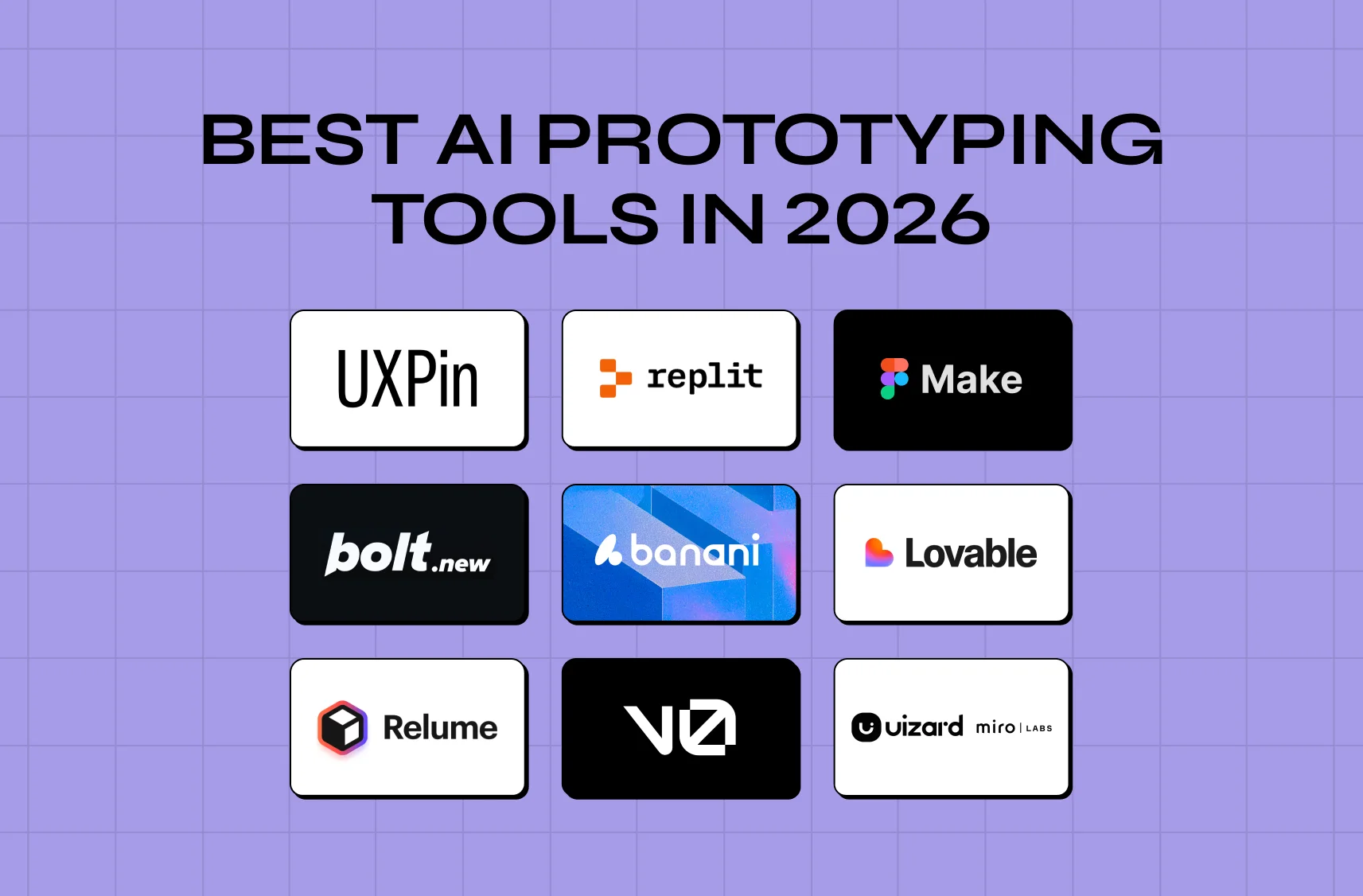
Nine AI prototyping picks for 2026, compared by use case and fidelity.

TL;DR

  • These tools turn a text prompt, sketch, or description into a working prototype in minutes, instead of the days a traditional design or dev workflow takes.

  • They fall into two camps: design-first tools (Figma Make, Uizard, Relume, Banani) that generate visual interfaces to test look and flow, and code-first tools (v0, Lovable, Bolt.new, Replit, UXPin) that generate real, running code.

  • Pick based on your goal. Throwaway validation points to Banani or Uizard. A prototype that needs to actually run points to v0, Lovable, or Bolt.new. Structure-first work points to Relume. Teams already living in Figma should start with Figma Make.

  • These tools accelerate production, not judgment. The user research, strategy, and design craft that make a prototype worth building still need a human in the loop, which is where a studio like Groto comes in.

AI prototyping tools have made it possible to go from a one-line prompt to a clickable, sometimes fully functional, interface in minutes rather than days. That shift is reshaping how founders validate ideas, how designers iterate, and how product teams decide what's worth building before a single line of production code gets written. But the category has also gotten crowded fast, and picking the wrong tool for the job wastes exactly the time these tools are supposed to save. This guide narrows down from the wider set of AI tools for UI UX designers to prototyping specifically.

Not long ago, turning an idea into a clickable prototype meant days of work in a design tool, whether that was Figma, Sketch, or Adobe XD, and turning it into something that actually ran meant pulling in a developer. In 2026, you can describe what you want in a sentence and watch an AI generate a working interface, sometimes a functional full-stack app, in minutes. It's one of the biggest shifts in how products get built, and it's created a fast-moving market that can be genuinely hard to tell apart from the outside. It is also only one piece of how AI is transforming UX work overall.

This guide cuts through it. We'll cover:

  • What these tools actually do, and the crucial split between design-first and code-first options

  • The nine best picks for 2026, with what each one is genuinely good for

  • A simple framework for choosing between them

  • An honest look at where they help, and where they fall short

Whether you're a founder validating an idea, a designer speeding up iteration, or a PM testing a concept before it reaches engineering, here's how to pick the right tool for the job.

What Is AI Prototyping Software?

AI prototyping software uses AI to generate interactive prototypes, screens, flows, and sometimes working code, from a text prompt, a sketch, or a description, instead of requiring you to build everything by hand. They compress the path from idea to something testable, letting you go from concept to a clickable (or runnable) prototype dramatically faster than traditional design or development. If the term itself is new, start with what a UX prototype is and what it is for.

The single most important thing to understand before choosing one is that they fall into two camps, and picking the wrong camp is the most common mistake teams make.

Design-First vs. Code-First: The Key Distinction

  • Design-first tools generate visual interfaces: screens and flows you refine and test as UI prototypes. They're fast to iterate on and ideal when you want to explore look, feel, and flow without worrying about real functionality.

  • Code-first tools generate actual working code, which makes them better for testing real application behavior, interactions with data, and something you could evolve toward a real product.

Put simply, design-first is "make it look and click right, fast." Code-first is "make it actually work." Knowing which you need, a throwaway visual to get feedback or a running prototype to test real behavior, points you straight at the right subset of tools below.

It's worth noting the line is blurring. The strongest tools increasingly reach across the divide: design-first tools are adding more realistic interactivity, and code-first tools are getting more design-aware and approachable for non-developers. A few, like UXPin, deliberately bridge both, offering code-backed design fidelity. Even so, the distinction is still the most useful first filter when choosing, because it maps directly to your intent. Are you validating a look and flow, or validating that something works? Start there, then let the finer differences between tools break the tie. It is also worth knowing where the conventional UX design tools still beat an AI-first workflow.

The AI onboarding playbook top teams use to boost activation.

Reduce first-session confusion, speed up time-to-value, and build user trust, built from real onboarding audits of AI products.

No Spam. Free Lifetime

The AI onboarding playbook top teams use to boost activation.

Reduce first-session confusion, speed up time-to-value, and build user trust, built from real onboarding audits of AI products.

No Spam. Free Lifetime

Why AI Prototyping Matters Now

Prototyping has always been the cheapest place to be wrong. It's far better to discover a flawed idea in a throwaway mockup than in shipped code. But the traditional wireframe to prototype path was slow and skilled enough that teams rationed it, testing one or two directions instead of ten.These tools collapse that cost, and the effects show up in a few concrete ways:

  • More directions get tested. When you can generate a testable version of an idea in minutes, you can explore several concepts instead of committing early to one.

  • Bad ideas die earlier and cheaper. Killing a weak concept in a five-minute prototype costs nothing. Killing it after a sprint of engineering work costs real money and morale.

  • Prototyping is no longer gated by design or dev bandwidth. A founder, a PM, or a marketer can now create something tangible without waiting on a designer or developer, which changes team dynamics: ideas can be shown, not just described.

  • More prototyping tends to produce better products, because more assumptions get tested before anyone commits engineering time.

The catch, and the reason the rest of this guide matters, is that ease of creation doesn't guarantee quality of decision. More prototypes only help if you're testing the right things and reading the results honestly.

The 9 Best AI Prototyping Tools for 2026

Categorized by design-first vs. code-first. Features and pricing are current as of 2026, so confirm details on each tool's site before committing. If you want a sense of what good output looks like first, these prototype examples set the bar.

Design-First Tools

1. Figma Make (best for designers already in Figma) 

Screenshot of Figma showcasing a collaborative design workspace with interface editing tools and real-time commenting features.

Figma Make is native AI that lives inside Figma, so designers never have to switch tools to generate and iterate on prototypes. If your team already works in Figma, it's the most frictionless on-ramp available. Your existing files, components, and workflow stay exactly where they are, and any prototype you generate inherits your design system instead of fighting it. For teams who want to push those files further, the Figma to code workflow picks up where Make stops. Best for: design teams standardized on Figma.

2. Uizard (best for fast UI and wireframes from prompts) 

Homepage of Uizard showcasing its AI-powered prototyping platform for creating interfaces and collaborative design workflows.

Uizard's Autodesigner engine does the heavy lifting of generating screens, populating them with assets, and adding dynamic links between them. It's excellent for quickly turning an idea or a rough sketch into a clickable UI concept you can put in front of stakeholders the same day, without asking anyone to learn a new tool first. Google Stitch occupies similar ground if you want a free alternative to test first. Best for: quick, throwaway UI concepts and wireframes.

3. Relume (best for structure and sitemaps first) 

Screenshot of Relume featuring AI-assisted website planning with sitemap, wireframe, and style guide generation tools.

Relume leans into structure, generating sitemaps and wireframes before visual polish, which makes it a strong fit when you want to nail information architecture and page structure early. It plays well with Webflow, so teams building marketing sites can move from sitemap to shipped page without switching platforms mid-project, and the Framer vs Webflow comparison covers which platform to land on. Best for: structure-first design and marketing sites.

4. Banani (best for throwaway validation) 

Homepage of Banani showcasing an AI-powered platform for generating modern user interface designs quickly.

Banani is built for speed, generating UI concepts fast so you can put something in front of users and get feedback without over-investing in a direction you might scrap. When the goal is to validate a direction and move on, whether it survives feedback or not, Banani fits the job cleanly, and Galileo AI covers a similar prompt-to-UI job. Best for: rapid, disposable validation prototypes.

Code-First Tools

5. v0 by Vercel (best for developers and product teams) 

Screenshot of v0, an AI-driven interface generation platform that creates UI components and applications from text prompts.

v0 is a web-based platform for building AI-powered prototypes and functional UIs, generating, editing, and deploying real interfaces (typically React and Tailwind-style) with minimal setup. It appeals to teams who want to turn ideas into working products fast, without a long detour through static mockups first. Best for: dev and product teams who want production-leaning UI.

6. Lovable (best for founders without coding experience) 

Homepage of Lovable highlighting its AI-powered app development platform with a prompt-based interface for building software.

Lovable emphasizes ease of use and design polish, letting non-technical founders describe an app and get a working, good-looking prototype back. It's one of the most approachable ways to get to something real, which matters if you're trying to validate a business idea before you've hired a technical co-founder. For anything heading toward launch, MVP UX design rules still apply. Best for: non-technical founders building a functional prototype.

7. Bolt.new (best for fast full-stack prototypes) 

Screenshot of Bolt showcasing an AI-assisted full-stack development platform that generates applications from natural language prompts.

Bolt.new is fast for building full-stack prototypes and suits teams comfortable working closer to code. When you need front end and back end quickly, and don't mind getting technical to fine-tune the result, it shines. Best for: teams building full-stack prototypes fast.

8. Replit (best for building toward a real app) 

Homepage of Replit featuring an AI coding workspace where users can build applications directly from prompts.

Replit brings AI-assisted, agentic building into a full development environment, making it a strong choice when your prototype is meant to grow into an actual product rather than stay a demo. It's the option to reach for when "prototype" is really shorthand for "version one." Best for: prototypes intended to become real applications.

9. UXPin (best for code-backed design prototypes)

Screenshot of UXPin showcasing its code-backed UI design and prototyping platform for building interactive, production-ready interfaces.

UXPin bridges design and code, letting teams build prototypes backed by real code and components, useful when you want design fidelity and realistic behavior in the same place instead of choosing one over the other. Most AI tools output high-fidelity wireframes by default, which is worth knowing before you pick one for early-stage work. Best for: teams wanting high-fidelity, code-backed prototypes.

How to Choose the Right Tool

With the field categorized, the choice gets simple once you start from your goal:

  • Need throwaway validation? Reach for a fast design-first tool like Banani or Uizard.

  • Need something that must actually run and behave like a real product? Choose a code-first tool like v0, Lovable, or Bolt.new.

  • Need to get structure right first? Start with Relume.

  • Already living in Figma? Figma Make is the path of least resistance. Building a website rather than a product? The AI web design tools list is the better starting point.

Beyond the goal itself, weigh a few more factors:

  • Your team's comfort with code (design-first suits non-technical teams, code-first suits those who can go deeper), and whether you can start on free UI UX design tools before paying for anything

  • Whether the prototype needs to evolve into a real product or stays disposable

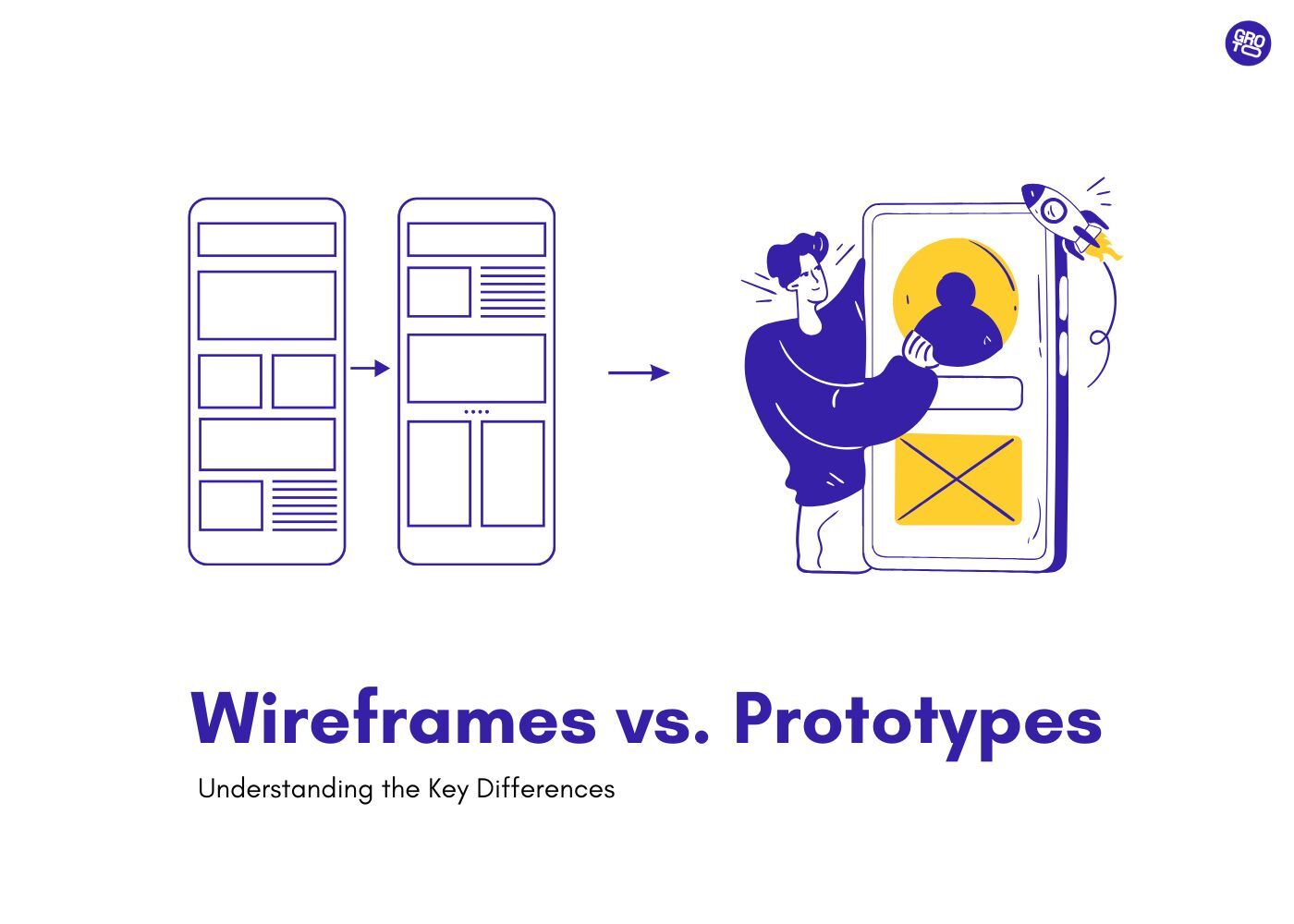
  • How much design fidelity the situation actually calls for, which is really the wireframes vs prototypes question in a new form

Match the tool to the job and you'll avoid the classic trap of using a heavyweight code-first tool for a five-minute concept test, or a throwaway design tool for something you genuinely need to ship. If your need runs wider than prototyping, the broader AI UX design tools roundup covers research, testing, and handoff too.

The Benefits and the Limits

What you gain:

  • A collapsed timeline from idea to testable artifact

  • The ability for non-designers and non-developers to create something tangible without waiting on a specialist

  • Cheap exploration of many directions before committing real budget

  • Faster stakeholder buy-in, since a working demo lands harder than a slide deck

What you still need humans for:

  • The user research that tells you what to build in the first place

  • The strategy that decides what actually matters to the business

  • The design judgment that turns a generated draft into something usable and on-brand

  • Catching the gap between "it works in the demo" and "it works for your customers"

Generated output can look polished while being subtly wrong for real users, and a prototype that impresses in a meeting isn't the same thing as a product people can navigate without friction. Most AI UX design mistakes start with that gap. The teams that get the most from these tools use them to move faster on the how, while keeping humans firmly in charge of the what and why.

How to Get More Out of Your AI Prototypes

Start with a clear goal 

What specific question are you trying to answer? "Will users understand this flow?" and "Can this technically work?" call for different tools and different fidelity. Vague prototypes produce vague learnings.

Prompt with intent

The more context you give (audience, goal, constraints, references), the closer the first generation lands, so treat the brief as where you invest effort, not an afterthought. AI-driven design is mostly a briefing skill at this point.

Iterate quickly and test with real users 

Rather than polishing in isolation, take advantage of these tools to iterate cheaply, gather feedback early, and improve your design often. 

Don't fall in love with the first output

AI generates a competent starting point, not a finished answer. Treat it as a draft to pressure-test, not a verdict.

Know when to graduate from the prototype

A validated concept eventually needs real design and engineering rigor, so use the prototype to de-risk and align, then hand off (or rebuild) deliberately rather than letting a demo quietly become your production app. Systematizing what survives is where AI design systems come in.

How This Plays Out in Real Projects

This is exactly where we come in at Groto. When PathwaysX, an AI-powered B2B hiring platform, came to us to build their product from scratch, we didn't jump straight to polished screens. We built out low-fidelity wireframes, then UI systems, then high-fidelity prototypes, testing key flows like job creation, candidate assessments, and interview scheduling before any of it went into development. That sequence, rough to refined, tested at every stage, is the same discipline that makes AI-generated prototypes useful rather than just fast. The result was a platform the PathwaysX team described as work where "the visual design is stunning, and the UX just makes sense."

The lesson translates directly: whichever tool you use to get a first draft on screen, the value shows up when someone applies the same rigor to testing, refining, and validating it before it ships.

Common Mistakes to Avoid

  • Mistaking a prototype for a product. Shipping a generated demo as if it were production-ready, shortcuts and all, is the single most common error teams make.

  • Choosing the wrong camp. Using a heavyweight code-first tool for a five-minute concept test, or a throwaway design-first tool for something that genuinely needs to run, wastes the tool's biggest advantage.

  • Skipping real user testing. Polished output tempts teams to confuse "looks done" with "works for users."

  • Over-relying on defaults. Shipping generic, on-trend AI output that looks like everyone else's, instead of investing the human judgment that creates distinctiveness, undercuts the whole point of building something worth using. The same trap shows up with image generators like Midjourney.

  • Ignoring the strategy layer. Prototyping how before deciding what's worth building just produces a faster route to the wrong thing.

Avoid these and the tools do exactly what they promise: help you learn faster and build better.

Where Groto Fits In

These tools are excellent at compressing the distance between an idea and something you can click through. What they can't do is tell you whether that idea is the right one, whether the flow actually reduces friction for a real user, or whether the visual language will hold up as the product scales. That's the layer we work in.

As a full-stack, AI-first product design studio, we pair the speed of the modern AI toolchain with the research, strategy, and design craft that turns a fast prototype into a product people actually want to use. That is the whole discipline of AI product design, not just the tooling. Whether you've already got an AI-generated first draft you want pressure-tested, or you're starting from a blank page, that's the gap we close.

Conclusion

  • These tools have made it radically faster to turn ideas into something you can see, click, and test.

  • The nine tools above are the strongest options for 2026, split cleanly into design-first and code-first camps.

  • Choose based on what you actually need: a throwaway visual, a running prototype, or a foundation for a real product.

  • The tool is the accelerator. It is not the strategy, the research, or the design judgment that makes a product succeed.

  • If you want to move fast on prototyping and pair it with the strategy and design craft that turn a prototype into a product people love, book a discovery call with Groto.

AI prototyping tools now turn an idea into a clickable or working interface in minutes. This guide breaks down the nine best options for 2026, the design-first versus code-first divide, and how to choose the right one for your product.

Nine AI prototyping picks for 2026, compared by use case and fidelity.

TL;DR

  • These tools turn a text prompt, sketch, or description into a working prototype in minutes, instead of the days a traditional design or dev workflow takes.

  • They fall into two camps: design-first tools (Figma Make, Uizard, Relume, Banani) that generate visual interfaces to test look and flow, and code-first tools (v0, Lovable, Bolt.new, Replit, UXPin) that generate real, running code.

  • Pick based on your goal. Throwaway validation points to Banani or Uizard. A prototype that needs to actually run points to v0, Lovable, or Bolt.new. Structure-first work points to Relume. Teams already living in Figma should start with Figma Make.

  • These tools accelerate production, not judgment. The user research, strategy, and design craft that make a prototype worth building still need a human in the loop, which is where a studio like Groto comes in.

AI prototyping tools have made it possible to go from a one-line prompt to a clickable, sometimes fully functional, interface in minutes rather than days. That shift is reshaping how founders validate ideas, how designers iterate, and how product teams decide what's worth building before a single line of production code gets written. But the category has also gotten crowded fast, and picking the wrong tool for the job wastes exactly the time these tools are supposed to save. This guide narrows down from the wider set of AI tools for UI UX designers to prototyping specifically.

Not long ago, turning an idea into a clickable prototype meant days of work in a design tool, whether that was Figma, Sketch, or Adobe XD, and turning it into something that actually ran meant pulling in a developer. In 2026, you can describe what you want in a sentence and watch an AI generate a working interface, sometimes a functional full-stack app, in minutes. It's one of the biggest shifts in how products get built, and it's created a fast-moving market that can be genuinely hard to tell apart from the outside. It is also only one piece of how AI is transforming UX work overall.

This guide cuts through it. We'll cover:

  • What these tools actually do, and the crucial split between design-first and code-first options

  • The nine best picks for 2026, with what each one is genuinely good for

  • A simple framework for choosing between them

  • An honest look at where they help, and where they fall short

Whether you're a founder validating an idea, a designer speeding up iteration, or a PM testing a concept before it reaches engineering, here's how to pick the right tool for the job.

What Is AI Prototyping Software?

AI prototyping software uses AI to generate interactive prototypes, screens, flows, and sometimes working code, from a text prompt, a sketch, or a description, instead of requiring you to build everything by hand. They compress the path from idea to something testable, letting you go from concept to a clickable (or runnable) prototype dramatically faster than traditional design or development. If the term itself is new, start with what a UX prototype is and what it is for.

The single most important thing to understand before choosing one is that they fall into two camps, and picking the wrong camp is the most common mistake teams make.

Design-First vs. Code-First: The Key Distinction

  • Design-first tools generate visual interfaces: screens and flows you refine and test as UI prototypes. They're fast to iterate on and ideal when you want to explore look, feel, and flow without worrying about real functionality.

  • Code-first tools generate actual working code, which makes them better for testing real application behavior, interactions with data, and something you could evolve toward a real product.

Put simply, design-first is "make it look and click right, fast." Code-first is "make it actually work." Knowing which you need, a throwaway visual to get feedback or a running prototype to test real behavior, points you straight at the right subset of tools below.

It's worth noting the line is blurring. The strongest tools increasingly reach across the divide: design-first tools are adding more realistic interactivity, and code-first tools are getting more design-aware and approachable for non-developers. A few, like UXPin, deliberately bridge both, offering code-backed design fidelity. Even so, the distinction is still the most useful first filter when choosing, because it maps directly to your intent. Are you validating a look and flow, or validating that something works? Start there, then let the finer differences between tools break the tie. It is also worth knowing where the conventional UX design tools still beat an AI-first workflow.

The AI onboarding playbook top teams use to boost activation.

Reduce first-session confusion, speed up time-to-value, and build user trust, built from real onboarding audits of AI products.

No Spam. Free Lifetime

Why AI Prototyping Matters Now

Prototyping has always been the cheapest place to be wrong. It's far better to discover a flawed idea in a throwaway mockup than in shipped code. But the traditional wireframe to prototype path was slow and skilled enough that teams rationed it, testing one or two directions instead of ten.These tools collapse that cost, and the effects show up in a few concrete ways:

  • More directions get tested. When you can generate a testable version of an idea in minutes, you can explore several concepts instead of committing early to one.

  • Bad ideas die earlier and cheaper. Killing a weak concept in a five-minute prototype costs nothing. Killing it after a sprint of engineering work costs real money and morale.

  • Prototyping is no longer gated by design or dev bandwidth. A founder, a PM, or a marketer can now create something tangible without waiting on a designer or developer, which changes team dynamics: ideas can be shown, not just described.

  • More prototyping tends to produce better products, because more assumptions get tested before anyone commits engineering time.

The catch, and the reason the rest of this guide matters, is that ease of creation doesn't guarantee quality of decision. More prototypes only help if you're testing the right things and reading the results honestly.

The 9 Best AI Prototyping Tools for 2026

Categorized by design-first vs. code-first. Features and pricing are current as of 2026, so confirm details on each tool's site before committing. If you want a sense of what good output looks like first, these prototype examples set the bar.

Design-First Tools

1. Figma Make (best for designers already in Figma) 

Screenshot of Figma showcasing a collaborative design workspace with interface editing tools and real-time commenting features.

Figma Make is native AI that lives inside Figma, so designers never have to switch tools to generate and iterate on prototypes. If your team already works in Figma, it's the most frictionless on-ramp available. Your existing files, components, and workflow stay exactly where they are, and any prototype you generate inherits your design system instead of fighting it. For teams who want to push those files further, the Figma to code workflow picks up where Make stops. Best for: design teams standardized on Figma.

2. Uizard (best for fast UI and wireframes from prompts) 

Homepage of Uizard showcasing its AI-powered prototyping platform for creating interfaces and collaborative design workflows.

Uizard's Autodesigner engine does the heavy lifting of generating screens, populating them with assets, and adding dynamic links between them. It's excellent for quickly turning an idea or a rough sketch into a clickable UI concept you can put in front of stakeholders the same day, without asking anyone to learn a new tool first. Google Stitch occupies similar ground if you want a free alternative to test first. Best for: quick, throwaway UI concepts and wireframes.

3. Relume (best for structure and sitemaps first) 

Screenshot of Relume featuring AI-assisted website planning with sitemap, wireframe, and style guide generation tools.

Relume leans into structure, generating sitemaps and wireframes before visual polish, which makes it a strong fit when you want to nail information architecture and page structure early. It plays well with Webflow, so teams building marketing sites can move from sitemap to shipped page without switching platforms mid-project, and the Framer vs Webflow comparison covers which platform to land on. Best for: structure-first design and marketing sites.

4. Banani (best for throwaway validation) 

Homepage of Banani showcasing an AI-powered platform for generating modern user interface designs quickly.

Banani is built for speed, generating UI concepts fast so you can put something in front of users and get feedback without over-investing in a direction you might scrap. When the goal is to validate a direction and move on, whether it survives feedback or not, Banani fits the job cleanly, and Galileo AI covers a similar prompt-to-UI job. Best for: rapid, disposable validation prototypes.

Code-First Tools

5. v0 by Vercel (best for developers and product teams) 

Screenshot of v0, an AI-driven interface generation platform that creates UI components and applications from text prompts.

v0 is a web-based platform for building AI-powered prototypes and functional UIs, generating, editing, and deploying real interfaces (typically React and Tailwind-style) with minimal setup. It appeals to teams who want to turn ideas into working products fast, without a long detour through static mockups first. Best for: dev and product teams who want production-leaning UI.

6. Lovable (best for founders without coding experience) 

Homepage of Lovable highlighting its AI-powered app development platform with a prompt-based interface for building software.

Lovable emphasizes ease of use and design polish, letting non-technical founders describe an app and get a working, good-looking prototype back. It's one of the most approachable ways to get to something real, which matters if you're trying to validate a business idea before you've hired a technical co-founder. For anything heading toward launch, MVP UX design rules still apply. Best for: non-technical founders building a functional prototype.

7. Bolt.new (best for fast full-stack prototypes) 

Screenshot of Bolt showcasing an AI-assisted full-stack development platform that generates applications from natural language prompts.

Bolt.new is fast for building full-stack prototypes and suits teams comfortable working closer to code. When you need front end and back end quickly, and don't mind getting technical to fine-tune the result, it shines. Best for: teams building full-stack prototypes fast.

8. Replit (best for building toward a real app) 

Homepage of Replit featuring an AI coding workspace where users can build applications directly from prompts.

Replit brings AI-assisted, agentic building into a full development environment, making it a strong choice when your prototype is meant to grow into an actual product rather than stay a demo. It's the option to reach for when "prototype" is really shorthand for "version one." Best for: prototypes intended to become real applications.

9. UXPin (best for code-backed design prototypes)

Screenshot of UXPin showcasing its code-backed UI design and prototyping platform for building interactive, production-ready interfaces.

UXPin bridges design and code, letting teams build prototypes backed by real code and components, useful when you want design fidelity and realistic behavior in the same place instead of choosing one over the other. Most AI tools output high-fidelity wireframes by default, which is worth knowing before you pick one for early-stage work. Best for: teams wanting high-fidelity, code-backed prototypes.

How to Choose the Right Tool

With the field categorized, the choice gets simple once you start from your goal:

  • Need throwaway validation? Reach for a fast design-first tool like Banani or Uizard.

  • Need something that must actually run and behave like a real product? Choose a code-first tool like v0, Lovable, or Bolt.new.

  • Need to get structure right first? Start with Relume.

  • Already living in Figma? Figma Make is the path of least resistance. Building a website rather than a product? The AI web design tools list is the better starting point.

Beyond the goal itself, weigh a few more factors:

  • Your team's comfort with code (design-first suits non-technical teams, code-first suits those who can go deeper), and whether you can start on free UI UX design tools before paying for anything

  • Whether the prototype needs to evolve into a real product or stays disposable

  • How much design fidelity the situation actually calls for, which is really the wireframes vs prototypes question in a new form

Match the tool to the job and you'll avoid the classic trap of using a heavyweight code-first tool for a five-minute concept test, or a throwaway design tool for something you genuinely need to ship. If your need runs wider than prototyping, the broader AI UX design tools roundup covers research, testing, and handoff too.

The Benefits and the Limits

What you gain:

  • A collapsed timeline from idea to testable artifact

  • The ability for non-designers and non-developers to create something tangible without waiting on a specialist

  • Cheap exploration of many directions before committing real budget

  • Faster stakeholder buy-in, since a working demo lands harder than a slide deck

What you still need humans for:

  • The user research that tells you what to build in the first place

  • The strategy that decides what actually matters to the business

  • The design judgment that turns a generated draft into something usable and on-brand

  • Catching the gap between "it works in the demo" and "it works for your customers"

Generated output can look polished while being subtly wrong for real users, and a prototype that impresses in a meeting isn't the same thing as a product people can navigate without friction. Most AI UX design mistakes start with that gap. The teams that get the most from these tools use them to move faster on the how, while keeping humans firmly in charge of the what and why.

How to Get More Out of Your AI Prototypes

Start with a clear goal 

What specific question are you trying to answer? "Will users understand this flow?" and "Can this technically work?" call for different tools and different fidelity. Vague prototypes produce vague learnings.

Prompt with intent

The more context you give (audience, goal, constraints, references), the closer the first generation lands, so treat the brief as where you invest effort, not an afterthought. AI-driven design is mostly a briefing skill at this point.

Iterate quickly and test with real users 

Rather than polishing in isolation, take advantage of these tools to iterate cheaply, gather feedback early, and improve your design often. 

Don't fall in love with the first output

AI generates a competent starting point, not a finished answer. Treat it as a draft to pressure-test, not a verdict.

Know when to graduate from the prototype

A validated concept eventually needs real design and engineering rigor, so use the prototype to de-risk and align, then hand off (or rebuild) deliberately rather than letting a demo quietly become your production app. Systematizing what survives is where AI design systems come in.

How This Plays Out in Real Projects

This is exactly where we come in at Groto. When PathwaysX, an AI-powered B2B hiring platform, came to us to build their product from scratch, we didn't jump straight to polished screens. We built out low-fidelity wireframes, then UI systems, then high-fidelity prototypes, testing key flows like job creation, candidate assessments, and interview scheduling before any of it went into development. That sequence, rough to refined, tested at every stage, is the same discipline that makes AI-generated prototypes useful rather than just fast. The result was a platform the PathwaysX team described as work where "the visual design is stunning, and the UX just makes sense."

The lesson translates directly: whichever tool you use to get a first draft on screen, the value shows up when someone applies the same rigor to testing, refining, and validating it before it ships.

Common Mistakes to Avoid

  • Mistaking a prototype for a product. Shipping a generated demo as if it were production-ready, shortcuts and all, is the single most common error teams make.

  • Choosing the wrong camp. Using a heavyweight code-first tool for a five-minute concept test, or a throwaway design-first tool for something that genuinely needs to run, wastes the tool's biggest advantage.

  • Skipping real user testing. Polished output tempts teams to confuse "looks done" with "works for users."

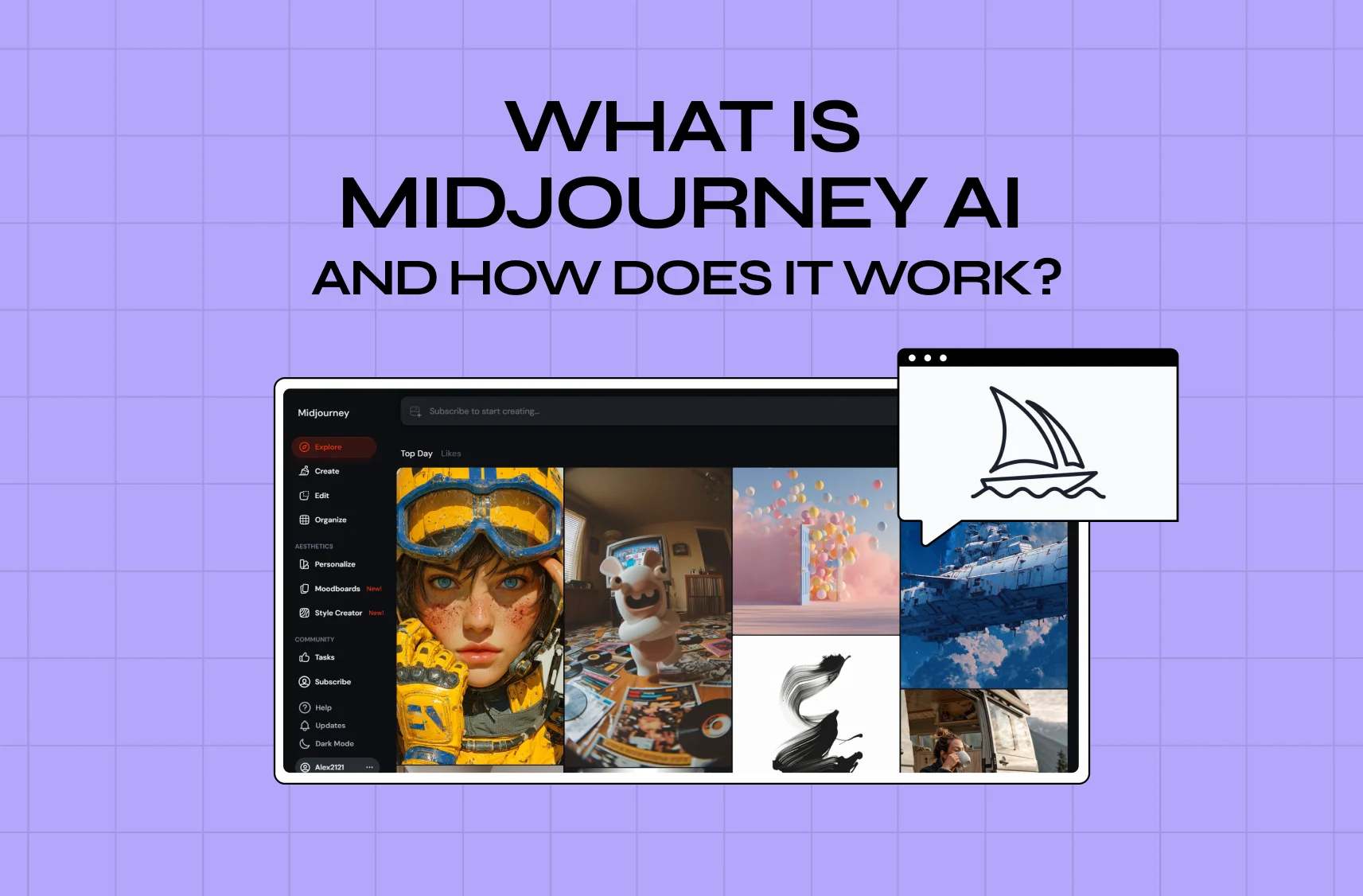
  • Over-relying on defaults. Shipping generic, on-trend AI output that looks like everyone else's, instead of investing the human judgment that creates distinctiveness, undercuts the whole point of building something worth using. The same trap shows up with image generators like Midjourney.

  • Ignoring the strategy layer. Prototyping how before deciding what's worth building just produces a faster route to the wrong thing.

Avoid these and the tools do exactly what they promise: help you learn faster and build better.

Where Groto Fits In

These tools are excellent at compressing the distance between an idea and something you can click through. What they can't do is tell you whether that idea is the right one, whether the flow actually reduces friction for a real user, or whether the visual language will hold up as the product scales. That's the layer we work in.

As a full-stack, AI-first product design studio, we pair the speed of the modern AI toolchain with the research, strategy, and design craft that turns a fast prototype into a product people actually want to use. That is the whole discipline of AI product design, not just the tooling. Whether you've already got an AI-generated first draft you want pressure-tested, or you're starting from a blank page, that's the gap we close.

Conclusion

  • These tools have made it radically faster to turn ideas into something you can see, click, and test.

  • The nine tools above are the strongest options for 2026, split cleanly into design-first and code-first camps.

  • Choose based on what you actually need: a throwaway visual, a running prototype, or a foundation for a real product.

  • The tool is the accelerator. It is not the strategy, the research, or the design judgment that makes a product succeed.

  • If you want to move fast on prototyping and pair it with the strategy and design craft that turn a prototype into a product people love, book a discovery call with Groto.

Have a project in mind?

Let’s talk through your idea and see what makes sense.

Harpreet Singh

Founder at Groto

Have a project in mind?

Let’s talk through your idea and see what makes sense.

Harpreet Singh

Founder at Groto

FAQ

Everything you were going to ask (and a few things you didn’t know to)

What are the 5 stages of prototyping?

Most prototyping processes move through five broad stages: empathizing with the user and defining the problem, sketching low-fidelity concepts, building a mid-fidelity wireframe that maps the flow, developing a high-fidelity interactive prototype, and testing it with real users before handoff to development. AI tools mainly compress the middle stages, generating wireframes and high-fidelity screens quickly, but the research and testing stages still benefit from human involvement.

What's the difference between a prototype and prototyping?

A prototype is the artifact itself: a specific screen, flow, or app you can click through and test. Prototyping is the process of creating, testing, and refining that artifact through multiple rounds. One is a noun, the other is an ongoing practice, and AI tools speed up the artifact-creation part without replacing the iterative process around it.

What are some examples of different types of prototypes?

Prototypes range widely in fidelity and purpose. Paper prototypes are hand-sketched flows used for the earliest concept checks. Low-fidelity digital wireframes map layout and structure without visual polish. Clickable UI prototypes, the kind most design-first AI tools generate, simulate navigation and interaction. Coded prototypes, produced by code-first AI tools, run as functioning software with real logic and data behind them.

What is extreme prototyping?

Extreme prototyping is a web development approach that builds a product in three distinct phases: a static HTML prototype for the UI, a services layer that simulates real data, and finally the fully integrated application. It's mostly used for complex, data-heavy web applications where testing the interface and the data layer separately reduces risk before full integration.

Which AI tools are best for beginners with no design experience?

Uizard, Banani, and Figma Make tend to have the gentlest learning curves, since they rely on plain-language prompts and don't require design system knowledge to get a usable first output. Lovable is a strong option if you want a working app rather than just a visual, since it handles the technical setup for you. Tools with steeper learning curves, like UXPin or fully code-first platforms, are better suited to users with some design or development background already.

How do I create my own prototype using AI?

Start by defining what you're testing, a look and flow, or real functionality, since that decides whether you need a design-first or code-first tool. Write a specific prompt that includes your audience, the core screens or flow you need, and any brand or style references. Generate a first draft, then iterate through the tool's chat or editing interface rather than starting over each time. Once you have something testable, put it in front of real users before treating any part of it as final.

What are the 5 stages of prototyping?

Most prototyping processes move through five broad stages: empathizing with the user and defining the problem, sketching low-fidelity concepts, building a mid-fidelity wireframe that maps the flow, developing a high-fidelity interactive prototype, and testing it with real users before handoff to development. AI tools mainly compress the middle stages, generating wireframes and high-fidelity screens quickly, but the research and testing stages still benefit from human involvement.

What's the difference between a prototype and prototyping?

A prototype is the artifact itself: a specific screen, flow, or app you can click through and test. Prototyping is the process of creating, testing, and refining that artifact through multiple rounds. One is a noun, the other is an ongoing practice, and AI tools speed up the artifact-creation part without replacing the iterative process around it.

What are some examples of different types of prototypes?

Prototypes range widely in fidelity and purpose. Paper prototypes are hand-sketched flows used for the earliest concept checks. Low-fidelity digital wireframes map layout and structure without visual polish. Clickable UI prototypes, the kind most design-first AI tools generate, simulate navigation and interaction. Coded prototypes, produced by code-first AI tools, run as functioning software with real logic and data behind them.

What is extreme prototyping?

Extreme prototyping is a web development approach that builds a product in three distinct phases: a static HTML prototype for the UI, a services layer that simulates real data, and finally the fully integrated application. It's mostly used for complex, data-heavy web applications where testing the interface and the data layer separately reduces risk before full integration.

Which AI tools are best for beginners with no design experience?

Uizard, Banani, and Figma Make tend to have the gentlest learning curves, since they rely on plain-language prompts and don't require design system knowledge to get a usable first output. Lovable is a strong option if you want a working app rather than just a visual, since it handles the technical setup for you. Tools with steeper learning curves, like UXPin or fully code-first platforms, are better suited to users with some design or development background already.

How do I create my own prototype using AI?

Start by defining what you're testing, a look and flow, or real functionality, since that decides whether you need a design-first or code-first tool. Write a specific prompt that includes your audience, the core screens or flow you need, and any brand or style references. Generate a first draft, then iterate through the tool's chat or editing interface rather than starting over each time. Once you have something testable, put it in front of real users before treating any part of it as final.

More Articles

Extreme close-up black and white photograph of a human eye

Let’s bring your vision to life

Tell us what's on your mind? We'll hit you back in 24 hours. No fluff, no delays - just a solid vision to bring your idea to life.

Profile portrait of a man in a white shirt against a light background

Harpreet Singh

Founder and Creative Director

Get in Touch

Extreme close-up black and white photograph of a human eye

Let’s bring your vision to life

Tell us what's on your mind? We'll hit you back in 24 hours. No fluff, no delays - just a solid vision to bring your idea to life.

Profile portrait of a man in a white shirt against a light background

Harpreet Singh

Founder and Creative Director

Get in Touch

Extreme close-up black and white photograph of a human eye

Let’s bring your vision to life

Tell us what's on your mind? We'll hit you back in 24 hours. No fluff, no delays - just a solid vision to bring your idea to life.

Profile portrait of a man in a white shirt against a light background

Harpreet Singh

Founder and Creative Director

Get in Touch