
Generic design brief templates weren't built for AI or SaaS products. This one is. Get a free, copy-paste template for Word, PDF, Google Docs, or Figma, plus the AI-behavior question most templates never think to ask.
The design brief template most AI and SaaS teams actually need. Free, ready to use.
You searched for a design brief template. That usually means one thing: a project kickoff is close, and you don't want to start from a blank page.
Fair. Most templates floating around the internet were built for logos, brochures, and marketing campaigns. They'll get you most of the way there. But an AI or SaaS product asks questions a generic template was never built to answer, and skipping them is how teams end up with a beautifully designed feature that nobody trusts or knows how to use.
This guide gives you a copy-paste template built specifically for AI and SaaS work, plus the one addition that separates a brief that actually works from one that just looks complete. If you want the fuller explainer on what a design brief is and how to write one from scratch, we've covered that in our design brief guide. This piece picks up from there and goes deep on what changes the moment your product includes AI.
TL;DR
A design brief for an AI or SaaS product needs more than the basics. It needs product depth (users, workflows, competitive positioning) and, if there's an AI feature involved, a section on how that AI should behave when it's uncertain or wrong.
Most templates online skip the AI-behavior question entirely. That's exactly the part that decides whether users trust the feature or abandon it.
We've included a full copy-paste template below, ready for Word, PDF, Google Docs, or Figma.
A specific brief gets you work that fits your product on the first try. A vague one gets you rounds of guessing.
Below, we cover what makes an AI/SaaS brief fall apart, and what a strong brief actually buys you once an agency has it in hand.
What Is a Design Brief, Quickly?
A design brief is a short document that tells your design team what you're building, who it's for, what success looks like, and what constraints they're working within. It sits downstream of your UX strategy rather than replacing it, which is why the goals section is hard to fill if that thinking hasn't happened yet. It's the single biggest lever you control over whether a project lands close to the mark on the first try or turns into rounds of guessing and rework.
Where it fits in the wider UX design process is covered separately. Here, we're focused on one thing: what changes when the product you're briefing is AI or SaaS.
Why Isn't a Generic Template Enough for AI and SaaS Products?
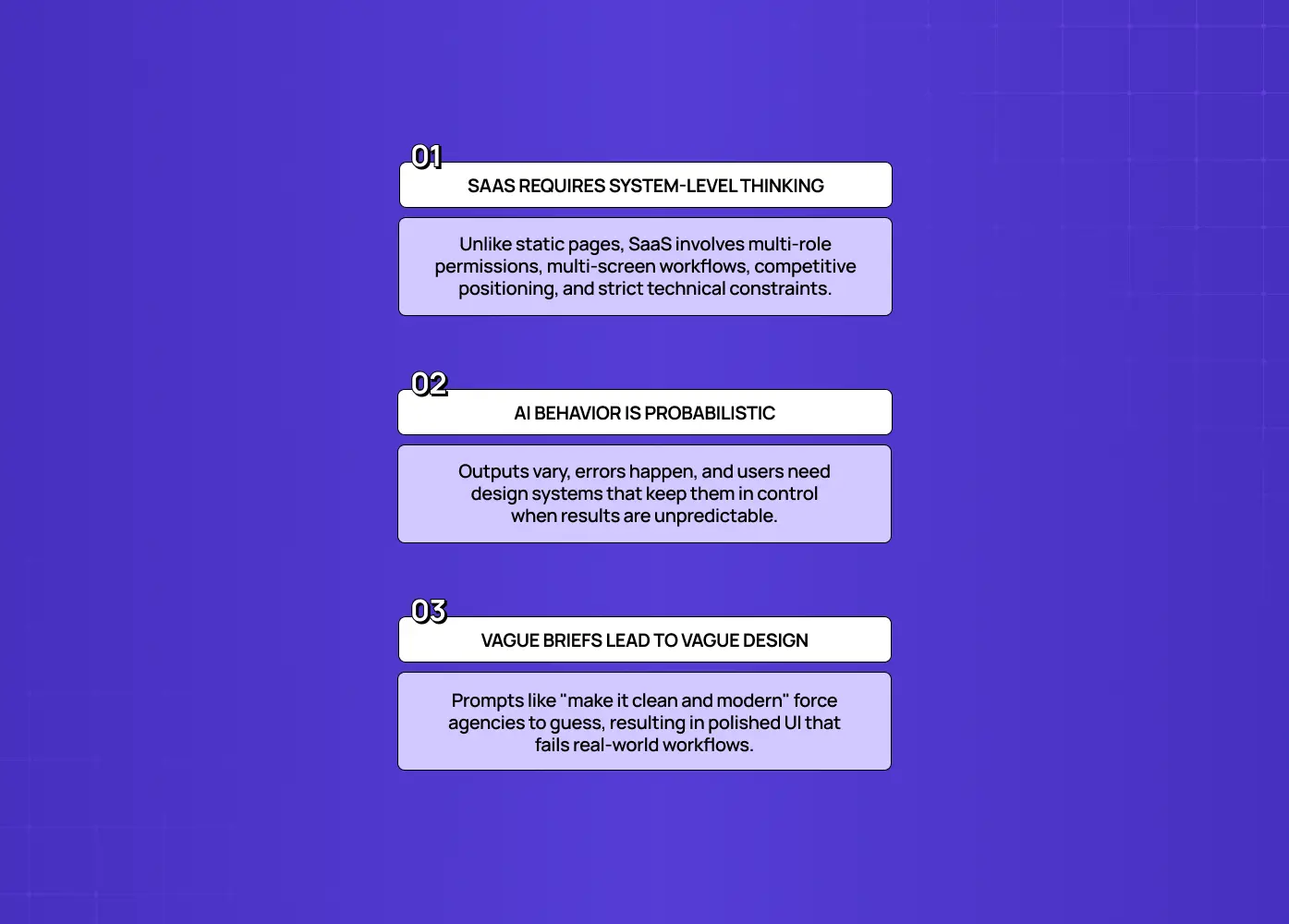
Because a SaaS product isn't a static page. It's an ongoing, complex system with real users, real workflows, and real business logic, and the brief needs to match that. A brochure site never has to account for:
Multiple user roles and permission levels, not just one audience, and UX persona examples are a good gauge of how much detail each role actually needs
Workflows that span several screens and sessions, not a single static page
Competitive positioning against other products actively solving the same problem, which is a design strategy question well before it's a visual one
Technical constraints tied to an existing codebase, API, or design system
Add an AI feature, and there's a layer most briefs miss entirely. The product's behavior is probabilistic. That single fact changes everything downstream:
The same input won't always produce the same output
The AI will sometimes be wrong, uncertain, or misused, and the design has to account for that
Users need a way to stay in control even when they can't predict exactly what the AI will do next
Skip that depth and you'll get design that looks polished but doesn't fit how your product actually behaves. Generic input produces generic output. That's true of any brief, but it's doubly true here. Tell an agency "make it clean and modern," and you've outsourced the decisions that actually matter. What you'll get back is their best guess, not your intent.
The Design Brief Template (Copy and Paste)
Here's a complete, ready-to-use structure for an AI/SaaS product design brief. Fill in each section. Pay close attention to the ones marked [AI], since those are the additions most templates leave out entirely. If you're unsure what belongs under scope or deliverables, what a UI UX agency does breaks down the standard outputs you can reasonably ask for.
This template works as-is in whatever tool you're already using:
Paste it into a design brief template Word doc if your team reviews in Microsoft Word
Drop it into a design brief template Google Docs file for real-time collaborative editing
Use it as a design brief template PDF if you need a static version to send to stakeholders for sign-off
Adapt the fields into a design brief template Figma page or FigJam board if your design team prefers working brief and moodboard together in one file, which is also the easiest place to attach supporting artifacts like UX storyboards for a complex flow
It's free to use. No download gate, no signup. Just copy the structure below.
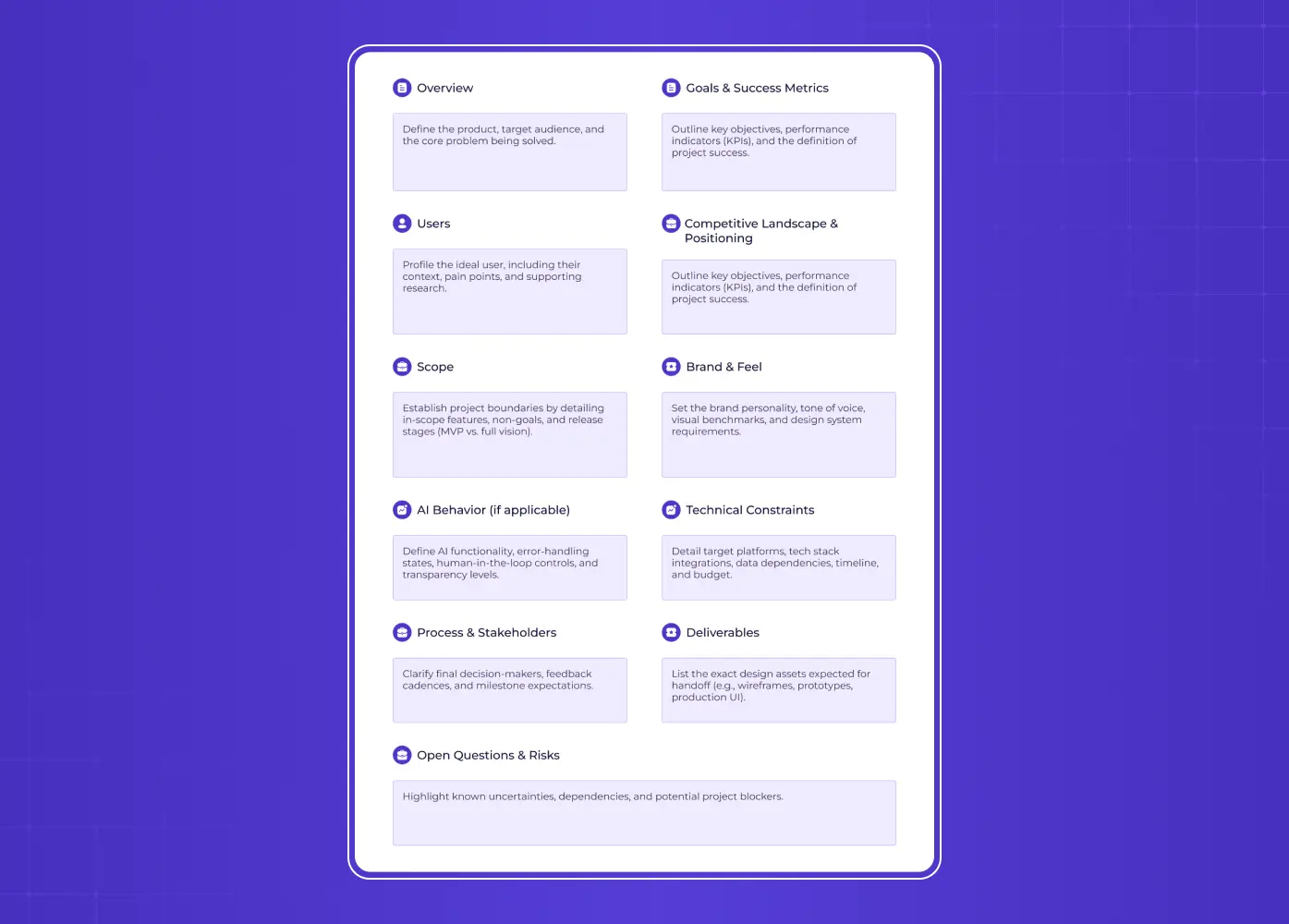
# Design Brief: [Project / Product Name]
## 1. Overview
- What we're building (one paragraph):
- The problem we're solving:
- Who it's for (specific users, not "everyone"):
## 2. Goals & success metrics
- Primary goal / outcome:
- Success metrics (e.g., activation, conversion, retention):
- What "great" looks like:
## 3. Users
- Primary user(s) / ICP:
- Their context, technical level, and pain points:
- Any research or data we can share:
## 4. Competitive landscape & positioning
- Direct competitors:
- Products we admire (and why):
- What to avoid / not look like:
- How we want to be different:
## 5. Scope
- In scope:
- Out of scope / non-goals:
- MVP or full vision?:
## 6. Brand & feel
- Brand personality (3-5 adjectives):
- Voice & tone:
- Existing brand assets / guidelines / design system:
- Look-and-feel references:
## 7. [AI] AI behavior (if applicable)
- What the AI does:
- Expected behavior when uncertain, wrong, or misused:
- Edge cases & error states to design for:
- Where a human stays in the loop / how users stay in control:
- How much to reveal about how it works (transparency):
## 8. Technical constraints
- Platform(s):
- Tech stack & integrations:
- Data sources / requirements:
- Existing components / design system:
- Timeline & budget:
## 9. Process & stakeholders
- Decision-maker(s) with final sign-off:
- Who gives feedback & how often:
- Timeline & key milestones:
- Availability / responsiveness expectations:
## 10. Deliverables
- What we expect to receive (e.g., wireframes, UI, prototype, design system, dev-ready files):
## 11. Open questions & risks
Adapt the depth to your project. A small feature needs less detail than a full product. Section 1 is the one to labour over, since starting from the problem rather than a solution you've already picked is the core of design thinking. But resist the urge to leave sections blank. The blanks are exactly where misunderstandings hide. If the users section is the one you can't fill confidently, an hour of empathy mapping with your support team will get you further than another week of guessing.
What's the Question Generic Templates Always Miss?
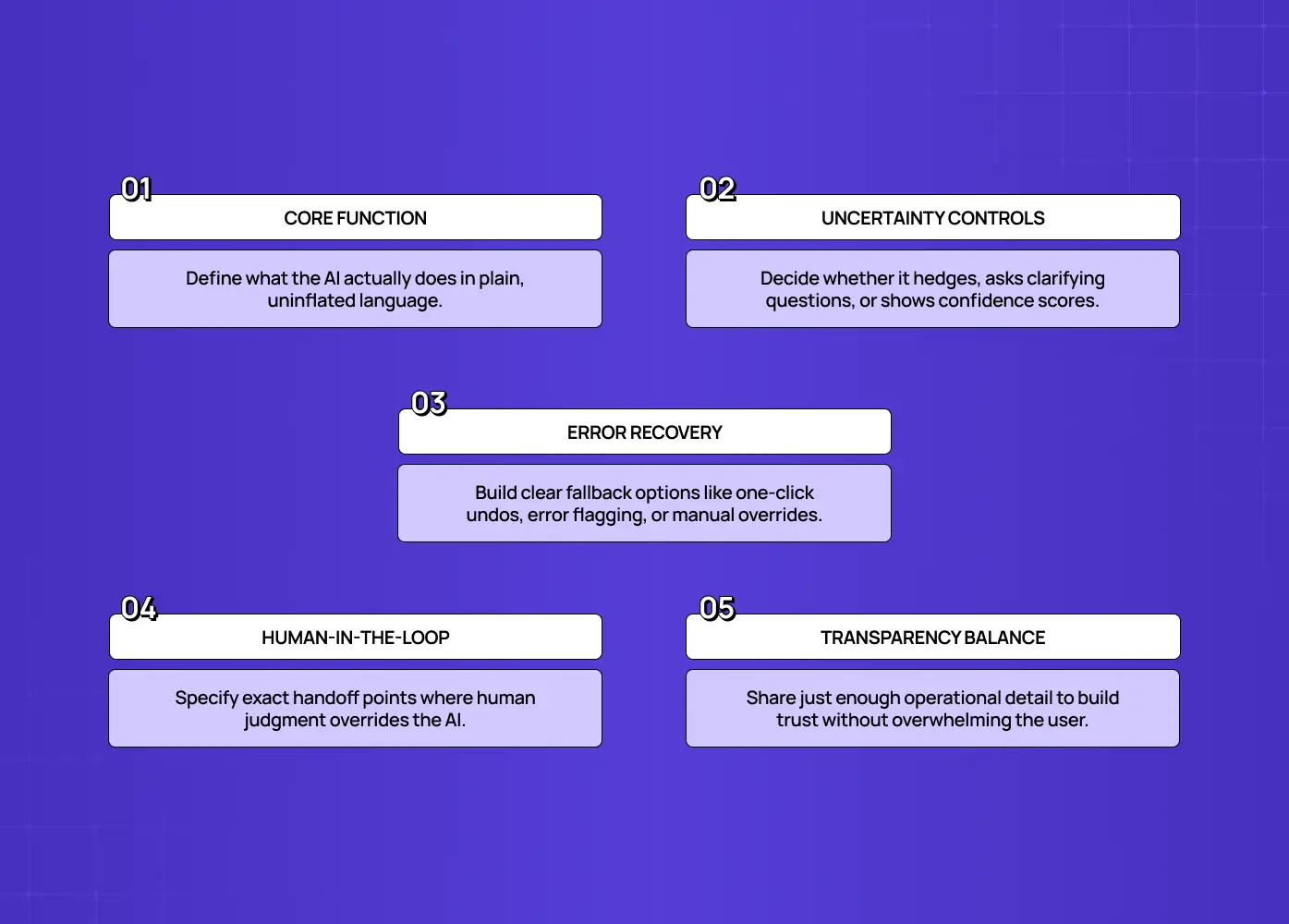
Here it is: what does the AI do, and how should it behave when it's uncertain or wrong?
That's the addition that separates a brief built for AI products from one that was clearly repurposed from a marketing template. Because AI outputs vary, designing for imperfection isn't optional. It's the difference between a feature users trust and one they abandon after the first bad output.
This section of your brief should cover:
What the AI actually does, described in plain language, not marketing language.
How it should handle being uncertain: does it hedge, ask a clarifying question, or show a confidence indicator?
How it should handle being wrong: is there an easy undo, a way to flag the error, a fallback to manual input?
When a human needs to stay in the loop, and what that handoff looks like.
How much to reveal about how the AI works, since over-explaining can erode trust just as easily as under-explaining.
When Groto redesigned Camb.ai's AI dubbing platform, this was the section that shaped almost every screen. A real-time dubbing tool covering 140+ languages doesn't produce perfect output every time. The interface had to make it obvious when a translation needed review, give users an easy way to adjust it, and keep the experience feeling reliable even when the underlying AI wasn't 100 percent certain. None of that comes from a brief that only covers brand colors and page layouts. It comes from naming the AI's failure modes upfront and designing around them.
What Makes an AI/SaaS Brief Fall Apart?
The same mistakes show up again and again, and most of them are avoidable:
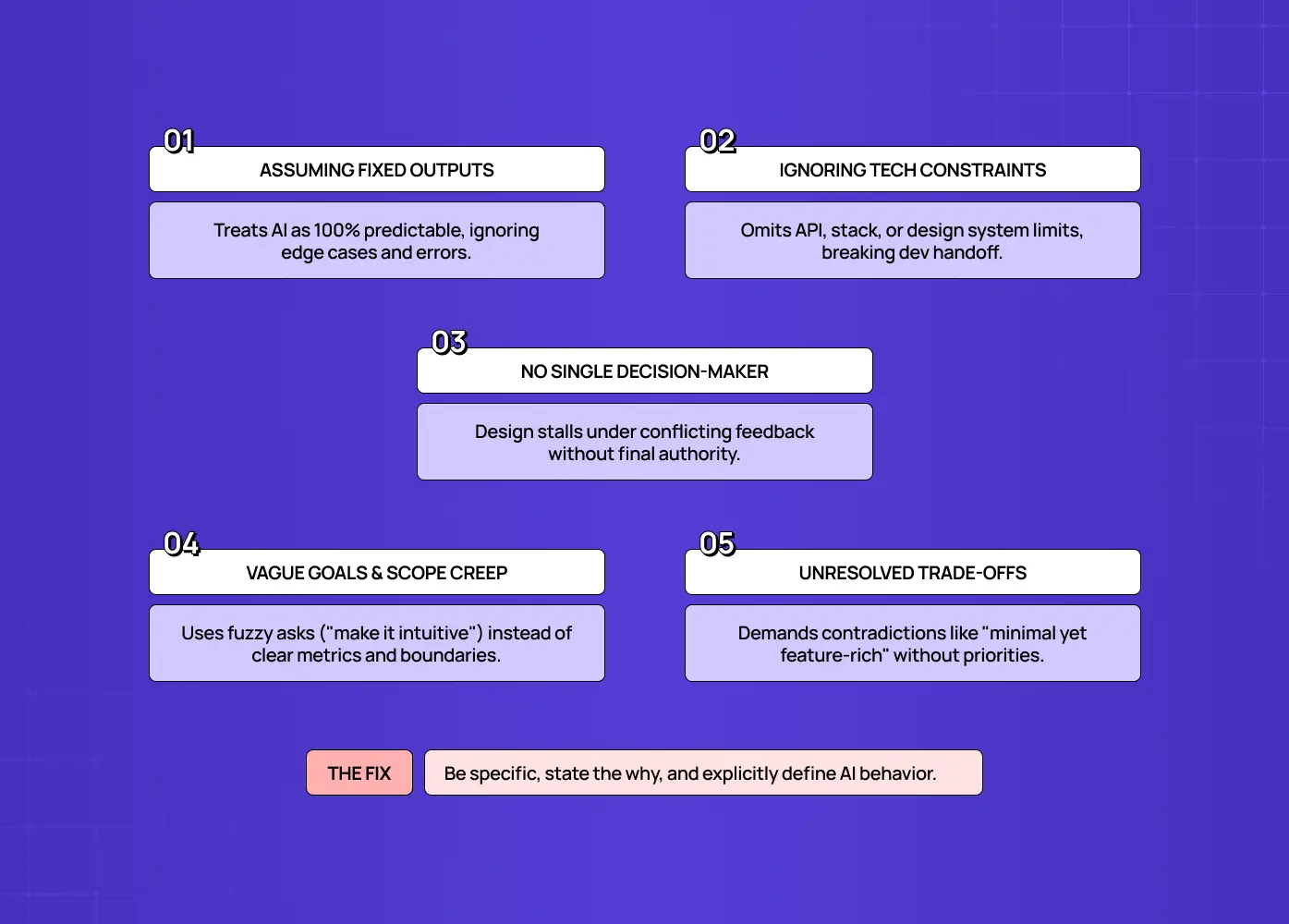
Treating the AI as deterministic. Writing the brief as if the feature will always behave the same way, then being surprised when the design doesn't account for edge cases.
Skipping technical constraints. Beautiful design gets thrown away in development when nobody mentioned the existing tech stack, API limitations, or design system boundaries. Spelling out your design handoff process in the brief prevents most of that waste, since it forces those boundaries into the open early.
No named decision-maker. Feedback comes from five different people with five different opinions, and nothing moves forward because nobody has final sign-off.
Vague success metrics. "Make it feel more intuitive" gives a designer nothing to aim for. "Reduce onboarding drop-off by X" does. If you're not sure which number to name, the standard UX metrics for SaaS are the shortlist to pick from.
Contradictory asks. Wanting the interface to be "minimal but feature-rich" or "playful but enterprise" without acknowledging the tension between the two. Resolving that tension is brand experience design work, and it's cheaper to do before the brief goes out than during revision rounds.
No scope boundaries. Without a clear line on what's in and out, a two-week feature quietly turns into a two-month one. A product design roadmap does the same job at project level, keeping each phase's edges visible rather than negotiable.
The fix for all of these is the same: be specific, explain the why behind each requirement, and don't leave the AI-behavior section blank just because it's the hardest one to fill in.
What Happens After You Send a Strong Brief?
The kickoff changes character entirely. A good agency turns your brief straight into a UX design proposal, so the quality of what comes back tracks the quality of what you sent.
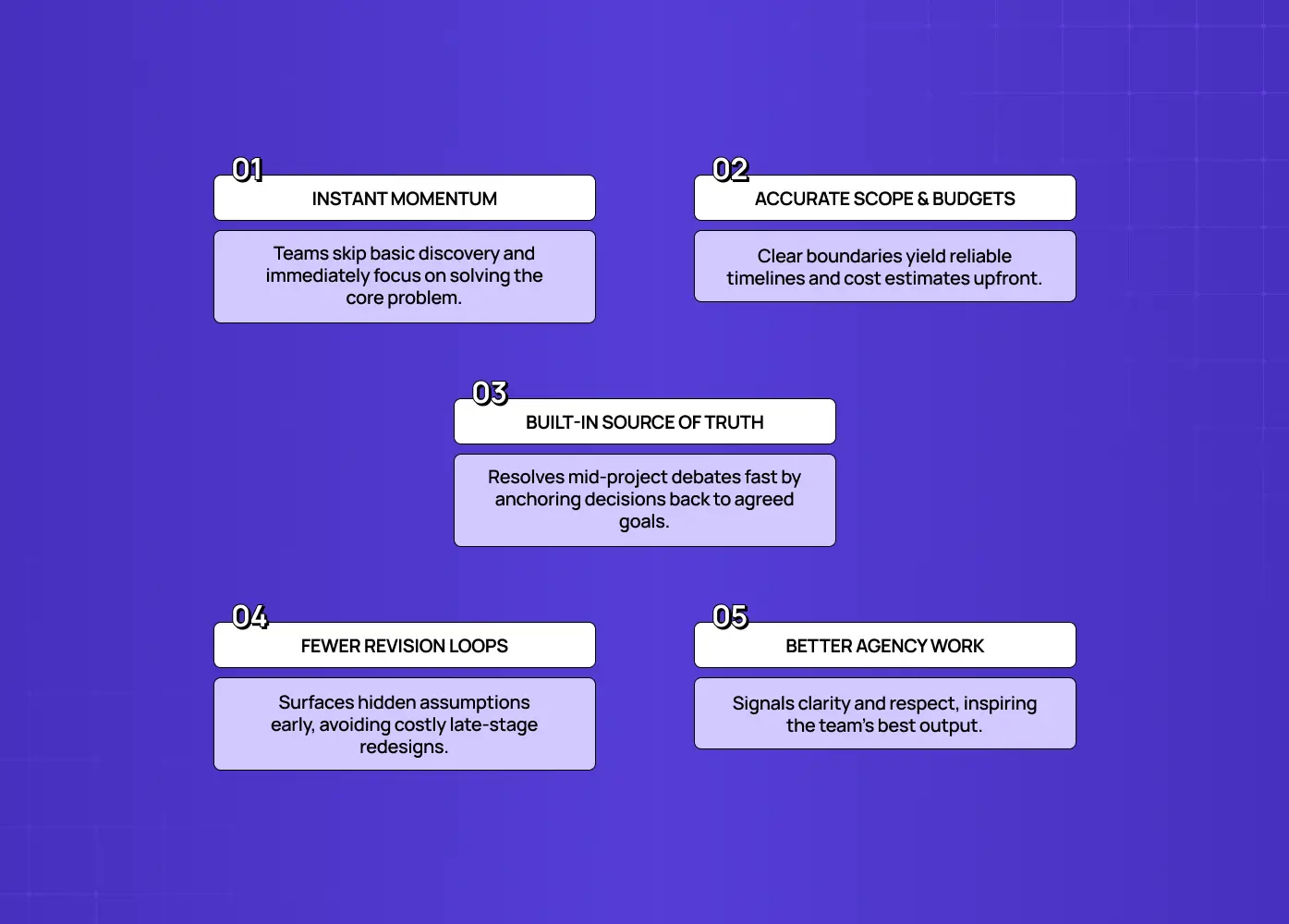
Instead of spending the first weeks extracting basic information about users, goals, and scope, the design team goes straight to the interesting work: interrogating the right problem and pushing your thinking further. If you have existing UX research to attach, include it, since that removes the single biggest unknown before kickoff. A strong brief also buys you:
More accurate estimates and timelines, since the agency can actually see the shape of the work. Going in with a sense of typical agency pricing makes those numbers easier to read when they arrive.
A shared reference point for mid-project debates, since you can point back to the brief instead of relitigating from scratch.
Less back-and-forth overall, because assumptions were surfaced before design started instead of during revision rounds.
There's a relationship benefit too. Agencies do their best work for clients who make it easy to do great work, and a thoughtful brief signals exactly that. It cuts the other way as well, since a good brief makes choosing the right agency easier: the responses you get back are directly comparable. None of this requires a polished document. Even a rough brief that honestly answers the sections above transforms how the project goes.
Conclusion
A design brief template only works if it asks the right questions for your product, and a generic one wasn't built for AI or SaaS complexity.
The AI-behavior section is the single addition most templates skip, and it's usually the one that matters most.
The template above is free to copy into Word, PDF, Google Docs, or Figma, whatever your team already works in.
A specific brief gets you design that fits your product on the first try and saves significant time down the line. Seeing how agencies use a brief internally makes it clearer why that specificity pays for itself.
If you're planning an AI or SaaS product and want a design partner who'll help you sharpen the brief and deliver on it, book a discovery call with Groto. Bring us your answers to the template above, or let us help you find them. We'll turn a clear brief into a product people trust.