Copilot and agent are often treated as interchangeable AI buzzwords, but they demand fundamentally different user experiences. This guide breaks down the core difference, the design principles for each, and how to decide which one your product actually needs.
Copilot or agent? The UX decision that determines whether users trust your AI.

The copilot and agent distinction trips up a lot of product teams before they even open a design file. Both terms get lumped under "AI features," both show up in the same roadmap conversations, and both can be built on the same underlying model. But a copilot and an agent ask completely different things of the person using them, and that difference has to show up in the interface, not just in the marketing copy. Get this wrong early and you end up retrofitting the UX months later, once users have already decided whether they trust the thing.
TL;DR
A copilot is request-response: the human asks, the AI answers, and the human stays in control of every step.
An agent runs a control loop: it takes a goal, plans, acts, evaluates, and iterates, often without approval at each step.
Copilot UX is synchronous and optimizes for a fast, controlled loop. Agent UX is asynchronous and optimizes for visibility and the ability to intervene.
Autonomy is a spectrum, not a binary choice. Most real products blend suggestion, approval-gated action, and full automation across different features.
Build a copilot when a person's judgment needs to be in the loop at each step. Build an agent when the task is well-defined enough to delegate and the payoff is getting time back.
"We're adding AI" now means one of two very different things. Either you're building a copilot, an assistant that sits beside the user and helps them work, or an agent, a system you hand a goal and it goes off and does the work for you. They sound similar, and teams routinely conflate them, but they demand fundamentally different user experiences. Design an agent like a copilot and users won't trust it to act; design a copilot like an agent and you'll take away the control they actually want. Either mistake quietly kills adoption.
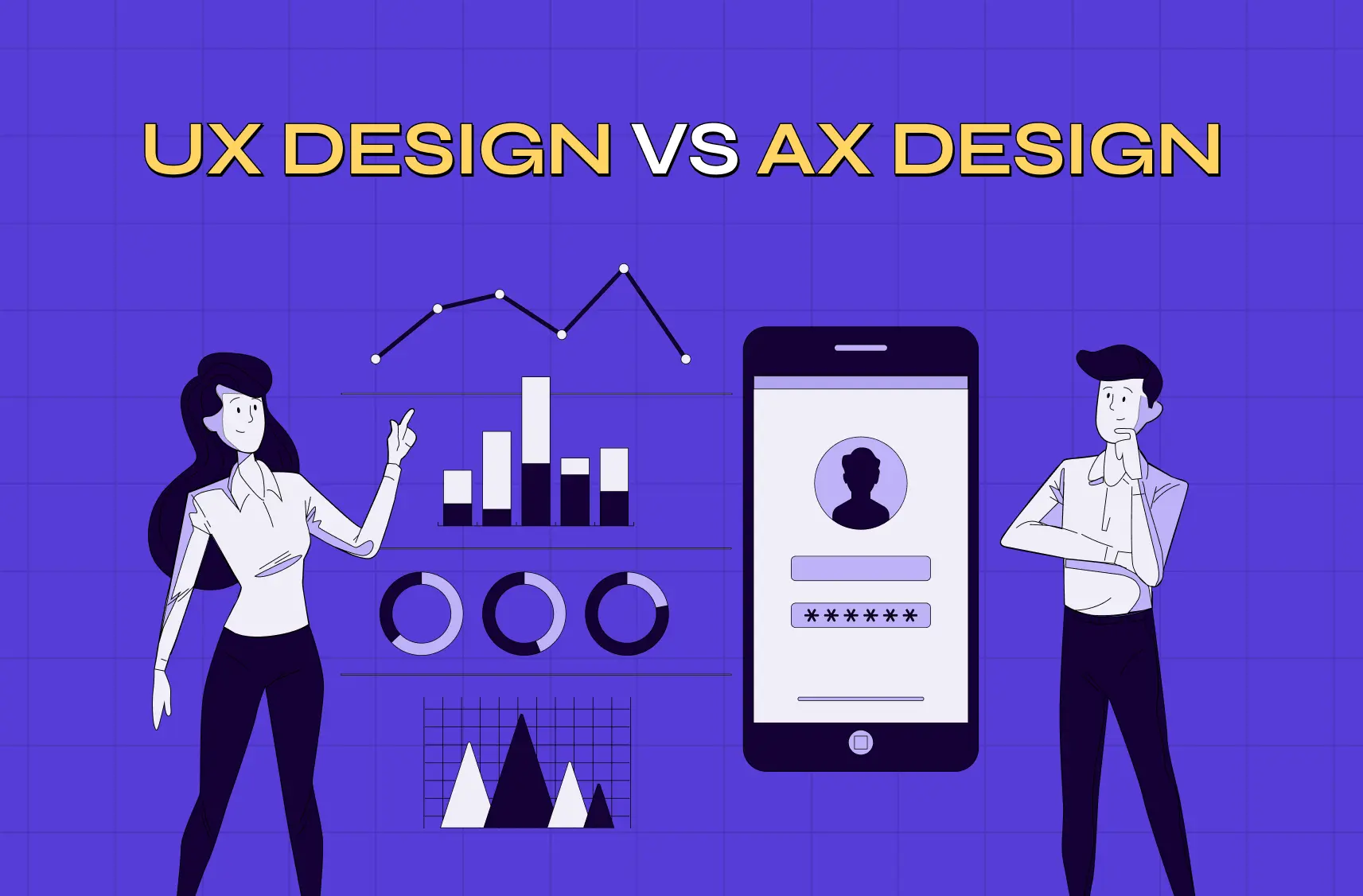
This guide breaks down the copilot and agent split: the core architectural difference, why it forces two different design approaches, the design principles for each, the autonomy spectrum between them, and how to decide which to build. The discipline-level version of the same comparison is covered in AX design vs UX design. If you're an AI product team, PM, or founder shaping an AI feature, this is how to match the experience to what your AI actually does.
Copilot vs. agent: the core difference
A copilot is request-response. The human asks, the AI answers, and the human stays in control. An agent runs a control loop. It receives a goal, plans steps, executes actions, evaluates results, and iterates, often without per-step approval. That's the architectural fault line, and everything about the UX flows from it.
A copilot is a reactive assistant: you prompt it, it suggests or generates, you decide what to do with the output. An agent is a goal-oriented executor: you give it a high-level objective, and it plans, uses tools, coordinates across systems, and completes the task with minimal supervision. That second definition is the whole basis of agentic experience design, which treats delegation rather than direct manipulation as the primary interaction.
Aspects | Copilot | Agent |
Interaction | Request-response (you ask, it answers) | Control loop (goal → plan → act → iterate) |
Control | Human in the driver's seat, every step | Human sets the goal; AI executes |
State | Mostly per-exchange | Maintains state across many actions |
Rhythm | Synchronous, in-the-moment | Asynchronous, over time |
User's job | Direct and decide | Delegate and oversee |
Keep that table in mind. It's the reason the two need different interfaces, even when both are rendering through the same generative UI layer. The difference has to be structural, not cosmetic.
Why copilots and agents need fundamentally different UX
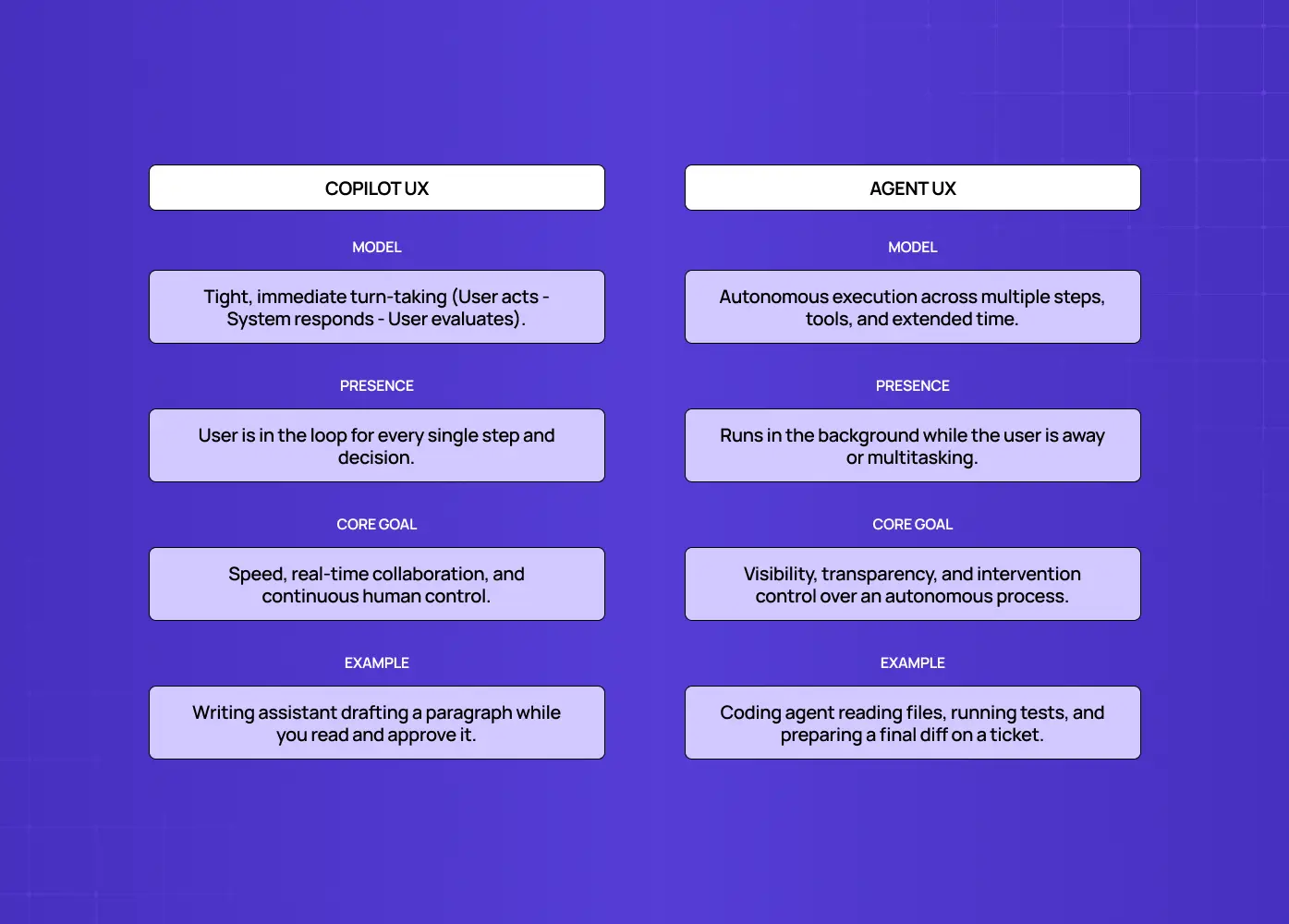
The synchronous loop copilots rely on
Traditional UX assumes a tight loop:
The user acts.
The system responds immediately.
The user sees the result.
The user decides the next action.
It's fast, explicit, and human-controlled at every step, and that's exactly how a copilot works. A writing assistant that drafts a paragraph while you sit there reading it, deciding whether to keep it, is a clean example. You're present for every exchange, evaluating each output before doing anything with it.
The asynchronous loop agents require
Agents break that loop. They operate asynchronously and with real autonomy. An agent might take dozens of steps over minutes or longer, use tools, and make decisions while the user isn't watching. A coding agent that's been handed a ticket might read the codebase, edit six files, run the test suite, and only surface once it has a diff ready. You can't design that like a synchronous chat, because the user isn't in the loop for every step.
Instead of "respond and wait for the next prompt," agent UX has to answer a different set of questions:
What is it doing right now?
Can I see the plan?
Where can I step in?
What did it actually do?
How do I stop it?
Copilot UX optimizes for a fast, controlled loop. Agent UX optimizes for visibility and control over an autonomous process. The agentic UI patterns that answer those five questions are what that second design problem looks like once it becomes actual components. Same underlying AI, completely different design problem.
Copilot UX: design principles
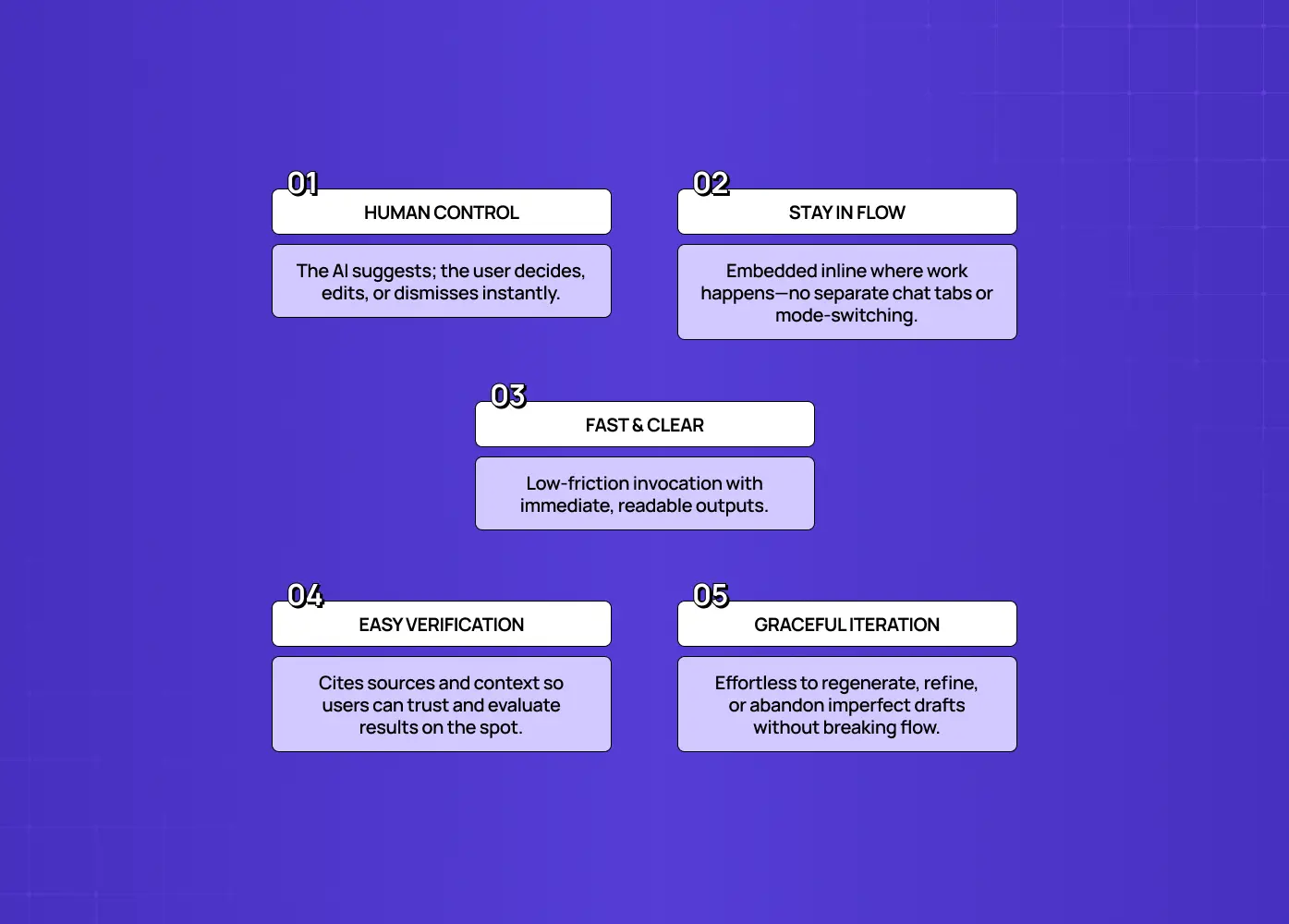
Copilot UX is about augmenting a person in flow, keeping them in control while removing friction from their work. Our fuller treatment of AI copilot design goes deeper on each of the goals below:
Keep the human in the driver's seat. The copilot suggests; the user decides. Make accepting, rejecting, or editing every output effortless. Think of an inline code-completion tool: it proposes the next line, but a single keystroke dismisses it.
Stay in the flow. Surface the assistant where the work happens, inline and in-context, rather than forcing a detour to a separate mode. An analytics copilot that answers questions directly on the same dashboard the user is already viewing beats one that opens a separate chat window.
Make invocation and output fast and legible. The value of a copilot is speed and low friction; a clunky copilot is worse than none.
Build trust through easy verification. Because the user reviews each output before acting, give them what they need to judge it: sources, clarity, the ability to tweak. A copilot that cites which rows of a spreadsheet it pulled a number from is easier to trust than one that just states the number.
Handle the imperfect gracefully. Since output varies, make it trivial to regenerate, refine, or dismiss without derailing the user's task — designing AI error states that feel like a next step, not a dead end.
The north star: the copilot should feel like a fast, capable assistant that makes the user better at their job without ever taking the wheel.
Agent UX: design principles

Agent UX is about delegation with trust, letting the user hand off a goal while staying confident about what the agent is doing and able to intervene. Designing for AI agents covers the underlying model in more depth. Because the user isn't controlling each step, the design has to compensate:
Make goal-setting clear. The user's main input is the objective, so help them specify it well and understand what the agent will (and won't) attempt. A scheduling agent that confirms "I'll book meetings only within your working hours and never double-book" before starting is doing this well.
Show the plan and the progress. Reveal what the agent intends to do and where it is in the process. An opaque agent is an untrusted one. Visibility replaces the moment-to-moment control the user gave up.
Provide intervention points and approval gates. Let users pause, redirect, or approve at critical decision points, especially before consequential or irreversible actions, like sending an email on the user's behalf or deleting records.
Design for asynchronous time. The task runs over time, so handle waiting, notifications, and returning to review results, not a synchronous "type and wait." A research agent that pings the user on Slack once it's done, with a summary attached, respects that the person moved on to other work.
Always give an escape hatch. A clear stop or kill switch and easy undo are non-negotiable. Users delegate only when they know they can take back control.
Close the loop on results. Make it easy to review what the agent did, verify it, and correct it. The review moment is where trust is earned or lost.
The north star: the user should feel safe delegating, because they can always see what's happening and stop or steer it.
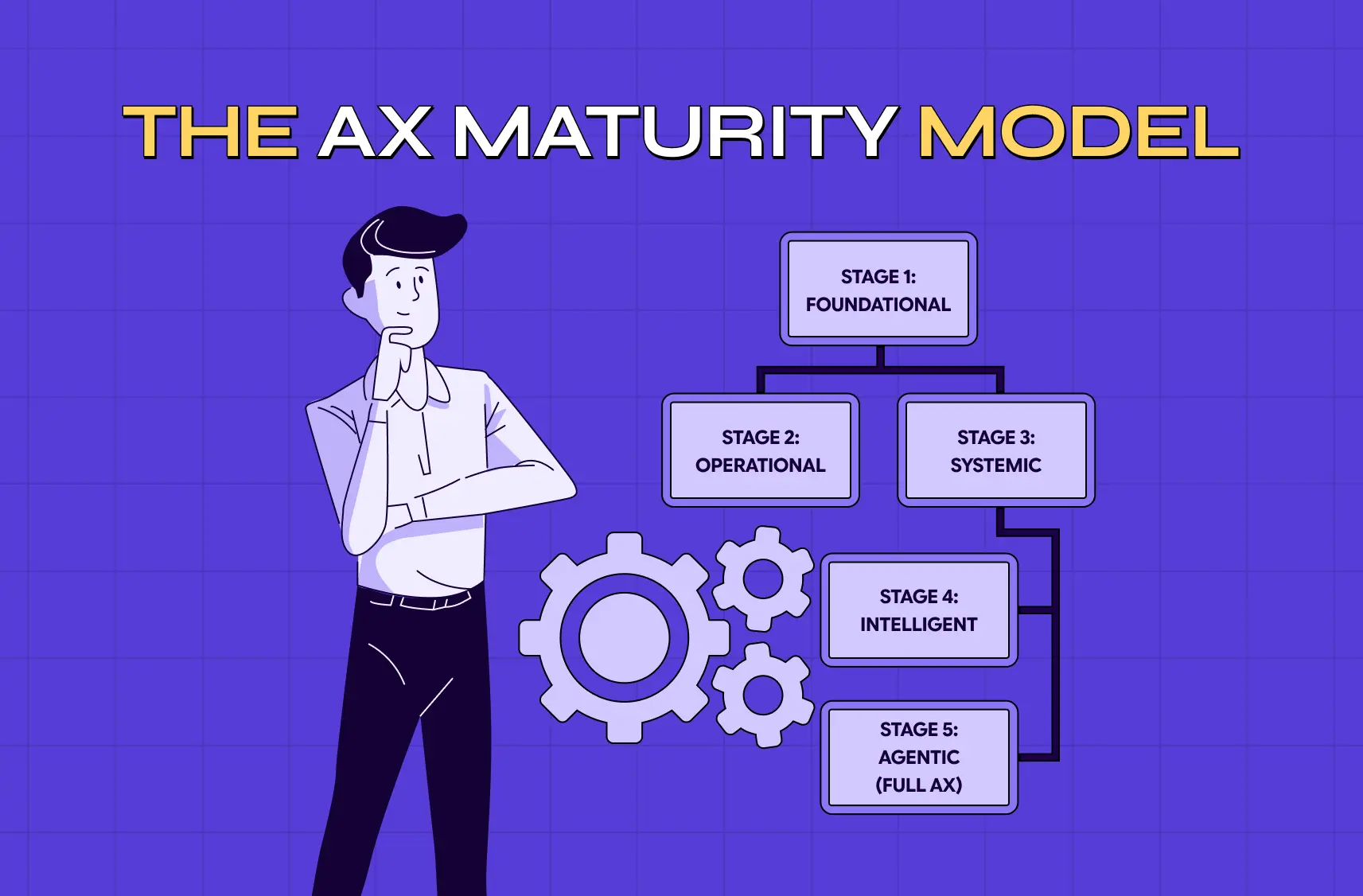
The autonomy spectrum: it's not binary
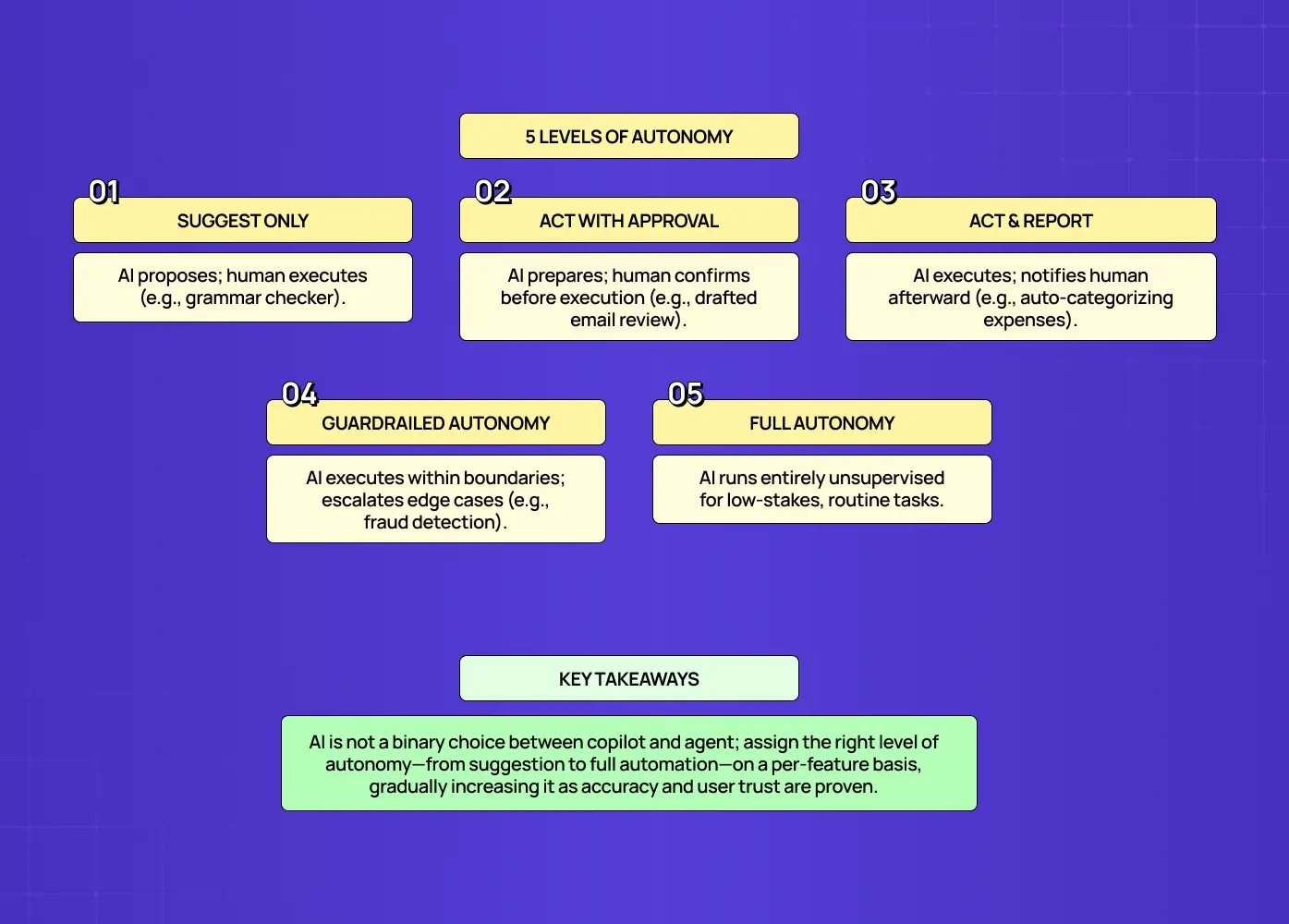
Copilot and agent aren't a strict either-or. Autonomy is a spectrum, and the dominant pattern in 2026 is designing the right level per feature. Framing it as a binary between "human does everything" and "AI does everything" oversimplifies the real design space. It also leaves out a third surface entirely, since UX best practices for AI chatbots describe a conversational layer that can host either behaviour depending on how much it's allowed to do.
Five levels of human involvement
Suggest only. The AI proposes; the human takes every action manually. A grammar checker underlining a phrase is at this level.
Act with approval. The AI prepares the action and waits for a yes before it executes, like a drafted email sitting in outbox for review.
Act and report. The AI takes the action and tells the user afterward, such as auto-categorizing expenses and flagging anything unusual in a weekly summary.
Mostly autonomous with guardrails. The AI acts within defined boundaries and only escalates edge cases, the way a fraud-detection system might auto-block obvious cases and route ambiguous ones to a human.
Fully autonomous. The AI runs the entire loop with no per-instance human involvement, reserved for low-stakes, well-understood, high-volume tasks.
Most real products use several of these at once for different features: a suggestion here, an approval-gated action there, a fully automated routine task elsewhere.
Why this matters in practice
This matters because it lets you ship AI capabilities before the model is accurate enough to run unsupervised. You keep a human in the loop where the stakes or the error rate demand it, and remove them where the AI has earned trust.
Start a feature more copilot-like, with high human control, when you're still validating accuracy.
Increase autonomy toward agent behavior as accuracy and user trust grow.
Reassess the level per feature, not per product. A support-ticket triage feature might graduate to full autonomy long before a refund-processing feature does, even inside the same tool.
Don't think "are we building a copilot or an agent?" so much as "what's the right autonomy level for this action, right now?"
When to build a copilot vs. an agent
Build a copilot when you're augmenting an expert doing focused work that needs their judgment at each step. Build an agent when the user wants a well-defined, multi-step task done for them and delegation saves real time.
A copilot fits creative and analytical work, writing, coding, analysis, where the human wants to stay in control and the AI accelerates them. An agent fits repetitive or multi-step processes the user would rather hand off entirely, where the task is well-scoped enough to delegate and the payoff is getting time back.
Questions to ask before you decide
How much does the user want to control versus delegate for this specific task?
How costly is a mistake, and how accurate is the AI today?
Is the task well-scoped enough that "done correctly" is easy to define?
Would the user rather review each step, or review only the final outcome?
High control needs or high stakes paired with imperfect accuracy point to a copilot, or a low-autonomy agent with approval gates. Worth understanding why copilot UX goes wrong before defaulting to one, since a badly built copilot is often what pushes teams toward an agent for the wrong reasons. Confident accuracy on a well-defined task points to an agent. And remember you can offer both. Many products let users work with the AI as a copilot and also hand off to it as an agent, depending on the moment.
Copilot and agent UX in the wild
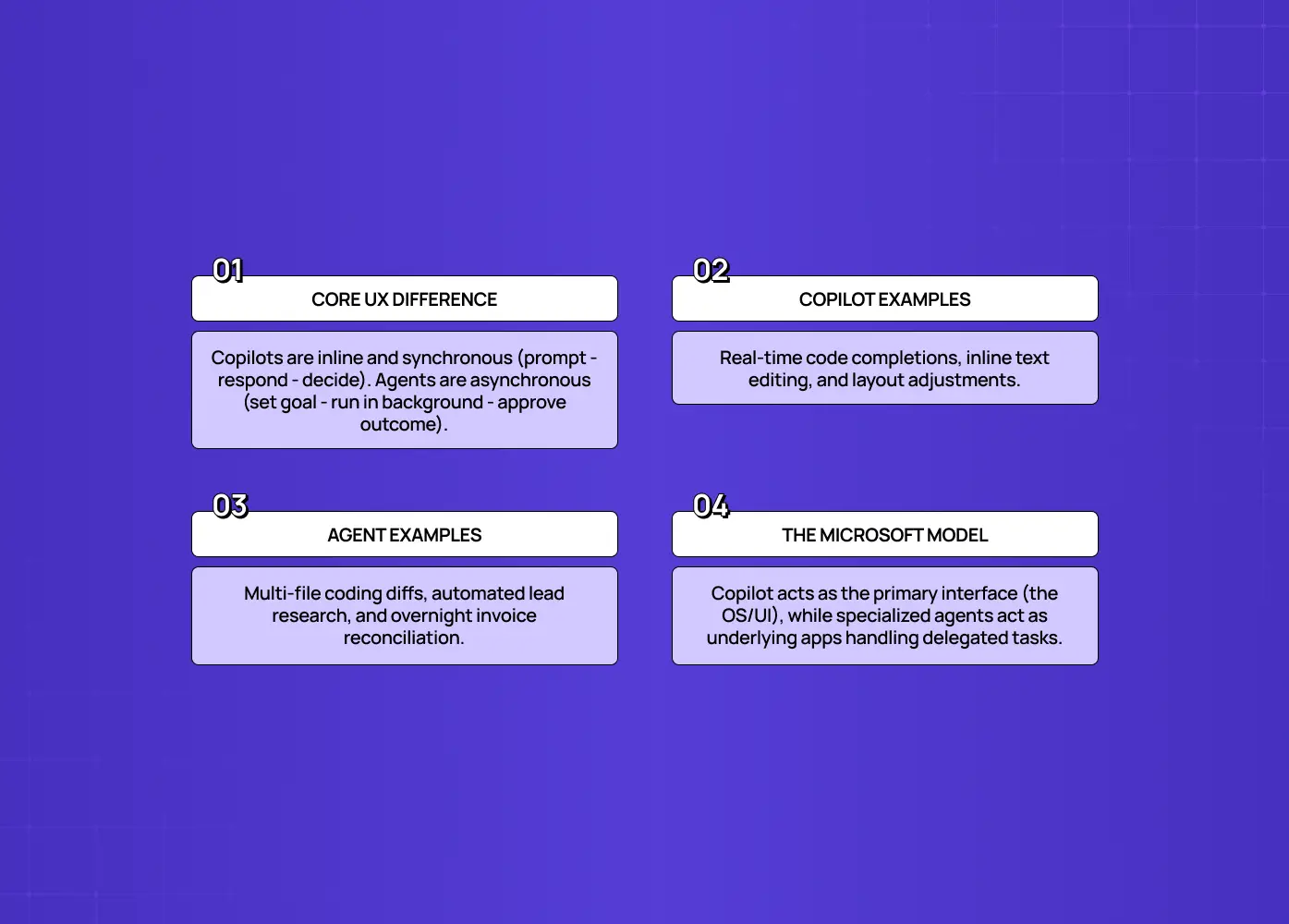
The distinction gets concrete when you look at products you know. Notice the UX tells: copilots live inline and synchronous, optimized for fast accept or reject. Agents get a goal input, a progress view, and a review or approve moment, optimized for oversight of an autonomous run.
Classic copilots
An in-editor coding assistant that suggests the next line while you stay in control of the code.
A writing assistant that drafts a paragraph you accept, edit, or reject.
An analytics assistant that answers a question when you ask, without acting on the data itself.
A design tool's layout suggestion feature that proposes an alignment fix you can accept with one click or ignore entirely.
In all of them, you prompt, it responds, you decide. The synchronous loop.
Classic agents
A system you task with "research these ten companies and draft outreach," which then plans, browses, and works through the list while you do something else.
A coding agent you hand a ticket to that edits multiple files and runs tests before showing you a diff to approve.
A finance-ops agent that reconciles invoices against purchase orders overnight and only flags the mismatches for a human to resolve in the morning.
There, you set a goal and review the outcome, not each step.
How Microsoft frames copilots and agents
Microsoft frames this differently, and the difference is instructive. Microsoft positions the copilot as the interface and agents as the specialized tools that run inside it, describing agents as "the apps of the AI era, with the copilot as the interface" (source). In that model, Microsoft 365 Copilot ships with specialized agents built for specific jobs, such as Copilot for Sales, Copilot for Service, and Copilot for Finance, each one a narrower, more autonomous worker that the copilot interface calls on. It's a helpful reminder that "agent" doesn't always mean "fully autonomous rival to the copilot." Sometimes it means a specialized capability the copilot delegates to.
Safety and trust: the non-negotiables for agents
The more autonomy you grant, the more the UX has to invest in safety and trust, because that's what makes delegation acceptable. Agent failures in the wild almost always trace back to teams that deployed autonomy without these mechanisms.
Approval gates before consequential or irreversible actions, such as sending communications, deleting data, or moving money.
Output validation before an action takes effect, not just after.
Clear boundaries on what the agent can and can't do, stated plainly to the user up front — the same plain-language transparency AI Act disclosure rules now require for higher-risk systems.A visible, always-available way to stop it, mid-task, not buried in settings.
These aren't friction to minimize away. They're the features that let a user trust an agent with real work. They sit alongside the wider AI-driven UX practices teams are standardising on in 2026, rather than being unique to agents. Copilots need less of this because the human is validating each step already; agents need it precisely because they're not.
Common mistakes in copilot and agent UX
Most copilot and agent UX failures come from mismatching the interface to the AI's actual autonomy. They recur across the broader catalogue of AI UX design mistakes, and almost all of them trace back to the wrong control model rather than a weak one.
Building an agent but designing it like a copilot. Burying an autonomous, multi-step capability in a chat box with no plan view, no progress, and no approval gates, so users can't tell what it's doing and won't trust it to act.
Turning a copilot into an agent. Automating away control the user actually wanted, so they feel the tool is doing things behind their back.
Granting too much autonomy too soon. Shipping an agent that acts unsupervised before its accuracy earns that trust, and before the guardrails exist.
Hiding the AI's reasoning and actions. Treating transparency as optional when it's the foundation of trust for anything autonomous.
Picking one mode for the whole product. Instead of tuning autonomy per feature, teams force everything into a single interaction model.
The through-line: design the experience for how much the AI actually decides and does, not for how impressive it sounds in a demo.
Conclusion
Copilot and agent are two different products wearing the same "AI" label, and they demand two different user experiences.
A copilot keeps the human in control through a fast, synchronous loop and earns trust through easy verification.
An agent takes the wheel on a goal and earns trust through visibility, intervention points, and a reliable stop button.
Most products land somewhere on the autonomy spectrum between them, and the winning move is designing the right level of control for each feature, not forcing everything into one mold.
Match the UX to what your AI actually does, and users will both trust it and use it.
If you're building an AI product, copilot, agent, or a blend, and want a design partner who knows how to make each trustworthy and adopted, book a discovery call with Groto. Our AI product design services cover exactly this: giving users the right balance of control and delegation, so your AI gets used. Let's design yours right.