AI Product Design: A Practical Guide to Building Products People Trust

AI Product Design: A Practical Guide to Building Products People Trust

A practical guide to AI product design: the principles, real examples, and mistakes to avoid when you're designing a product that has AI built in.

AI Product Design: A Practical Guide to Building Products People Trust

AI Product Design: A Practical Guide to Building Products People Trust

A practical guide to AI product design: the principles, real examples, and mistakes to avoid when you're designing a product that has AI built in.

We've spent the last few years designing products that have AI built into them, and we keep coming back to the same lesson: trust matters more than capability. Here's how we think about it, with real examples.

What changes when your product has to think, decide, and sometimes get it wrong.

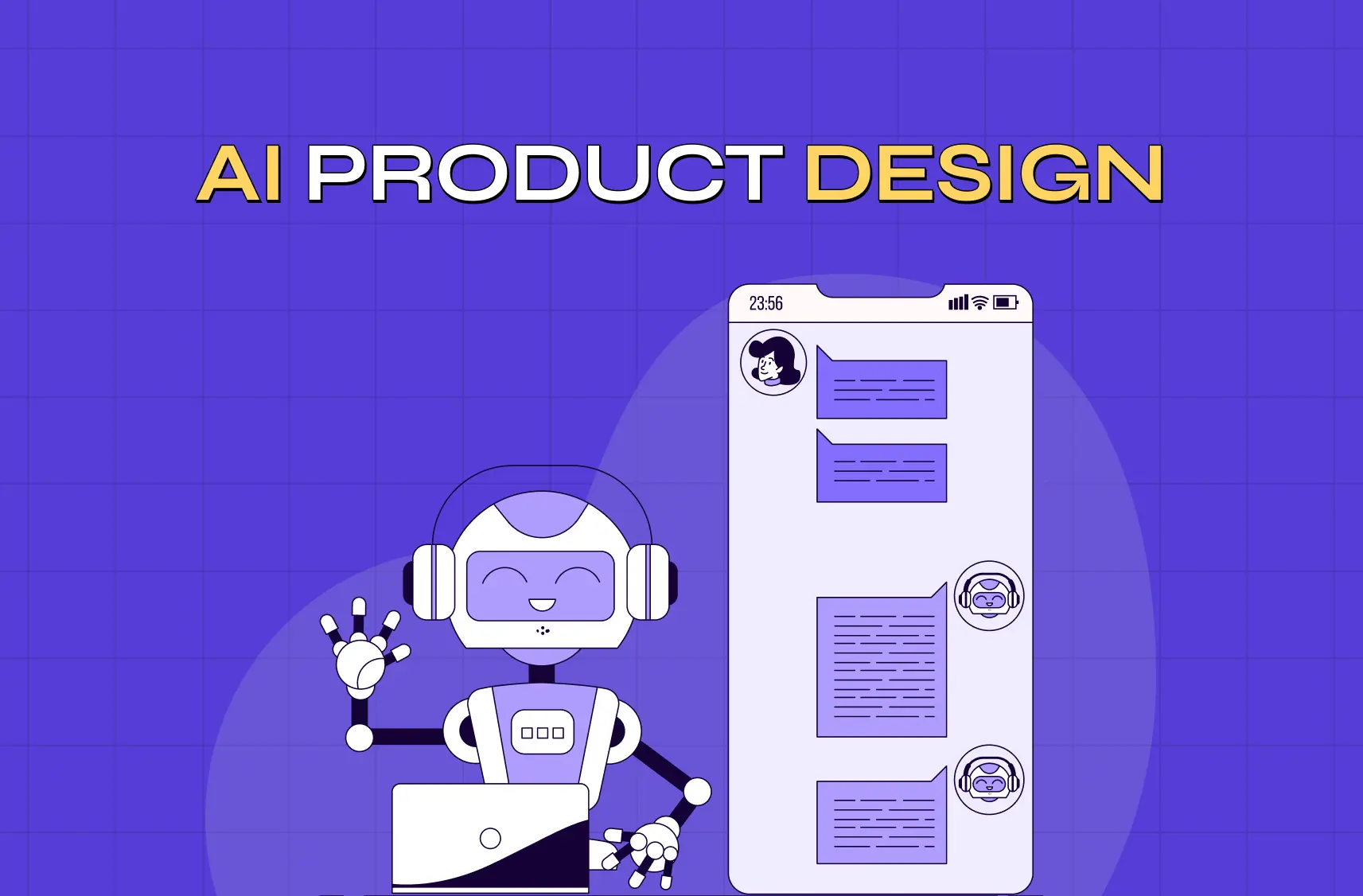
Illustration of a friendly AI assistant interacting through a mobile chat interface, representing conversational AI and human-AI collaboration.

TL;DR

  • AI product design is the practice of designing a product that has AI inside it, not just using AI tools to speed up design work.

  • The core shift is trust. When outputs are unpredictable, your job as a designer is to make the system feel dependable anyway.

  • We break this down into six working principles: designing for trust, explainability, visible uncertainty, graceful failure, human oversight, and personalization without creepiness.

  • We've applied these principles on real products, including an AI hiring platform and a PR-first AI tool, and we share what we learned.

  • At the end, we answer six of the most common questions founders and teams ask us about this space.

What Is AI Product Design, Really?

There's some confusion around this term, and we want to clear it up before we go further.

Most content online treats "AI in product design" as a workflow question. Which AI tool should a designer use to research faster, sketch faster, or prototype faster. That's a real and useful conversation, and we cover how teams use agentic AI for faster UX workflows separately, but it's not what we're covering here.

We're talking about something else: what happens when the product you're designing has AI built into it. A recommendation engine, an AI assistant, an automated hiring tool, a chatbot that answers real customer questions. The moment AI becomes part of what your users interact with, the rules of good design shift.

That shift is what we focus on at Groto. It's less about the tools in your toolbox and more about the decisions you make, on top of the usual digital product design principles, when your product doesn't always behave the same way twice.

Why This Kind of Product Design Is Different

Traditional interfaces are predictable. A button does the same thing every time. A form validates the same way every time. Users build trust through repetition. Understanding how AI is transforming UX starts with seeing why that predictability breaks down.

AI-powered products break that pattern. The same prompt can return a different answer. A model can be right nine times and wrong on the tenth. That gap between AI UX vs traditional UX is exactly what a designer now has to account for. And most users have no idea why the system did what it did.

This changes what a designer is responsible for:

  • You're no longer just designing screens. You're designing for confidence in a system that isn't always consistent.

  • You have to account for wrong answers, not just correct ones.

  • Users need a way to understand what the system is doing, even in simple terms.

  • Feedback loops matter more, because AI-powered features improve (or get abandoned) based on how users respond to them.

None of this means AI products need to feel complicated. In our experience, the products that succeed are the ones that make all of this invisible to the end user while the design team handles it in the background.

Core Principles We Follow
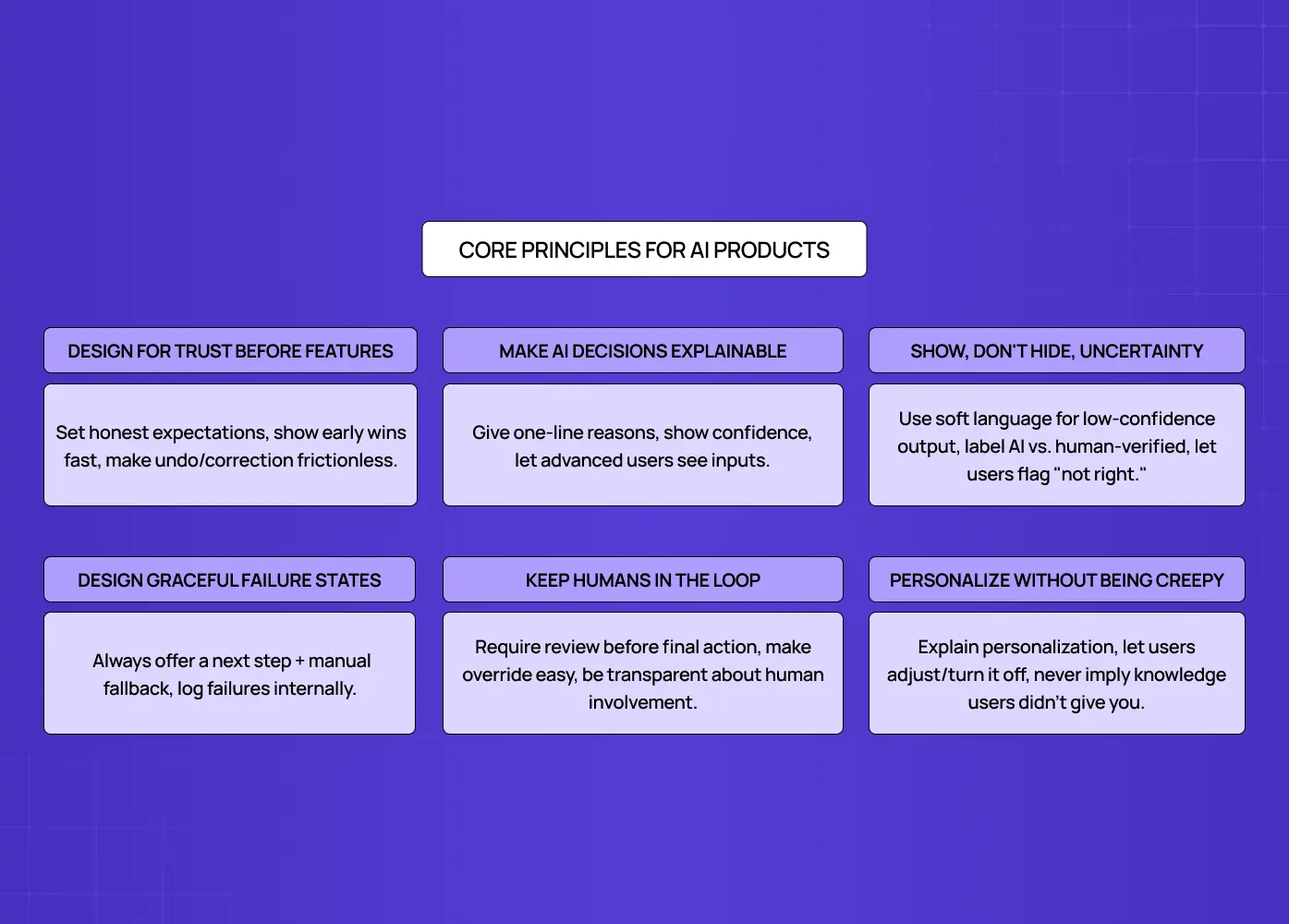
Infographic outlining six core principles for designing AI products, including trust, explainability, transparency, human oversight, graceful failures, and ethical personalization.

These are the six principles we come back to on almost every AI-powered project we take on, and they sit at the core of the broader AI-driven UX practices we rely on.

1. Design for Trust Before Features

It's tempting to lead with what the AI can do. Resist that. Before someone cares about capability, they need to believe the product won't embarrass them, mislead them, or waste their time.

In practice, this means:

  • Setting honest expectations upfront, instead of overselling what the AI can do.

  • Showing early wins quickly, so trust builds before the first mistake happens.

  • Making it easy to undo or correct an AI decision without friction.

2. Make AI Decisions Explainable

If a user can't tell why the product recommended, flagged, or generated something, they will eventually stop trusting it, even if the output was correct.

Simple explainability patterns go a long way:

  • A one-line reason next to a recommendation ("Suggested because you viewed similar items").

  • Confidence indicators when the system itself isn't fully sure.

  • A way to view the inputs that shaped an output, for more advanced users.

3. Show, Don't Hide, Uncertainty

Many teams try to hide the fact that AI output can be wrong. We think that's backwards. Hiding uncertainty just means users find out the hard way.

Good uncertainty design looks like:

  • Soft language for lower-confidence outputs ("This might be a match" instead of a flat statement).

  • Clear labeling when content is AI-generated versus human-verified.

  • Room in the interface for a user to say "this isn't right" without it feeling like a dead end.

4. Design Graceful Failure States

AI will fail. The product's job is to fail in a way that doesn't feel broken.

  • Give the user a next step, not just an error message.

  • Offer a manual fallback wherever possible.

  • Log and surface failures internally, so your team can actually see the patterns, not just the user's frustration.

5. Keep Humans in the Loop

The strongest AI-powered products we've worked on treat AI as a collaborator, not an autopilot, which is increasingly what designing for AI agents is all about. This is especially true for anything with real consequences, like hiring decisions, medical information, or financial guidance.

  • Let users review before an AI action is final.

  • Make override easy, not buried three menus deep.

  • Be transparent about where a human is and isn't involved.

6. Personalize Without Being Creepy

AI makes deep personalization possible, but there's a line. Cross it, and users feel watched instead of helped.

  • Explain why the product is showing something personalized.

  • Give users a way to adjust or turn off personalization.

  • Avoid personalization that implies you know more about the user than they've actually told you.

The AI onboarding playbook top teams use to boost activation.

Reduce first-session confusion, speed up time-to-value, and build user trust, built from real onboarding audits of AI products.

No Spam. Free Lifetime

The AI onboarding playbook top teams use to boost activation.

Reduce first-session confusion, speed up time-to-value, and build user trust, built from real onboarding audits of AI products.

No Spam. Free Lifetime

AI Product Design Examples From Real Products

Principles are easier to trust when you can see them applied. Here are two projects from our own work where these ideas shaped the outcome.

Pathways, an AI-powered B2B hiring platform
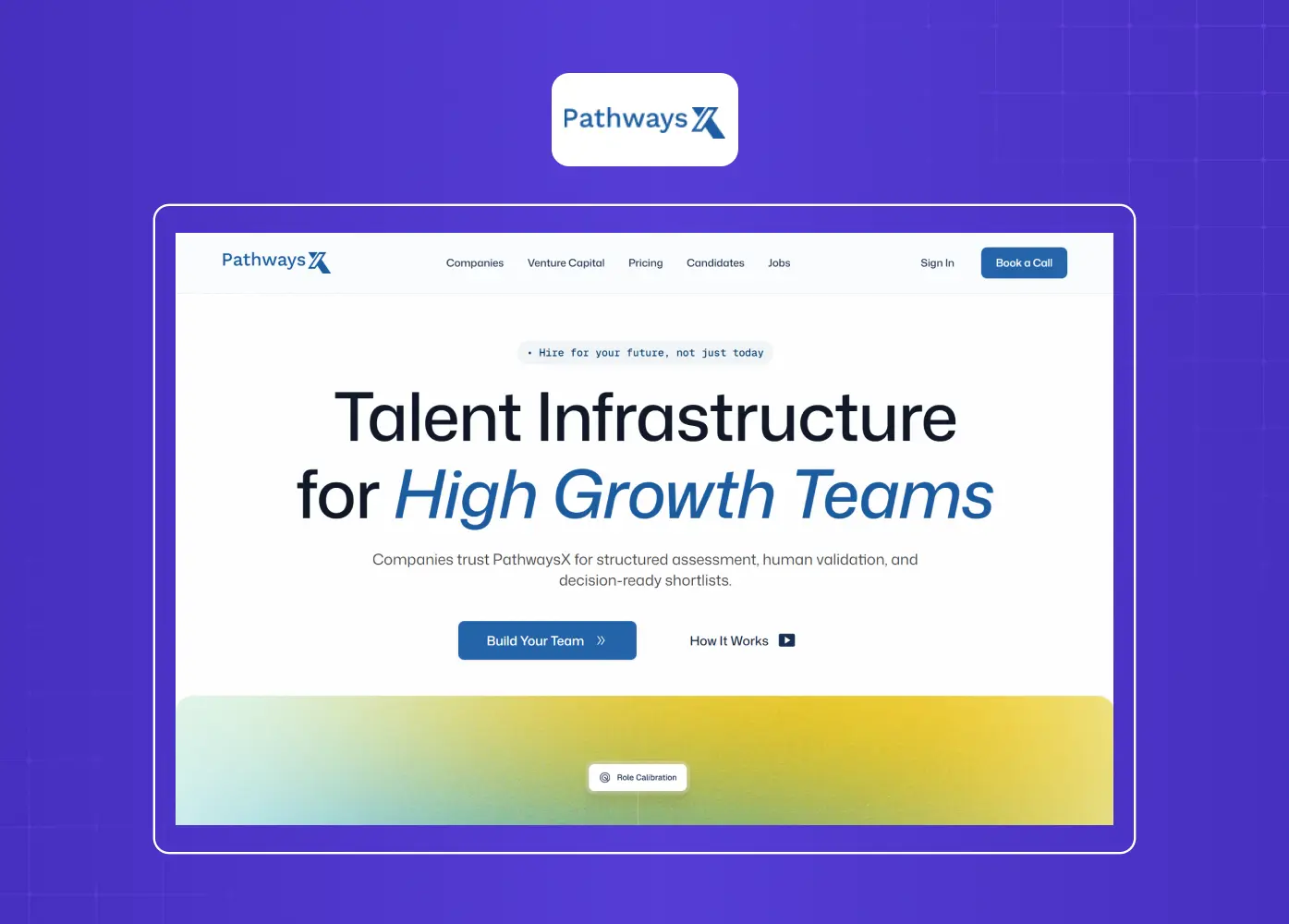
Screenshot of the PathwaysX homepage showcasing its talent infrastructure platform designed for hiring and workforce assessment.

We built Pathways from scratch around personality-based assessments instead of resume-matching alone. The challenge was making an AI-driven hiring decision feel fair and understandable to both recruiters and candidates. We leaned on explainability and human-in-the-loop review so that no one felt like they were being scored by a black box.

Barista, a PR-first AI tool
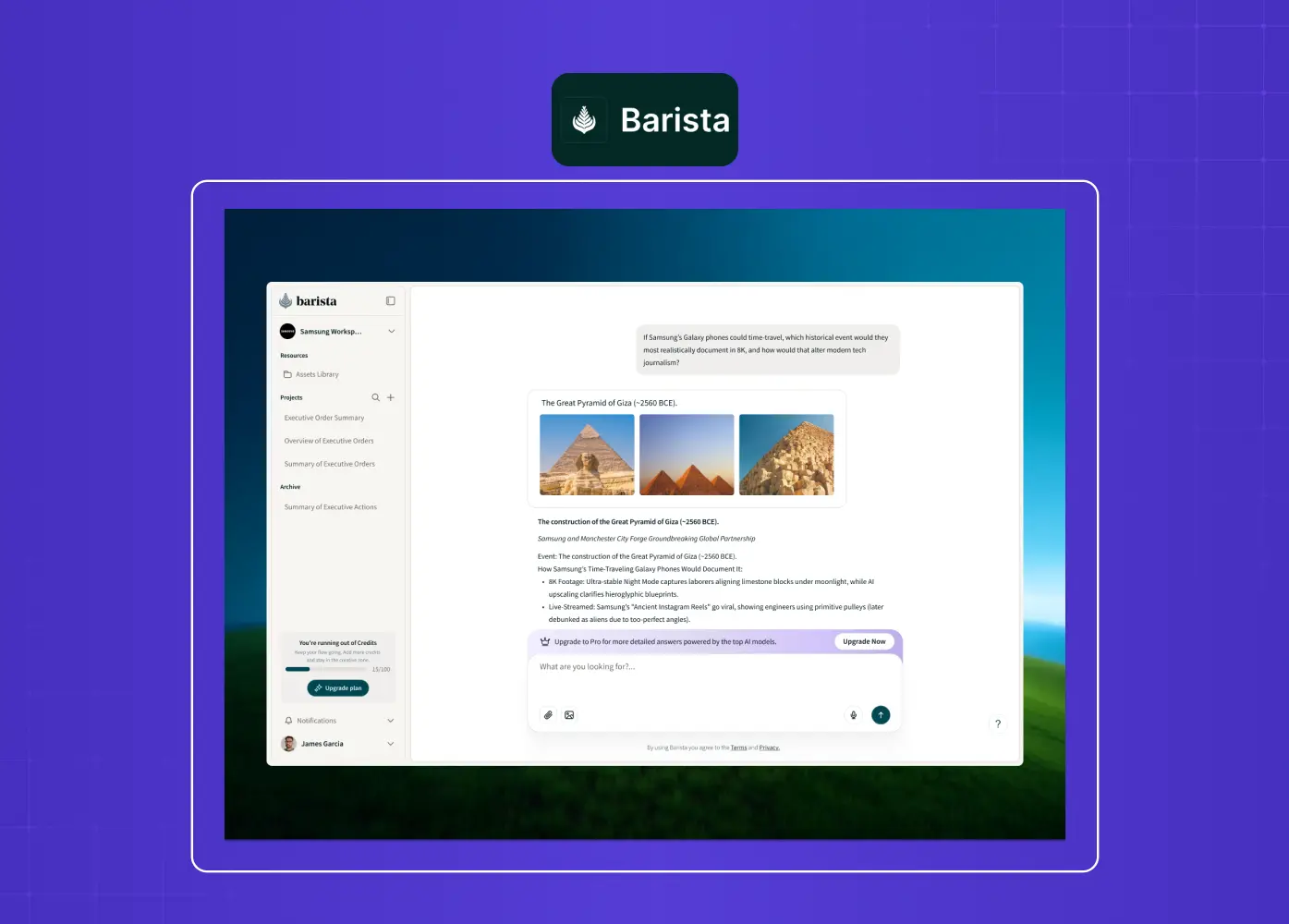
Screenshot of the Barista AI platform featuring a chat-based workspace for creating and managing PR content with AI assistance.

Barista's core promise was to feel like a teammate, not a piece of software. We redesigned it around clearer workflows and smarter collaboration, so PR teams could move faster across multiple clients without losing track of who approved what. The AI supported the work, but the humans stayed clearly in control of it.

Beyond our own work, a few well-known products show what mastering AI-driven design looks like at scale.

Duolingo Max
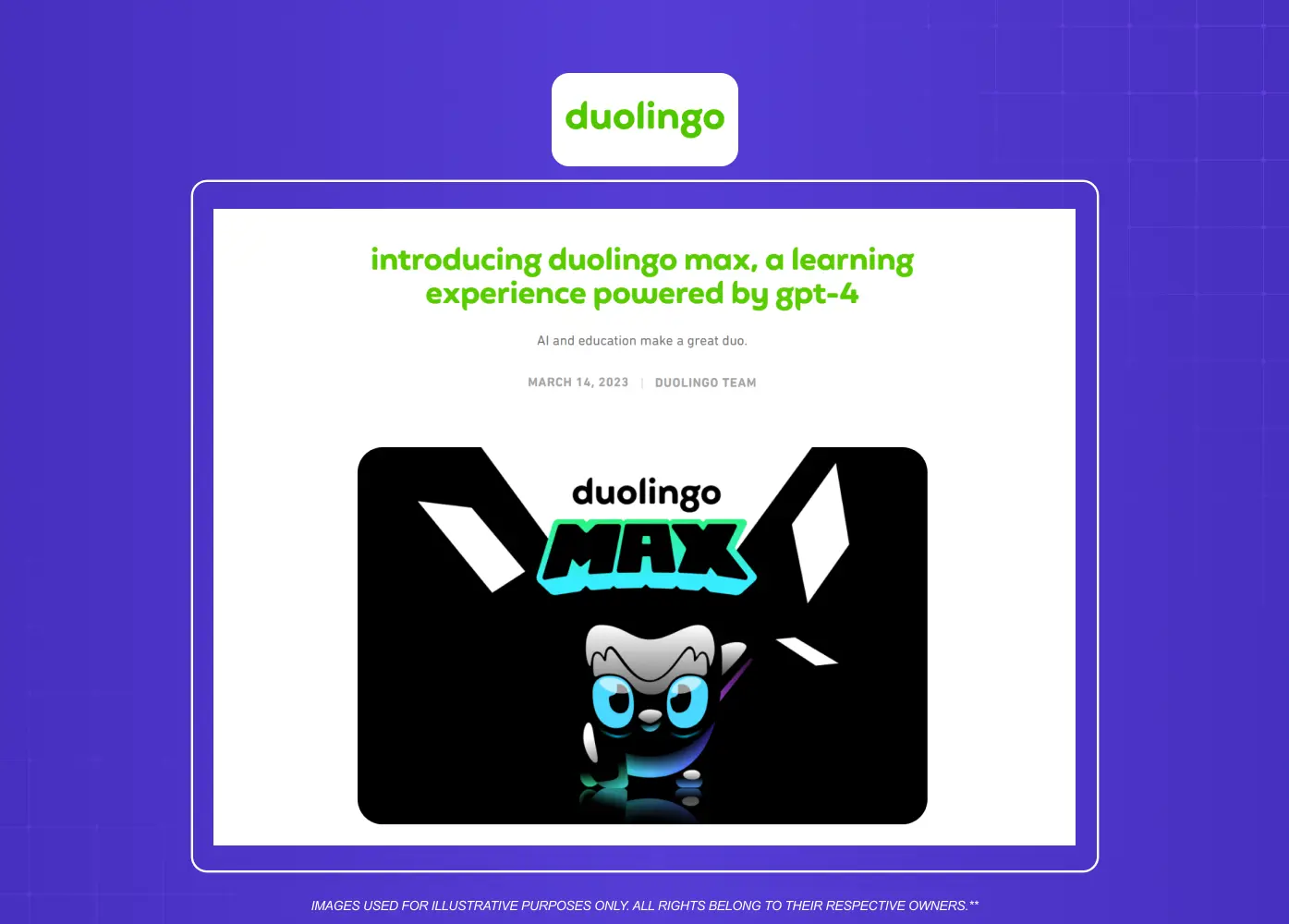
Screenshot of Duolingo's announcement introducing Duolingo Max, showcasing GPT-4-powered AI features for language learning.

Duolingo's AI-powered tier added two features built with OpenAI: Video Call, a live conversation with an AI character, and Roleplay, scenario-based speaking practice with feedback afterward. The design choice worth noting is "Explain My Answer," a feature that tells learners why an answer was wrong instead of just marking it incorrect. That's explainability done well: the AI doesn't just judge, it teaches.

Spotify's AI DJ
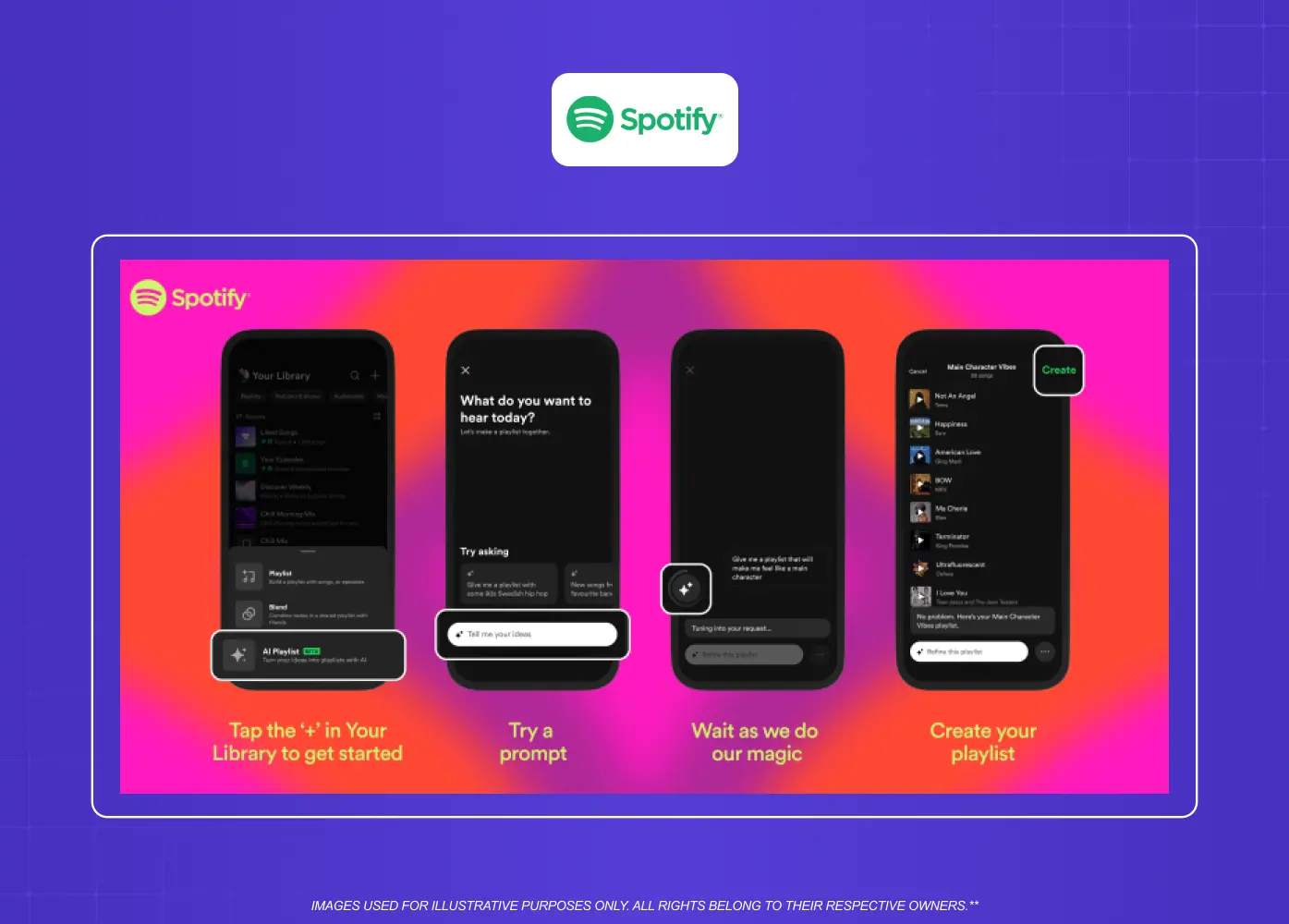
Screenshot sequence illustrating Spotify's AI Playlist feature, from entering a prompt to generating a personalized playlist.

Spotify built its DJ feature on the same personalization engine behind Discover Weekly, then layered in generative voice commentary. What makes it a strong design example is the escape hatch: if a listener doesn't like the direction, one tap changes the genre or mood instantly. That's a graceful failure state built directly into a feature people otherwise can't fully predict.

Both reinforce the same lesson as Pathways and Barista, and the wider AI revolution in UI UX design: these products succeed when the intelligence does the heavy lifting quietly, while the interface keeps people confident and in control.

Common Mistakes We See Teams Make

  • Leading with the model, not the problem. Teams get excited about what the AI can technically do and forget to ask if users actually need it.

  • Treating AI output as always final. Products that don't allow correction train users to distrust every output, including the good ones.

  • Skipping the failure states. Founders design the happy path in detail and leave errors as an afterthought.

  • Copying generic AI design tools and templates without adapting them. What works for a chatbot rarely works for a recommendation engine or a hiring tool without real adjustment.

  • Over-personalizing too early. Products that guess too much, too soon, feel invasive before they feel useful.

Signs You Need a Dedicated AI Design Partner

Not every team needs outside help, but a few warning signs usually mean it's time to bring one in:

  • Your AI feature technically works, but users don't trust it or don't use it consistently.

  • Support tickets are piling up around confusing or unexplained AI outputs.

  • Your team keeps debating how much control to give the AI versus the user, without a clear framework to decide.

  • You're about to launch an AI feature with real consequences (money, hiring, health, legal) and haven't designed for what happens when it's wrong.

  • Your current design team is strong on traditional UI but hasn't shipped an AI-first product before.

If two or more of these sound familiar, it's worth bringing in a team that specializes in this.

What to Look for in a Design Partner for AI-Powered Products
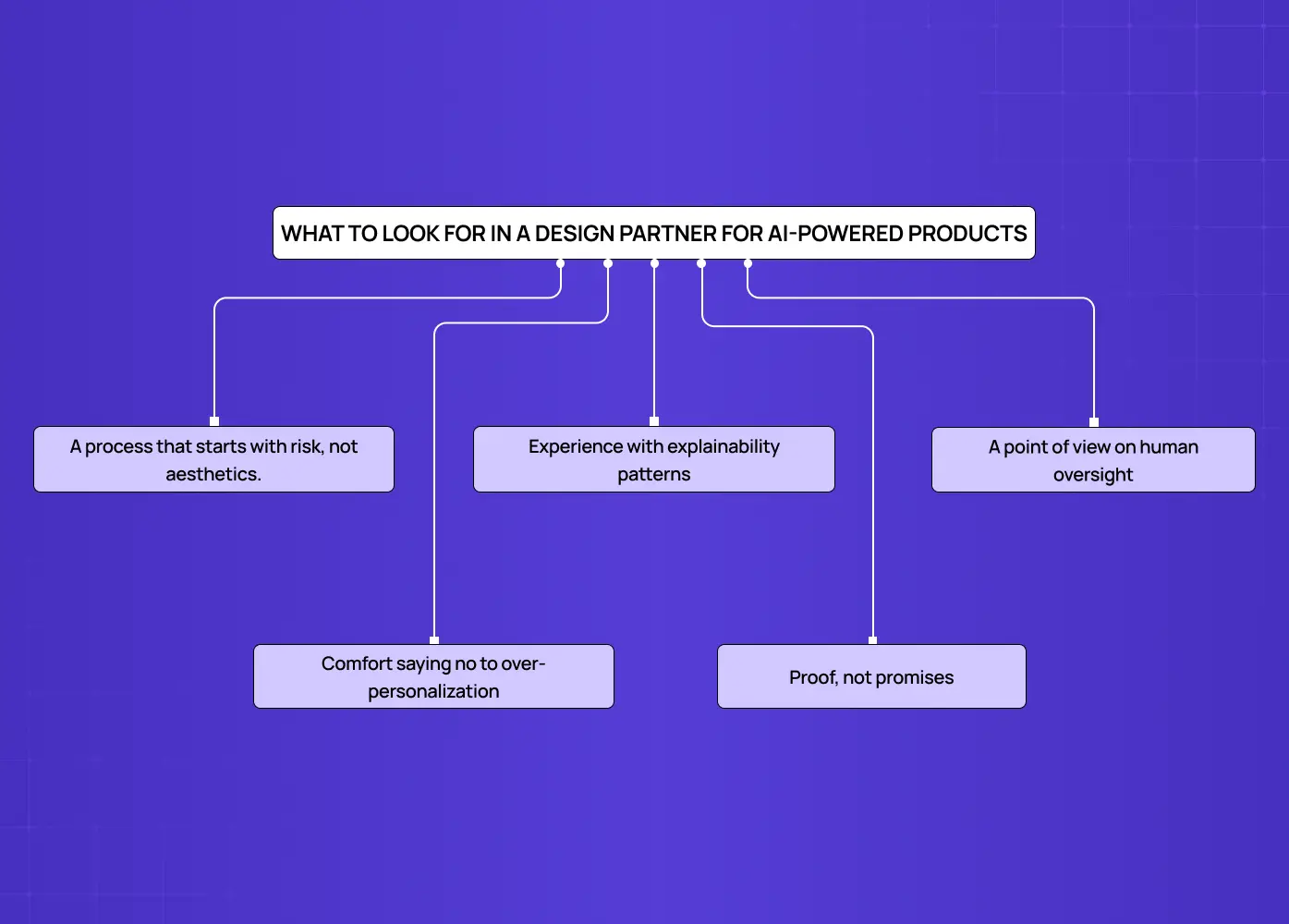
Mind map highlighting the key qualities of an AI product design partner, including risk-first thinking, explainability, human oversight, responsible personalization, and proven expertise.

Not every design agency is built for this kind of work. When you're evaluating a partner, look for:

  • A process that starts with risk, not aesthetics. Ask how they'd handle a wrong AI output before you ask to see their portfolio.

  • Experience with explainability patterns, not just prompt engineering or model selection.

  • A point of view on human oversight, especially if your product touches high-stakes decisions.

  • Comfort saying no to over-personalization, even when it's technically possible.

  • Proof, not promises. Ask for real examples of AI-powered products they've shipped, and what they'd do differently in hindsight.

How We Approach This at Groto

We design products where AI is part of the experience, not a bolted-on feature. That means we spend real time upfront understanding what the AI actually does well, where it's likely to fail, and how much control users need to feel comfortable.

Our process usually looks like this:

  1. Risk mapping. Before any screens get designed, we map out what happens when the AI is wrong, who's affected, and how fast that needs to surface.

  2. Principle-setting. We decide, together with your team, where trust, explainability, and human oversight matter most for your specific product.

  3. Design and prototype. We build the interface, the explanations, and the fallback paths around that risk profile, not around a generic template.

  4. Test with real users. We watch how people actually respond to AI outputs, especially the wrong ones, before launch.

  5. Iterate post-launch. AI products change as models improve. We build in room to adjust the design as the underlying system evolves.

If you're building a product with AI at its core and want a team that treats this as a design discipline rather than a tooling exercise, we'd like to talk.

Conclusion

  • AI product design is about designing the product itself, not just using AI tools to speed up the process.

  • Trust, explainability, and graceful failure matter more here than in traditional interfaces.

  • Keeping humans in the loop protects both your users and your product's credibility.

  • Personalization should feel helpful, never invasive.

  • The strongest AI-powered products hide their complexity and let the experience stay simple.

  • If you're building one of these products, get the design principles right before you get attached to the model.

We've spent the last few years designing products that have AI built into them, and we keep coming back to the same lesson: trust matters more than capability. Here's how we think about it, with real examples.

What changes when your product has to think, decide, and sometimes get it wrong.

Illustration of a friendly AI assistant interacting through a mobile chat interface, representing conversational AI and human-AI collaboration.

TL;DR

  • AI product design is the practice of designing a product that has AI inside it, not just using AI tools to speed up design work.

  • The core shift is trust. When outputs are unpredictable, your job as a designer is to make the system feel dependable anyway.

  • We break this down into six working principles: designing for trust, explainability, visible uncertainty, graceful failure, human oversight, and personalization without creepiness.

  • We've applied these principles on real products, including an AI hiring platform and a PR-first AI tool, and we share what we learned.

  • At the end, we answer six of the most common questions founders and teams ask us about this space.

What Is AI Product Design, Really?

There's some confusion around this term, and we want to clear it up before we go further.

Most content online treats "AI in product design" as a workflow question. Which AI tool should a designer use to research faster, sketch faster, or prototype faster. That's a real and useful conversation, and we cover how teams use agentic AI for faster UX workflows separately, but it's not what we're covering here.

We're talking about something else: what happens when the product you're designing has AI built into it. A recommendation engine, an AI assistant, an automated hiring tool, a chatbot that answers real customer questions. The moment AI becomes part of what your users interact with, the rules of good design shift.

That shift is what we focus on at Groto. It's less about the tools in your toolbox and more about the decisions you make, on top of the usual digital product design principles, when your product doesn't always behave the same way twice.

Why This Kind of Product Design Is Different

Traditional interfaces are predictable. A button does the same thing every time. A form validates the same way every time. Users build trust through repetition. Understanding how AI is transforming UX starts with seeing why that predictability breaks down.

AI-powered products break that pattern. The same prompt can return a different answer. A model can be right nine times and wrong on the tenth. That gap between AI UX vs traditional UX is exactly what a designer now has to account for. And most users have no idea why the system did what it did.

This changes what a designer is responsible for:

  • You're no longer just designing screens. You're designing for confidence in a system that isn't always consistent.

  • You have to account for wrong answers, not just correct ones.

  • Users need a way to understand what the system is doing, even in simple terms.

  • Feedback loops matter more, because AI-powered features improve (or get abandoned) based on how users respond to them.

None of this means AI products need to feel complicated. In our experience, the products that succeed are the ones that make all of this invisible to the end user while the design team handles it in the background.

Core Principles We Follow

Infographic outlining six core principles for designing AI products, including trust, explainability, transparency, human oversight, graceful failures, and ethical personalization.

These are the six principles we come back to on almost every AI-powered project we take on, and they sit at the core of the broader AI-driven UX practices we rely on.

1. Design for Trust Before Features

It's tempting to lead with what the AI can do. Resist that. Before someone cares about capability, they need to believe the product won't embarrass them, mislead them, or waste their time.

In practice, this means:

  • Setting honest expectations upfront, instead of overselling what the AI can do.

  • Showing early wins quickly, so trust builds before the first mistake happens.

  • Making it easy to undo or correct an AI decision without friction.

2. Make AI Decisions Explainable

If a user can't tell why the product recommended, flagged, or generated something, they will eventually stop trusting it, even if the output was correct.

Simple explainability patterns go a long way:

  • A one-line reason next to a recommendation ("Suggested because you viewed similar items").

  • Confidence indicators when the system itself isn't fully sure.

  • A way to view the inputs that shaped an output, for more advanced users.

3. Show, Don't Hide, Uncertainty

Many teams try to hide the fact that AI output can be wrong. We think that's backwards. Hiding uncertainty just means users find out the hard way.

Good uncertainty design looks like:

  • Soft language for lower-confidence outputs ("This might be a match" instead of a flat statement).

  • Clear labeling when content is AI-generated versus human-verified.

  • Room in the interface for a user to say "this isn't right" without it feeling like a dead end.

4. Design Graceful Failure States

AI will fail. The product's job is to fail in a way that doesn't feel broken.

  • Give the user a next step, not just an error message.

  • Offer a manual fallback wherever possible.

  • Log and surface failures internally, so your team can actually see the patterns, not just the user's frustration.

5. Keep Humans in the Loop

The strongest AI-powered products we've worked on treat AI as a collaborator, not an autopilot, which is increasingly what designing for AI agents is all about. This is especially true for anything with real consequences, like hiring decisions, medical information, or financial guidance.

  • Let users review before an AI action is final.

  • Make override easy, not buried three menus deep.

  • Be transparent about where a human is and isn't involved.

6. Personalize Without Being Creepy

AI makes deep personalization possible, but there's a line. Cross it, and users feel watched instead of helped.

  • Explain why the product is showing something personalized.

  • Give users a way to adjust or turn off personalization.

  • Avoid personalization that implies you know more about the user than they've actually told you.

The AI onboarding playbook top teams use to boost activation.

Reduce first-session confusion, speed up time-to-value, and build user trust, built from real onboarding audits of AI products.

No Spam. Free Lifetime

AI Product Design Examples From Real Products

Principles are easier to trust when you can see them applied. Here are two projects from our own work where these ideas shaped the outcome.

Pathways, an AI-powered B2B hiring platform

Screenshot of the PathwaysX homepage showcasing its talent infrastructure platform designed for hiring and workforce assessment.

We built Pathways from scratch around personality-based assessments instead of resume-matching alone. The challenge was making an AI-driven hiring decision feel fair and understandable to both recruiters and candidates. We leaned on explainability and human-in-the-loop review so that no one felt like they were being scored by a black box.

Barista, a PR-first AI tool

Screenshot of the Barista AI platform featuring a chat-based workspace for creating and managing PR content with AI assistance.

Barista's core promise was to feel like a teammate, not a piece of software. We redesigned it around clearer workflows and smarter collaboration, so PR teams could move faster across multiple clients without losing track of who approved what. The AI supported the work, but the humans stayed clearly in control of it.

Beyond our own work, a few well-known products show what mastering AI-driven design looks like at scale.

Duolingo Max

Screenshot of Duolingo's announcement introducing Duolingo Max, showcasing GPT-4-powered AI features for language learning.

Duolingo's AI-powered tier added two features built with OpenAI: Video Call, a live conversation with an AI character, and Roleplay, scenario-based speaking practice with feedback afterward. The design choice worth noting is "Explain My Answer," a feature that tells learners why an answer was wrong instead of just marking it incorrect. That's explainability done well: the AI doesn't just judge, it teaches.

Spotify's AI DJ

Screenshot sequence illustrating Spotify's AI Playlist feature, from entering a prompt to generating a personalized playlist.

Spotify built its DJ feature on the same personalization engine behind Discover Weekly, then layered in generative voice commentary. What makes it a strong design example is the escape hatch: if a listener doesn't like the direction, one tap changes the genre or mood instantly. That's a graceful failure state built directly into a feature people otherwise can't fully predict.

Both reinforce the same lesson as Pathways and Barista, and the wider AI revolution in UI UX design: these products succeed when the intelligence does the heavy lifting quietly, while the interface keeps people confident and in control.

Common Mistakes We See Teams Make

  • Leading with the model, not the problem. Teams get excited about what the AI can technically do and forget to ask if users actually need it.

  • Treating AI output as always final. Products that don't allow correction train users to distrust every output, including the good ones.

  • Skipping the failure states. Founders design the happy path in detail and leave errors as an afterthought.

  • Copying generic AI design tools and templates without adapting them. What works for a chatbot rarely works for a recommendation engine or a hiring tool without real adjustment.

  • Over-personalizing too early. Products that guess too much, too soon, feel invasive before they feel useful.

Signs You Need a Dedicated AI Design Partner

Not every team needs outside help, but a few warning signs usually mean it's time to bring one in:

  • Your AI feature technically works, but users don't trust it or don't use it consistently.

  • Support tickets are piling up around confusing or unexplained AI outputs.

  • Your team keeps debating how much control to give the AI versus the user, without a clear framework to decide.

  • You're about to launch an AI feature with real consequences (money, hiring, health, legal) and haven't designed for what happens when it's wrong.

  • Your current design team is strong on traditional UI but hasn't shipped an AI-first product before.

If two or more of these sound familiar, it's worth bringing in a team that specializes in this.

What to Look for in a Design Partner for AI-Powered Products

Mind map highlighting the key qualities of an AI product design partner, including risk-first thinking, explainability, human oversight, responsible personalization, and proven expertise.

Not every design agency is built for this kind of work. When you're evaluating a partner, look for:

  • A process that starts with risk, not aesthetics. Ask how they'd handle a wrong AI output before you ask to see their portfolio.

  • Experience with explainability patterns, not just prompt engineering or model selection.

  • A point of view on human oversight, especially if your product touches high-stakes decisions.

  • Comfort saying no to over-personalization, even when it's technically possible.

  • Proof, not promises. Ask for real examples of AI-powered products they've shipped, and what they'd do differently in hindsight.

How We Approach This at Groto

We design products where AI is part of the experience, not a bolted-on feature. That means we spend real time upfront understanding what the AI actually does well, where it's likely to fail, and how much control users need to feel comfortable.

Our process usually looks like this:

  1. Risk mapping. Before any screens get designed, we map out what happens when the AI is wrong, who's affected, and how fast that needs to surface.

  2. Principle-setting. We decide, together with your team, where trust, explainability, and human oversight matter most for your specific product.

  3. Design and prototype. We build the interface, the explanations, and the fallback paths around that risk profile, not around a generic template.

  4. Test with real users. We watch how people actually respond to AI outputs, especially the wrong ones, before launch.

  5. Iterate post-launch. AI products change as models improve. We build in room to adjust the design as the underlying system evolves.

If you're building a product with AI at its core and want a team that treats this as a design discipline rather than a tooling exercise, we'd like to talk.

Conclusion

  • AI product design is about designing the product itself, not just using AI tools to speed up the process.

  • Trust, explainability, and graceful failure matter more here than in traditional interfaces.

  • Keeping humans in the loop protects both your users and your product's credibility.

  • Personalization should feel helpful, never invasive.

  • The strongest AI-powered products hide their complexity and let the experience stay simple.

  • If you're building one of these products, get the design principles right before you get attached to the model.

Have a project in mind?

Let’s talk through your idea and see what makes sense.

Harpreet Singh

Founder at Groto

Have a project in mind?

Let’s talk through your idea and see what makes sense.

Harpreet Singh

Founder at Groto

FAQ

Everything you were going to ask (and a few things you didn’t know to)

Can AI design a product on its own?

Not yet, and not well. AI can generate layouts, copy, and even rough prototypes, but it doesn't understand your users, your business constraints, or the tradeoffs behind a good decision. It's a strong assistant for speed, not a replacement for judgment.

Which AI tool is best for product design?

There isn't a single best tool, it depends on the job. Tools built for prototyping speed things up early on, while tools built for research or auditing help later in the process. The better question is which stage of your workflow needs the most help right now.

Is AI replacing product designers?

No. AI is removing a lot of the repetitive work around documentation, research, and first drafts. What it can't replace is the judgment call about what a product should actually do for its users, and why.

Is there a free AI tool for product design?

Yes, several AI tools used in design workflows offer free tiers, usually with limits on usage, exports, or advanced features. They're a reasonable starting point for testing ideas, but most serious teams eventually move to paid plans for the deeper functionality.

What's the salary of an AI product designer?

It varies widely by experience, location, and company stage, and roles that blend AI and product design are still fairly new, so ranges are inconsistent across the market. Rather than quote a number that will age poorly, we'd point you to current listings on sites like LinkedIn or Glassdoor for your specific region.

How do I create my own AI product?

Start with the problem, not the model. Validate that AI genuinely improves the experience for a real user need, then design around the failure cases before you design around the success cases. That order matters more than most people expect.

Can AI design a product on its own?

Not yet, and not well. AI can generate layouts, copy, and even rough prototypes, but it doesn't understand your users, your business constraints, or the tradeoffs behind a good decision. It's a strong assistant for speed, not a replacement for judgment.

Which AI tool is best for product design?

There isn't a single best tool, it depends on the job. Tools built for prototyping speed things up early on, while tools built for research or auditing help later in the process. The better question is which stage of your workflow needs the most help right now.

Is AI replacing product designers?

No. AI is removing a lot of the repetitive work around documentation, research, and first drafts. What it can't replace is the judgment call about what a product should actually do for its users, and why.

Is there a free AI tool for product design?

Yes, several AI tools used in design workflows offer free tiers, usually with limits on usage, exports, or advanced features. They're a reasonable starting point for testing ideas, but most serious teams eventually move to paid plans for the deeper functionality.

What's the salary of an AI product designer?

It varies widely by experience, location, and company stage, and roles that blend AI and product design are still fairly new, so ranges are inconsistent across the market. Rather than quote a number that will age poorly, we'd point you to current listings on sites like LinkedIn or Glassdoor for your specific region.

How do I create my own AI product?

Start with the problem, not the model. Validate that AI genuinely improves the experience for a real user need, then design around the failure cases before you design around the success cases. That order matters more than most people expect.
More Articles

Extreme close-up black and white photograph of a human eye

Let’s bring your vision to life

Tell us what's on your mind? We'll hit you back in 24 hours. No fluff, no delays - just a solid vision to bring your idea to life.

Profile portrait of a man in a white shirt against a light background

Harpreet Singh

Founder and Creative Director

Get in Touch

Extreme close-up black and white photograph of a human eye

Let’s bring your vision to life

Tell us what's on your mind? We'll hit you back in 24 hours. No fluff, no delays - just a solid vision to bring your idea to life.

Profile portrait of a man in a white shirt against a light background

Harpreet Singh

Founder and Creative Director

Get in Touch

Extreme close-up black and white photograph of a human eye

Let’s bring your vision to life

Tell us what's on your mind? We'll hit you back in 24 hours. No fluff, no delays - just a solid vision to bring your idea to life.

Profile portrait of a man in a white shirt against a light background

Harpreet Singh

Founder and Creative Director

Get in Touch