
Six months in, the engineers have shipped something solid — and users are churning after week two. That gap between technically functional and genuinely usable is a design problem, not a development one. This guide covers the full SaaS application development process and where the real risk actually lives.
Most SaaS products don't fail because the technology breaks. They fail because users leave.
Building a SaaS product sounds straightforward until you're six months in, the engineers have shipped something technically solid, and users are churning after week two.
That's the gap between software that works and software people want to keep using. And it's a gap that sits squarely in the design layer — the part of SaaS application development most founding teams treat as a finishing touch rather than a foundation.
This guide is written for founders and product leaders who want to understand what the development process actually involves, where the real risk sits, and what it takes to build a SaaS product that retains users — not just acquires them.
What Is SaaS Application Development?
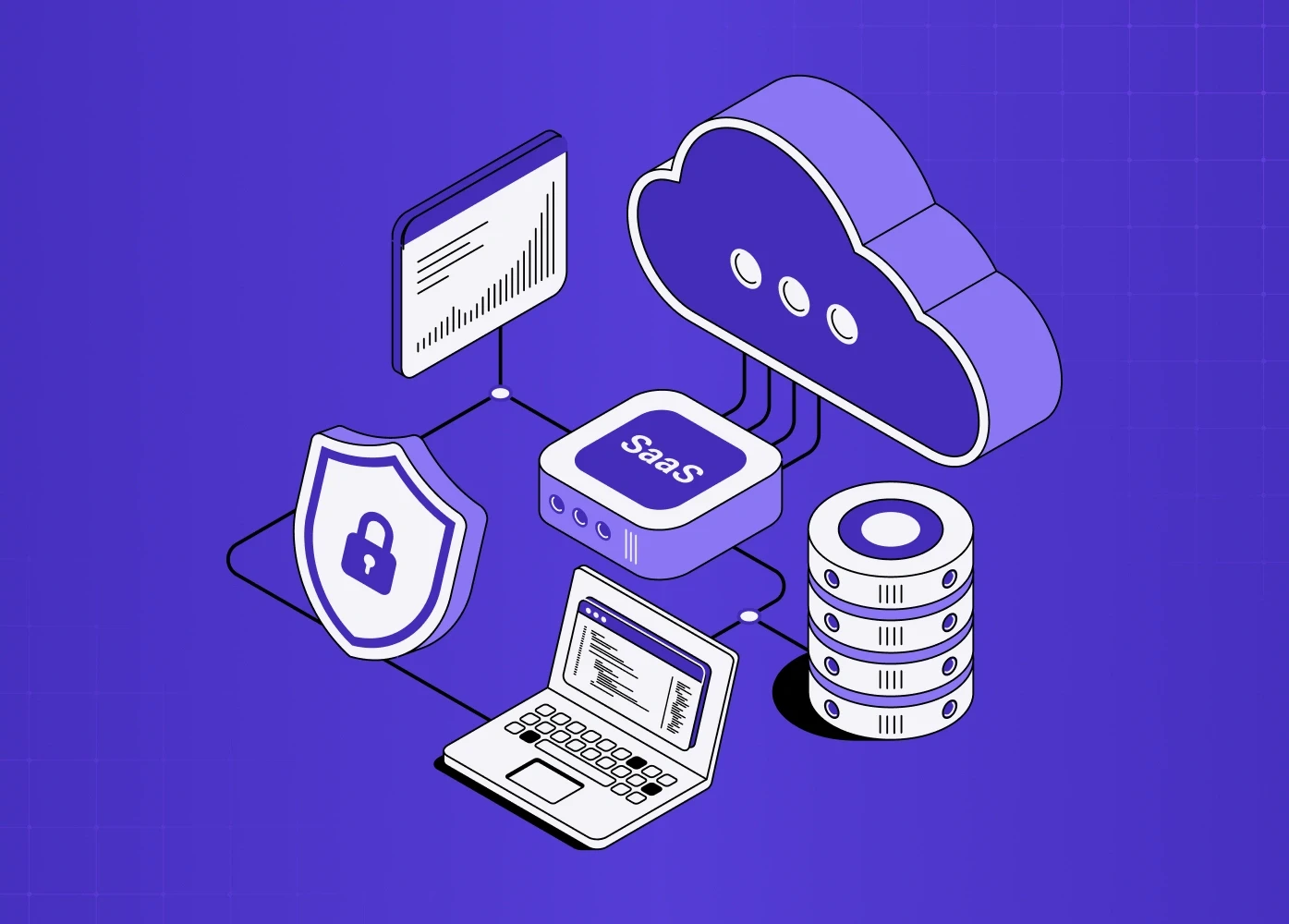
SaaS application development is the end-to-end process of designing, building, and maintaining software that users access over the internet, typically on a subscription basis. Unlike traditional software that's installed locally, a SaaS product lives in the cloud — the provider manages the infrastructure, updates, and security, and users access it through a browser or app.
The model has scaled dramatically. The global SaaS market was valued at $266 billion in 2024 and is projected to exceed $1.1 trillion by 2032. In 2025, roughly 85% of all business applications were SaaS-based.
What that growth obscures is the failure rate. Most SaaS products don't fail because the technology breaks. They fail because users don't understand the product, can't get value from it fast enough, or find a better experience somewhere else. Those are UX problems, not engineering ones.
SaaS vs. PaaS vs. IaaS: Where the Lines Are
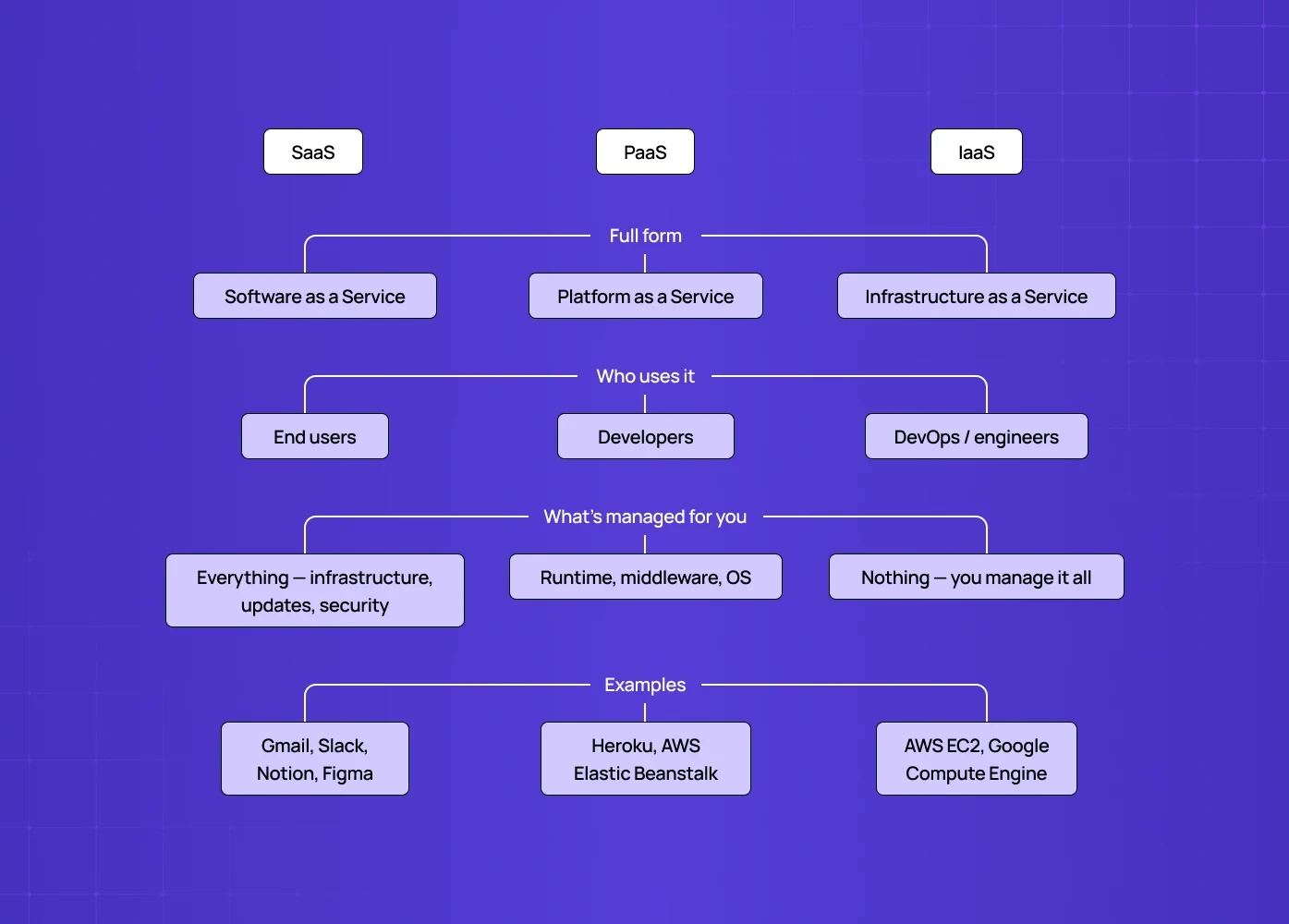
Before getting into the SaaS development process, it's worth clarifying where SaaS sits relative to the broader cloud landscape — because these terms get conflated constantly.\
Aspect | SaaS | PaaS | IaaS |
Full form | Software as a Service | Platform as a Service | Infrastructure as a Service |
Who uses it | End users | Developers | DevOps / engineers |
What’s managed for you | Everything — infrastructure, updates, security | Runtime, middleware, OS | Nothing — you manage it all |
Examples | Gmail, Slack, Notion, Figma | Heroku, AWS Elastic Beanstalk | AWS EC2, Google Compute Engine |
When founders say they're building a SaaS, they mean the first one: a product with a defined set of features, delivered over the internet, typically on a subscription model.
The SaaS Application Development Process: How It Actually Works
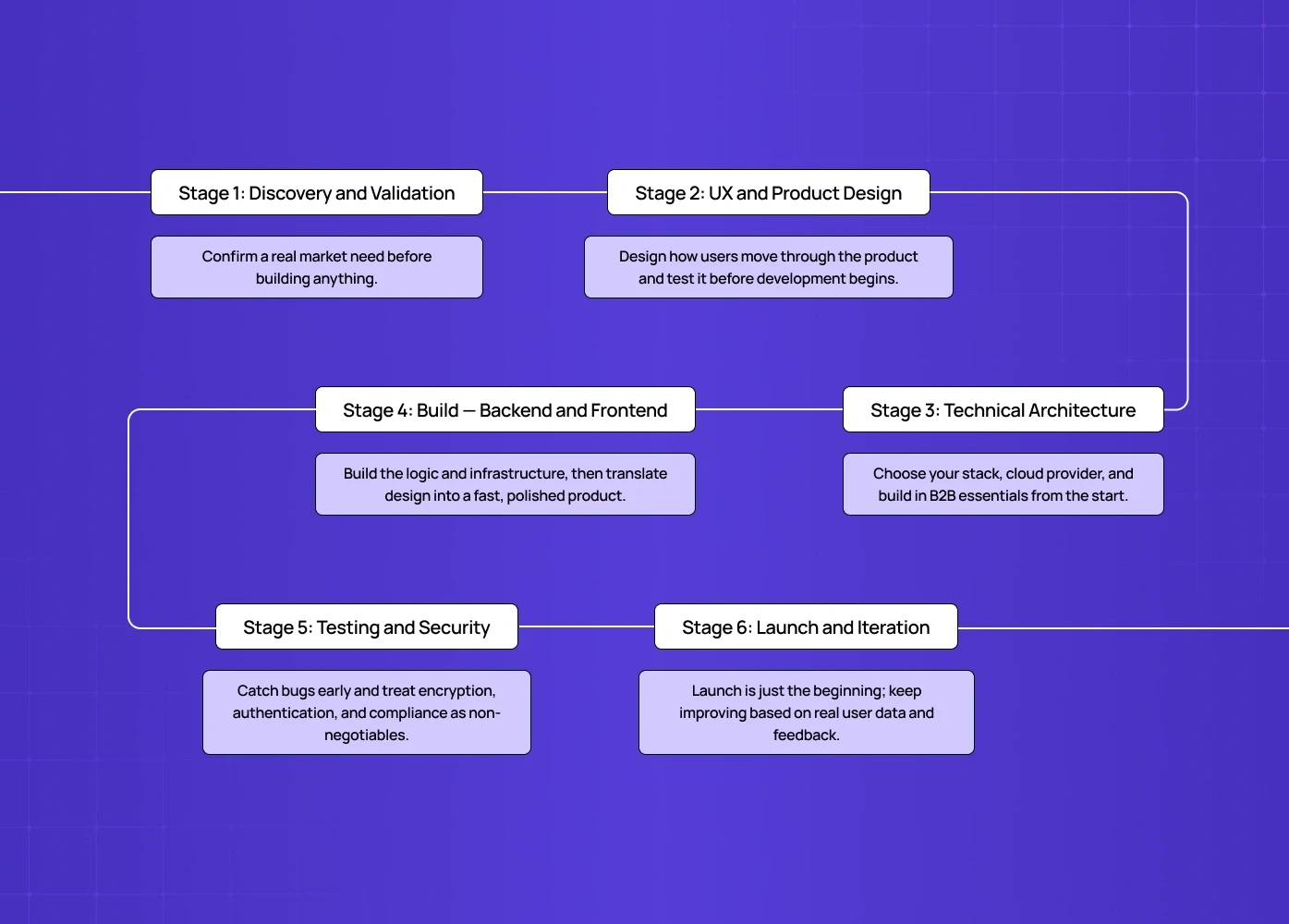
Every SaaS product — whether it's a fintech dashboard, an HR tool, or a healthcare platform — goes through a similar sequence. The quality of decisions made at each stage compounds into the final product.
Stage 1: Discovery and Validation
Before any design or development begins, the most important question needs an honest answer — is there a real problem here, and are people experiencing it urgently enough to pay for a solution?
Once validation is complete, planning your SaaS product design roadmap shows how to sequence research findings, design phases, and engineering milestones into a plan teams can actually execute against
At Groto, discovery always precedes wireframes — we've worked with founders whose research revealed they'd been solving for a persona that barely existed in their target market, and that conversation early saves months of expensive rework.
Stage 2: UX and Product Design
This is where SaaS application design happens — and where most teams underinvest relative to the returns available.
SaaS UX design from start to scale covers the full architecture of how a user moves through the product, from onboarding logic through to information hierarchy and the "aha moment" that determines whether someone stays past week one. The key decisions at this stage:
Onboarding flow — how fast does a new user reach their first value moment?
Navigation logic — can users find core features without guidance?
Information hierarchy — does each screen prioritise what the user needs right now?
The "aha moment" — the point where a user understands why the product exists. For teams making these decisions at the earliest product stage, MVP UX design for SaaS products covers how to prioritize which flows deserve design investment before the product has enough usage data to optimize from behavior.
What this stage produces:
User personas grounded in research — not assumed demographics
User flows for every critical path (sign-up, onboarding, core features, upgrade)
Wireframes that test logic before anything is built visually
A high-fidelity UI design system that governs how every screen looks and behaves — and SaaS design systems for UI consistency covers how to build that component architecture so it scales with the product rather than requiring constant rework as new features ship.
The ROI here is measurable. A well-designed user interface can increase conversion rates by up to 200%, according to Forrester. SaaS onboarding design alone — the first 5 minutes of a new user's experience — often determines whether someone becomes a retained user or a churn statistic.
When we designed the LearnSphere edtech platform, the biggest UX unlock wasn't a feature — it was restructuring the onboarding sequence so that admins, teachers, and students each reached their first value moment within a single session. Retention improved before a single new feature was shipped.
Stage 3: Technical Architecture
With a validated concept and a designed product, the engineering decisions start.
The key choices at this stage:
Multi-tenant vs. single-tenant architecture
Most modern SaaS products are multi-tenant — multiple customers share the same instance with data kept separate, which is more cost-efficient and easier to maintain at scale
For teams building AI features into that architecture, building an AI-powered SaaS product covers the additional infrastructure, model integration, and UX considerations that differ significantly from standard SaaS development
Single-tenant (dedicated instances per customer) is typically reserved for enterprise clients with specific compliance or security requirements
Cloud provider selection
AWS leads the market with roughly a third of global cloud infrastructure share, followed by Microsoft Azure and Google Cloud
The right choice depends on the team's expertise, the product's regional requirements, and the specific services needed
Tech stack
This decision shapes performance, scalability, and how fast the team can iterate
The SaaS frontend architecture decision between responsive web design and a custom frontend build is one most teams defer too long — often discovering the cost only when engineering velocity starts to slow
B2B SaaS development adds an extra layer of technical requirements most consumer-focused guides skip:
Role-based access control (different permissions for admins, managers, end users)
Audit logging for compliance and enterprise security requirements
SSO (Single Sign-On) integration — a non-negotiable for most enterprise procurement processes
Data architecture that handles enterprise-level volumes from day one, not retrofitted later
Stage 4: Build — Backend and Frontend
Backend development
Covers everything users don't see — application logic, databases, APIs, and the infrastructure that makes the product function at scale, increasingly scaffolded by AI build tools rather than written line by line.
Security architecture lives here too — authentication, authorisation, encryption, and compliance
Frontend development
This is SaaS product design in practice — where designed screens become a functioning product. Understanding design vs product management at this stage clarifies who owns implementation quality decisions versus feature scope decisions — a boundary that frequently blurs in fast-moving build phases.
Quality of implementation directly affects how design decisions translate into real user experience
Pixel-perfect execution matters, and so does performance — a slow-loading dashboard or laggy interaction will undermine even the most thoughtful UX design
Stage 5: Testing and Security
A SaaS product in the hands of real users carries real risk — testing is where that risk gets managed
QA covers functional testing (does it do what it's supposed to?), performance testing (does it hold up under load?), and usability testing (can users actually do what they're trying to do?)
The cost to fix a bug found after release is up to 100 times higher than catching it during design — the compounding math of deferred design debt.
Security in cloud-based application development is non-negotiable — the average cost of a data breach in 2024 reached $4.88 million
For SaaS products handling user data — which is almost all of them — encryption, secure authentication, GDPR compliance, and regular security audits are baseline requirements, not premium features
Stage 6: Launch and Iteration
Launch is not the finish line — in SaaS, it's the starting gun for the real work. Knowing which SaaS UX metrics to track from day one ensures iteration is driven by the right signals rather than vanity numbers that don't predict retention. While the product team focuses on iteration, the go-to-market motion needs to run in parallel.
SaaS go-to-market planning after launch covers how to coordinate acquisition, activation, and retention strategies so the post-launch phase compounds rather than stalls
The teams that succeed in SaaS treat launch as a hypothesis being tested, not a conclusion being celebrated.
The Layer Most SaaS Products Skip: Design as a Retention Strategy
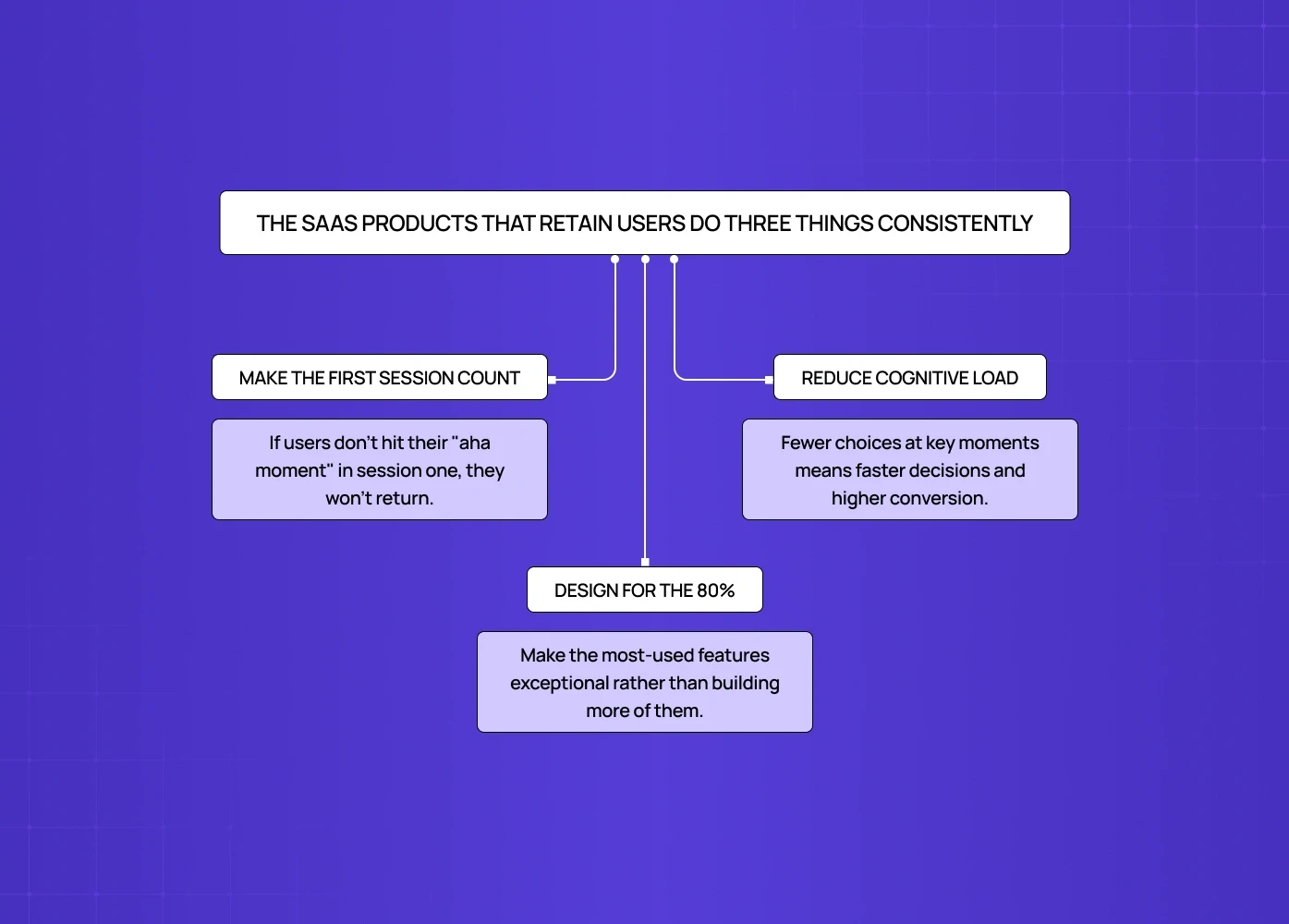
Here's what the standard SaaS development process coverage misses: design decisions made during development become retention decisions after launch.
80% of software features are rarely or never used — which means most SaaS products are shipping complexity users don't need. The discipline of knowing what to cut, what to simplify, and what to make unmissable — ruthless scoping — is UX strategy, not product management.
The SaaS products that retain users do three things consistently — make the first session count, reduce cognitive load at every decision point, and design for the 80%. All three require a structured approach, and embedding UX into SaaS development maps out the eight-stage process for doing that systematically rather than reactively.
They make the first session count.
The onboarding flow isn't a tutorial — it's the product's first real chance to demonstrate value. If users don't reach their "aha moment" in the first session, most won't come back for a second one.They reduce cognitive load at every decision point.
The more choices a user faces at a critical moment, the slower they move. Hick's Law, applied to SaaS: fewer options at the sign-up flow, the pricing page, and the first feature introduction means faster decisions and higher conversion.They design for the 80%.
The 80/20 principle in SaaS — roughly 80% of users rely on 20% of features — means the highest-leverage design work is making the most-used features exceptional, not building more of them.
At Groto, we've seen this pattern repeatedly across the SaaS and fintech products we've worked on. When we rebuilt the Barista AI platform's interaction design — restructuring task flows and simplifying the interface — the product went from technically impressive to genuinely usable. That change came from design, not engineering.
Maintaining a SaaS Product After Launch
SaaS product development doesn't end at launch. Maintenance typically accounts for 50-80% of a software product's total lifetime cost — a number most founding teams don't plan for.
What ongoing maintenance involves:
Performance monitoring — tracking uptime, load times, and error rates continuously, not reactively.
Security updates — the threat landscape changes. Regular audits, dependency updates, and penetration testing are ongoing responsibilities.
Design debt — as products grow, early UX decisions that made sense for 100 users create friction for 10,000 — the accumulation that eventually forces a system overhaul — and onboarding is where that friction compounds fastest. Solving SaaS onboarding drop-off problems covers the specific UX interventions that stop activation from becoming your biggest retention liability as the user base scales.
Feature iteration — user needs evolve. The SaaS products that survive are the ones with a disciplined feedback loop between user behaviour, product decisions, and design — often shipping each change behind AI feature flags so new behaviour can be tested on a subset before full release.
Conclusion: What Separates SaaS Products That Survive
The SaaS products that build lasting businesses share one characteristic: they treat the user experience as a core product asset, not a layer applied over engineering decisions.
What that looks like in practice:
Technology is the enabler. Design is what determines whether users stay.
Churn almost always surfaces in the UX layer first — onboarding drop-off, confusing navigation, a core workflow that takes too many steps.
The gap between "technically works" and "people want to keep using it" is a design gap — which is why one design and build partner often closes it faster than design and engineering split across separate vendors.
If UX hasn't been given the same rigour as backend architecture, that gap will show up in your retention numbers before it shows up anywhere else.
We've shipped SaaS UX design across fintech, edtech, healthtech, and AI platforms, the vertical SaaS markets where industry depth makes UX decisive — including work for Camb.ai, STBL.io, and LearnSphere. Our clients have collectively raised $8M+ post-redesign. The work that drives those outcomes starts with design, not with code.
Building a SaaS product and want a UX perspective before development begins? We offer a free audit for qualifying products — an honest look at where the experience is likely to break down and what it would take to fix it.