
Most sites don't fail because of bad design — they fail because users can't find what they came for. This guide covers every type of website structure, what makes one work, and how we approach it from day one.
Bad structure loses users before good design ever gets a chance to work.

What Is Website Structure?
Website structure refers to how a site's pages are organised, connected, and presented to both users and search engines. It defines the hierarchy of content — what lives where, how pages relate to each other, and what path a visitor follows from entry to action.
Think of it as the architectural blueprint of your site. Before a single pixel is designed, the structure determines whether a visitor finds what they came for in two clicks or ten.
A strong website structure serves two audiences simultaneously:
Users — who need intuitive navigation and a logical path through your content
Search engines — which need a clear hierarchy to crawl, index, and rank your pages effectively
When we work on a redesign at Groto — whether it's a SaaS dashboard or an e-commerce platform — defining the website structure is always the first design decision, not the last.
Why Website Structure Matters
Poor structure is one of the most expensive problems a site can have. It quietly kills metrics that stakeholders care about, often without anyone knowing why.
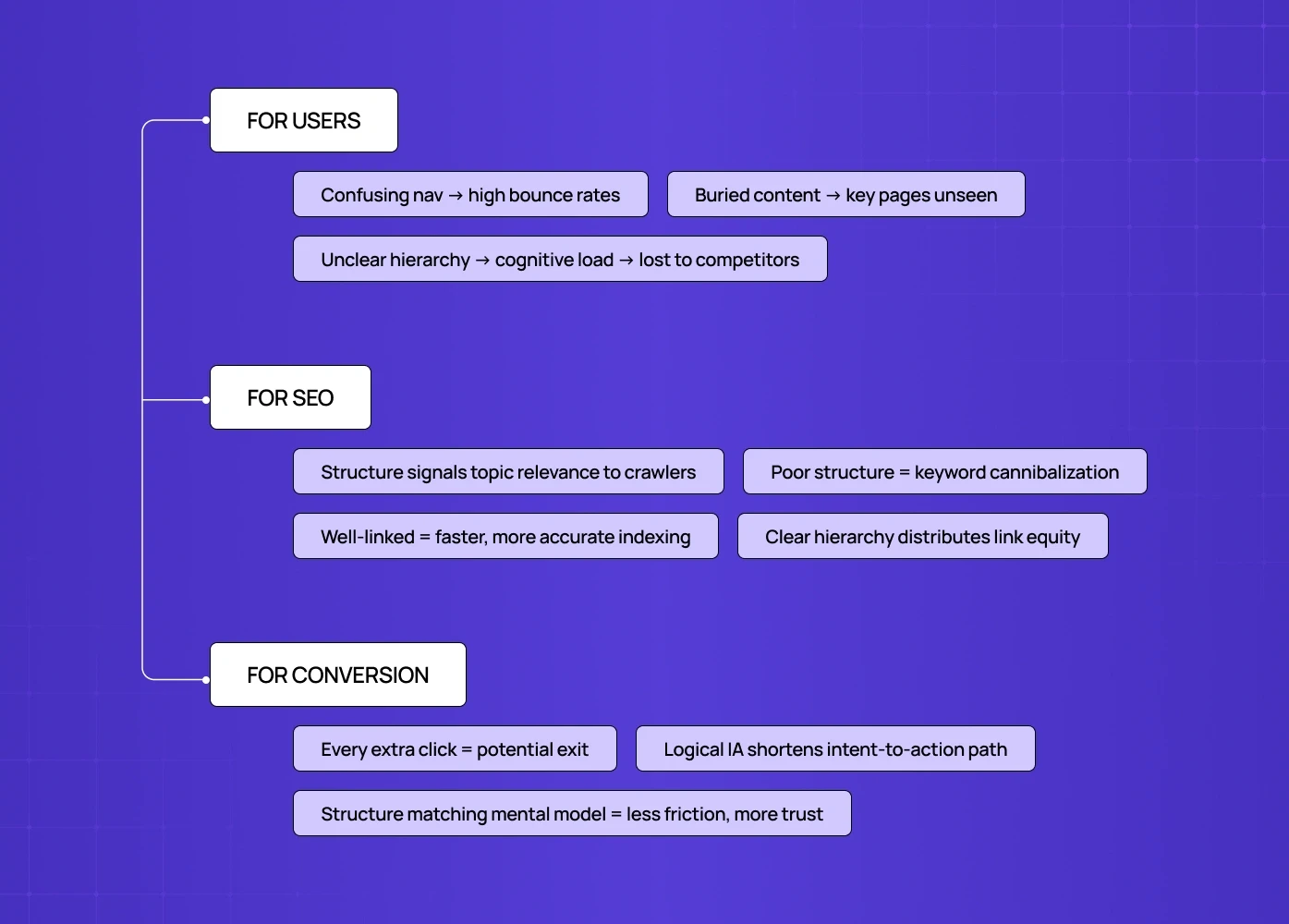
For users:
A confusing navigation structure leads to high bounce rates — users leave before finding value
Buried content means key pages never get seen
Unclear hierarchy creates mental burden that pushes people toward competitors
For SEO:
Search engines use your site's structure to understand what you're about and what matters most
A flat, well-linked structure helps crawlers index pages faster and more accurately
Internal linking built around clear hierarchy distributes link equity to the pages that need it most
Poor structure leads to keyword cannibalization — multiple pages competing for the same terms
For conversion:
Every unnecessary click between a visitor and their goal is a potential exit point
Improving conversion rate through site structure means identifying and removing those friction points without a full redesign
The same information architecture principles described here apply directly to how you structure paths from intent to action
When we restructured PolicyBazaar's insurance shopping flow, the biggest unlock wasn't a visual redesign — it was reducing the number of decision points a user faced before reaching a quote. Structure did more for conversion than the visual layer.
4 Types of Website Structure (With Examples)
Different sites need different structures. The right choice depends on your content volume, user behaviour, and business goals.Here are the four core types of website structure, with website structure examples for each:
1. Hierarchical Structure
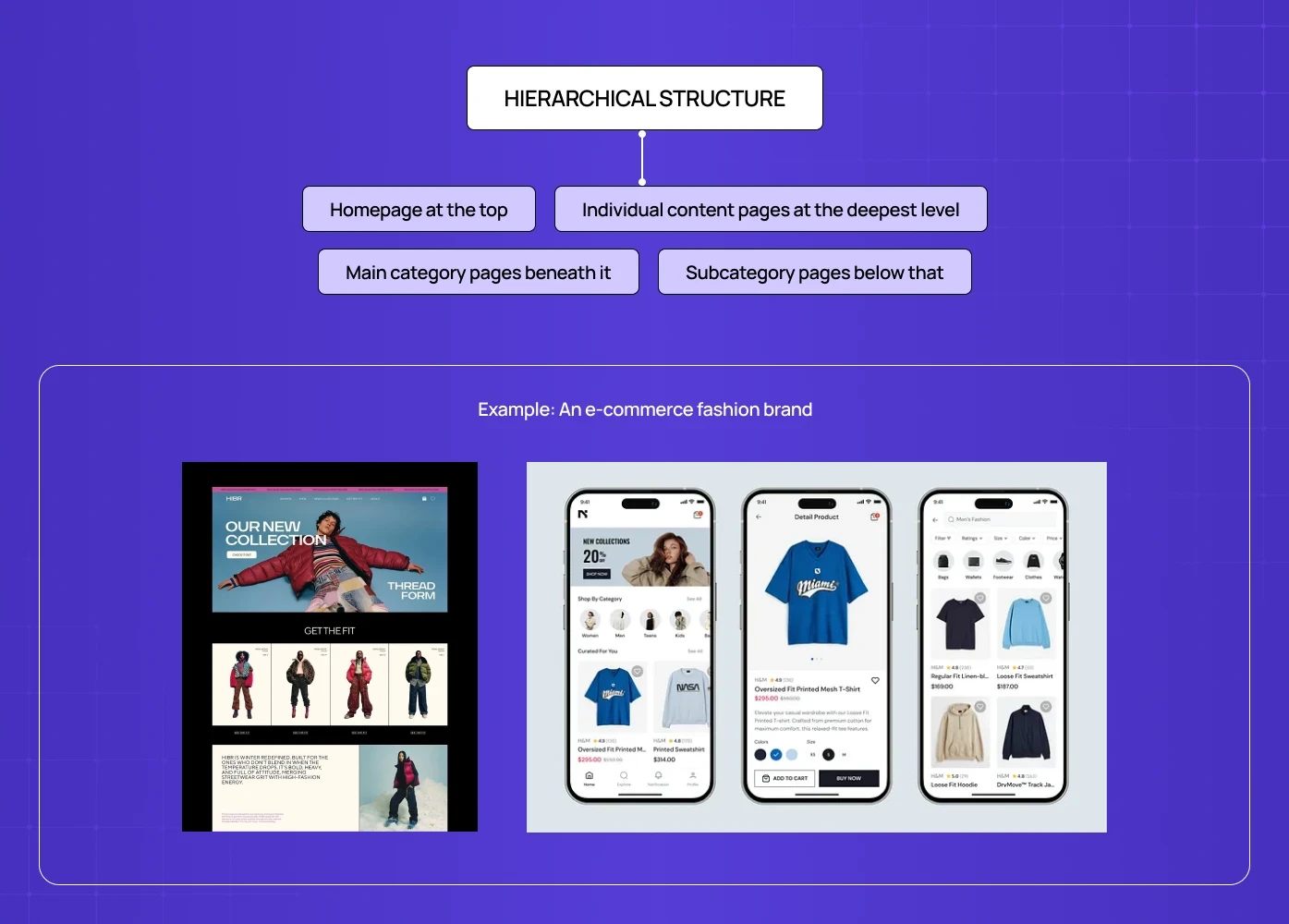
The most common website structure, and the one most designers default to. Content flows from a homepage at the top, down through category pages, to subcategory pages, and finally to individual pages or posts. Also called a tree structure.
How it works:
Homepage at the top
Main category pages beneath it
Subcategory pages below that
Individual content pages at the deepest level
Best for: E-commerce sites, corporate websites, large blogs, SaaS platforms, and small business website design projects that need a clear hierarchy without added complexity
Example: An e-commerce fashion brand — Homepage → Men's → Shoes → Sneakers → [Product page]
Why it works: Users know where they are at every level. Search engines can clearly map the hierarchy and assign authority accordingly. It's also the easiest structure to scale without breaking.
Watch out for going too deep — if users need more than 3-4 clicks from the homepage to reach important content, your structure is too tall. This principle is even more critical on mobile, where mobile-first design principles for structure shows how constrained screen space makes shallow, flat hierarchies not just preferable but essential.
2. Sequential (Linear) Structure
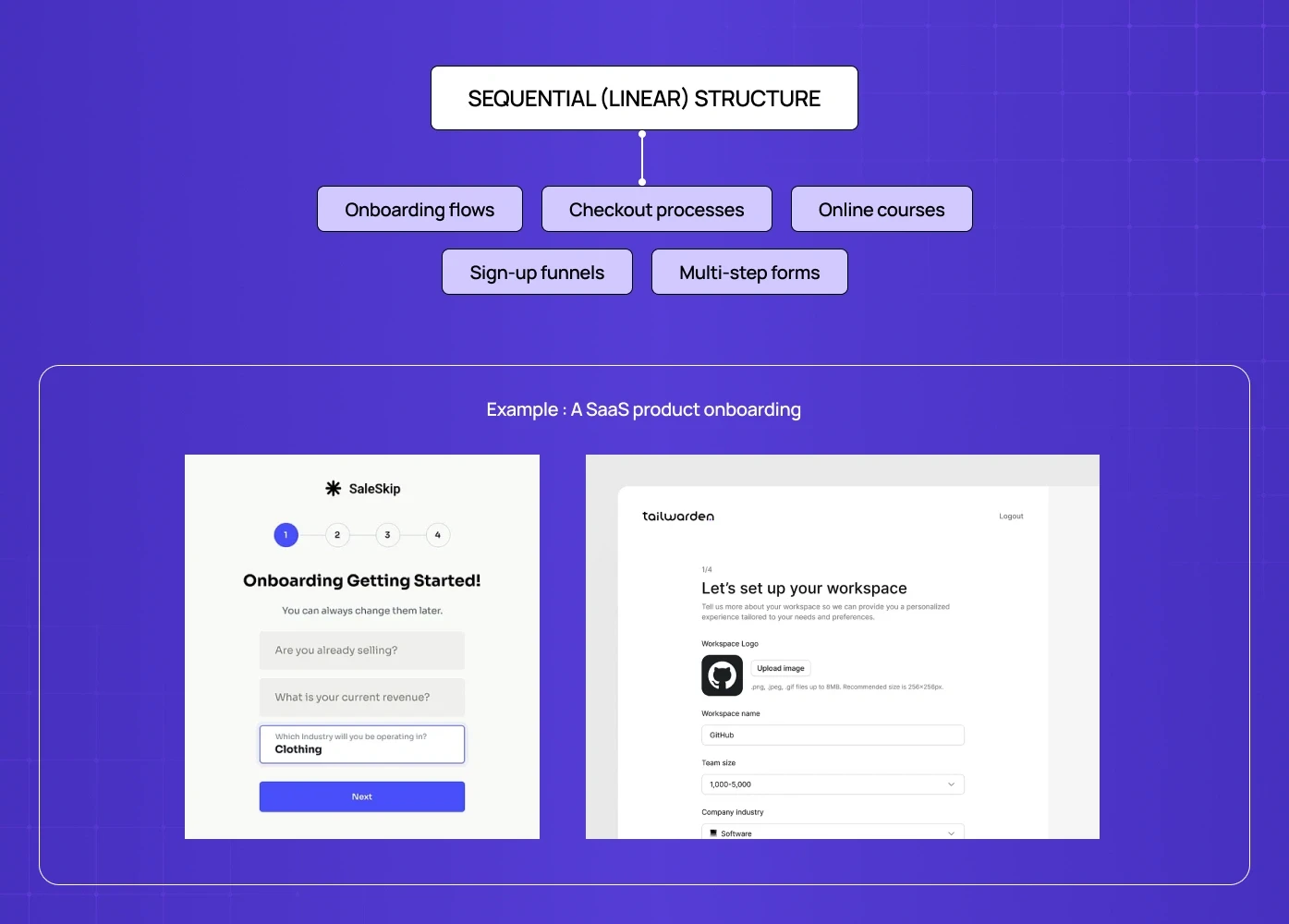
Pages are arranged in a fixed order and users move through them step by step. There's a defined start point and a defined end point. Navigation is typically "next" and "back," not a full menu.
Best for: Onboarding flows, checkout processes, online courses, sign-up funnels, multi-step forms
Example: A SaaS product onboarding — Welcome → Connect your account → Set up your first project → Invite your team → Done
Why it works: It removes decision paralysis. Users can't wander off. Every step serves the goal.
Watch out for: Frustration when users want to jump ahead or go back. Always allow backward navigation and show progress clearly. When we built the Nicotex Begin app's quit-smoking journey, the sequential structure was deliberate — guiding users step by step through the behaviour change process without overwhelming them with options at the wrong moment.
3. Matrix (Webbed) Structure
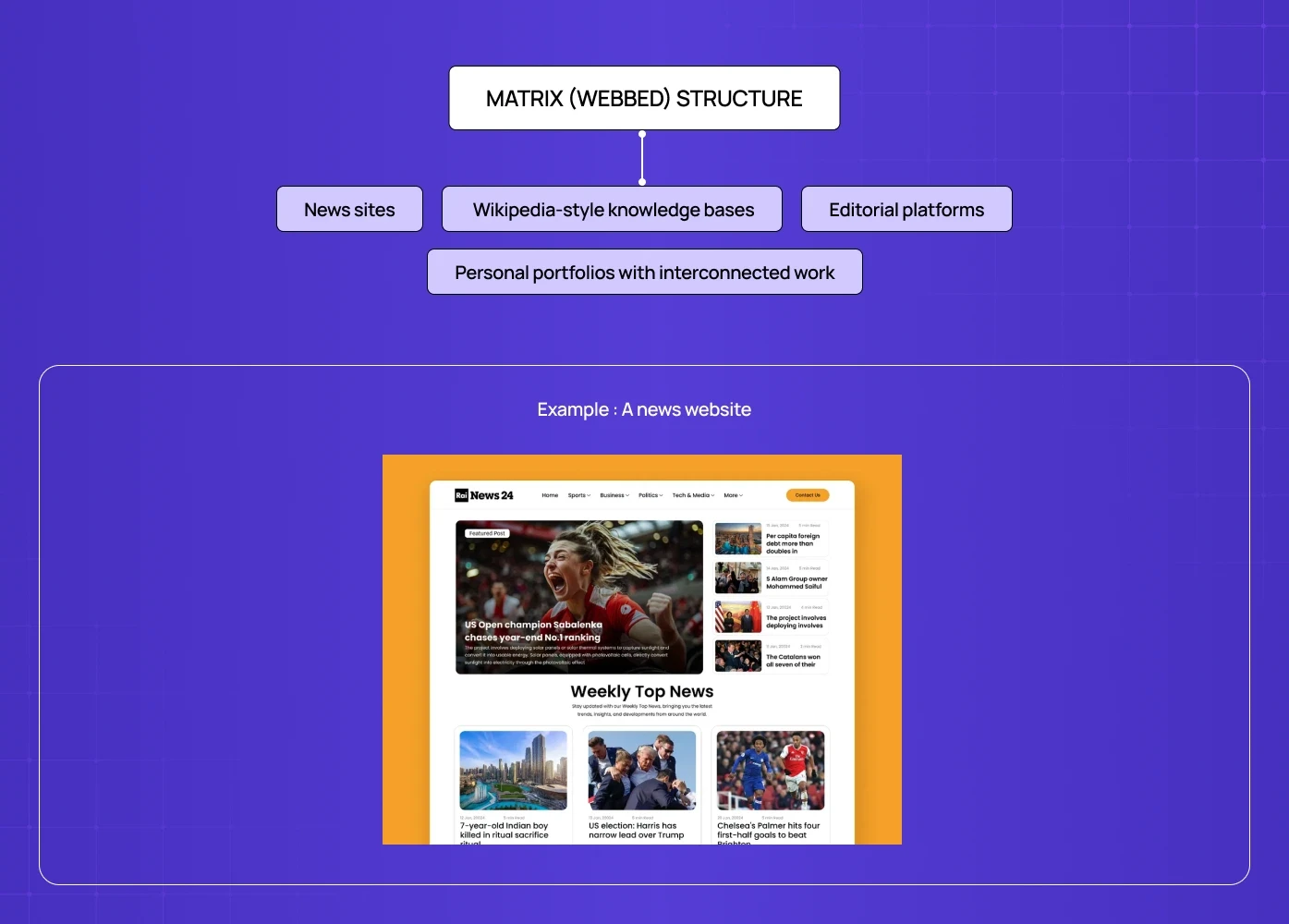
A network of interlinked pages where users can navigate freely between related content. There's no fixed hierarchy or predetermined path. Users define their own route based on what they find relevant.
Best for: News sites, Wikipedia-style knowledge bases, editorial platforms, personal portfolios with interconnected work
Example: A news website — any article links to related articles, topic pages, author pages, and breaking news. No two users follow the same path.
Why it works: Encourages exploration and increases time on site when content is genuinely interconnected.
Watch out for: Users getting lost. Without clear wayfinding (breadcrumbs, related content modules, strong navigation), a matrix structure becomes a maze. This is also a challenging structure for SEO without a disciplined internal linking strategy.
4. Database (Dynamic) Structure
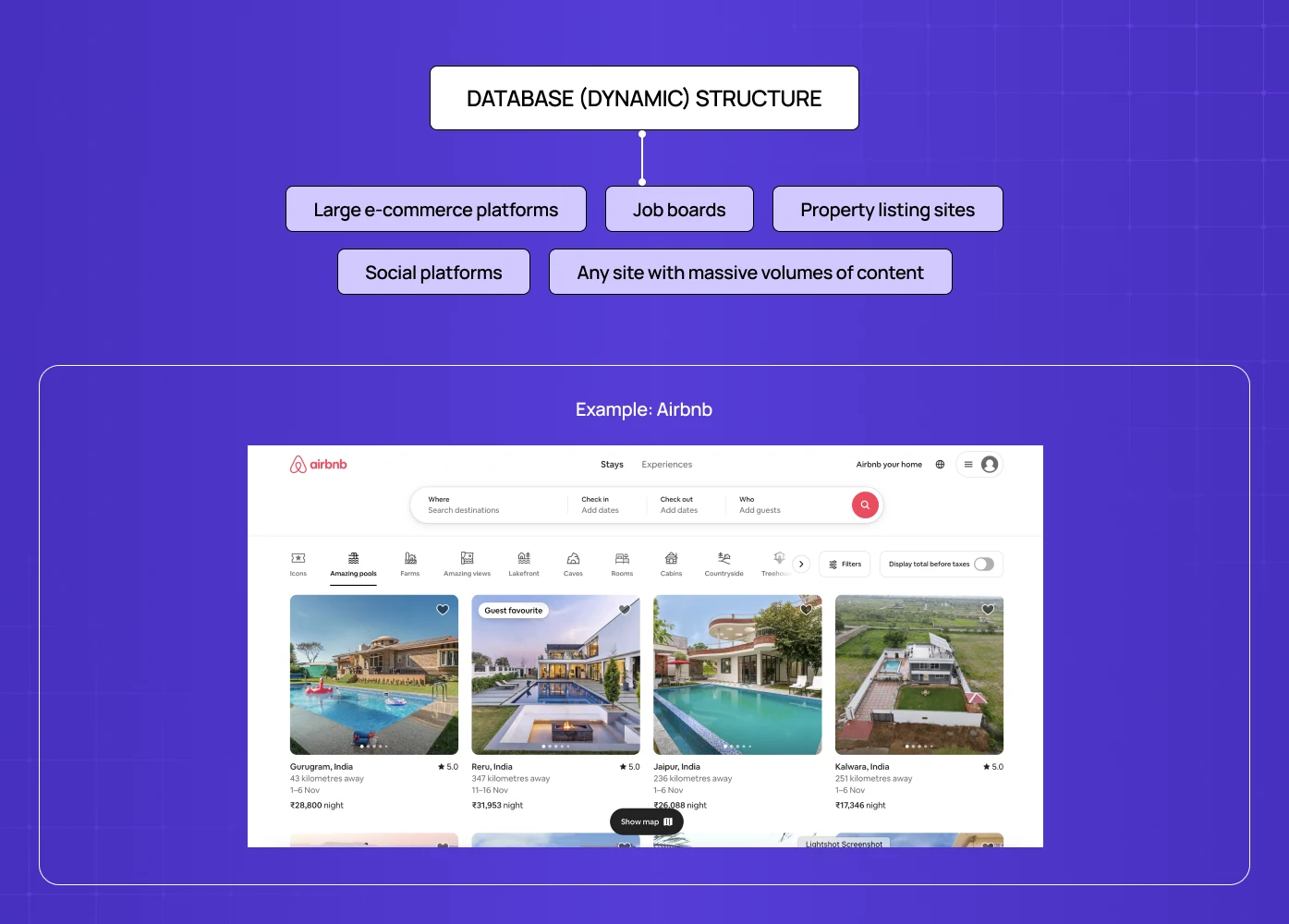
Pages are generated dynamically from a database based on user queries, filters, or behaviour rather than a fixed hierarchy. The structure emerges from the data, not from a predefined sitemap.
Best for: Large e-commerce platforms, job boards, property listing sites, social platforms, any site with massive volumes of content
Example: Airbnb — users navigate through search parameters, filters, dates, and location rather than following a fixed page hierarchy, which puts search bar UI at the centre of the experience.
Why it works: Scales to thousands or millions of pages without manual structure decisions. Highly personalised to individual user intent.
Watch out for: Complexity in execution. The database structure requires thoughtful faceted navigation, strong search functionality, and careful URL management — and at each stage, how breakpoints affect page structure shows how layout decisions at different screen widths must account for the structural complexity of dynamically generated pages to avoid navigation breakdown on smaller devices.
Comparison Table
Structure Type | Best For | SEO Strength | Navigation Style | Complexity |
Hierarchical | E-commerce, SaaS, corporate | High | Menu-driven | Low-Medium |
Sequential | Onboarding, funnels, courses | Low | Step-by-step | Low |
Matrix | News, editorial, knowledge bases | Medium | User-driven | Medium-High |
Database/Dynamic | Large platforms, marketplaces | High (if done right) | Search/filter-driven | High |
Most production websites don't fit neatly into one model.
A hybrid structure combines elements from multiple types — typically a hierarchical backbone for the main site, sequential flows for checkout or onboarding, and matrix-style linking between related content.
This is the structure we use most often at Groto. It gives you the navigational clarity of a hierarchy with the exploratory flexibility of a webbed model where the content calls for it.
The Key Components of Website Structure
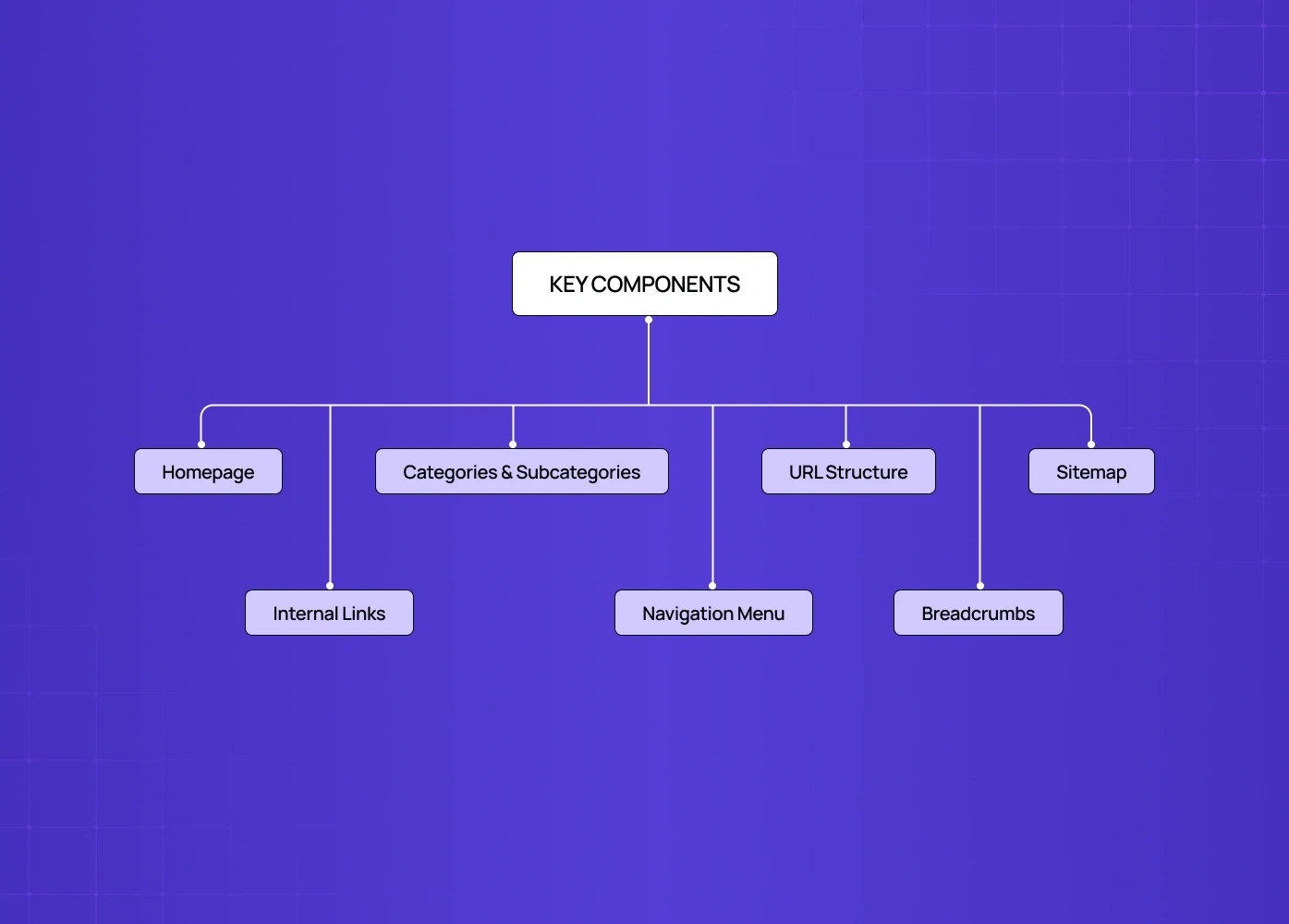
Understanding the types of website structure is one thing. Building one that holds up in practice means getting these components right.
Homepage Your homepage is the entry point and navigation hub — though for some sites, a splash page precedes it, handling age gates, region selection, or campaign-specific messaging before users reach the main hierarchy. It should make your site's purpose immediately clear, link to your most important pages, and not try to do everything at once. Principles behind effective homepage design goes deeper on the structural and visual decisions that determine whether a homepage earns its position at the top of the hierarchy or undermines it.
Navigation Menu The primary tool users have to understand your site and move through it. Your website navigation structure should surface the most important content categories cleanly, use clear and concise labels, and stay consistent across every page. If a category doesn't belong in the main menu, it likely needs a different structural home — often the footer, where website footer navigation handles utility, legal, and secondary links without cluttering the primary menu.
Categories and Subcategories The way you group related content directly shapes how users explore your site and how search engines understand your topical authority. Clear categories with logical subcategories create a silo architecture that concentrates relevance — one of the most underrated structural moves in SEO.
Internal Links Internal links are what tie the structure together. They distribute page authority, guide users through related content, and signal to search engines which pages matter most. An internal linking strategy built around your content hierarchy is not optional — it's structural.
URL Structure Your URLs should mirror your site's hierarchy — and just as URL structure defines how pages relate to each other, what is responsive website design explains how that same structural thinking must extend across every device, ensuring your hierarchy is as navigable on mobile as it is on desktop:
Bad:
www.example.com/page?id=123Good:
www.example.com/services/ux-design/web-redesign
Clean URLs make navigation clearer for users and crawling easier for search engines. Every redirect, every inconsistency in URL structure, is a small tax on your SEO performance.
Breadcrumbs Breadcrumb navigation gives users a clear trail back to where they came from — especially valuable on sites with deep hierarchies. They also appear in Google search results, improving click-through rates by showing users exactly where the page sits.
Sitemap An XML sitemap tells search engines what exists on your site and how important each page is. An HTML sitemap serves the same function for users. Both matter, especially on large sites where some pages might otherwise go undiscovered.
How to Structure a Website: Our Approach
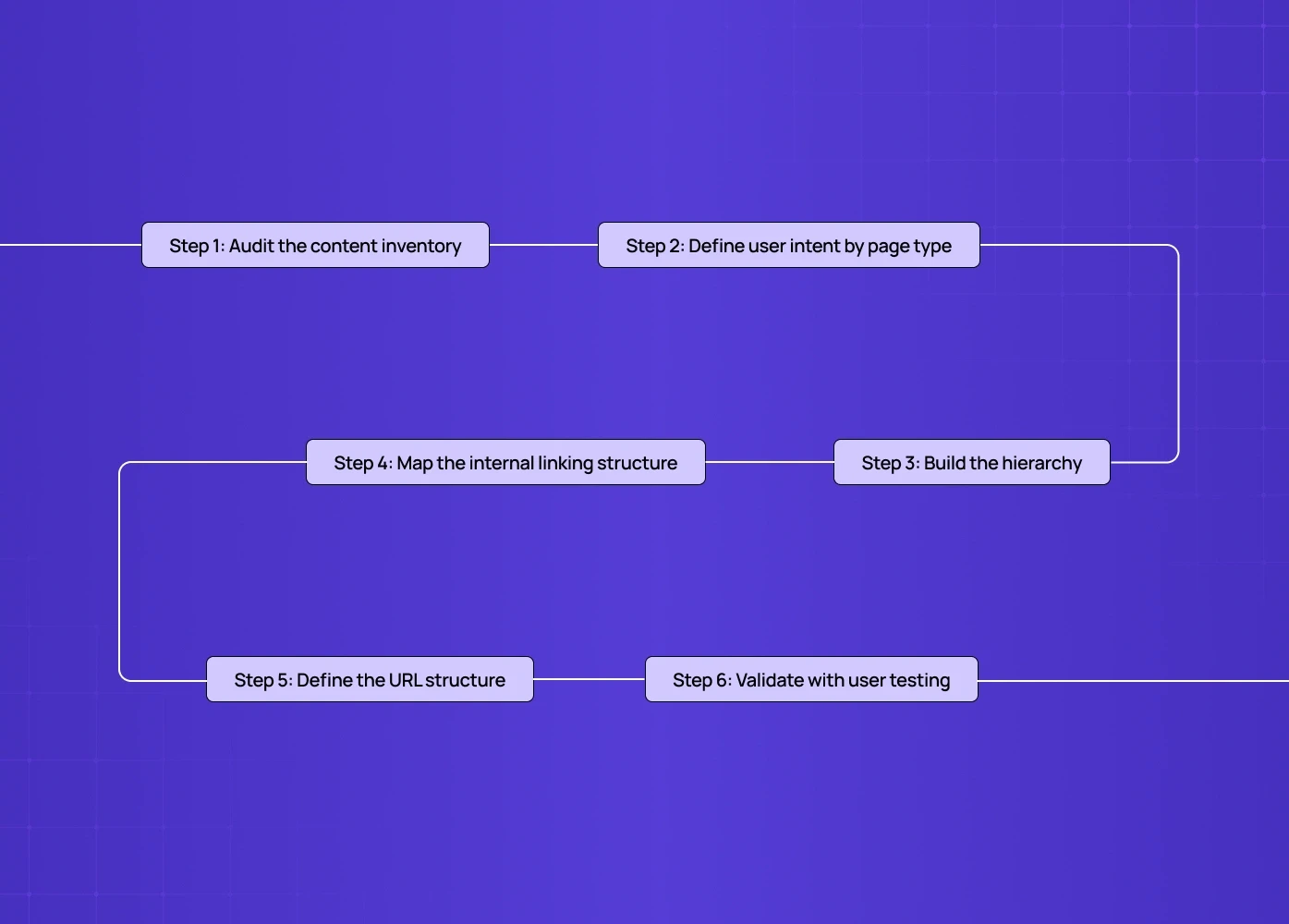
At Groto, we don't start with wireframes. We start with structure. Every engagement — whether it's a full product redesign or a new build — follows the same sequence, and getting structure right here is what keeps the rest of a redesign project timeline from slipping.
Step 1: Audit the content inventory What pages exist? What needs to exist? What's redundant? Before we can build a logical website structure, we need to know what we're working with.
Step 2: Define user intent by page type What is a user trying to do when they land on each type of page? Informational intent, transactional intent, and navigational intent require different structural decisions. A content page, a profile page UX, and a checkout flow each demand a different structure. Mapping intent to page type is where a lot of sites go wrong — they build pages for the business, not for the user's goal.
Step 3: Build the hierarchy Top-down. Homepage → Primary categories → Subcategories → Content pages. We keep it as flat as possible — the goal is to make any important page reachable in three clicks or fewer from the homepage.
Step 4: Map the internal linking structure Which pages should point to which? Cornerstone content — the pages you most want to rank and convert — should be linked to from multiple related pages. Think of links as roads. The most important cities get the most roads.
Step 5: Define the URL structure Before development begins. Retrofitting URLs after launch is painful and causes ranking volatility.
Step 6: Validate with user testing A structure that makes sense to the person who built it often doesn't make sense to a first-time visitor. We test navigation assumptions with real users before anything gets built.
Common Website Structure Mistakes (And How We Fix Them)
Too many levels deep Important pages buried 5-6 clicks from the homepage. Fix: flatten the hierarchy and promote key content closer to the surface.
Orphaned pages. Pages that exist but aren't linked to from anywhere. Search engines may never find them. Users definitely won't. Fix: regular structural audits and a disciplined internal linking review — both of which are core to ongoing website maintenance rather than one-off fixes.
Inconsistent URL structure Some pages use categories in the URL, some don't. Some use hyphens, some underscores. Fix: establish a URL convention before launch and enforce it across every new page — and if the site is being rebuilt from scratch, pairing this with responsive web design services ensures structural and device-layer decisions are made together rather than retrofitted separately.
Navigation that reflects internal org structure rather than user mental models We see this constantly on corporate sites — the menu mirrors the company's departments, not the way customers think about their problem. Fix: user research before navigation is designed, not after.
No cornerstone content strategy High-value pages with no internal links pointing to them. They rank poorly because the structure doesn't signal their importance. Fix: map cornerstone pages first, then build a linking plan that concentrates authority where it matters.
Maintaining Your Website Structure
Building a solid structure is step one. Keeping it intact as the site grows is the ongoing work most teams skip.
Review your navigation regularly When new pages, products, or services are added, they often get bolted on without checking where they belong in the hierarchy — and how to self-audit your website structure gives founders and product leads a practical framework for running that quarterly review themselves, without needing an agency to flag what's broken.
Address outdated and orphaned content Old pages that no longer serve a purpose dilute topical authority and confuse crawlers. Either update them, redirect them to a relevant live page, or remove them. Never delete a page without setting up a redirect — a 404 is worse than the original problem.
Strengthen internal linking as you publish Every new piece of content is an opportunity to add internal links to your cornerstone pages. Build this into your publishing process, not as an afterthought.
Resubmit your sitemap after structural changes Any significant change to your hierarchy — new categories, restructured URLs, removed pages — should be followed by resubmitting your XML sitemap in Google Search Console.
Website Structure and SEO: What Actually Matters
A well-planned site structure for SEO isn't about tricks. It's about making it easy for search engines to understand what your site is about and which pages matter most.
The three structural factors that move the needle most:
1. Crawl depth Pages that are fewer clicks from the homepage tend to rank better. Keep your most important pages shallow in the hierarchy.
2. Internal link equity Links from high-authority pages pass value to the pages they link to. Structure your internal linking so that authority flows toward the pages you most want to rank.
3. Topical silos Grouping related content under clear category structures signals topical authority to search engines. A well-structured silo for "UX Design" — with a cornerstone page supported by related articles — will outrank a collection of disconnected posts on the same topic.
Across the product redesigns we've done for SaaS and fintech clients, structural improvements to internal linking and content hierarchy have consistently produced 40-60% improvements in organic traffic and crawl efficiency — before a single piece of new content was written.
Conclusion: Structure Is a Design Decision
Website structure isn't a technical afterthought — it's a design decision, and like all modern web design principles that drive results, it compounds. Good structure makes every subsequent decision easier, while poor structure creates costs that no amount of visual polish can recover.
The teams that get this right treat structure as the foundation, not the finishing touch — and the AI builder decision shapes structural quality long before launch, since a builder templates the hierarchy while an agency designs it. They define hierarchy before wireframes. They map user intent before navigation. They build internal linking strategies before writing content.
We've seen what happens when structure is treated as an afterthought — and we've seen what happens when it's treated as the primary design constraint. The difference shows up in organic traffic, in bounce rates, in conversion, and in how much it costs to maintain the site as it scales.
If your site has a structure problem, it's worth fixing before anything else.
Not sure if your site's structure is working for or against you? We run focused UX and structural audits for product teams and founders — a clear-eyed look at what's costing you traffic and conversions, and what it would take to fix it.
At Groto, we've rebuilt site structures for products across fintech, SaaS, edtech, and healthtech — including work for PolicyBazaar, Meydan FZ, and Camb.ai. If your site's structure is working against you, we'd like to take a look.



![UX Design Agency in Chicago: Top Experts in User Experience [2026]](https://framerusercontent.com/images/eEzXJKd83v7jRtDEprFoY50HTTI.webp?width=1713&height=1126)