Bespoke vs. Templated: Why AI Applications Need Bespoke UI/UX Design Services

Bespoke vs. Templated: Why AI Applications Need Bespoke UI/UX Design Services

Groto makes the case for bespoke UI/UX design services in AI products, showing exactly where custom design earns its cost and where a template does the job just fine.

Bespoke vs. Templated: Why AI Applications Need Bespoke UI/UX Design Services

Bespoke vs. Templated: Why AI Applications Need Bespoke UI/UX Design Services

Groto makes the case for bespoke UI/UX design services in AI products, showing exactly where custom design earns its cost and where a template does the job just fine.

AI behaves in ways templated component libraries were never built for. This guide breaks down where bespoke UI/UX design services genuinely pay off for AI products, the real cost of retrofitting later, and how to split your budget the smart way.

Bespoke design isn't always better. Here's exactly when it is.

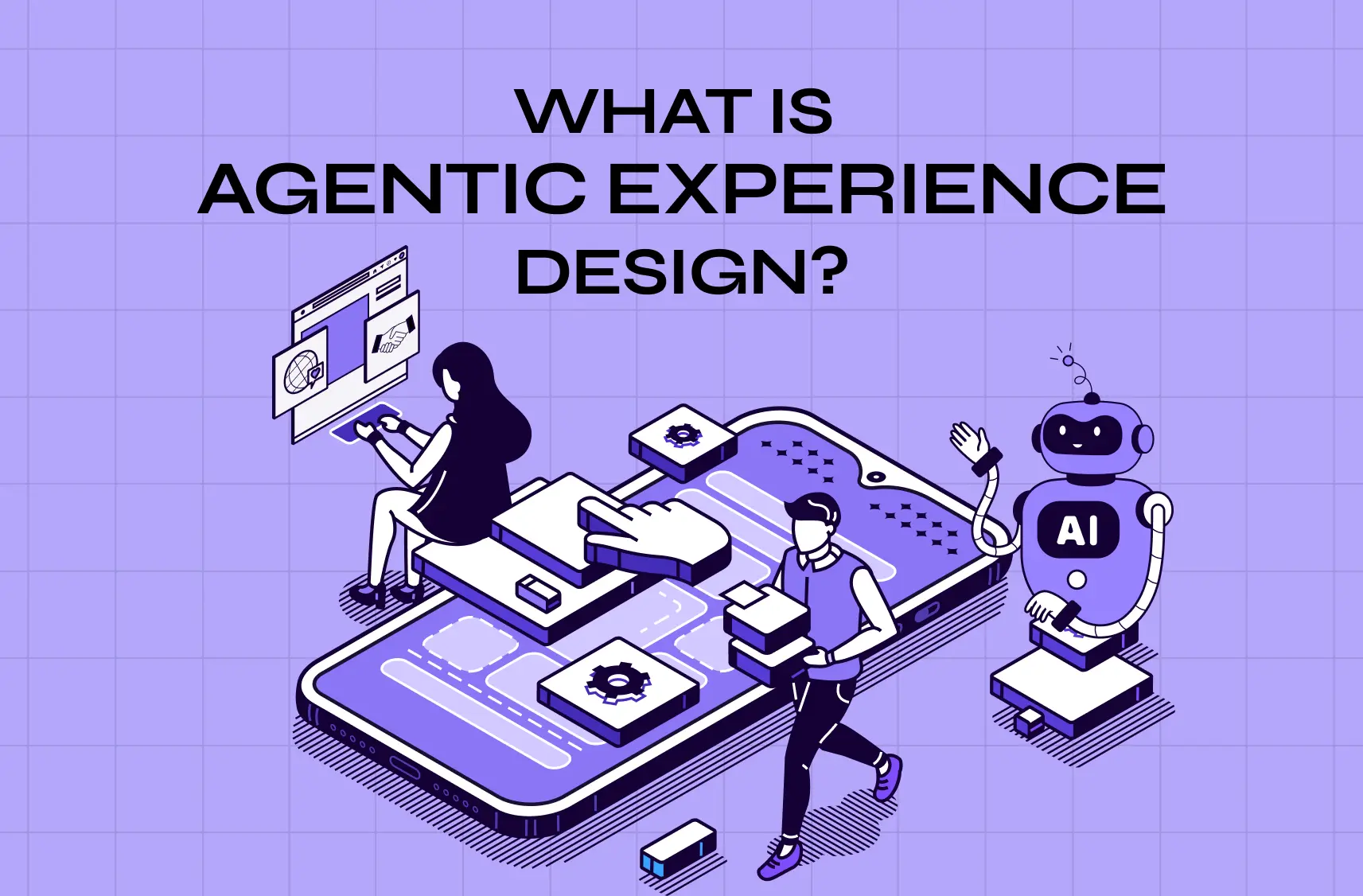
AI-ready UI illustration showing people analyzing data and interacting with a mobile interface, representing the shift toward AI-native product experiences.

interface components and interaction patterns around your product's specific behavior, instead of assembling your interface from an existing library of pre-built components. For most software, that distinction barely matters. For AI products, it decides whether your interface actually works. This piece looks at exactly where bespoke UI/UX design services earn their cost for AI applications, where a templated design system is the smarter choice, and how to split your design budget between the two without guessing.

TL;DR

  • AI products behave in ways templated component libraries were never built to handle: varying confidence, streaming outputs, corrections, and multi-step agent behavior.

  • Bespoke UI/UX design services are worth the investment specifically on the surfaces where these AI behaviors live, not across the entire product.

  • Retrofitting an AI feature after users have already written it off as unreliable usually costs more than designing it right the first time.

  • Conventional screens like billing, settings, and admin panels are well served by templated design systems. Save your bespoke budget for where it counts.

  • The smartest approach for most AI products is a hybrid: bespoke design for the AI core, templated design for the periphery, held together by one shared design system.

Off-the-shelf component libraries are one of the best things to happen to software design. They let teams ship consistent, accessible interfaces fast and cheap, and for most of a product, you should absolutely use them. But AI applications have a problem that templated design systems weren't built to solve: AI behaves in ways that no CRUD-era component library anticipated. Confidence that varies. Answers that stream in token by token. Outputs that are sometimes wrong and need correcting. Agents that take a dozen steps and pause for your input. Drop those behaviors into a design system built for forms and tables, and the seams show immediately.

This is the honest case for bespoke UI/UX design services for AI products, not "custom is always better" (it isn't), but "custom is worth it exactly where AI behavior doesn't map onto off-the-shelf components." We'll cover where templated design systems break down for AI, the real cost of going bespoke versus retrofitting later, how to decide which screens actually need custom treatment, and a hybrid approach that spends your budget where it counts. If you're building an AI product and weighing custom design against a template, this is the framework, and it's the same lens we use in our AI-first UX design work with clients.

First: what "bespoke vs. templated" actually means

Templated design uses pre-built component libraries and design systems (off-the-shelf UI kits, framework defaults) to assemble an interface fast. Bespoke design creates custom components and patterns tailored to your specific product and its behaviors. The deliverables are the same either way, since what a UI UX agency does doesn't change with the build method, only the cost and the fit do. Neither is inherently "better," they're tools with different trade-offs.

  • Templated is faster and cheaper and enforces consistency.

  • Bespoke is slower and costlier but fits your product exactly.

The entire question, for an AI application, is where on that spectrum each part of your product should sit. And the answer hinges on one thing: whether the interface has to express behavior that standard components simply don't have primitives for.

Where Templated Design Systems Break Down for AI Products
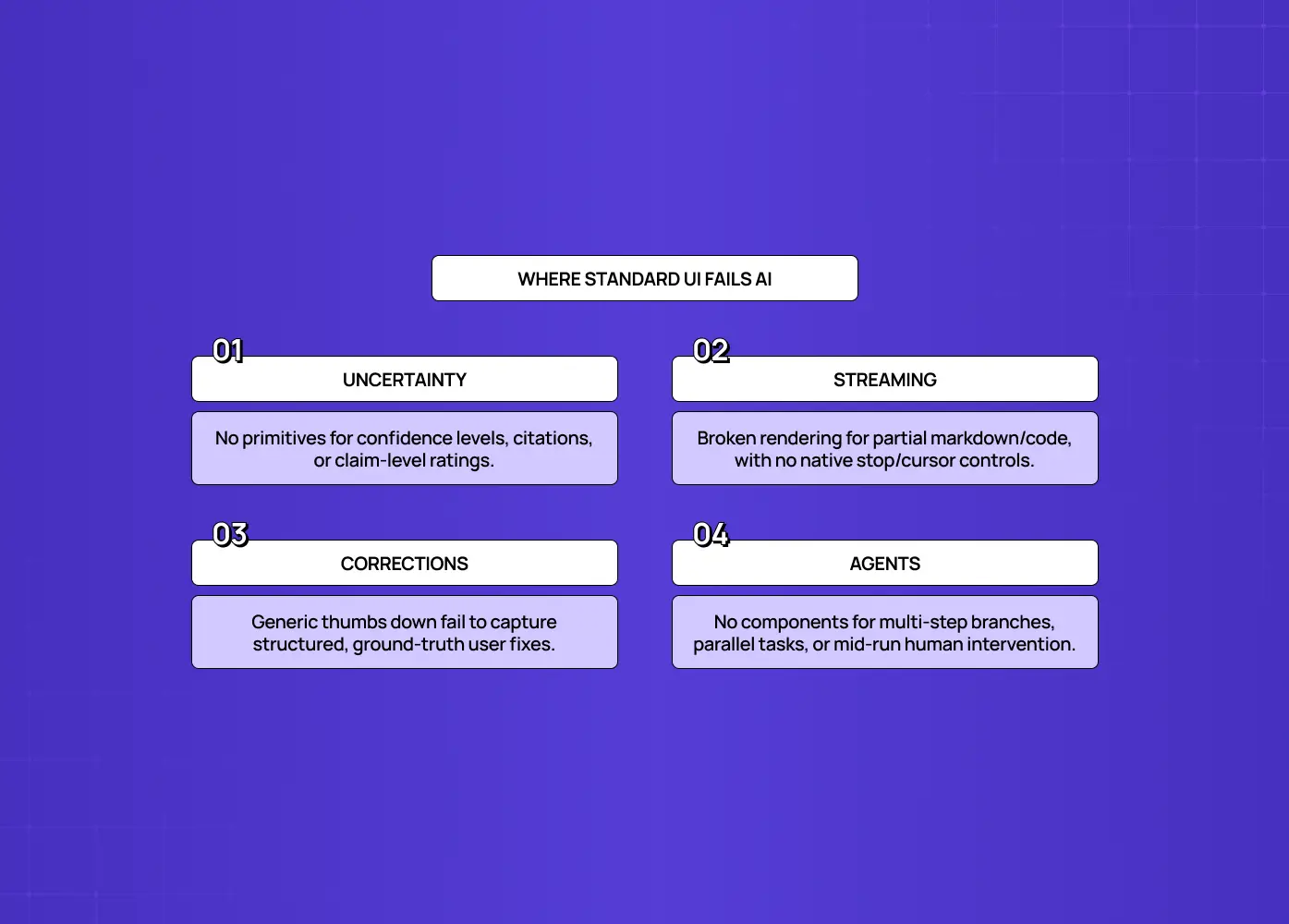
Highlights uncertainty, streaming, corrections, and agent workflows as areas where conventional interface components fall short.

Templated component libraries were built for deterministic, CRUD-style applications, create, read, update, delete, and AI behavior falls outside every assumption they make. Standard libraries have a button, a form, a table, a modal. They have no concept of an output that's probably right, or partially rendered, or in the middle of a ten-step task. Here's exactly where they break:

Confidence and uncertainty states

One of the signature AI UI patterns of 2026 is the confidence indicator, an element that communicates how certain the AI is, or where its information came from, often paired with source citations and feedback controls. No off-the-shelf component library has a "this answer is 70% confident, here's the source, was this right?" primitive, because deterministic software is never uncertain. You have to design it.

  • No standard primitive for expressing partial certainty

  • No built-in pattern for pairing an answer with its source

  • No default way to collect a right/wrong signal tied to a specific claim

Streaming responses

Streaming is now the baseline expectation for any LLM interface, users have learned to watch tokens appear in real time, and a response that waits until it's complete before rendering feels broken. But streaming brings its own UX problems: APIs emit incomplete markdown, half-finished code blocks, and partial words that a naive renderer displays as garbage. Handling that gracefully, cursors, partial-state rendering, stop and regenerate controls, requires a purpose-built streaming renderer that standard component kits don't include.

  • No handling for incomplete markdown or broken code blocks mid-stream

  • No default cursor or "still generating" state

  • No built-in stop or regenerate control tied to a live response

Corrections

When a user says "this is wrong, here's what it should be," that correction is a ground-truth signal, arguably the most valuable event in an AI product, because it's how the system learns where it's failing. Treating it as a generic "thumbs down" instead of a first-class correction interface is an architectural mistake, not just a cosmetic one: you lose precision at the exact moment the model is degrading and corrections are spiking. A real correction UI is bespoke by necessity.

  • No structured way to capture what the correct answer should have been

  • No connection between the correction and the specific output it applies to

  • No way to distinguish "wrong" from "wrong in this specific way"

Want to know where your users are dropping off?

We’ll break down the exact moments users lose interest, and why.

Want to know where your users are dropping off?

We’ll break down the exact moments users lose interest, and why.

Agentic, multi-step behavior 

An AI agent might take dozens of sequential steps, pause to request human input, stream partial results, and fork into parallel sub-tasks. As practitioners bluntly put it, these behaviors "demand UI primitives that simply do not exist in component libraries built for CRUD applications." Showing a user what an agent is doing, letting them intervene, and keeping them in control is a design problem with no off-the-shelf answer.

  • No default view for a multi-step process that branches or pauses

  • No built-in way to let a user step in mid-task

  • No standard pattern for showing progress on parallel sub-tasks

Tellingly, an entire category of specialized AI component libraries has emerged to fill these gaps, streaming renderers, citation handling, correction patterns. That existence is the proof: the standard systems don't cover AI behavior, so someone had to build new primitives. For the parts of your product where these behaviors live, templated design isn't a budget saver, it's a source of a broken experience.

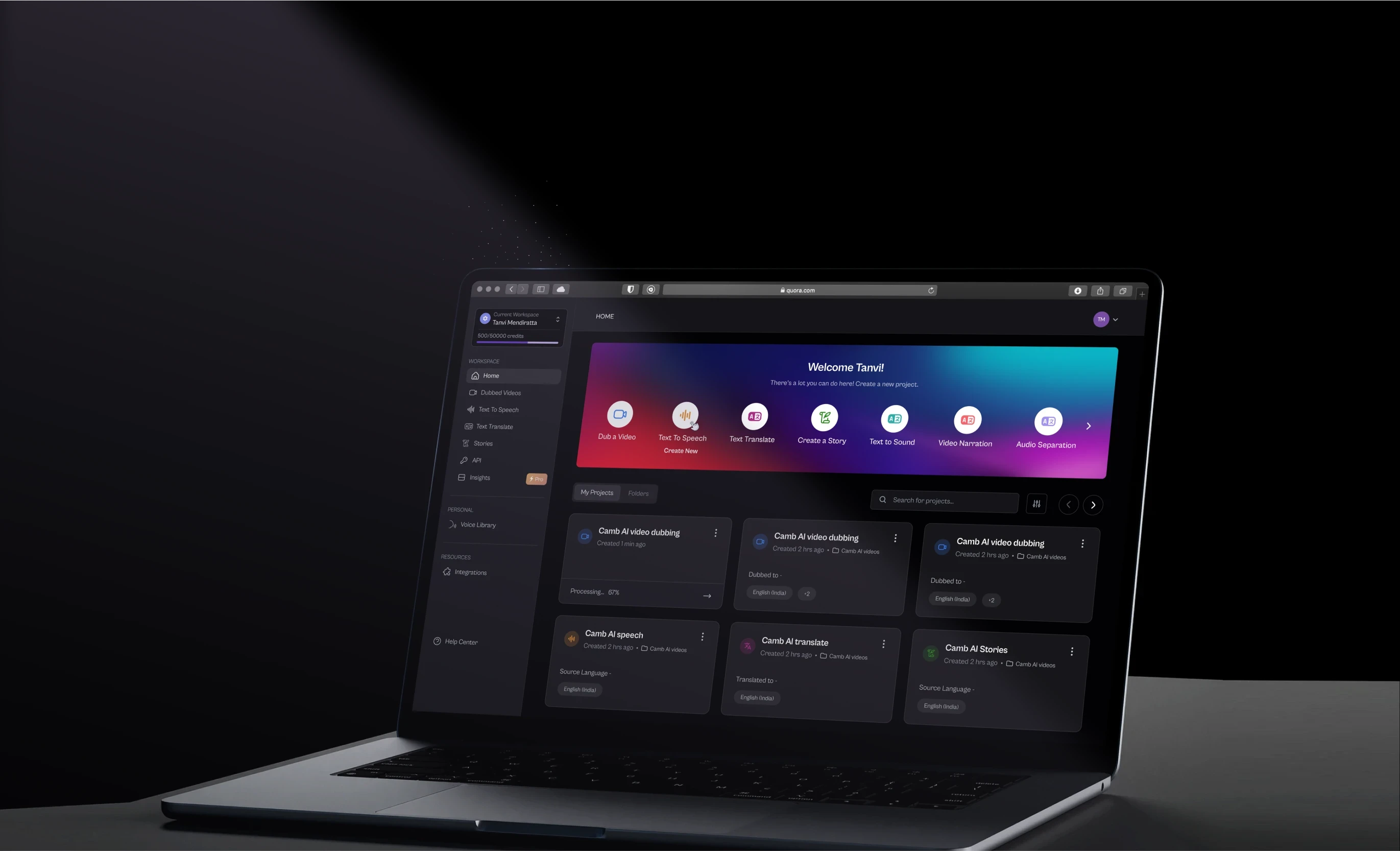
We ran into a version of this directly on Camb.ai's AI dubbing platform, where real-time output across 140+ languages meant the interface had to communicate progress and reliability as the AI worked, not after it finished. No off-the-shelf component handled that well. It had to be designed for the behavior, not fitted around a template.

The Cost of Bespoke Design vs. the Cost of Retrofitting Later
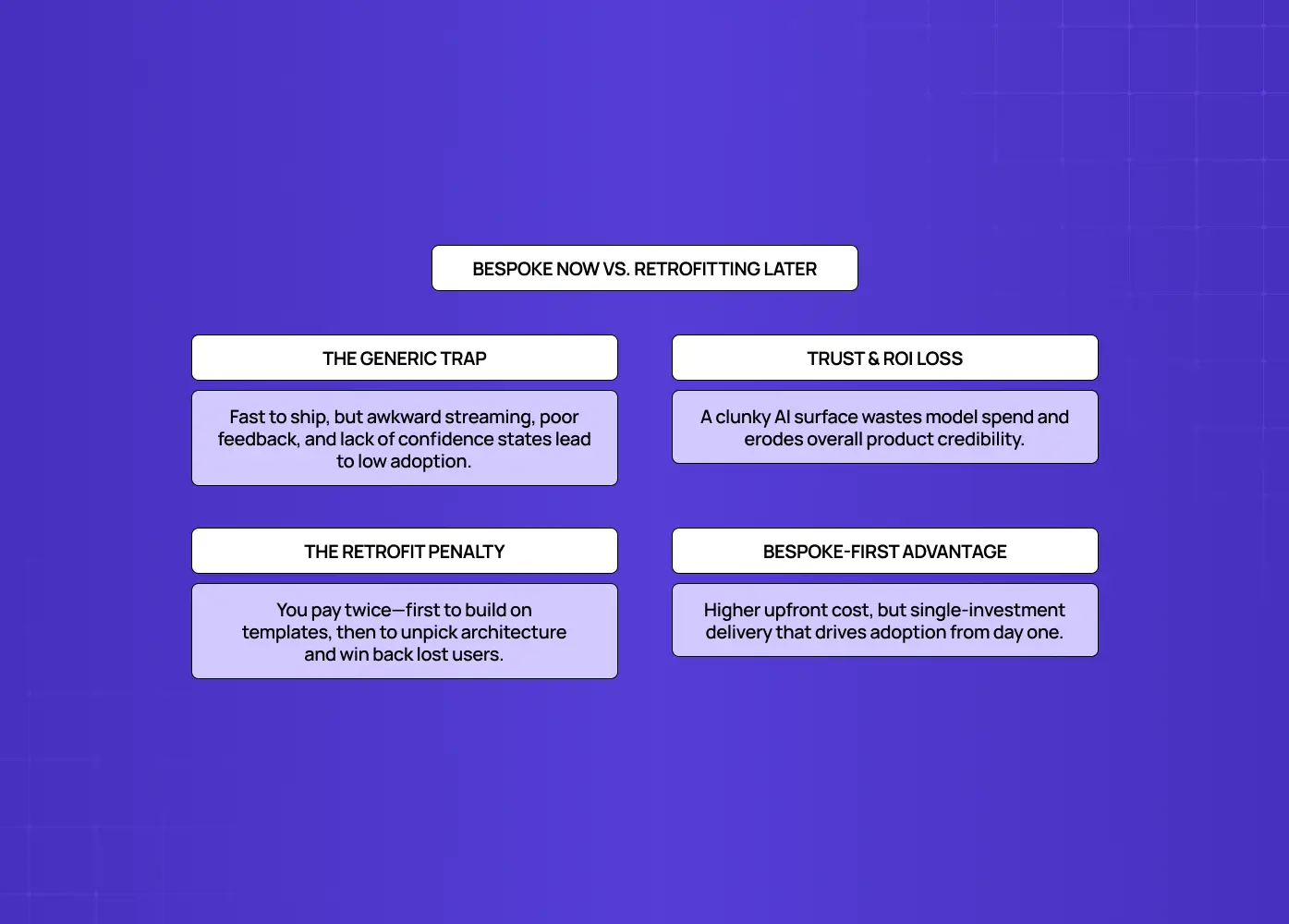
Compares the risks of generic UI, including poor streaming and feedback, with the benefits and costs of designing AI experiences specifically from the start.

Bespoke design costs more upfront than dropping in a template, but for AI surfaces, the real comparison is bespoke now versus retrofitting later, and retrofitting is almost always more expensive.The tempting move is to ship the AI feature on generic components to save time, plan to "make it custom later," and move on. Our agency pricing breakdown covers what each approach actually costs, which is worth having in front of you before running that math. Here's why it usually loses.

  • Ship on generic components: you get a feature that looks done but doesn't communicate confidence, streams awkwardly, and has no real way to capture corrections. Users notice, even if they can't name why it feels off.

  • An unused AI feature returns nothing on your AI spend. A broken-feeling AI surface doesn't just underperform, it actively erodes trust in the rest of the product.

  • Retrofitting means paying twice. You have to unpick the generic components, design the bespoke primitives you should have built the first time, and rework the surrounding flows that assumed generic behavior, often after users have already formed a "their AI doesn't work" impression that's expensive to reverse.

  • Bespoke-first on the AI-critical surfaces avoids the double payment. You invest once, in the right primitives, and the feature works, and gets adopted, from launch.

The upfront cost is real, but it's cheaper than building it wrong, losing the adoption, and rebuilding it right. The trick is knowing which surfaces deserve that upfront investment, which is the next question.

Deciding Which Screens Need Custom Treatment
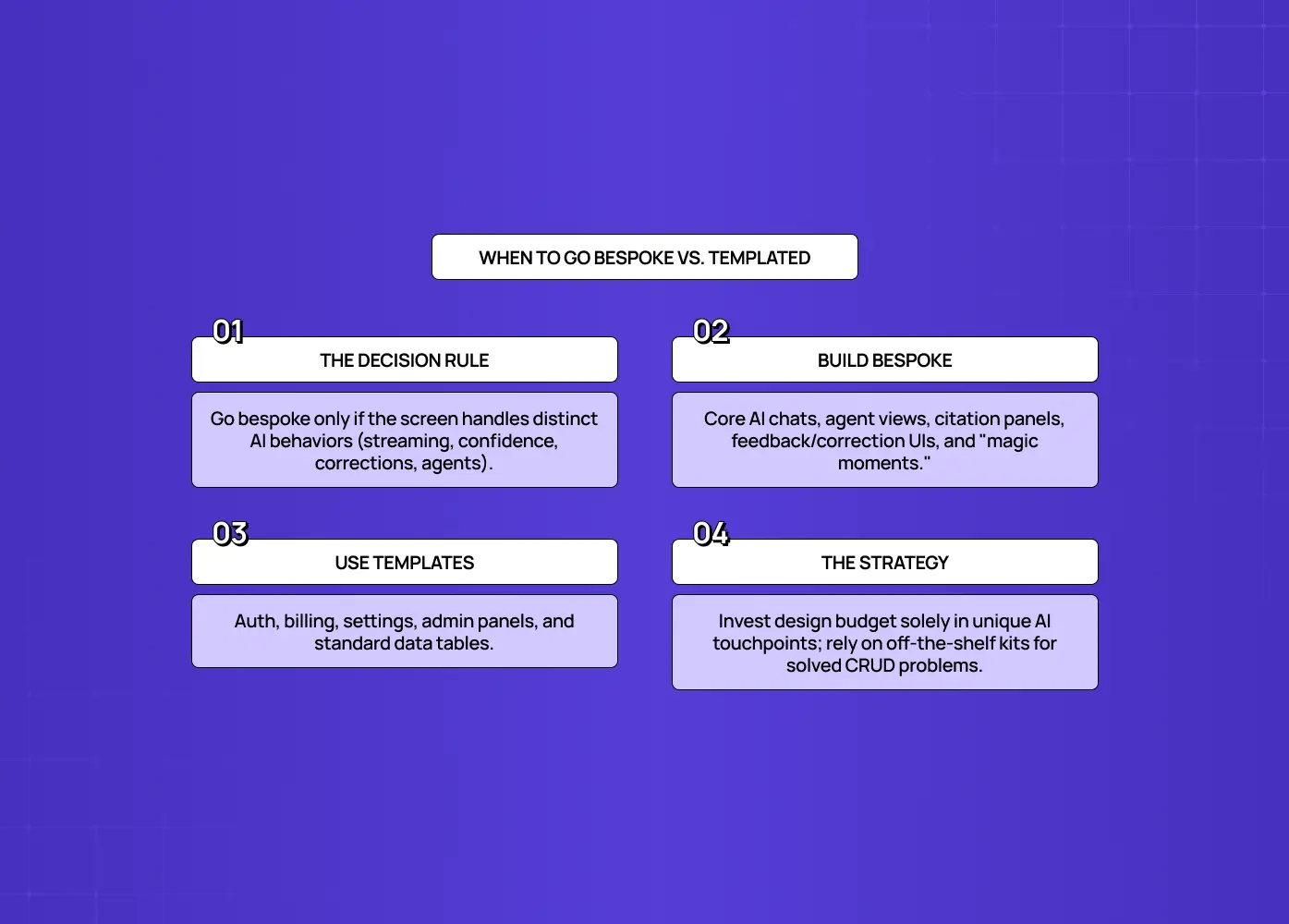
Explains when to build custom interfaces for unique AI behaviors and when to use standard templates for common product workflows.

The screens that need bespoke design are the ones that express behavior standard components can't, everything else can use a template. You don't custom-design your whole product, you custom-design where it matters. A simple test for each screen or flow: does this surface express distinctly AI behavior, uncertainty, streaming, corrections, agent steps, novel interaction, that off-the-shelf components can't represent well?

If yes, go bespoke. This includes:

  • The AI conversation itself

  • The agent's working view

  • Confidence and citation displays

  • The correction interface

  • The core "magic moment" where your product's differentiation lives

These are where a poor experience directly costs you trust and adoption, and where templated components visibly fail.

If no, stay templated. This includes:

  • Settings and account management

  • Billing and authentication

  • Standard data tables

  • Admin panels

  • Marketing pages

These are solved problems. A good off-the-shelf design system handles them well, consistently, and cheaply, and users don't need them to be novel.

The principle: invest bespoke design where the experience is both novel and high-stakes, use templates where it's conventional and low-stakes. Your differentiation (and your risk) lives in the AI surfaces, your budget is best protected everywhere else. Mapping your product against this test tells you exactly where custom is worth paying for, and that map belongs in your design brief, since it's the input any partner needs before they can scope the work.

A Hybrid Approach: Bespoke Core, Templated Periphery
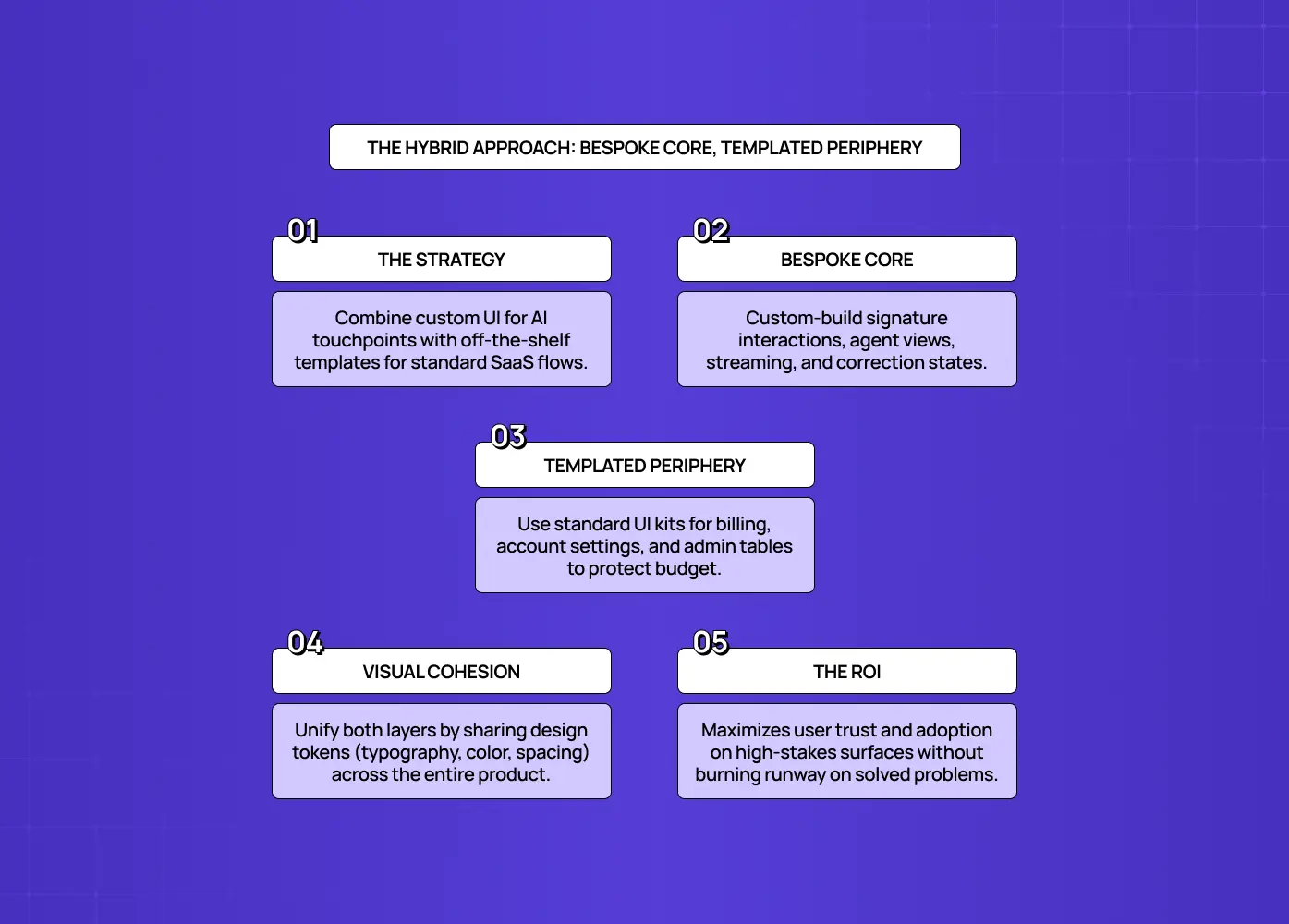
Recommends a bespoke AI core with templated peripheral experiences, maintaining visual cohesion while maximizing trust, adoption, and ROI.

The smartest strategy for most AI products isn't all-bespoke or all-templated, it's a hybrid: bespoke design for the AI core, templated design for the periphery. This is how you get the best of both.

  • Bespoke core: the conversation, the agent view, confidence and correction flows, the signature interactions. These get purpose-designed primitives that handle uncertainty, streaming, and correction properly.

  • Templated periphery: settings, billing, tables, and account screens. A solid off-the-shelf design system covers these without eating into your bespoke budget.

We took this approach designing Barista, a PR-first AI platform built to work like a teammate rather than a search box. The core workflow, where the AI collaborates on content and moves work forward, needed bespoke interaction patterns. The surrounding account and workflow management screens didn't, so we kept those templated and put the design budget where it actually changed how the product felt to use.

Done well, the two layers share a consistent visual language so the product feels unified, not stitched together, the bespoke core extends the templated system's tokens (color, type, spacing) rather than fighting them. This hybrid model is honest about economics: you're not paying for custom design where a template would serve users just as well, and you're not cheaping out where a template would break the experience. It's the approach that respects both your users' trust and your runway, and it's exactly how a good design partner scopes AI product work: bespoke where it counts, templated where it doesn't. UX design companies for SaaS vary widely on whether they actually scope this way, so it's worth asking directly rather than assuming.

Bespoke Design and Build Go Hand in Hand
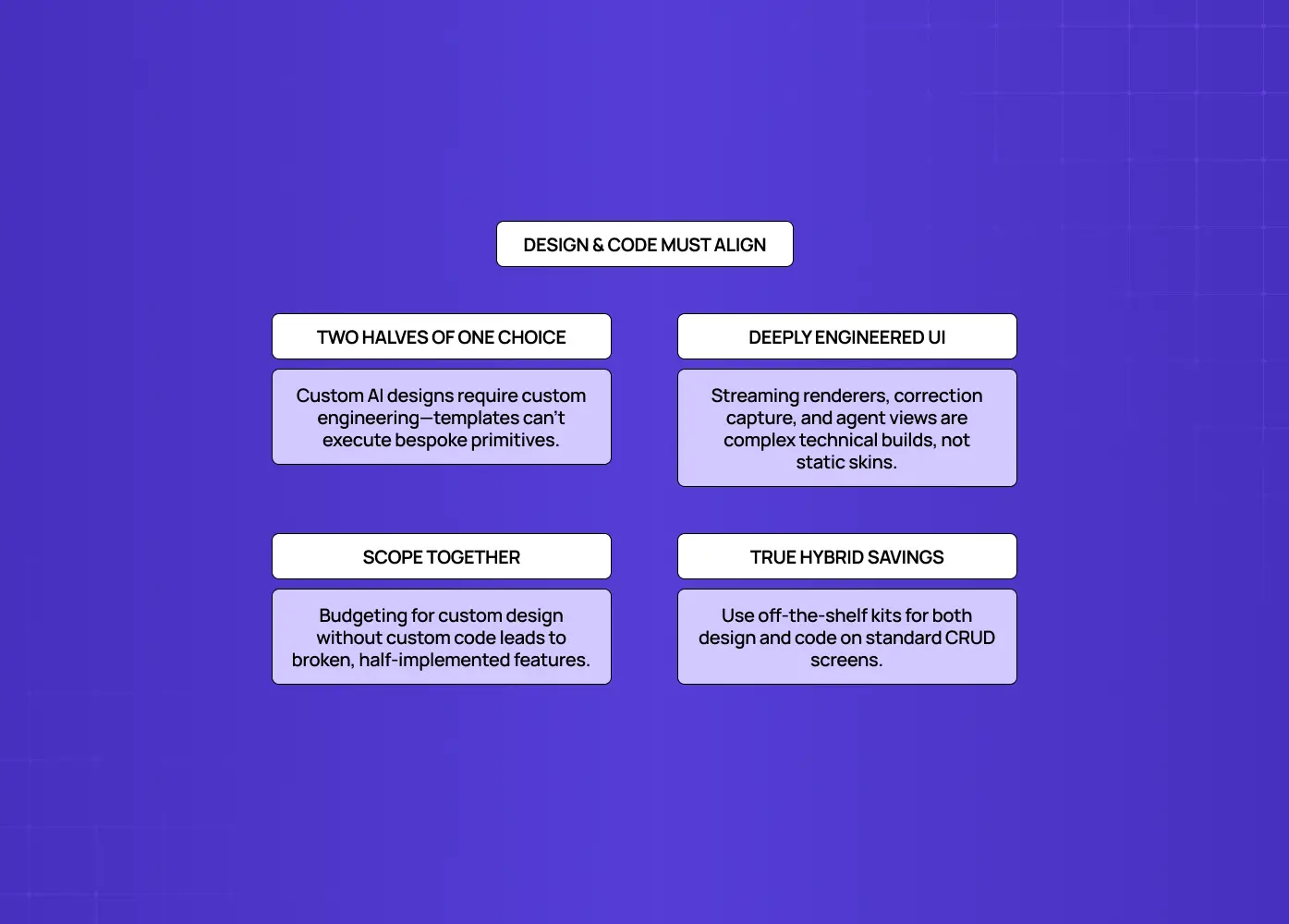
Shows why custom AI interfaces require coordinated design and engineering effort, while standard CRUD screens can use off-the-shelf solutions.

For AI surfaces, bespoke design and bespoke development are two halves of the same decision, the custom primitives you design only work if they're custom-built. None of the following are just visual designs, they're engineered components:

  • A streaming renderer that gracefully handles partial markdown

  • A correction interface that captures structured ground-truth data

  • An agent view that shows live multi-step progress

This is why the bespoke-vs-templated question isn't only for designers, it determines whether you can use pre-built UI kits and framework defaults, or whether you need a partner (or an internal team, or a custom web development agency) to build the components from scratch.

The practical upshot is to scope design and engineering together on your AI-critical surfaces. Deciding a screen needs bespoke design implicitly decides it needs bespoke build, and budgeting for one without the other is how "custom" AI features end up half-implemented on generic components anyway. Conversely, on the templated periphery, you get to lean on off-the-shelf components in both design and code, which is exactly where the savings come from. Aligning the design decision and the build decision, surface by surface, is what makes the hybrid approach actually work in practice rather than just on a slide. Understanding how agencies build products end to end makes it much easier to spot whether a proposal has genuinely aligned the two or just labelled some screens "custom."

How to Get the Bespoke/Templated Split Right

The most common mistake is applying one setting to the whole product, all-templated to save money, or all-bespoke out of perfectionism, when the right answer is surface-by-surface. All-templated ships fast but breaks on the AI surfaces that decide adoption. All-bespoke burns budget re-solving problems (settings, billing, tables) that off-the-shelf systems already solved. Both are failures of discipline. A few guardrails keep the split honest:

  • Map every screen against the "does this express AI behavior or carry differentiation?" test, and be ruthless about how few surfaces truly qualify, usually it's the conversation, the agent view, and a handful of trust-critical flows, not the whole app.

  • Keep the bespoke components inside a shared design-token system so the custom core and templated periphery feel like one product.

  • Revisit the split as you learn: a surface that's conventional today may become AI-driven tomorrow, earning bespoke treatment then.

Get this surface-by-surface discipline right and you capture the trust benefits of custom design and the budget benefits of templates, instead of the downsides of picking just one. A good design proposal should lay that split out explicitly, surface by surface, rather than quoting one blended rate across the whole product.

Conclusion

The bespoke-vs-templated question isn't ideological, it's practical, and for AI products the answer is a specific hybrid.

  • Templated design systems are excellent, and you should use them for the conventional majority of your product.

  • AI behaves in ways those systems were never built to express: confidence, streaming, corrections, agentic steps.

  • On those surfaces, templated design produces experiences users don't trust or adopt, which costs far more to retrofit than to build right the first time.

  • Invest bespoke design where AI behavior and your differentiation live, template the rest.

  • That's not overspending on custom, it's spending it exactly where it earns its return. When you're evaluating partners, ask for portfolio examples of bespoke AI surfaces specifically, not polished marketing sites, since the two require completely different skills.

If you're building an AI product and want a partner who knows which surfaces demand bespoke UI/UX design services and which are fine on a template, book a discovery call with Groto. We design bespoke experiences for the AI core that make your product trustworthy and adopted, and we're honest about where a template will serve you just fine. Let's spend your design budget where it counts.

AI behaves in ways templated component libraries were never built for. This guide breaks down where bespoke UI/UX design services genuinely pay off for AI products, the real cost of retrofitting later, and how to split your budget the smart way.

Bespoke design isn't always better. Here's exactly when it is.

AI-ready UI illustration showing people analyzing data and interacting with a mobile interface, representing the shift toward AI-native product experiences.

interface components and interaction patterns around your product's specific behavior, instead of assembling your interface from an existing library of pre-built components. For most software, that distinction barely matters. For AI products, it decides whether your interface actually works. This piece looks at exactly where bespoke UI/UX design services earn their cost for AI applications, where a templated design system is the smarter choice, and how to split your design budget between the two without guessing.

TL;DR

  • AI products behave in ways templated component libraries were never built to handle: varying confidence, streaming outputs, corrections, and multi-step agent behavior.

  • Bespoke UI/UX design services are worth the investment specifically on the surfaces where these AI behaviors live, not across the entire product.

  • Retrofitting an AI feature after users have already written it off as unreliable usually costs more than designing it right the first time.

  • Conventional screens like billing, settings, and admin panels are well served by templated design systems. Save your bespoke budget for where it counts.

  • The smartest approach for most AI products is a hybrid: bespoke design for the AI core, templated design for the periphery, held together by one shared design system.

Off-the-shelf component libraries are one of the best things to happen to software design. They let teams ship consistent, accessible interfaces fast and cheap, and for most of a product, you should absolutely use them. But AI applications have a problem that templated design systems weren't built to solve: AI behaves in ways that no CRUD-era component library anticipated. Confidence that varies. Answers that stream in token by token. Outputs that are sometimes wrong and need correcting. Agents that take a dozen steps and pause for your input. Drop those behaviors into a design system built for forms and tables, and the seams show immediately.

This is the honest case for bespoke UI/UX design services for AI products, not "custom is always better" (it isn't), but "custom is worth it exactly where AI behavior doesn't map onto off-the-shelf components." We'll cover where templated design systems break down for AI, the real cost of going bespoke versus retrofitting later, how to decide which screens actually need custom treatment, and a hybrid approach that spends your budget where it counts. If you're building an AI product and weighing custom design against a template, this is the framework, and it's the same lens we use in our AI-first UX design work with clients.

First: what "bespoke vs. templated" actually means

Templated design uses pre-built component libraries and design systems (off-the-shelf UI kits, framework defaults) to assemble an interface fast. Bespoke design creates custom components and patterns tailored to your specific product and its behaviors. The deliverables are the same either way, since what a UI UX agency does doesn't change with the build method, only the cost and the fit do. Neither is inherently "better," they're tools with different trade-offs.

  • Templated is faster and cheaper and enforces consistency.

  • Bespoke is slower and costlier but fits your product exactly.

The entire question, for an AI application, is where on that spectrum each part of your product should sit. And the answer hinges on one thing: whether the interface has to express behavior that standard components simply don't have primitives for.

Where Templated Design Systems Break Down for AI Products

Highlights uncertainty, streaming, corrections, and agent workflows as areas where conventional interface components fall short.

Templated component libraries were built for deterministic, CRUD-style applications, create, read, update, delete, and AI behavior falls outside every assumption they make. Standard libraries have a button, a form, a table, a modal. They have no concept of an output that's probably right, or partially rendered, or in the middle of a ten-step task. Here's exactly where they break:

Confidence and uncertainty states

One of the signature AI UI patterns of 2026 is the confidence indicator, an element that communicates how certain the AI is, or where its information came from, often paired with source citations and feedback controls. No off-the-shelf component library has a "this answer is 70% confident, here's the source, was this right?" primitive, because deterministic software is never uncertain. You have to design it.

  • No standard primitive for expressing partial certainty

  • No built-in pattern for pairing an answer with its source

  • No default way to collect a right/wrong signal tied to a specific claim

Streaming responses

Streaming is now the baseline expectation for any LLM interface, users have learned to watch tokens appear in real time, and a response that waits until it's complete before rendering feels broken. But streaming brings its own UX problems: APIs emit incomplete markdown, half-finished code blocks, and partial words that a naive renderer displays as garbage. Handling that gracefully, cursors, partial-state rendering, stop and regenerate controls, requires a purpose-built streaming renderer that standard component kits don't include.

  • No handling for incomplete markdown or broken code blocks mid-stream

  • No default cursor or "still generating" state

  • No built-in stop or regenerate control tied to a live response

Corrections

When a user says "this is wrong, here's what it should be," that correction is a ground-truth signal, arguably the most valuable event in an AI product, because it's how the system learns where it's failing. Treating it as a generic "thumbs down" instead of a first-class correction interface is an architectural mistake, not just a cosmetic one: you lose precision at the exact moment the model is degrading and corrections are spiking. A real correction UI is bespoke by necessity.

  • No structured way to capture what the correct answer should have been

  • No connection between the correction and the specific output it applies to

  • No way to distinguish "wrong" from "wrong in this specific way"

Want to know where your users are dropping off?

We’ll break down the exact moments users lose interest, and why.

Agentic, multi-step behavior 

An AI agent might take dozens of sequential steps, pause to request human input, stream partial results, and fork into parallel sub-tasks. As practitioners bluntly put it, these behaviors "demand UI primitives that simply do not exist in component libraries built for CRUD applications." Showing a user what an agent is doing, letting them intervene, and keeping them in control is a design problem with no off-the-shelf answer.

  • No default view for a multi-step process that branches or pauses

  • No built-in way to let a user step in mid-task

  • No standard pattern for showing progress on parallel sub-tasks

Tellingly, an entire category of specialized AI component libraries has emerged to fill these gaps, streaming renderers, citation handling, correction patterns. That existence is the proof: the standard systems don't cover AI behavior, so someone had to build new primitives. For the parts of your product where these behaviors live, templated design isn't a budget saver, it's a source of a broken experience.

We ran into a version of this directly on Camb.ai's AI dubbing platform, where real-time output across 140+ languages meant the interface had to communicate progress and reliability as the AI worked, not after it finished. No off-the-shelf component handled that well. It had to be designed for the behavior, not fitted around a template.

The Cost of Bespoke Design vs. the Cost of Retrofitting Later

Compares the risks of generic UI, including poor streaming and feedback, with the benefits and costs of designing AI experiences specifically from the start.

Bespoke design costs more upfront than dropping in a template, but for AI surfaces, the real comparison is bespoke now versus retrofitting later, and retrofitting is almost always more expensive.The tempting move is to ship the AI feature on generic components to save time, plan to "make it custom later," and move on. Our agency pricing breakdown covers what each approach actually costs, which is worth having in front of you before running that math. Here's why it usually loses.

  • Ship on generic components: you get a feature that looks done but doesn't communicate confidence, streams awkwardly, and has no real way to capture corrections. Users notice, even if they can't name why it feels off.

  • An unused AI feature returns nothing on your AI spend. A broken-feeling AI surface doesn't just underperform, it actively erodes trust in the rest of the product.

  • Retrofitting means paying twice. You have to unpick the generic components, design the bespoke primitives you should have built the first time, and rework the surrounding flows that assumed generic behavior, often after users have already formed a "their AI doesn't work" impression that's expensive to reverse.

  • Bespoke-first on the AI-critical surfaces avoids the double payment. You invest once, in the right primitives, and the feature works, and gets adopted, from launch.

The upfront cost is real, but it's cheaper than building it wrong, losing the adoption, and rebuilding it right. The trick is knowing which surfaces deserve that upfront investment, which is the next question.

Deciding Which Screens Need Custom Treatment

Explains when to build custom interfaces for unique AI behaviors and when to use standard templates for common product workflows.

The screens that need bespoke design are the ones that express behavior standard components can't, everything else can use a template. You don't custom-design your whole product, you custom-design where it matters. A simple test for each screen or flow: does this surface express distinctly AI behavior, uncertainty, streaming, corrections, agent steps, novel interaction, that off-the-shelf components can't represent well?

If yes, go bespoke. This includes:

  • The AI conversation itself

  • The agent's working view

  • Confidence and citation displays

  • The correction interface

  • The core "magic moment" where your product's differentiation lives

These are where a poor experience directly costs you trust and adoption, and where templated components visibly fail.

If no, stay templated. This includes:

  • Settings and account management

  • Billing and authentication

  • Standard data tables

  • Admin panels

  • Marketing pages

These are solved problems. A good off-the-shelf design system handles them well, consistently, and cheaply, and users don't need them to be novel.

The principle: invest bespoke design where the experience is both novel and high-stakes, use templates where it's conventional and low-stakes. Your differentiation (and your risk) lives in the AI surfaces, your budget is best protected everywhere else. Mapping your product against this test tells you exactly where custom is worth paying for, and that map belongs in your design brief, since it's the input any partner needs before they can scope the work.

A Hybrid Approach: Bespoke Core, Templated Periphery

Recommends a bespoke AI core with templated peripheral experiences, maintaining visual cohesion while maximizing trust, adoption, and ROI.

The smartest strategy for most AI products isn't all-bespoke or all-templated, it's a hybrid: bespoke design for the AI core, templated design for the periphery. This is how you get the best of both.

  • Bespoke core: the conversation, the agent view, confidence and correction flows, the signature interactions. These get purpose-designed primitives that handle uncertainty, streaming, and correction properly.

  • Templated periphery: settings, billing, tables, and account screens. A solid off-the-shelf design system covers these without eating into your bespoke budget.

We took this approach designing Barista, a PR-first AI platform built to work like a teammate rather than a search box. The core workflow, where the AI collaborates on content and moves work forward, needed bespoke interaction patterns. The surrounding account and workflow management screens didn't, so we kept those templated and put the design budget where it actually changed how the product felt to use.

Done well, the two layers share a consistent visual language so the product feels unified, not stitched together, the bespoke core extends the templated system's tokens (color, type, spacing) rather than fighting them. This hybrid model is honest about economics: you're not paying for custom design where a template would serve users just as well, and you're not cheaping out where a template would break the experience. It's the approach that respects both your users' trust and your runway, and it's exactly how a good design partner scopes AI product work: bespoke where it counts, templated where it doesn't. UX design companies for SaaS vary widely on whether they actually scope this way, so it's worth asking directly rather than assuming.

Bespoke Design and Build Go Hand in Hand

Shows why custom AI interfaces require coordinated design and engineering effort, while standard CRUD screens can use off-the-shelf solutions.

For AI surfaces, bespoke design and bespoke development are two halves of the same decision, the custom primitives you design only work if they're custom-built. None of the following are just visual designs, they're engineered components:

  • A streaming renderer that gracefully handles partial markdown

  • A correction interface that captures structured ground-truth data

  • An agent view that shows live multi-step progress

This is why the bespoke-vs-templated question isn't only for designers, it determines whether you can use pre-built UI kits and framework defaults, or whether you need a partner (or an internal team, or a custom web development agency) to build the components from scratch.

The practical upshot is to scope design and engineering together on your AI-critical surfaces. Deciding a screen needs bespoke design implicitly decides it needs bespoke build, and budgeting for one without the other is how "custom" AI features end up half-implemented on generic components anyway. Conversely, on the templated periphery, you get to lean on off-the-shelf components in both design and code, which is exactly where the savings come from. Aligning the design decision and the build decision, surface by surface, is what makes the hybrid approach actually work in practice rather than just on a slide. Understanding how agencies build products end to end makes it much easier to spot whether a proposal has genuinely aligned the two or just labelled some screens "custom."

How to Get the Bespoke/Templated Split Right

The most common mistake is applying one setting to the whole product, all-templated to save money, or all-bespoke out of perfectionism, when the right answer is surface-by-surface. All-templated ships fast but breaks on the AI surfaces that decide adoption. All-bespoke burns budget re-solving problems (settings, billing, tables) that off-the-shelf systems already solved. Both are failures of discipline. A few guardrails keep the split honest:

  • Map every screen against the "does this express AI behavior or carry differentiation?" test, and be ruthless about how few surfaces truly qualify, usually it's the conversation, the agent view, and a handful of trust-critical flows, not the whole app.

  • Keep the bespoke components inside a shared design-token system so the custom core and templated periphery feel like one product.

  • Revisit the split as you learn: a surface that's conventional today may become AI-driven tomorrow, earning bespoke treatment then.

Get this surface-by-surface discipline right and you capture the trust benefits of custom design and the budget benefits of templates, instead of the downsides of picking just one. A good design proposal should lay that split out explicitly, surface by surface, rather than quoting one blended rate across the whole product.

Conclusion

The bespoke-vs-templated question isn't ideological, it's practical, and for AI products the answer is a specific hybrid.

  • Templated design systems are excellent, and you should use them for the conventional majority of your product.

  • AI behaves in ways those systems were never built to express: confidence, streaming, corrections, agentic steps.

  • On those surfaces, templated design produces experiences users don't trust or adopt, which costs far more to retrofit than to build right the first time.

  • Invest bespoke design where AI behavior and your differentiation live, template the rest.

  • That's not overspending on custom, it's spending it exactly where it earns its return. When you're evaluating partners, ask for portfolio examples of bespoke AI surfaces specifically, not polished marketing sites, since the two require completely different skills.

If you're building an AI product and want a partner who knows which surfaces demand bespoke UI/UX design services and which are fine on a template, book a discovery call with Groto. We design bespoke experiences for the AI core that make your product trustworthy and adopted, and we're honest about where a template will serve you just fine. Let's spend your design budget where it counts.

Have a project in mind?

Let’s talk through your idea and see what makes sense.

Harpreet Singh

Founder at Groto

Have a project in mind?

Let’s talk through your idea and see what makes sense.

Harpreet Singh

Founder at Groto

FAQ

Everything you were going to ask (and a few things you didn’t know to)

What's the difference between bespoke and templated UI/UX design?

Templated design assembles an interface from pre-built component libraries and design systems, fast, cheap, and consistent. Bespoke design creates custom components and patterns tailored to your specific product and its behaviors, slower and costlier but a precise fit. Neither is universally better; the right choice depends on whether the interface must express behavior standard components can't.

Why do AI applications need bespoke UI/UX design?

Because AI behaves in ways off-the-shelf component libraries (built for CRUD apps) don't support: variable confidence, streaming responses, corrections, and multi-step agent behavior. These require purpose-built UI primitives, confidence indicators, streaming renderers, correction interfaces, agent views, that standard libraries lack. On those surfaces, templated design produces a broken, untrusted experience.

Where is templated design perfectly fine for an AI product?

On conventional, low-stakes surfaces: settings, billing, authentication, account management, standard data tables, admin panels, and marketing pages. These are solved problems that a good off-the-shelf design system handles well and cheaply. Using templates here protects your budget for the AI surfaces that actually need bespoke treatment.
Isn't bespoke design just more expensive?

It costs more upfront than a template, but for AI-critical surfaces the real comparison is bespoke now versus retrofitting later. Shipping AI on generic components often leads to poor adoption, then an expensive rebuild once you accept the experience is broken, paying for the surface twice plus the lost adoption in between. Bespoke-first on the right surfaces is usually cheaper overall.

Which screens should get custom design?

The ones that express distinctly AI behavior (uncertainty, streaming, corrections, agent steps) or carry your core differentiation and highest stakes, the conversation, agent views, confidence and correction flows, and signature interactions. Conventional screens that off-the-shelf components handle well should stay templated.
What is a hybrid bespoke-and-templated approach?

It's designing the AI core bespoke, where behavior is novel and stakes are high, while using a templated design system for the conventional periphery (settings, billing, tables, marketing). The bespoke layer extends the templated system's design tokens so the product feels unified. It's the most cost-effective approach: custom where it counts, templated where it doesn't.

What's the difference between bespoke and templated UI/UX design?

Templated design assembles an interface from pre-built component libraries and design systems, fast, cheap, and consistent. Bespoke design creates custom components and patterns tailored to your specific product and its behaviors, slower and costlier but a precise fit. Neither is universally better; the right choice depends on whether the interface must express behavior standard components can't.

Why do AI applications need bespoke UI/UX design?

Because AI behaves in ways off-the-shelf component libraries (built for CRUD apps) don't support: variable confidence, streaming responses, corrections, and multi-step agent behavior. These require purpose-built UI primitives, confidence indicators, streaming renderers, correction interfaces, agent views, that standard libraries lack. On those surfaces, templated design produces a broken, untrusted experience.

Where is templated design perfectly fine for an AI product?

On conventional, low-stakes surfaces: settings, billing, authentication, account management, standard data tables, admin panels, and marketing pages. These are solved problems that a good off-the-shelf design system handles well and cheaply. Using templates here protects your budget for the AI surfaces that actually need bespoke treatment.

Isn't bespoke design just more expensive?

It costs more upfront than a template, but for AI-critical surfaces the real comparison is bespoke now versus retrofitting later. Shipping AI on generic components often leads to poor adoption, then an expensive rebuild once you accept the experience is broken, paying for the surface twice plus the lost adoption in between. Bespoke-first on the right surfaces is usually cheaper overall.

Which screens should get custom design?

The ones that express distinctly AI behavior (uncertainty, streaming, corrections, agent steps) or carry your core differentiation and highest stakes, the conversation, agent views, confidence and correction flows, and signature interactions. Conventional screens that off-the-shelf components handle well should stay templated.

What is a hybrid bespoke-and-templated approach?

It's designing the AI core bespoke, where behavior is novel and stakes are high, while using a templated design system for the conventional periphery (settings, billing, tables, marketing). The bespoke layer extends the templated system's design tokens so the product feels unified. It's the most cost-effective approach: custom where it counts, templated where it doesn't.

More Articles

Extreme close-up black and white photograph of a human eye

Let’s bring your vision to life

Tell us what's on your mind? We'll hit you back in 24 hours. No fluff, no delays - just a solid vision to bring your idea to life.

Profile portrait of a man in a white shirt against a light background

Harpreet Singh

Founder and Creative Director

Get in Touch

Extreme close-up black and white photograph of a human eye

Let’s bring your vision to life

Tell us what's on your mind? We'll hit you back in 24 hours. No fluff, no delays - just a solid vision to bring your idea to life.

Profile portrait of a man in a white shirt against a light background

Harpreet Singh

Founder and Creative Director

Get in Touch

Extreme close-up black and white photograph of a human eye

Let’s bring your vision to life

Tell us what's on your mind? We'll hit you back in 24 hours. No fluff, no delays - just a solid vision to bring your idea to life.

Profile portrait of a man in a white shirt against a light background

Harpreet Singh

Founder and Creative Director

Get in Touch