AI Product Design Trends 2026: 7 Shifts That Will Reshape What You Build

AI Product Design Trends 2026: 7 Shifts That Will Reshape What You Build

A breakdown of the seven AI product design trends reshaping 2026, from generative UI to agentic UX, with what each shift means for your product roadmap.

AI Product Design Trends 2026: 7 Shifts That Will Reshape What You Build

AI Product Design Trends 2026: 7 Shifts That Will Reshape What You Build

A breakdown of the seven AI product design trends reshaping 2026, from generative UI to agentic UX, with what each shift means for your product roadmap.

AI is moving from a bolted-on feature to the foundation products are built on. This guide breaks down the seven AI product design trends shaping 2026, from generative UI to agentic UX, and what each one means for your roadmap.

Seven AI product design trends reshaping how products get built in 2026.

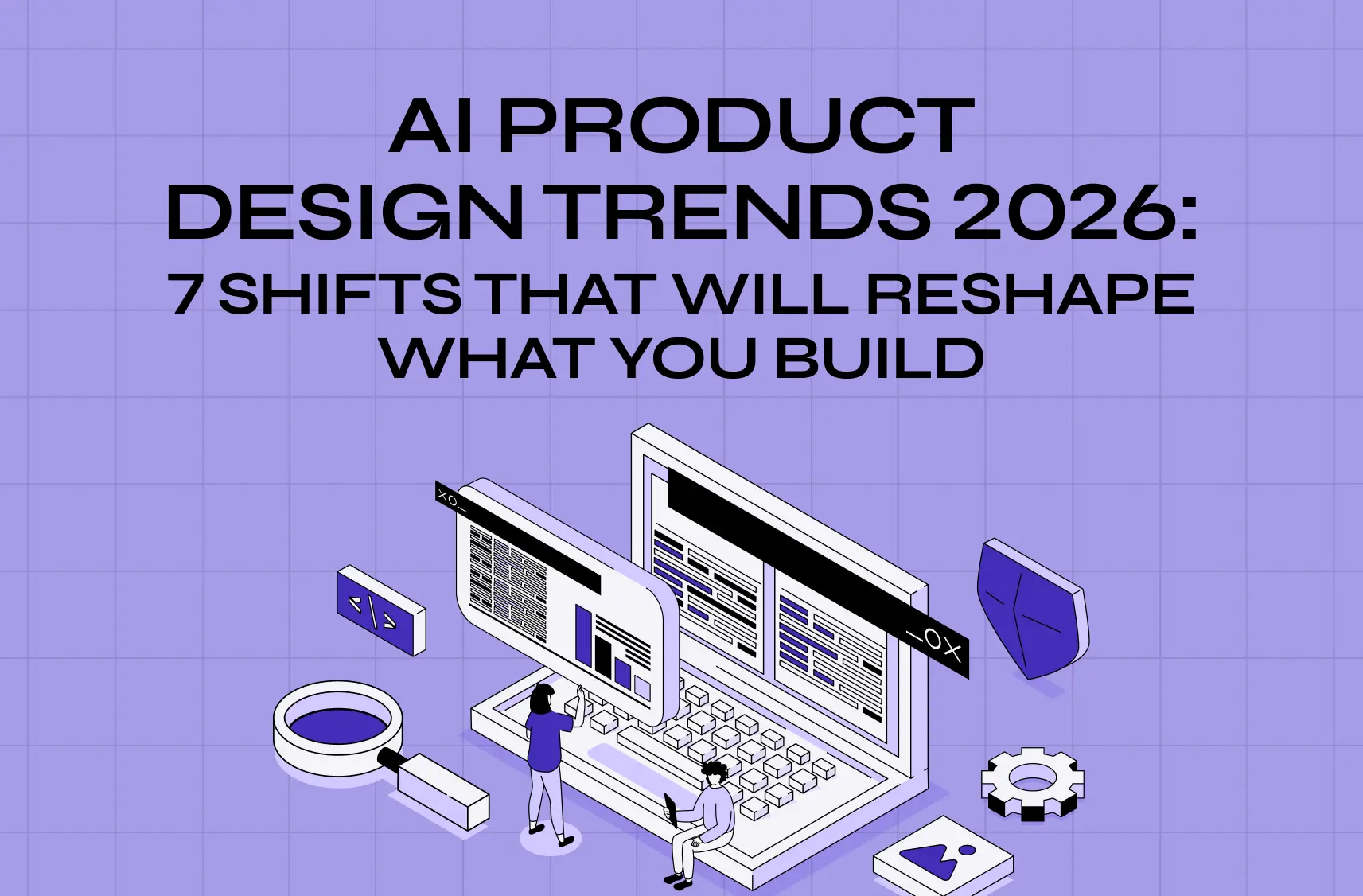
Illustration of designers collaborating on a digital interface with floating UI panels, representing AI-powered product design and development.

TL;DR: 

AI product design trends 2026 center on seven real shifts, not surface-level aesthetics:

  • Generative UI (interfaces built at runtime)

  • Agentic UX (designing for delegation)

  • AI-native products

  • The shift from attention to intent

  • Human craft as a differentiator

  • Explainability and governance

  • AI-augmented design workflows

Together they mark a move from designing fixed screens to designing adaptive systems, and teams that plan around them now will be ahead of the curve heading into next year.

AI product design trends 2026 are reshaping how software gets designed, not just how it looks, part of the bigger story of how AI is transforming UX and UI. This blog breaks down the seven shifts we're seeing show up in real products this year, explains why each one matters, and points out what it means for your roadmap if you're building or rethinking an AI-powered product.

In 2023, fewer than 5% of enterprises had deployed generative AI in production. By the end of 2026, Gartner expects that number to pass 80%.

That is not a gentle curve. It's a phase change, and it is rewriting the rules of product design faster than any shift since the move to mobile. If you build software, the interfaces you ship next year will be judged against a user who now expects products to:

  • Understand intent

  • Adapt in real time

  • Do work on their behalf

The problem is that most "2026 trends" content blurs genuine AI product design shifts with recycled talking points about minimalism and 3D. This piece does the opposite.

Below are the seven AI product design trends that are actually changing how products get designed and built in 2026. Each trend is:

  • Defined clearly

  • Backed by data

  • Paired with what it means for your roadmap

Whether you're a founder scoping an MVP or a CTO planning next year's product bets, these are the AI-driven UX practices to design around now.

Why 2026 is the real turning point
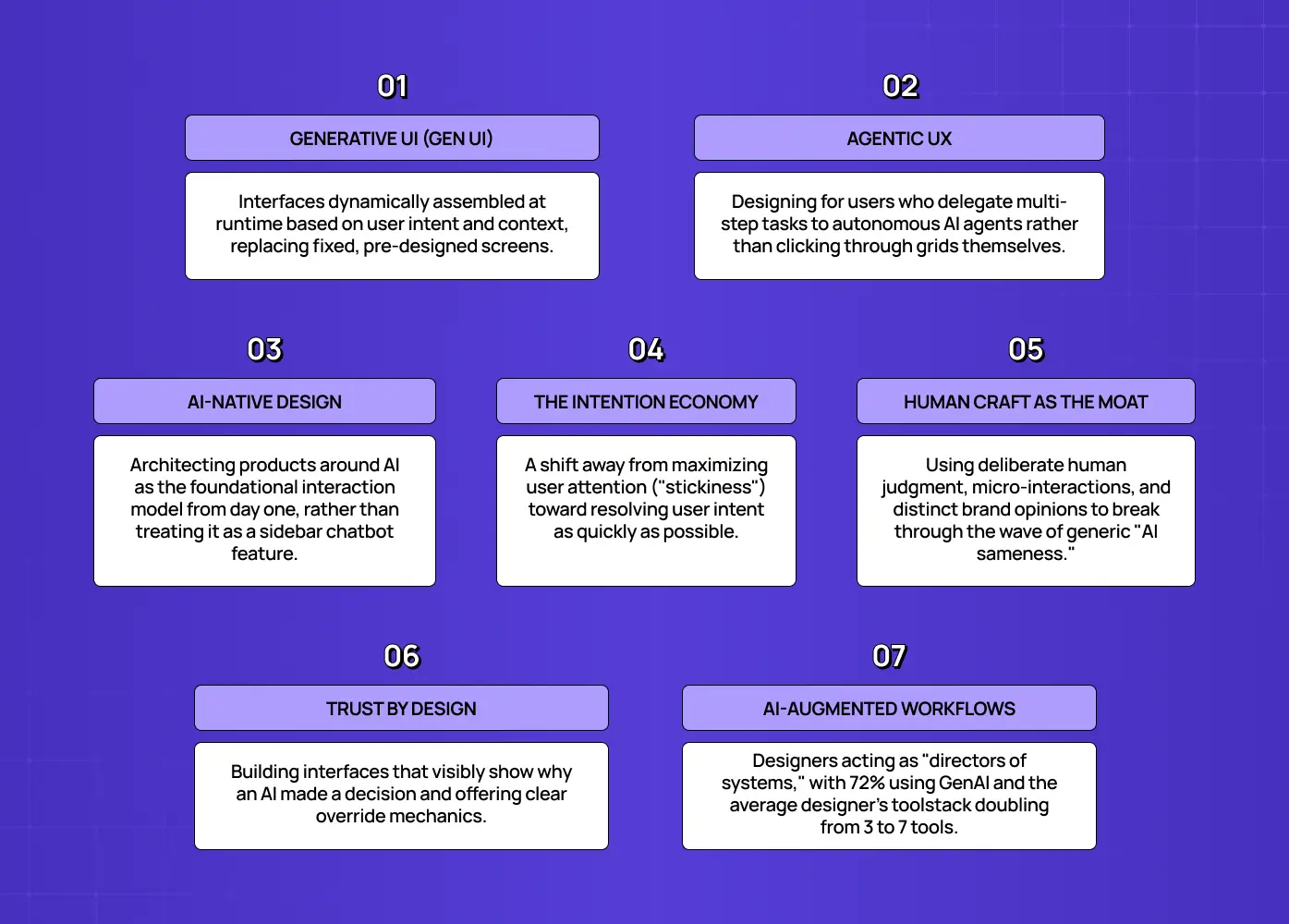
Infographic summarizing seven emerging UX trends, including generative UI, agentic UX, AI-native design, trust, and AI-augmented workflows.

It's worth naming why this year, specifically, is different. Compared with last year's UI/UX trends, the past three years were about access, when everyone got their hands on generative models and experimented. 2026 is about integration: AI moving from a novelty bolted onto products to the substrate they're built on. The numbers make the shift concrete:

  • More than 80% of enterprises will have deployed generative AI in production by the end of 2026, per Gartner, up from under 5% just two to three years ago

  • 40% of enterprise apps will ship with task-specific AI agents by the end of the year, also up from under 5%

  • Companies that excel at AI-driven personalization generate roughly 40% more revenue from those efforts than their peers, according to widely cited McKinsey research

In other words, the design decisions below aren't aesthetic preferences. They map directly to retention, conversion, and revenue. Getting them right is a growth lever; getting them wrong, through avoidable AI UX design mistakes, is a quiet tax on every metric that matters.

That's the backdrop. Here are the seven trends turning it into practice.

The AI onboarding playbook top teams use to boost activation.

Reduce first-session confusion, speed up time-to-value, and build user trust, built from real onboarding audits of AI products.

No Spam. Free Lifetime

The AI onboarding playbook top teams use to boost activation.

Reduce first-session confusion, speed up time-to-value, and build user trust, built from real onboarding audits of AI products.

No Spam. Free Lifetime

1. Generative UI: interfaces assembled at runtime
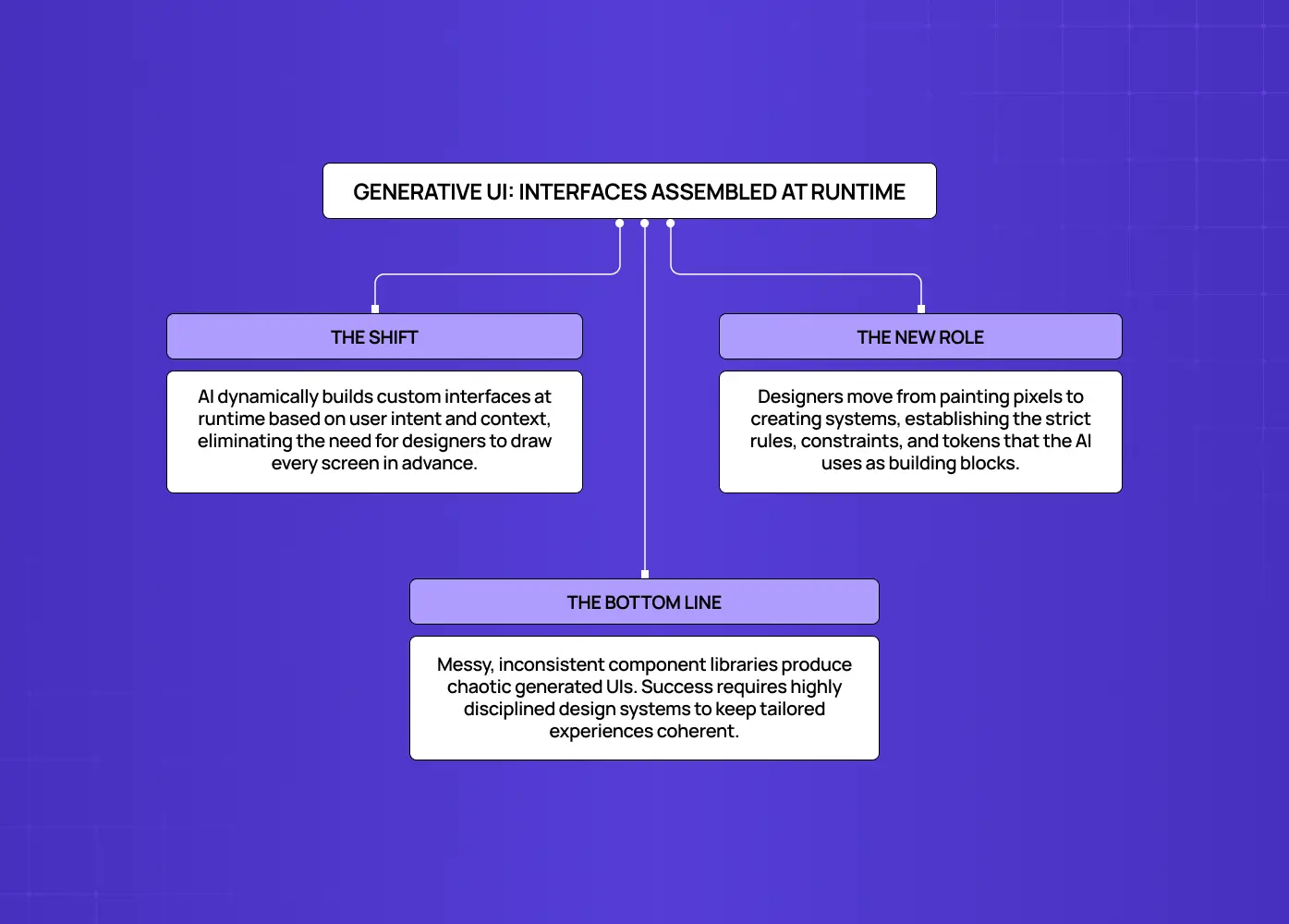
Diagram explaining how generative interfaces are assembled dynamically at runtime and the evolving role of designers in AI-driven experiences.

Generative UI (GenUI) is the practice of having an AI model compose the interface dynamically based on a user's intent and context, rather than serving a fixed, pre-designed screen. For twenty years, responsive design adapted layouts to devices: phone, tablet, desktop. GenUI adapts to intent. Two users opening the same app can see materially different screens because the system infers what each is trying to accomplish and builds the UI to match.

This is the defining interaction trend of 2026, and it upends a core assumption of the discipline: that a designer draws every screen in advance. Instead, designers increasingly define systems, constraints, and components that an AI assembles on demand. The craft moves up a level, from pixels to the rules that govern them.

What it means for you:

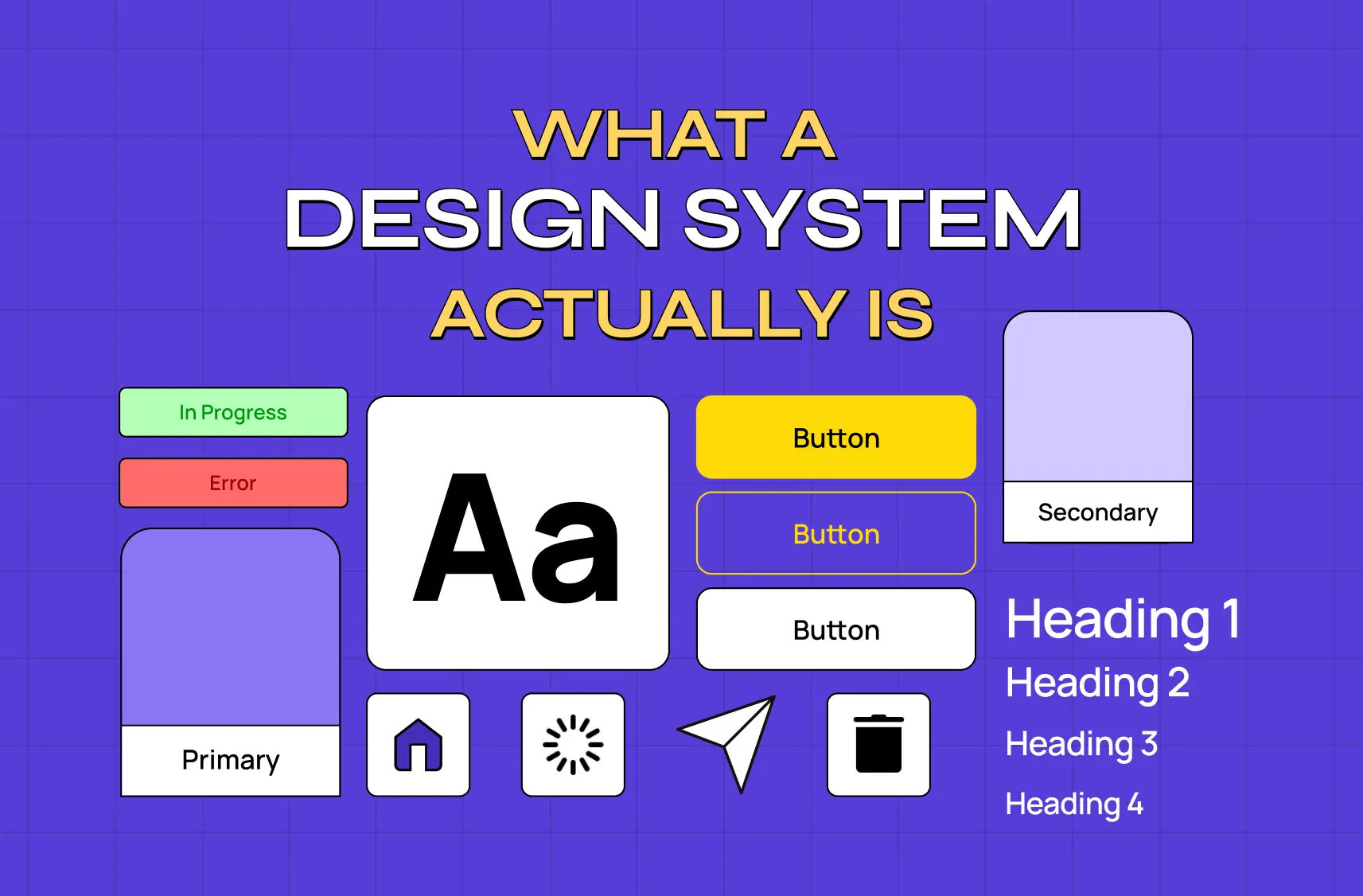
  • Invest in a rigorous, well-documented component system and clear design tokens

  • Remember that GenUI is only as good as the building blocks it draws from

  • Know that messy, inconsistent component libraries will produce incoherent generated interfaces, while disciplined systems will ship experiences that feel tailored without feeling random

2. Agentic UX: designing for users who delegate
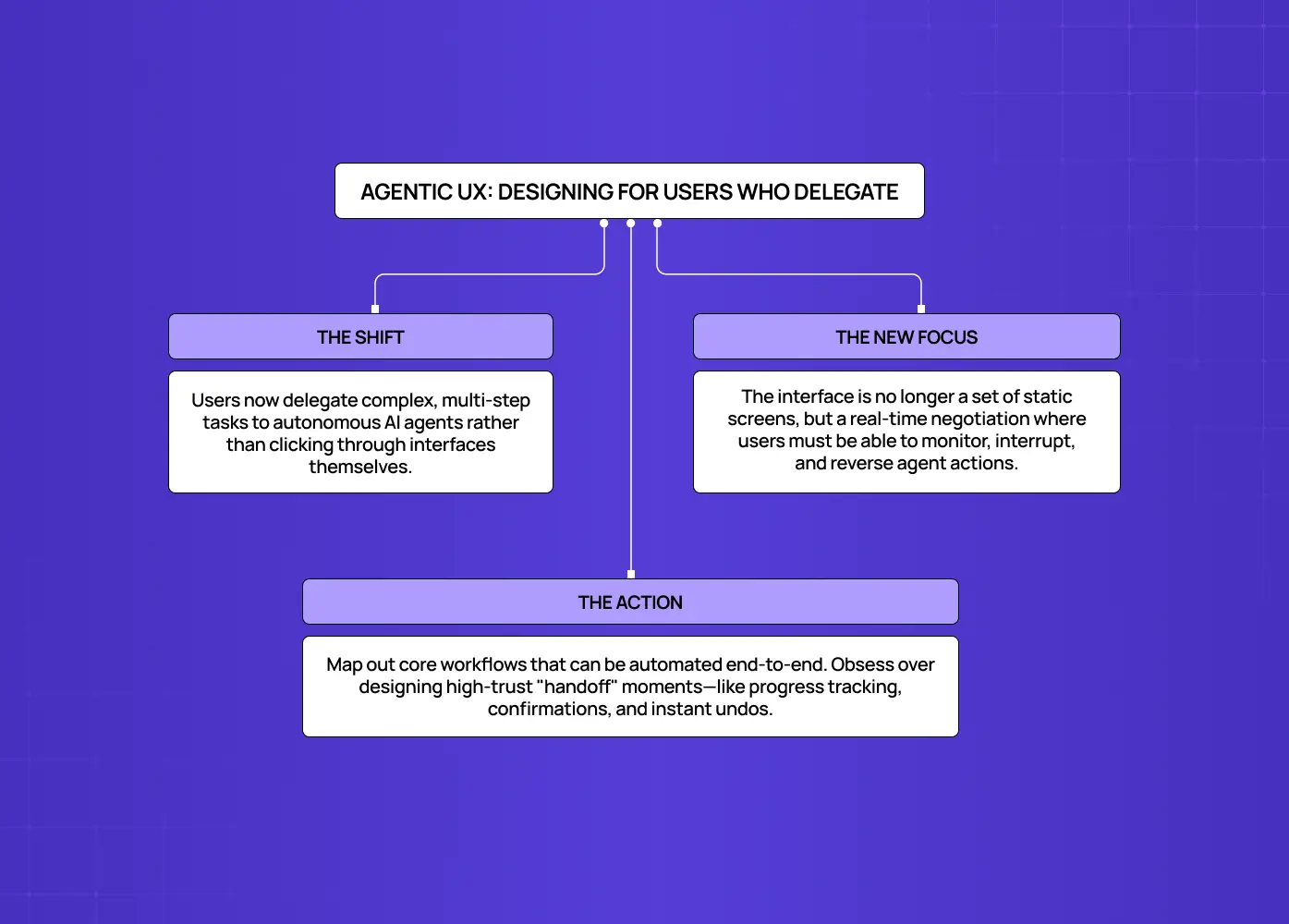
Framework illustrating how users delegate tasks to AI agents, emphasizing trust, oversight, and seamless human–AI collaboration.

Agentic UX is the design of experiences where users delegate multi-step tasks to autonomous AI agents rather than clicking through the interface themselves. Gartner projects that 40% of enterprise applications will feature task-specific AI agents by the end of 2026, up from under 5% a year earlier. When a user can say "book the cheapest flight that gets me there by noon" and an agent executes it, the entire interaction model changes, and a new vocabulary of agentic UI patterns starts to take shape.

The old goal was engagement: time on site, screens per session. The new goal is resolution velocity: how fast the user's intention is satisfied. Designing for AI agents means rethinking trust, transparency, and control. Users need to see what the agent is about to do, interrupt it, and undo it. The interface becomes less a set of screens and more a negotiation between human intent and machine action.

What it means for you:

  • Map your product's core jobs-to-be-done and identify which could be delegated end-to-end

  • Design the "handoff" moments, including confirmation, progress, and reversal, with the same care you'd give a checkout flow

  • Treat these handoff moments as where agentic products earn or lose user trust

3. AI-native design: built around AI, not bolted on
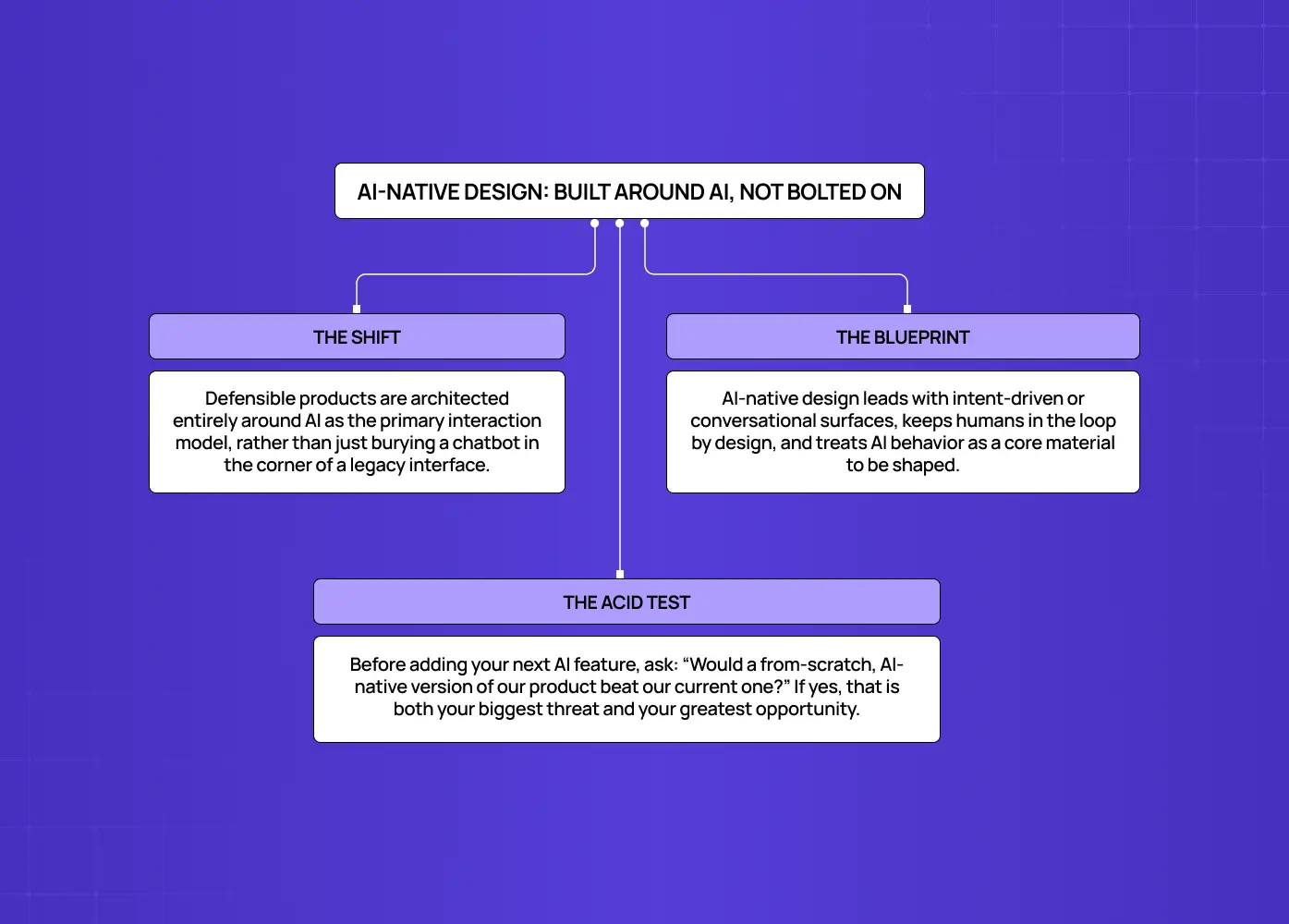
Diagram describing AI-native product design, where AI is built into the core interaction model rather than added as a feature.

AI-native product design means architecting the product around AI as the primary interaction model from the start, rather than adding AI features to a conventional interface. There is a widening gap between products that use AI (a chatbot in the corner, a "summarize" button) and products designed around it (where the AI is the product). The former treats AI as a feature; the latter treats it as the foundation.

AI-native products tend to lead with a conversational or intent-driven surface, often extending to AI voice interfaces, keep humans in the loop by design, and treat model behavior as a design material to be shaped, not a black box to be tolerated.This is where the most defensible product experiences of 2026 are being built, as you can see in these AI-driven app design examples.

What it means for you:

  • Before adding another AI feature, ask whether a from-scratch, AI-native version of your product would beat your current one

  • If the honest answer is yes, treat that as both your competitive threat and your biggest opportunity

4. The intention economy: from capturing attention to satisfying intent
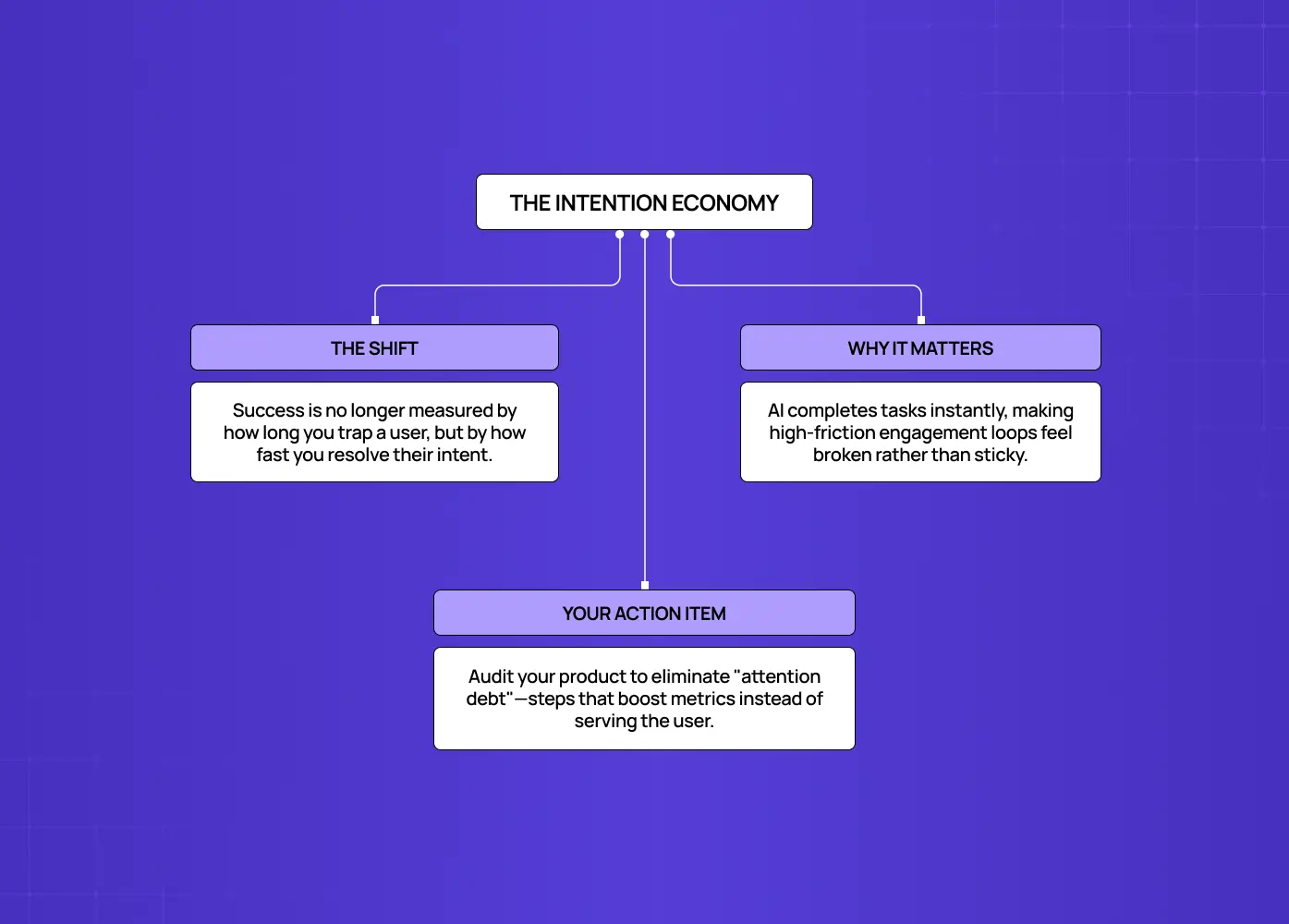
Infographic explaining the shift from maximizing user attention to helping users accomplish goals as quickly and effectively as possible.

The intention economy is the shift away from designing to maximize attention and toward designing to resolve user intent as quickly as possible. For a decade, product metrics rewarded stickiness. But when an AI agent can complete a task in seconds, a product that traps users in engagement loops feels broken, not sticky, which is the crux of AI UX vs traditional UX. The emerging north-star metric is speed-to-resolution.

This reframes a lot of product decisions. Onboarding, navigation, and notification strategies built to pull people back repeatedly start to look adversarial. Products that respect intent (get in, get it done, get out) win loyalty precisely because they don't fight for attention.

What it means for you:

  • Audit your key flows for "attention debt," meaning steps that exist to boost a metric rather than serve the user

  • Prioritize removing friction over manufacturing engagement, since that's what wins in 2026

5. Human craft as the differentiator against AI sameness
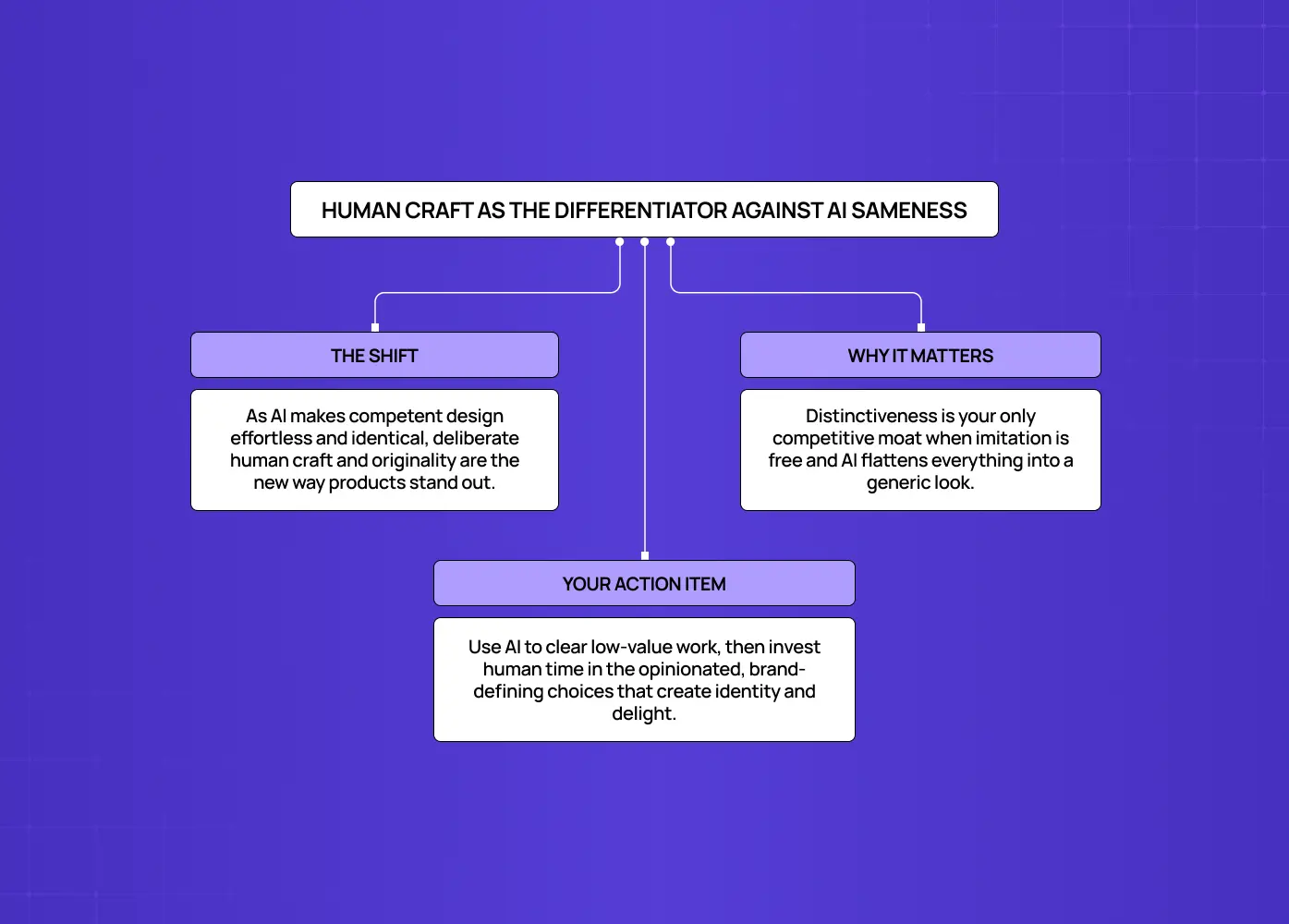
Diagram showing how originality, brand expression, and thoughtful design help products stand out in an AI-generated world.

As AI makes competent design effortless and abundant, deliberate human craft (original decisions a model wouldn't make) becomes the primary way products stand out. The first wave of generative tooling produced a wave of sameness: the same gradients, the same layouts, the same "AI look." In 2026 the mood has swung hard toward intention and originality. When imitation is free, distinctiveness is the moat.

This doesn't mean rejecting AI. It means using it to clear the low-value work so humans can spend their judgment where it counts: on the specific, opinionated, brand-defining choices that make a product feel like someone made it. Micro-interactions, emotional detail, and a coherent point of view are back in demand.

What it means for you:

  • Don't let AI flatten your product into the median of its training data

  • Use AI to accelerate the low-value work, then invest human time in the 10% of decisions that create identity and delight

6. Explainability, governance, and trust by design
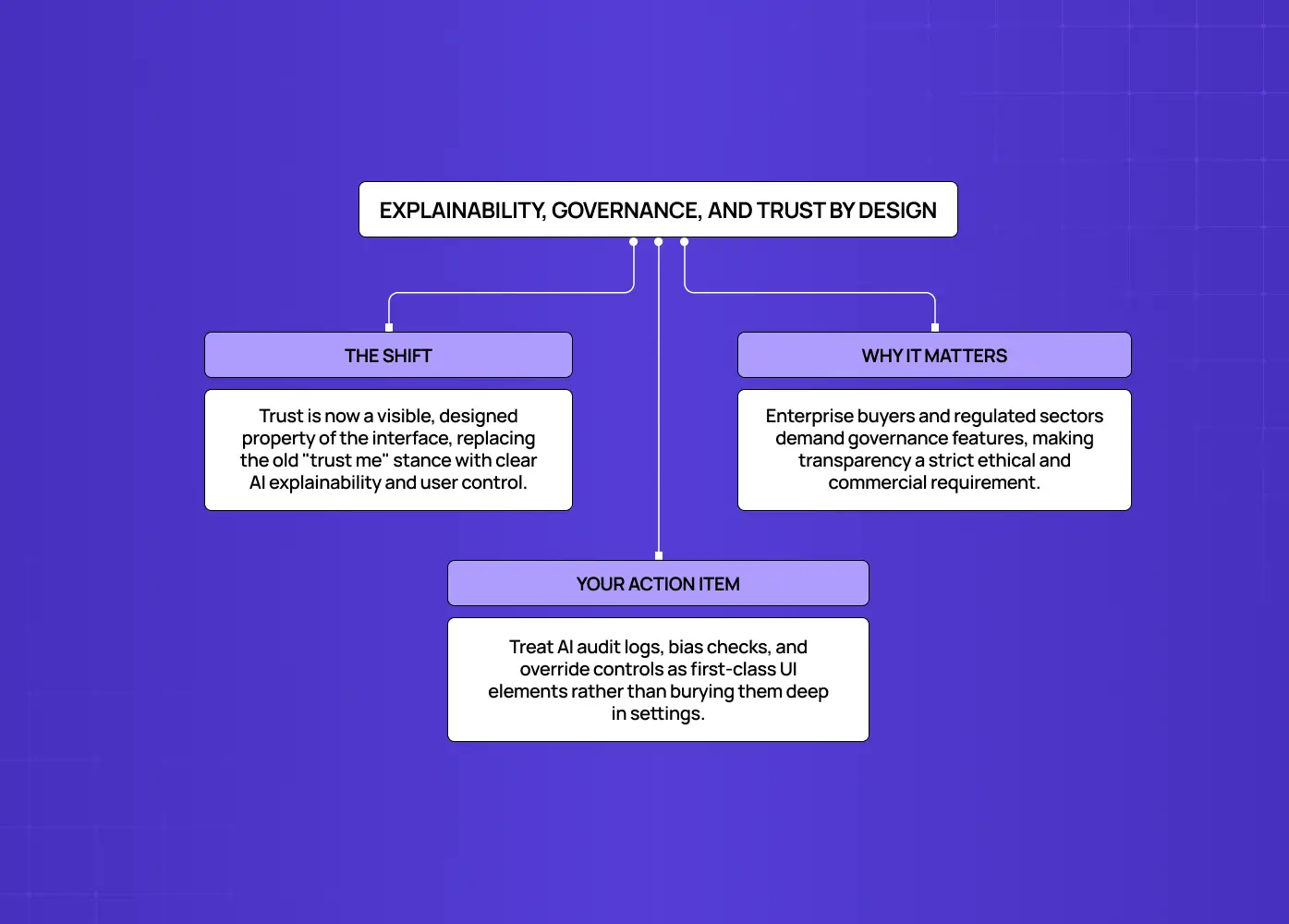
Infographic highlighting explainability, governance, and transparency as essential principles for building trustworthy AI products.

Design for explainability means building interfaces that show why an AI made a decision, let users audit and override it, and surface the guardrails around automated behavior. As AI drives more of what users see and experience, "trust me" is no longer an acceptable design stance. Teams are shipping audit logs for AI-generated variants, automated bias checks, and clear undo/override controls as standard interface elements rather than afterthoughts.

This is both an ethical requirement and a commercial one: enterprise buyers increasingly demand governance features before they'll adopt AI-powered products, especially in regulated sectors. Trust is becoming a designed, visible property of the interface.

What it means for you:

  • Treat transparency and control as first-class UI, not settings buried three menus deep

  • Show your work, and always give users a way back

7. AI-augmented design workflows: the toolchain doubles
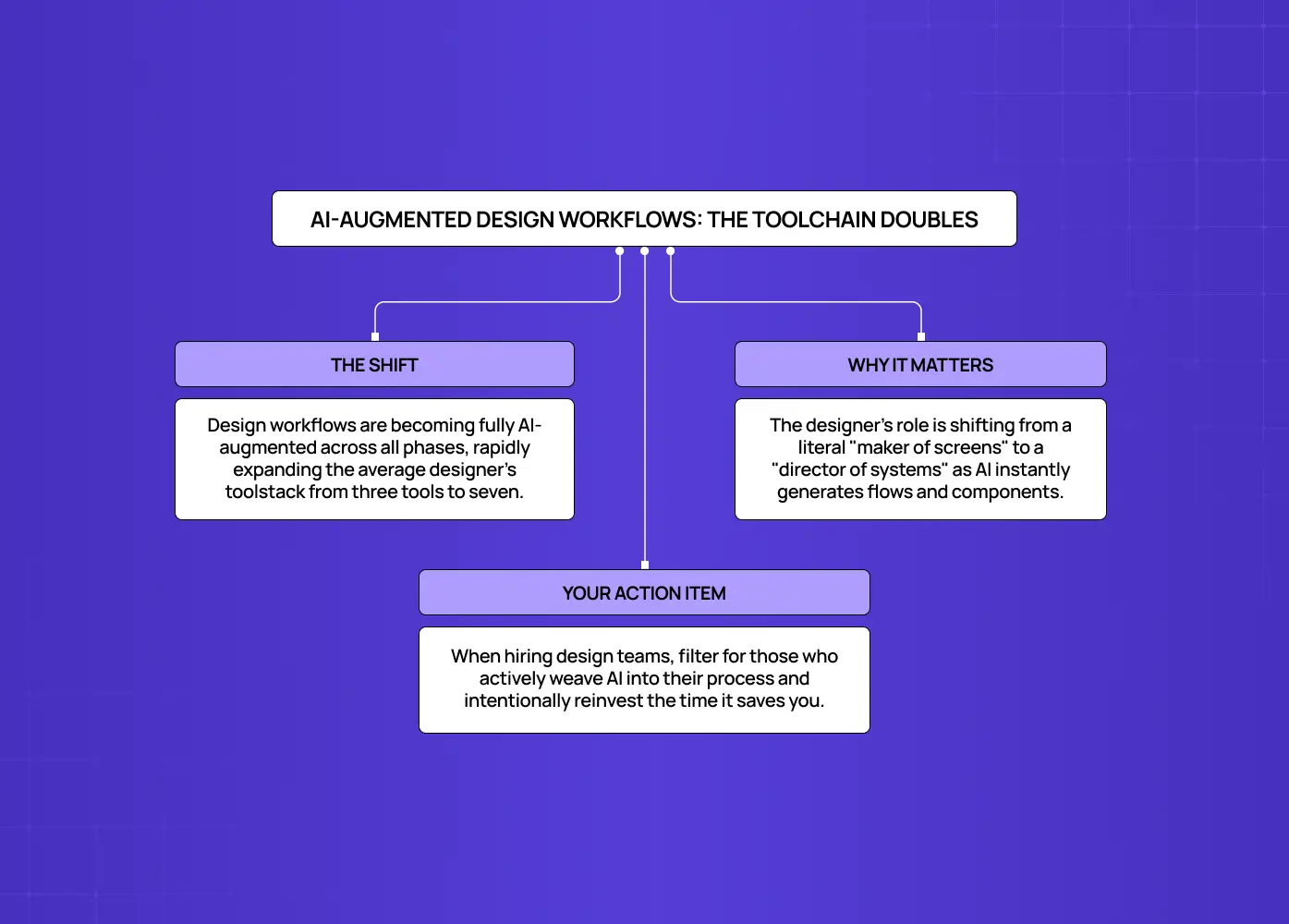
Diagram illustrating how AI expands designers' toolchains and shifts their role toward directing systems rather than creating every interface manually.

AI-augmented workflows describe how designers now use AI across every phase of their process, including research, ideation, drafting, prototyping, and code handoff, collapsing timelines that used to take weeks. It's the clearest example of AI in product design at work. According to Figma's State of the Designer 2026 report:

  • 72% of designers now use generative AI in their work

  • 91% say it improves the quality of their output

  • Weekly AI use has jumped from 54% to 91% year over year

  • The average designer's toolstack has more than doubled, from three tools to seven

The role of the designer is evolving from "maker of screens" to "director of systems and outcomes." Faster iteration means more ideas tested, more research synthesized, and tighter loops between design and engineering, with AI increasingly acting as a co-designer that suggests flows, flags friction, and generates production-ready components.

What it means for you:

  • The agencies and teams that compound this advantage will out-ship those that don't

  • When evaluating a design partner in 2026, ask how AI is woven into their process, including which AI tools for designers they rely on, and what they do with the time it saves

What these trends add up to

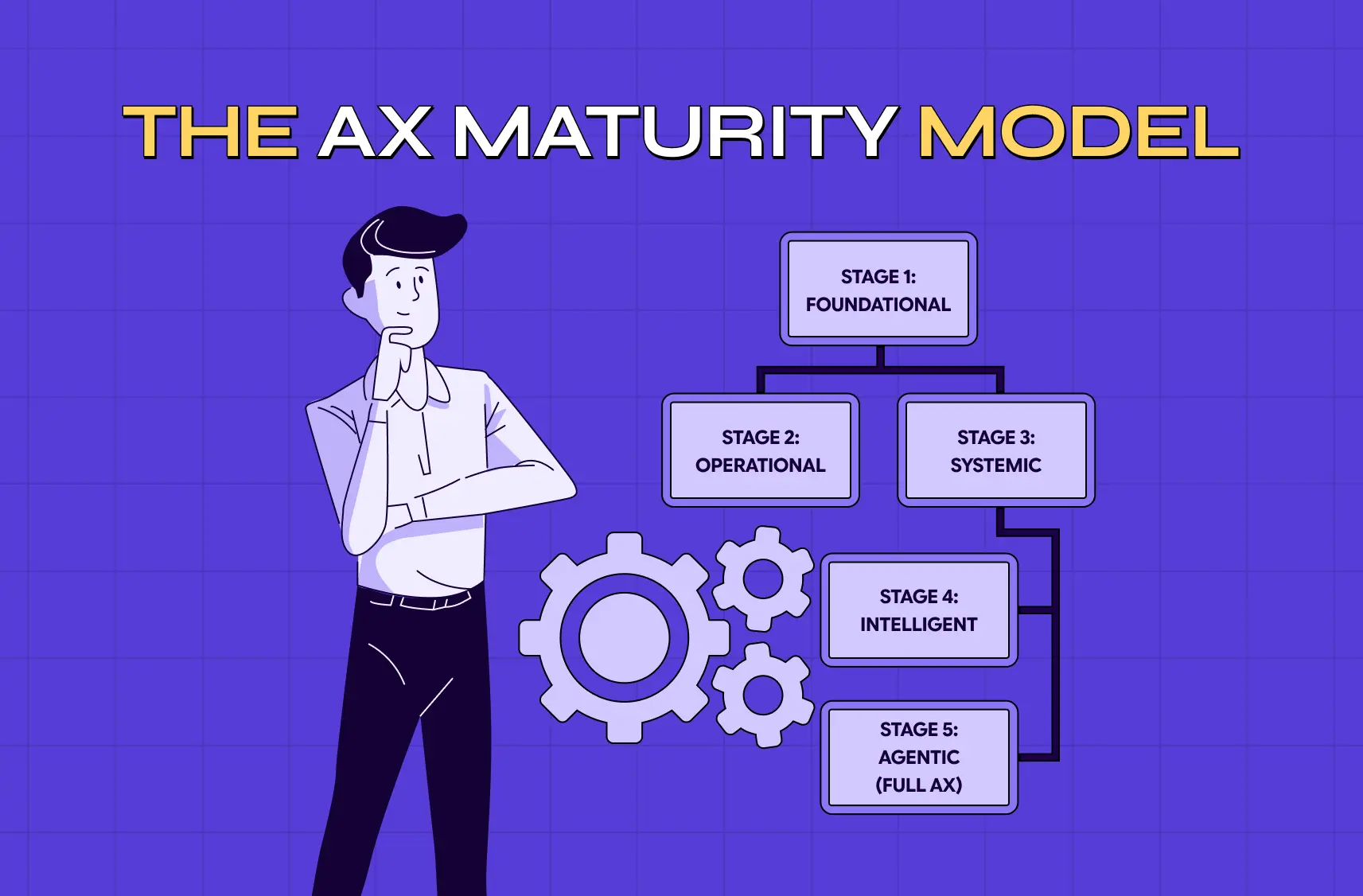
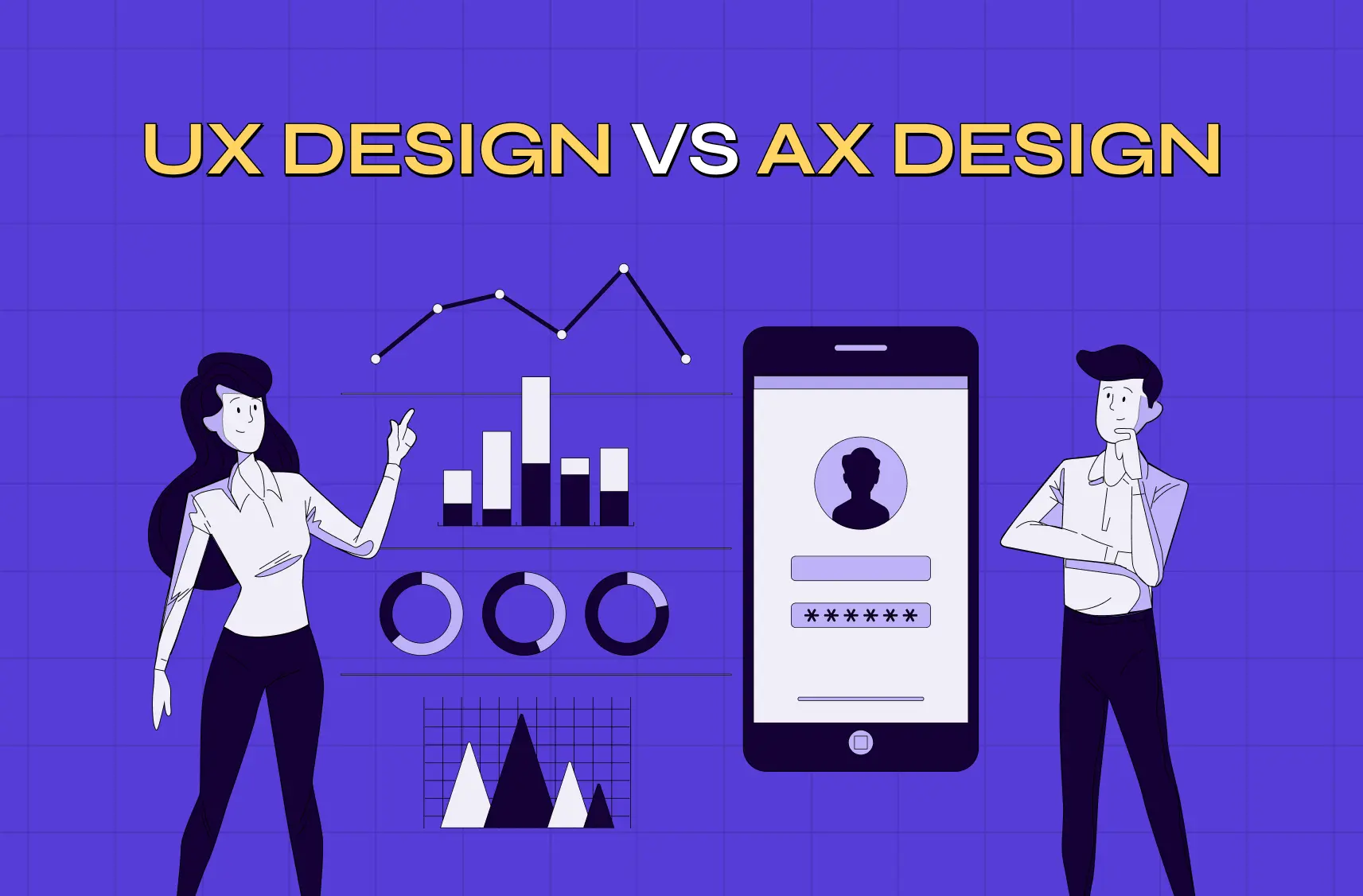
Step back and the seven trends tell one story: design is moving from drawing fixed screens to shaping intelligent, adaptive systems, and the shift holds just as much for mobile app design trends. Interfaces are generated, not just drawn. Users delegate instead of clicking, a shift big enough that some now frame it as AX versus UX design. Success is measured in resolution, not attention. And through it all, human judgment (taste, ethics, originality) becomes more valuable, not less, because it's the one thing AI can't commoditize.

The companies that win in 2026 won't be the ones that bolt the most AI features onto existing products. They'll be the ones that rethink the experience from the ground up around what AI now makes possible, while keeping a human firmly in the loop.

A quick self-assessment: is your product ready?

Before your next planning cycle, run your product through a short gut-check against these trends:

  • Is your component system disciplined enough that an AI could assemble coherent screens from it, or would it produce a mess?

  • Have you identified which of your core jobs-to-be-done could be delegated to an agent, the heart of agentic experience design, and designed the confirmation, progress, and undo moments those require?

  • Would a from-scratch, AI-native competitor beat your current experience, and if so, what would it do differently?

  • Are your success metrics still rewarding attention when they should reward resolution?

  • Can users see why your AI made a decision, and easily override it?

If you answered "not sure" to more than one of these, you're not behind. Most teams are in exactly that spot. But each question points to concrete, fundable work: a component-system audit, an agent-opportunity map, a metrics review, a governance layer. The teams that turn these questions into a roadmap this year are the ones that will feel effortless to users next year.

A useful way to sequence the work: start with the foundation of component system, design tokens, and solid digital product design principles, because generative UI, AI-native flows, and workflow speed all depend on it. Then layer in the intent and agent work, which reshapes your core flows. Finally, build governance and craft in as ongoing disciplines rather than one-time projects. Trying to do all of it at once is how teams stall; doing it in that order is how they compound.

Conclusion

AI product design in 2026 rewards teams that move early and deliberately. Here's the core of it:

  • The trends above aren't predictions to file away. They're decisions your roadmap is already making, whether consciously or not

  • The real question isn't whether these shifts affect your product. It's whether you're designing around them on purpose

If you're looking into building an AI-powered SaaS product, or rethinking an existing one for an AI-native world, book a discovery call with Groto. We help founders and product teams turn these shifts into shipped, validated experiences that users trust and love. No jargon, no hype. Just design that moves your product forward.

AI is moving from a bolted-on feature to the foundation products are built on. This guide breaks down the seven AI product design trends shaping 2026, from generative UI to agentic UX, and what each one means for your roadmap.

Seven AI product design trends reshaping how products get built in 2026.

Illustration of designers collaborating on a digital interface with floating UI panels, representing AI-powered product design and development.

TL;DR: 

AI product design trends 2026 center on seven real shifts, not surface-level aesthetics:

  • Generative UI (interfaces built at runtime)

  • Agentic UX (designing for delegation)

  • AI-native products

  • The shift from attention to intent

  • Human craft as a differentiator

  • Explainability and governance

  • AI-augmented design workflows

Together they mark a move from designing fixed screens to designing adaptive systems, and teams that plan around them now will be ahead of the curve heading into next year.

AI product design trends 2026 are reshaping how software gets designed, not just how it looks, part of the bigger story of how AI is transforming UX and UI. This blog breaks down the seven shifts we're seeing show up in real products this year, explains why each one matters, and points out what it means for your roadmap if you're building or rethinking an AI-powered product.

In 2023, fewer than 5% of enterprises had deployed generative AI in production. By the end of 2026, Gartner expects that number to pass 80%.

That is not a gentle curve. It's a phase change, and it is rewriting the rules of product design faster than any shift since the move to mobile. If you build software, the interfaces you ship next year will be judged against a user who now expects products to:

  • Understand intent

  • Adapt in real time

  • Do work on their behalf

The problem is that most "2026 trends" content blurs genuine AI product design shifts with recycled talking points about minimalism and 3D. This piece does the opposite.

Below are the seven AI product design trends that are actually changing how products get designed and built in 2026. Each trend is:

  • Defined clearly

  • Backed by data

  • Paired with what it means for your roadmap

Whether you're a founder scoping an MVP or a CTO planning next year's product bets, these are the AI-driven UX practices to design around now.

Why 2026 is the real turning point

Infographic summarizing seven emerging UX trends, including generative UI, agentic UX, AI-native design, trust, and AI-augmented workflows.

It's worth naming why this year, specifically, is different. Compared with last year's UI/UX trends, the past three years were about access, when everyone got their hands on generative models and experimented. 2026 is about integration: AI moving from a novelty bolted onto products to the substrate they're built on. The numbers make the shift concrete:

  • More than 80% of enterprises will have deployed generative AI in production by the end of 2026, per Gartner, up from under 5% just two to three years ago

  • 40% of enterprise apps will ship with task-specific AI agents by the end of the year, also up from under 5%

  • Companies that excel at AI-driven personalization generate roughly 40% more revenue from those efforts than their peers, according to widely cited McKinsey research

In other words, the design decisions below aren't aesthetic preferences. They map directly to retention, conversion, and revenue. Getting them right is a growth lever; getting them wrong, through avoidable AI UX design mistakes, is a quiet tax on every metric that matters.

That's the backdrop. Here are the seven trends turning it into practice.

The AI onboarding playbook top teams use to boost activation.

Reduce first-session confusion, speed up time-to-value, and build user trust, built from real onboarding audits of AI products.

No Spam. Free Lifetime

1. Generative UI: interfaces assembled at runtime

Diagram explaining how generative interfaces are assembled dynamically at runtime and the evolving role of designers in AI-driven experiences.

Generative UI (GenUI) is the practice of having an AI model compose the interface dynamically based on a user's intent and context, rather than serving a fixed, pre-designed screen. For twenty years, responsive design adapted layouts to devices: phone, tablet, desktop. GenUI adapts to intent. Two users opening the same app can see materially different screens because the system infers what each is trying to accomplish and builds the UI to match.

This is the defining interaction trend of 2026, and it upends a core assumption of the discipline: that a designer draws every screen in advance. Instead, designers increasingly define systems, constraints, and components that an AI assembles on demand. The craft moves up a level, from pixels to the rules that govern them.

What it means for you:

  • Invest in a rigorous, well-documented component system and clear design tokens

  • Remember that GenUI is only as good as the building blocks it draws from

  • Know that messy, inconsistent component libraries will produce incoherent generated interfaces, while disciplined systems will ship experiences that feel tailored without feeling random

2. Agentic UX: designing for users who delegate

Framework illustrating how users delegate tasks to AI agents, emphasizing trust, oversight, and seamless human–AI collaboration.

Agentic UX is the design of experiences where users delegate multi-step tasks to autonomous AI agents rather than clicking through the interface themselves. Gartner projects that 40% of enterprise applications will feature task-specific AI agents by the end of 2026, up from under 5% a year earlier. When a user can say "book the cheapest flight that gets me there by noon" and an agent executes it, the entire interaction model changes, and a new vocabulary of agentic UI patterns starts to take shape.

The old goal was engagement: time on site, screens per session. The new goal is resolution velocity: how fast the user's intention is satisfied. Designing for AI agents means rethinking trust, transparency, and control. Users need to see what the agent is about to do, interrupt it, and undo it. The interface becomes less a set of screens and more a negotiation between human intent and machine action.

What it means for you:

  • Map your product's core jobs-to-be-done and identify which could be delegated end-to-end

  • Design the "handoff" moments, including confirmation, progress, and reversal, with the same care you'd give a checkout flow

  • Treat these handoff moments as where agentic products earn or lose user trust

3. AI-native design: built around AI, not bolted on

Diagram describing AI-native product design, where AI is built into the core interaction model rather than added as a feature.

AI-native product design means architecting the product around AI as the primary interaction model from the start, rather than adding AI features to a conventional interface. There is a widening gap between products that use AI (a chatbot in the corner, a "summarize" button) and products designed around it (where the AI is the product). The former treats AI as a feature; the latter treats it as the foundation.

AI-native products tend to lead with a conversational or intent-driven surface, often extending to AI voice interfaces, keep humans in the loop by design, and treat model behavior as a design material to be shaped, not a black box to be tolerated.This is where the most defensible product experiences of 2026 are being built, as you can see in these AI-driven app design examples.

What it means for you:

  • Before adding another AI feature, ask whether a from-scratch, AI-native version of your product would beat your current one

  • If the honest answer is yes, treat that as both your competitive threat and your biggest opportunity

4. The intention economy: from capturing attention to satisfying intent

Infographic explaining the shift from maximizing user attention to helping users accomplish goals as quickly and effectively as possible.

The intention economy is the shift away from designing to maximize attention and toward designing to resolve user intent as quickly as possible. For a decade, product metrics rewarded stickiness. But when an AI agent can complete a task in seconds, a product that traps users in engagement loops feels broken, not sticky, which is the crux of AI UX vs traditional UX. The emerging north-star metric is speed-to-resolution.

This reframes a lot of product decisions. Onboarding, navigation, and notification strategies built to pull people back repeatedly start to look adversarial. Products that respect intent (get in, get it done, get out) win loyalty precisely because they don't fight for attention.

What it means for you:

  • Audit your key flows for "attention debt," meaning steps that exist to boost a metric rather than serve the user

  • Prioritize removing friction over manufacturing engagement, since that's what wins in 2026

5. Human craft as the differentiator against AI sameness

Diagram showing how originality, brand expression, and thoughtful design help products stand out in an AI-generated world.

As AI makes competent design effortless and abundant, deliberate human craft (original decisions a model wouldn't make) becomes the primary way products stand out. The first wave of generative tooling produced a wave of sameness: the same gradients, the same layouts, the same "AI look." In 2026 the mood has swung hard toward intention and originality. When imitation is free, distinctiveness is the moat.

This doesn't mean rejecting AI. It means using it to clear the low-value work so humans can spend their judgment where it counts: on the specific, opinionated, brand-defining choices that make a product feel like someone made it. Micro-interactions, emotional detail, and a coherent point of view are back in demand.

What it means for you:

  • Don't let AI flatten your product into the median of its training data

  • Use AI to accelerate the low-value work, then invest human time in the 10% of decisions that create identity and delight

6. Explainability, governance, and trust by design

Infographic highlighting explainability, governance, and transparency as essential principles for building trustworthy AI products.

Design for explainability means building interfaces that show why an AI made a decision, let users audit and override it, and surface the guardrails around automated behavior. As AI drives more of what users see and experience, "trust me" is no longer an acceptable design stance. Teams are shipping audit logs for AI-generated variants, automated bias checks, and clear undo/override controls as standard interface elements rather than afterthoughts.

This is both an ethical requirement and a commercial one: enterprise buyers increasingly demand governance features before they'll adopt AI-powered products, especially in regulated sectors. Trust is becoming a designed, visible property of the interface.

What it means for you:

  • Treat transparency and control as first-class UI, not settings buried three menus deep

  • Show your work, and always give users a way back

7. AI-augmented design workflows: the toolchain doubles

Diagram illustrating how AI expands designers' toolchains and shifts their role toward directing systems rather than creating every interface manually.

AI-augmented workflows describe how designers now use AI across every phase of their process, including research, ideation, drafting, prototyping, and code handoff, collapsing timelines that used to take weeks. It's the clearest example of AI in product design at work. According to Figma's State of the Designer 2026 report:

  • 72% of designers now use generative AI in their work

  • 91% say it improves the quality of their output

  • Weekly AI use has jumped from 54% to 91% year over year

  • The average designer's toolstack has more than doubled, from three tools to seven

The role of the designer is evolving from "maker of screens" to "director of systems and outcomes." Faster iteration means more ideas tested, more research synthesized, and tighter loops between design and engineering, with AI increasingly acting as a co-designer that suggests flows, flags friction, and generates production-ready components.

What it means for you:

  • The agencies and teams that compound this advantage will out-ship those that don't

  • When evaluating a design partner in 2026, ask how AI is woven into their process, including which AI tools for designers they rely on, and what they do with the time it saves

What these trends add up to

Step back and the seven trends tell one story: design is moving from drawing fixed screens to shaping intelligent, adaptive systems, and the shift holds just as much for mobile app design trends. Interfaces are generated, not just drawn. Users delegate instead of clicking, a shift big enough that some now frame it as AX versus UX design. Success is measured in resolution, not attention. And through it all, human judgment (taste, ethics, originality) becomes more valuable, not less, because it's the one thing AI can't commoditize.

The companies that win in 2026 won't be the ones that bolt the most AI features onto existing products. They'll be the ones that rethink the experience from the ground up around what AI now makes possible, while keeping a human firmly in the loop.

A quick self-assessment: is your product ready?

Before your next planning cycle, run your product through a short gut-check against these trends:

  • Is your component system disciplined enough that an AI could assemble coherent screens from it, or would it produce a mess?

  • Have you identified which of your core jobs-to-be-done could be delegated to an agent, the heart of agentic experience design, and designed the confirmation, progress, and undo moments those require?

  • Would a from-scratch, AI-native competitor beat your current experience, and if so, what would it do differently?

  • Are your success metrics still rewarding attention when they should reward resolution?

  • Can users see why your AI made a decision, and easily override it?

If you answered "not sure" to more than one of these, you're not behind. Most teams are in exactly that spot. But each question points to concrete, fundable work: a component-system audit, an agent-opportunity map, a metrics review, a governance layer. The teams that turn these questions into a roadmap this year are the ones that will feel effortless to users next year.

A useful way to sequence the work: start with the foundation of component system, design tokens, and solid digital product design principles, because generative UI, AI-native flows, and workflow speed all depend on it. Then layer in the intent and agent work, which reshapes your core flows. Finally, build governance and craft in as ongoing disciplines rather than one-time projects. Trying to do all of it at once is how teams stall; doing it in that order is how they compound.

Conclusion

AI product design in 2026 rewards teams that move early and deliberately. Here's the core of it:

  • The trends above aren't predictions to file away. They're decisions your roadmap is already making, whether consciously or not

  • The real question isn't whether these shifts affect your product. It's whether you're designing around them on purpose

If you're looking into building an AI-powered SaaS product, or rethinking an existing one for an AI-native world, book a discovery call with Groto. We help founders and product teams turn these shifts into shipped, validated experiences that users trust and love. No jargon, no hype. Just design that moves your product forward.

Have a project in mind?

Let’s talk through your idea and see what makes sense.
Harpreet Singh

Founder at Groto

Have a project in mind?

Let’s talk through your idea and see what makes sense.
Harpreet Singh

Founder at Groto

FAQ

Everything you were going to ask (and a few things you didn’t know to)

What is generative UI?

Generative UI is when an AI model assembles the interface itself based on what a user is trying to do, instead of showing everyone the same fixed screen. In practice, this could mean an analytics dashboard that generates a completely different first view for someone troubleshooting a dropped metric versus someone doing a routine monthly review, even though both people are looking at the same underlying data. The definition sounds abstract, but the practical test is simple: if two users with different goals would benefit from seeing different things, generative UI is worth exploring for that screen.

What is agentic UX?

Agentic UX shows up whenever a product lets a user hand off a multi-step job instead of clicking through it themselves, for example asking an assistant to file and categorize a batch of expense receipts rather than doing it screen by screen. The design challenge is less about the task itself and more about what happens while the agent is working: how the product shows progress on a job that might take a few minutes, what it does if a step fails partway through, and how easily a user can step in and redirect it. Products that handle that middle stretch well tend to earn far more trust than ones that only show a start button and a final result.

Is product design a good career in 2026?

Yes, and AI is changing what makes someone good at it rather than reducing demand for the role. Per Figma's 2026 data, most designers now use AI weekly and say it improves their output, which means the entry-level, repetitive tasks are automating while judgment-heavy work is growing. The strongest career outlook belongs to designers who pair strong fundamentals, like research and systems thinking, with fluency across an AI-augmented toolchain, since that combination is exactly what teams are hiring for as products become AI-native.

What AI tools are product designers using in 2026?

Product designers in 2026 typically work across a stack of AI tools rather than a single one. This includes AI-native design and prototyping features built into platforms like Figma, conversational assistants such as Claude and ChatGPT for research, ideation, and structuring decisions, and prompt-to-app builders like Lovable and v0 for turning concepts into working prototypes quickly. Per Figma's 2026 survey data, the average designer's toolstack has grown from three tools to seven, which reflects how central AI has become across the entire workflow, not just one stage of it.

Will AI replace product designers in 2026?

No. AI automates competent, repetitive design work, which raises the value of human judgment: taste, ethics, originality, and brand point of view. The designers most in demand are those who use AI to move faster while making the opinionated decisions that differentiate a product.

How should my company prepare for these AI design trends?

Start with a disciplined component system and design tokens (the foundation for generative UI), identify jobs that could be delegated to agents, build transparency and control into your interface, and choose a design partner whose process already integrates AI. A discovery call is a good first step to map the highest-leverage moves for your product.

What is generative UI?

Generative UI is when an AI model assembles the interface itself based on what a user is trying to do, instead of showing everyone the same fixed screen. In practice, this could mean an analytics dashboard that generates a completely different first view for someone troubleshooting a dropped metric versus someone doing a routine monthly review, even though both people are looking at the same underlying data. The definition sounds abstract, but the practical test is simple: if two users with different goals would benefit from seeing different things, generative UI is worth exploring for that screen.

What is agentic UX?

Agentic UX shows up whenever a product lets a user hand off a multi-step job instead of clicking through it themselves, for example asking an assistant to file and categorize a batch of expense receipts rather than doing it screen by screen. The design challenge is less about the task itself and more about what happens while the agent is working: how the product shows progress on a job that might take a few minutes, what it does if a step fails partway through, and how easily a user can step in and redirect it. Products that handle that middle stretch well tend to earn far more trust than ones that only show a start button and a final result.

Is product design a good career in 2026?

Yes, and AI is changing what makes someone good at it rather than reducing demand for the role. Per Figma's 2026 data, most designers now use AI weekly and say it improves their output, which means the entry-level, repetitive tasks are automating while judgment-heavy work is growing. The strongest career outlook belongs to designers who pair strong fundamentals, like research and systems thinking, with fluency across an AI-augmented toolchain, since that combination is exactly what teams are hiring for as products become AI-native.

What AI tools are product designers using in 2026?

Product designers in 2026 typically work across a stack of AI tools rather than a single one. This includes AI-native design and prototyping features built into platforms like Figma, conversational assistants such as Claude and ChatGPT for research, ideation, and structuring decisions, and prompt-to-app builders like Lovable and v0 for turning concepts into working prototypes quickly. Per Figma's 2026 survey data, the average designer's toolstack has grown from three tools to seven, which reflects how central AI has become across the entire workflow, not just one stage of it.

Will AI replace product designers in 2026?

No. AI automates competent, repetitive design work, which raises the value of human judgment: taste, ethics, originality, and brand point of view. The designers most in demand are those who use AI to move faster while making the opinionated decisions that differentiate a product.

How should my company prepare for these AI design trends?

Start with a disciplined component system and design tokens (the foundation for generative UI), identify jobs that could be delegated to agents, build transparency and control into your interface, and choose a design partner whose process already integrates AI. A discovery call is a good first step to map the highest-leverage moves for your product.

More Articles

Extreme close-up black and white photograph of a human eye

Let’s bring your vision to life

Tell us what's on your mind? We'll hit you back in 24 hours. No fluff, no delays - just a solid vision to bring your idea to life.

Profile portrait of a man in a white shirt against a light background

Harpreet Singh

Founder and Creative Director

Get in Touch

Extreme close-up black and white photograph of a human eye

Let’s bring your vision to life

Tell us what's on your mind? We'll hit you back in 24 hours. No fluff, no delays - just a solid vision to bring your idea to life.

Profile portrait of a man in a white shirt against a light background

Harpreet Singh

Founder and Creative Director

Get in Touch

Extreme close-up black and white photograph of a human eye

Let’s bring your vision to life

Tell us what's on your mind? We'll hit you back in 24 hours. No fluff, no delays - just a solid vision to bring your idea to life.

Profile portrait of a man in a white shirt against a light background

Harpreet Singh

Founder and Creative Director

Get in Touch